Apple Mobiles on Noon UAE: model specifications — testing coupons one at a time
When you set out to buy an Apple mobile on Noon UAE, the urge to apply a coupon like TAR66 can be strong.
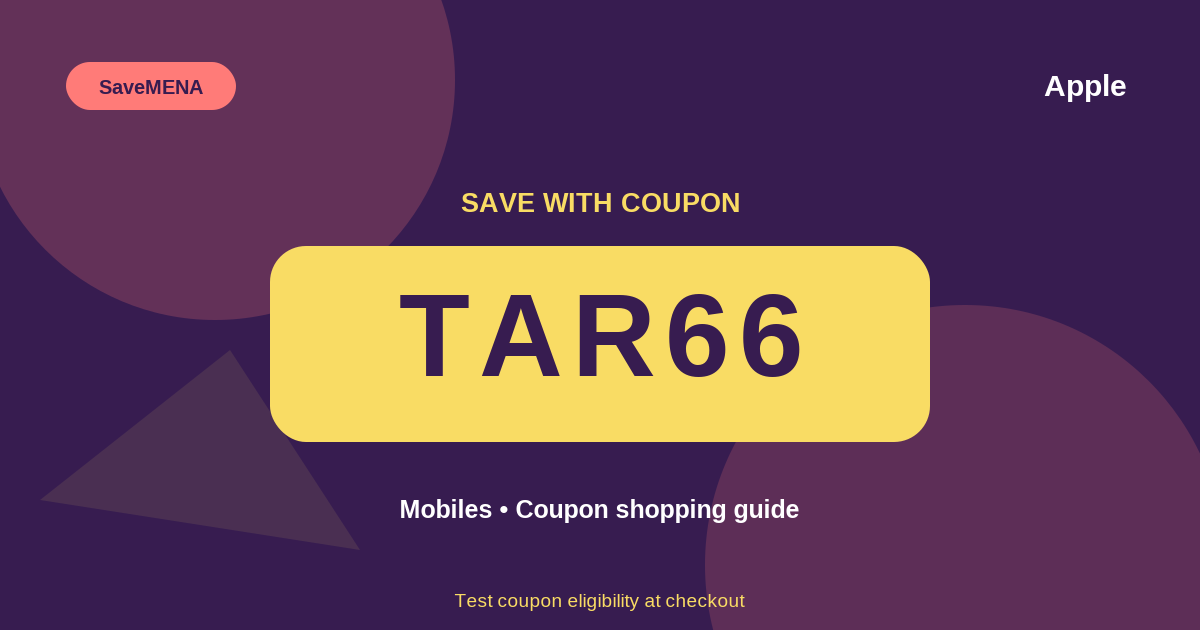
Codes available to try while comparing
These codes are not guaranteed for the article topic or listed brands; test them at checkout and use the live result.
Choosing the Right Apple Model: Key Specs to Compare
When searching for an Apple phone on Noon UAE, pay attention to the key specifications that differ from one model to another—screen size, processor type, camera resolution, battery capacity, and available storage. These features not only affect performance but can also determine the product’s catalog variant, which is critical when testing coupon eligibility. The coupon does not distinguish based on specs, yet verifying which version you are purchasing is necessary because Noon may list multiple configurations under the same product title.
For your testing routine, note the model number or technical name displayed on the product page (for example, “Apple iPhone 15 Pro Max – 512GB – Pacific Blue”). Record these particulars, as they will be needed when you add the item to the cart and later confirm the applied coupon. Ensuring accuracy at this stage will prevent mismatches between intended and actual checkout totals.
Setting Up Your Noon UAE Account for Coupon Application
Before trying the TAR66 code, ensure your Noon UAE account is fully registered and verified. An active account allows the platform to track eligibility for coupons and maintain cart data throughout the testing process. Add a delivery address and payment method ahead of time—this keeps the workflow focused on coupon testing rather than on account creation hurdles.
Check the account’s “Coupon” section to view any stored vouchers or promotional codes. While the TAR66 code is the sole code to test, verifying that your account accepts company‑issued coupons guarantees that the code will be processed when entered. If the account is missing a carrier or country‑specific setting, the coupon might be rejected, and testing will become moot.
Testing the TAR66 Code with Different Apple Models
On Noon’s product page, add the chosen Apple model to your cart. With the cart summary visible, locate the “Enter coupon code” field. Input TAR66, press apply, and monitor the response. A successful application will prompt a confirmation, but no discount amount will be shown; the system will simply flag that the code is recognized.
After applying, remove the Apple phone from the cart and repeat the process with a different model—perhaps a lower‑tier iPhone or a Pro variant. Repeat the application of TAR66 each time, ensuring each attempt is isolated. This approach guarantees that you are testing the code for each specific product independently rather than encountering a stash of products that might alter the coupon’s impact.
Understanding the Impact of Specs on Checkout Totals
Once the coupon has been applied for a given Apple model, proceed to checkout. The checkout page lists the product’s base price, any taxes, and delivery fees. While TAR66 does not automatically reduce the product price, the page will confirm that the coupon is accepted. From there, you can see if there are any changes to the payable amount that might reflect a conditional discount linked to your device’s specs.
Pay particular attention to any “Savings” or “Credits” section that appears after the code acceptance. If this section remains blank, the coupon is valid but offers no monetary reduction—this is expected for a trial code. Nonetheless, the presence of the code in the final order summary confirms its eligibility for the selected configuration, validating your spec‑based testing.
Verifying Price Accuracy Before Applying the Coupon
Before pressing “Place Order,” double‑check that the displayed price corresponds to the exact model you intended to buy. No variations in storage or color should appear in the cart summary, as tailoring these attributes can push a product into another catalog variant that might not accept the code.
Confirm that no hidden fees or mandatory surcharges—such as warranties or premium delivery—are hidden in a separate tab before finalizing the transaction. Even though the TAR66 code may be accepted, discrepancies in price or additional charges can lead to confusion or a failed order, defeating the purpose of precise spec verification.
Assessing the Final Amount for Each Model After the Coupon
Once you reach the final payment page, note the total amount stated along with each component (product, tax, delivery, coupon status). Because the TAR66 coupon is only a trial, the total may mirror the base cost; however, its acceptance can still be a useful indicator that the code works for your device’s configuration.
Match this final total against the one you saw in the cart before checkout. If both totals are identical and the coupon status explicitly reads “Applied,” the voucher is acknowledged for that specific Apple model.A coupon is not guaranteed; verify its result at the retailer checkout.
Common Issues When Using the TAR66 Code on Noon UAE
Some UAE shoppers may find the coupon field unresponsive or note that the code is rejected without explanation. This can occur if the cart contains multiple items from different sellers, or if the Apple model is listed under a third‑party seller who does not honor Noon‑issued coupons. In such cases, test with a single, verified SKU from Noon to isolate the problem.
Another frequent glitch involves account‑level restrictions—such as a banned coupon usage policy or if the user has too many active orders. Ensure your account is in good standing and check that you have not exceeded any usage limits before re‑attempting the coupon application.
Summary: Best Practices for Coupon Trials and Spec Verification
The most reliable approach to testing a single code like TAR66 across multiple Apple models is to systematically add one phone at a time to a fresh cart, apply the code, and examine the checkout page before finalizing.A coupon is not guaranteed; verify its result at the retailer checkout.
When you document each test—record the model name, applied code, and final payable figure—you create a clear audit trail that can be referenced if a cancellation or refund request arises. Maintaining this precision protects both the shopper’s budget and the clarity of any promotional claims on Noon UAE.
Related SaveMENA pages
Related articles
Official sources to check
Frequently asked questions
What should I do if the TAR66 code is rejected during checkout?
If you encounter a rejection, verify that the Apple model is sold by Noon’s own store, confirm your account status is active, and ensure the cart contains only that single item. Retry applying the code after clearing any stored promotional entries.
Can I use TAR66 for multiple Apple devices in one order?
Test each device individually. While the code’s acceptance for one unit is verified, the policy may restrict a single code to one product per transaction. Check the checkout summary for any “Coupon applied” indicator per item.
Does applying TAR66 automatically provide a discount?
The code is intended to be trialed; its acceptance is confirmed on checkout, but it does not guarantee a monetary reduction. You will confirm the code’s validity by the presence of the “Applied” label in the final order summary.
How long does the voucher stay valid after I check out?
The coupon’s lifespan is not disclosed; you can only rely on whether it is accepted at checkout. Document the applied status per transaction for future reference if needed.