Xiaomi Mobiles on Noon UAE: model specifications — testing coupons one at a time
Searching for the best price on a Xiaomi mobile in the UAE can feel like a full‑time job—especially when you are testing multiple coupon codes one at a time.A
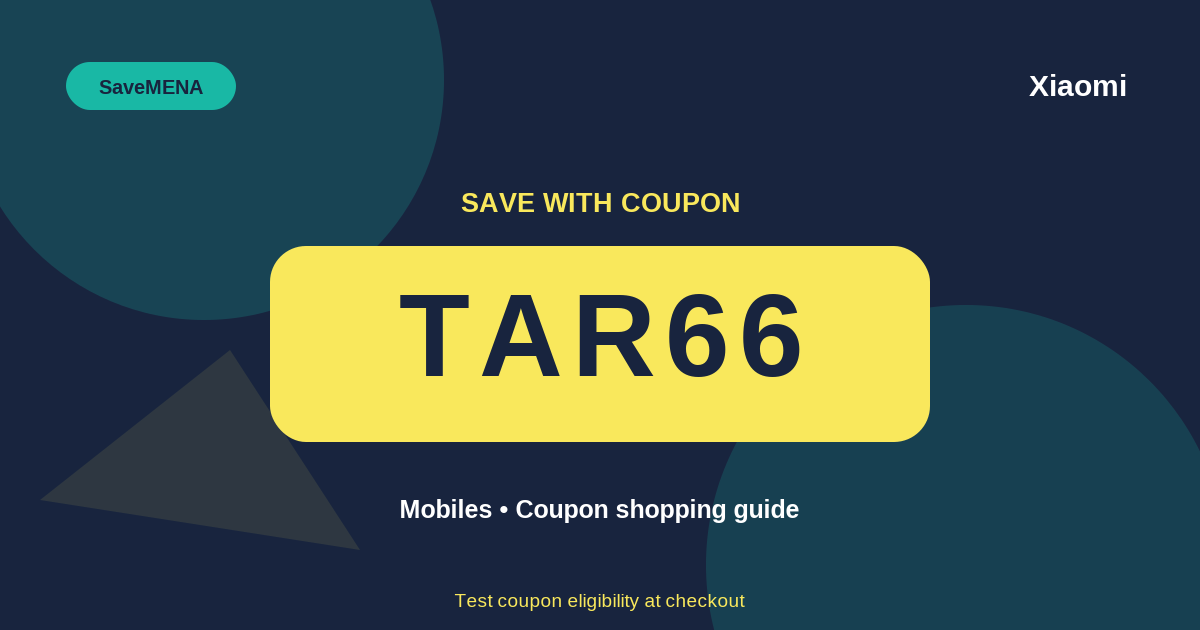
Codes available to try while comparing
These codes are not guaranteed for the article topic or listed brands; test them at checkout and use the live result.
1. Decoding the “Try” Language in Noon UAE Coupon Codes for Xiaomi Mobiles
When Noon says a coupon is “available to try,” it means the code can be entered at checkout but there is no guarantee that the discount will be granted. The final eligibility is determined by Noon’s checkout system, which considers factors such as the product category, the seller’s terms, and any restrictions that may apply. For shoppers focused on Xiaomi mobiles, this creates a scenario where you might experience a discount for one model, while another model might not qualify, despite the same coupon code being used.
Your first step should therefore be to add the Xiaomi model you want to the cart, proceed to checkout, and then carefully observe the response from Noon’s coupon application engine. This approach ensures you know whether the discount is truly applicable for that particular device, and not just a false promise.
2. Pinpointing the Right Xiaomi Model: Key Specifications to Compare
Tackling the decision lens of “model and specifications” means that you should not only look at price, but also at core hardware components such as processor speed, RAM, internal storage, camera megapixels, battery capacity, and display type. Each Xiaomi model comes with a specific set of specs that suit a range of usage scenarios—whether you’re a gaming enthusiast, a photography hobbyist, or a casual user who needs a reliable everyday phone.
Before loading any coupon code, compare the Xiaomi models you are interested in on Noon’s product page or official Xiaomi site. Pay attention to the detailed specification lists, read customer reviews that comment on performance, and note any exclusive features such as MIUI customizations or special connectivity options. This will give you a clear picture of what you’re buying before you even test the discount.
3. Applying TAR66: A Step‑by‑Step Walk‑Through for Xiaomi Models
Once you’ve selected a model, add it to your Noon cart. While still on the cart page, locate the “Apply Coupon” field. Enter TAR66 exactly as displayed, and hit the “Apply” button. If the coupon processes successfully, an immediate message will appear indicating a discount. If the coupon is not accepted, the cart will either remain unchanged or show an error note. Remember, the response you see will be your most reliable indicator—any absence of a discount or an error message signals the coupon did not apply.
Because Noon may apply the coupon only to specific seller variations or regional stock, double‑check that the variant you added matches any limits shown in the product description. If the coupon does not work, pause the purchase, clear the coupon field, and try a different Xiaomi model that may have more favorable eligibility.
4. Testing Multiple Xiaomi Phones with TAR66 One at a Time
Each Xiaomi model can behave differently under the “try” policy. To systematically gauge which phones the coupon applies to, create separate carts for each model you are evaluating. Begin with the lowest price device, add it to the cart, and apply the coupon. Then, remove the product, switch to the next Xiaomi model, and repeat the process. Document whether the coupon yields a discount or not for each phone.
When you notice a trend—for example, the coupon works on mid‑range models but not on flagship ones—use this insight to inform your final decision. If your budget is tight, a model that accepts the coupon can save you a significant amount, even when the raw price difference between models is merely a few hundred dirhams.
5. Comparing Xiaomi with Other Brands: Why Technical Specs Matter More Than Label
In the highly competitive UAE market, you often see similar price points between Xiaomi and non‑Xiaomi phones. But price alone is not enough; performance hinges on benchmarks like CPU clock speed, AI processing cores, and RAM efficiency. To truly evaluate “model and specifications,” treat the Xiaomi specs as the yardstick for comparison against rivals such as Samsung, Oppo, and Realme.
Check each phone’s relevant metrics—CPU, GPU, display refresh rate, camera prime sensors, and battery health indicators. A phone that performs better on real‑world testing typically delivers a superior experience, even if its price is slightly higher. Knowing this will guide you when the coupon shows a discount but you must weigh whether the device meets your true needs.
6. Warranty, After‑Sales Service and the Role of the Carrier for Xiaomi Phones
Specs are important, but so is the level of protection you receive after purchase. Xiaomi offers a standard warranty period that varies by model and region; for UAE, this can range from one to two years. Always confirm the exact warranty duration listed on the product page, as it can affect the value you receive post‑sale.
Additionally, consider the availability of service centers, the network of authorized repair shops, and whether the model is supported by local carriers with robust network coverage and compatible frequency bands. Checking these details ahead of applying the coupon can prevent future inconveniences, especially if you plan to use the phone on a particular carrier network.
7. Checkout Confirmation: Verifying that TAR66 Renders the Discount
Even after a successful coupon application at the cart level, the final checkout page is the authoritative source for cost and discount figures. When moving from the cart to the checkout screen, wait for the page to fully refresh. Review the order summary carefully; the coupon discount, if applied, should be reflected in the “Discount” line, and the final payable total must incorporate it.
Given the “try” nature of the coupon, you should double‑check if the discount remains after choosing the payment method and delivery option. Any drop in the discount at this stage indicates that the coupon may have been invalidated by a storefront rule or a payment method restriction, and you would need to recalculate or retry with a different product.
8. Common Issues When Using TAR66 for Xiaomi Mobiles and How to Resolve Them
If the coupon fails to apply, start by ensuring there are no typo errors—caps, spaces, or extra characters can invalidate it. Coupon codes are typically case sensitive, so copy the text exactly as displayed on Noon’s coupon page. If it still doesn’t work, review the product’s individual terms; some vendors exclude certain Xiaomi variants from discount eligibility.
Should the issue persist after trying multiple Xiaomi models, consider reaching out to Noon customer support. Provide them with the exact quantities, SKU numbers, and the coupon code you used. Clear communication often resolves hidden cart or account limitations that might be blocking the coupon application.
Related SaveMENA pages
Related articles
Official sources to check
Frequently asked questions
What happens if the TAR66 coupon does not apply to my selected Xiaomi phone?
If the coupon fails to apply, the price will revert to the original listed amount. Noon’s checkout will explicitly display the absence of a discount, and you should confirm the final total before confirming the payment to avoid surprises.
Can I use the same TAR66 code on multiple Xiaomi phones in one order?
Each product within an order may be evaluated individually for coupon eligibility. While the code can be entered once, the discount may or may not roll across all items depending on Noon’s rules; verify this on the checkout page.
Is the decision to purchase based on specs alone enough when the coupon fails?
If the coupon fails, focus on the core specs of each Xiaomi phone, compare them to your usage needs, and weigh the price difference against the extra features. A phone with better specs at full price might still be a more economical choice than a cheaper model with invalid coupon relief.
Do I have to apply TAR66 before adding items to the cart?
No. You can add items first, then apply the coupon at the cart or checkout stage. The code must be entered in the dedicated field; error messages will indicate if there’s a problem with the coupon itself or with the product’s eligibility.