Nike Shoes on Noon UAE: model specifications — testing coupons one at a time · TAR64
Before the first click, lay out the exact Nike shoe you want. Identify the model name, colorway, and size.
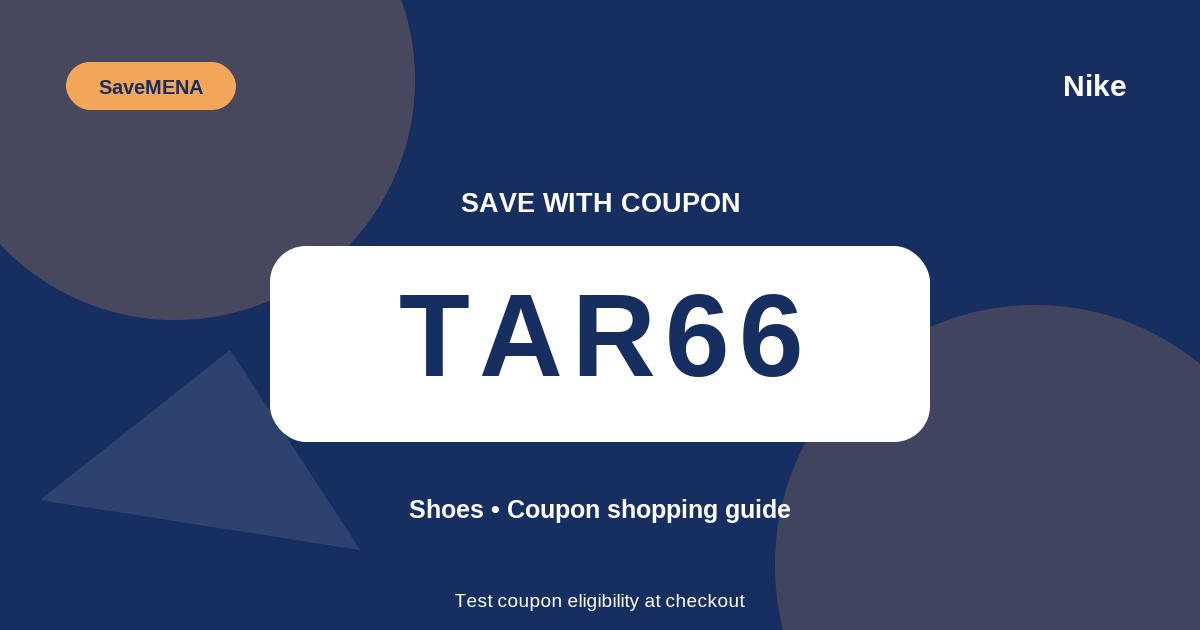
Codes available to try while comparing
These codes are not guaranteed for the article topic or listed brands; test them at checkout and use the live result.
1. Starting the Test: Set Your Goal with the Model’s Specs
Before the first click, lay out the exact Nike shoe you want. Identify the model name, colorway, and size. Pay special attention to unique features: flyknit upper, rubber outsole, or cushioned midsole. These details affect how you’ll use the coupon later, as some features may combine or conflict with discount eligibility rules on Noon. By confirming the model’s specifications early, you avoid confusion after a coupon has been entered and help yourself spot any mis‑matching during checkout.
Next, protect your time by logging the details in a note or a simple spreadsheet. Write down the model number, the SKU, and any variant tags like “Men’s” or “Women’s.” This record will keep you organized when you experiment with the “TAR64” code. If you later discover the code is invalid, you’ll still have the baseline information needed to try another code or seek a different model that matches the coupon’s conditions.
2. Checking the Sole Type: Midsole Technology Matters
Nike’s cross‑network uses distinct midsole polymers—like Air Zoom, React foam, or Pureknit—that can impact the shoe’s performance and marketplace eligibility. Open the product page and locate the midsole specifications. This helps you verify whether the shoes you’re considering are cataloged correctly and will appear in search results with the coupon applied.
While navigating the product listing, note whether the shoe offers multiple cushioning options (e.g., “Dual‑Layer Air”) or a single midsole type. If a variant lists a European model, ensure the UAE version reflects the same technology. Consistency between the listing and your local shipping options will make the coupon application smoother, because a mismatch could cause a failed discount check at the checkout step.
3. Analyzing the Upper: Material and Fit Precision
Inspect the upper material—whether it’s mesh, synthetic overlay, or leather—and check the indicated size tolerance. Nike often details whether the model uses a “true to size” fit or a “slim” silhouette. This extra information is useful when you want to pair the shoe with circumstances, such as streaming the “TAR64” code across different sizes, or checking whether the coupon can apply to all listed variants.
Also note any special fit instructions from Nike on the product page. If the model includes a “heel counter” or “tongue support,” these usually don’t affect the coupon itself, but double‑checked specifications can prevent later “size doesn’t fit” refund claims that might distract you from confirming the coupon’s state during checkout.
4. Seller Verification: Who Is Shipping Your Nike Footwear?
Search the product page for the seller ID and examine its rating on Noon. While the coupon code doesn’t guarantee a discount for every seller, an established retailer may have a more robust checkout process that reliably shows a coupon applied. Record the seller’s name and location as part of your shopping log before you attempt to apply the “TAR64” code.
Keep in mind that the delivery method listed on the product page—standard or express—helps determine final cart fees.A coupon is not guaranteed; verify its result at the retailer checkout.
5. Adding to Cart: Keep the Coupon Context Ready
When you click “Add to Cart,” do not immediately proceed to checkout. Pause and check the page for any pop‑ups that mention “code” or “discount.” Keeping the cart open ensures you know the current cart total and can verify that the model’s details—brand, SKU, size—stay intact if you reverse the process. If the “TAR64” coupon is unavailable, you will see no change, but the cart will remain unchanged.
Now, look for a field on the cart page labeled “Enter your coupon code.” Type in the code exactly as it appears: TAR64. After you click “Apply,” make a note of the message. If the code does not work, the page will typically show a short statement like “Code not found” or “Unable to apply.” Capture this message, because future steps may involve rearranging the VAT or attempting a new code after confirming all other parameters.
6. Checkout Test: Observe the Final Payable Total
Proceed to the checkout page using the usual path—cart icon, then “Proceed to Buy.” Here you will enter your delivery details and payment method. Pay close attention to the even split of “Item Total” and “Total Payable.” The coupon’s impact, if any, should appear as a separate line item or integrated into the item price. Verify the entire line: the correct model number, size, and color should reflect the product you selected.
Maintain readiness to roll back changes if the coupon is not accepted. If the total price remains unchanged, you must recall that the coupon is only an offer that is safe to try, not guaranteed to apply. In this situation, you can either retry with a different code, or keep the “TAR64” for potential future use while waiting for a VAT‑free sale or a different promotion structure.
7. Troubleshooting: Why the Coupon Might Not Apply
The most common issues that prevent a coupon from applying are model mismatch, size mismatch, or seller-specific restrictions. Even with the “TAR64” code, Noon’s internal rules may restrict the coupon to certain product categories or certain sellers. Use the cash‑back mechanism to run through the same product with a different coupon or to confirm that the coupon attaches only to a stock-approved variance.
Another factor can be a staged policy change that hadn't yet propagated to your shopping session. In that rare scenario, refreshing the browser or clearing cache can let you retry. If the “TAR64” code still fails after a normal checkout, the next step is to contact Noon’s customer support or try the coupon on a different device to rule out local caching issues. Document each attempt for later review if you plan to re‑attempt the code.
8. Optimizing Your Purchase: Beyond the Coupon
When the coupon turns out not to apply, consider other ways to improve value. Verify if the model’s delivery time aligns with the need for a rapid exchange or return. Check if the seller offers a full warranty, which might change the overall cost of ownership. Link your buying decision to the product specifications: make sure the shoe’s closure type, ventilation level, and weight meet your ergonomic needs.
Try cross‑checking the item’s availability with alternate Nike models in the same series that still carry the same specifications but a different SKU. If you’re buying for everyday activity, you might, for instance, pick an adjacent color that is more readily available. By staying flexible on details, you maintain the model’s performance while still getting a good bargain, even if the coupon is not applicable in this particular case.
Related SaveMENA pages
Related articles
Official sources to check
Frequently asked questions
Why does the cart still show the original price even after I entered the coupon?
Sometimes the coupon requires the item to match a specific availability status or seller. If the cart total doesn’t change, double‑check the selected size, color, or seller, or confirm that “TAR64” is still valid for the product.
Can I use the TAR64 coupon on a Nike shoe if it’s listed under a sale price?
Sale items usually display their discount before any coupon is added. The “TAR64” code may still be applied if the product page and seller state that coupons apply to that model, so you’ll see the final price reduced at checkout.
Is it necessary to try the coupon before expediting the order?
Yes; applying and checking the coupon in the cart is the quickest way to confirm whether it works on the selected Nike model. If it fails immediately, you can re‑select variants or a new coupon without facing later cart errors.
Will checking out with the coupon show a discount reflected in my card payment?
Only if the coupon was successfully applied at checkout. The system will subtract the discount from the final payable amount before the transaction is processed, so you will see the reduced total on your payment confirmation screen.