Huawei Tablets on Noon UAE: model specifications — testing coupons one at a time · TAR64
If you're looking to try Noon UAE coupon codes Tablets Huawei model and specifications, this guide will walk you through every practical step.
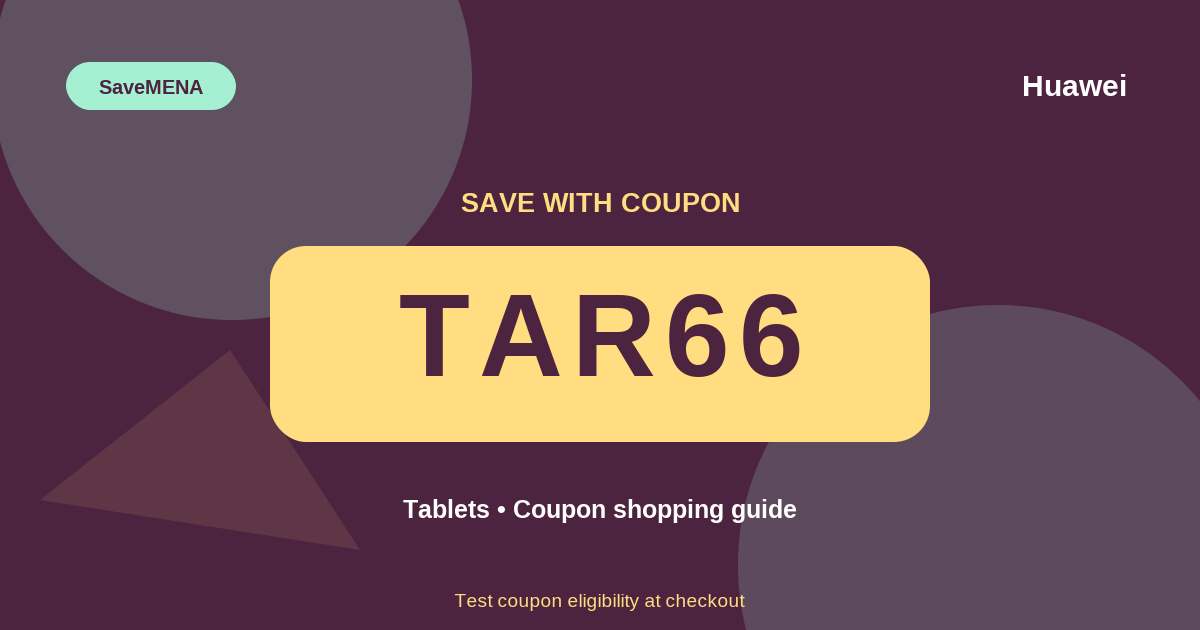
Codes available to try while comparing
These codes are not guaranteed for the article topic or listed brands; test them at checkout and use the live result.
1. Selecting the Right Huawei Tablet Model for Your Needs
Choosing a tablet begins with matching your daily use to the device’s core specifications. If you plan to browse news or simple apps, a mid‑range 10‑inch screen with an octa‑core CPU may suffice. However, for gaming or media creation, look for a device boasting a higher resolution panel and a more powerful DSP or GPU. Considering Huawei’s recent releases, evaluate each model’s processor generation, RAM size, and storage capacity. These parameters dictate how smoothly the tablet handles multitasking and intensive applications over long periods.
In the UAE market, certain Huawei tablets come sealed with either 64 GB or 128 GB internal memory, plus expandable microSD slots. For users who require large media libraries or offline productivity tools, the larger capacity is crucial. Similarly, display technology—LCD versus OLED—directly affects color accuracy and battery efficiency. Concluding a shortlist of models based on these specs sets the stage for a coupon test that follows, ensuring you’re comparing like with like.
2. Deep Dive: Huawei Tablet Specifications on Noon UAE
To build an informed shortlist, retrieve each tablet’s specification sheet from Noon’s product page. Pay attention to details such as display size, resolution, panel type, and refresh rate. Processor info, typically listed as the chipset name, reveals the generation and performance tier. RAM and internal storage figures, presented in gigabytes, highlight capacity for applications and data. Battery capacity, measured in milliampere hours, is essential for gauging expected usage time before a recharge.
In addition, examine connectivity options: 4G LTE availability, dual‑band Wi‑Fi support, and the presence of reversible USB‑C ports for fast charging. Camera specs, dual‑camera firmware, and software features like EMUI version or Atlassian apps can be pivotal for certain workflows. When you gather these data points, creating a comparison matrix helps you rank each tablet by how closely it meets your functional priorities. This ranked list becomes your testing ground for the TAR64 coupon.
3. How Noon UAE Coupon Codes Function for Electronics
Noon applies coupon codes at the final checkout stage, after the cart total has been calculated. The discount is usually reflected in the payment summary section, showing the original price, any applied savings, and the new payable amount. The checkout page also displays applicable fees such as delivery, convenience, and VAT where relevant. The code itself does not alter product availability; it only modifies the total monetary value after the items are chosen.
Coupons are subject to the store’s current policy, which may restrict usage to certain sellers or product categories. When you apply a code, the interface typically confirms whether it has been accepted or not, and you can click to retry if necessary. Because the coupon’s validity must be verified per transaction, it is beneficial to attempt the code on a single model before moving to another. This approach keeps the checkout process straightforward and ensures you have a clear record of what the code applied, if anything.
4. Step‑by‑Step: Applying TAR64 to Your Huawei Tablet Basket
Begin by adding the chosen Huawei tablet to your Noon cart. Keep the basket open while you revisit the scan or entry space usually located at the top of the checkout summary. Type in “TAR64” exactly as shown, respecting capitalization, and then click the apply button. The page will reload to re‑evaluate the cart total. If the code is valid for that product, you should see a reduction noted beside the original price.
However, if the code displays a “not valid” message or simply ignores the entry, you may need to confirm that the conditions for the coupon are met—such as seller restrictions or minimum spend. In that case, consider adjusting the cart content or removing other items that might interfere. Following each attempt, a concise note on the checkout screen will tell you whether the TAR64 code produced any adjustment or remained unchanged. This information is your evidence for future steps.
5. Checking Checkout: What Happens When the Code Fails or Succeeds
If the TAR64 coupon is successfully applied, the payment summary will now list a lower total amount, though you should check that the adjusted figure does not conflict with any hidden fees. The coupon’s effect appears after all taxes and delivery charges are added. Always verify that the displayed payable amount reflects the sum of product price, delivery, and VAT minus any discount. A successful attempt also updates your order status preview before you finalize the payment.
When the code fails, the checkout screen typically repeats the original total. In this scenario, you can either search the cart for potential discrepancies—such as a product sold by a different vendor—or attempt the code again on a different Huawei model. Keep the session active while you toggle between models; this preserves the process flow. If the code remains ineffective across multiple attempts, note the result and consider reaching out to Noon’s customer support for clarification, as the code may simply be restricted.
6. Matching Specs with Savings: A Practical Comparison
Compile the outcomes of the coupon tests into a simple table: each tablet model, its key specifications, and whether TAR64 produced a discount. For instance, Models A and B might display identical specs but differ in processor generation; one may accept the code while the other rejects it. Compare the final payable amounts side‑by‑side to see which combination of performance and potential savings offers the best value.
While this comparison focuses on the coupon’s effect, it also serves as a benchmark for performance relevance. If a tablet with superior hardware fails to accept the discount, the decision reduces to pure cost versus capability. Conversely, if a mid‑range model accepts TAR64, it might become attractive despite lower specs. By keeping your evaluation strictly to specs and coupon outcome, you avoid emotional bias and base the purchase on clear metrics.
7. Finalizing Your Purchase: From Cart to Delivery
Once you’ve selected the tablet that best balances specifications and coupon benefit—or, if no coupon applies, the one that meets your functional needs—proceed to checkout. Review all details one last time: item quantity (typically one), delivery address, and any special delivery instructions. Confirm the payable total once more directly from the payment summary; this figure is the final reference for eligibility.
Enter your payment information, double‑check the total, and submit the order. After submission, keep an eye on the order confirmation email or the Noon app notification. This step ensures that the final amount shown at checkout matches what the store processes. If any errors arise, refer to the confirmation details to rectify promptly. Completing the purchase in a single session eliminates the risk of coupon changes over time.
8. Pro Tips for Future Coupon Experimentation in UAE
Testing coupons on electronic devices can be generalized to other products by following the same pattern: shortlist models by specifications, add each to cart, and try the code one at a time. Recording the results in a simple spreadsheet helps track which combinations work or fail. Keep a log of every attempt so you can quickly reference whether a particular code was applied successfully when troubleshooting or when submitting a refund claim.
Remember that Noon’s coupon policies might change; what works today may not work tomorrow. Thus, repeating the test with a fresh session after a significant time gap ensures you capture the most current outcome. Also, monitor Noon's promotional calendar for new coupon releases that could work with the same hardware. By staying organized and disciplined with each trial, you maintain clarity about how coupon savings interact with product specifications.
Related SaveMENA pages
Related articles
Official sources to check
Frequently asked questions
How can I verify if a coupon is applicable to a specific Huawei tablet?
At checkout, after adding the tablet to the cart, enter the coupon code in the designated field. The payment summary will reflect whether the code applied. If there’s no change, the coupon likely does not apply to that model or vendor.
What should I do if the coupon expires before I can finish my purchase?
Check the coupon’s terms on the Noon page or the email receipt. If it has expired, apply the code again in a fresh session as the validity might be time‑sensitive. If it still fails, contact Noon support for clarification.
Can I use the same coupon on multiple Huawei tablets?
Noon typically allows each coupon to be applied to one transaction. If you want to purchase several models, you may need to repeat the coupon application for each new checkout or use different codes if available.
Will the coupon affect delivery fees or VAT?
Delivery fees and VAT are added after the coupon discount is calculated. The final payable amount displayed at checkout shows the adjusted total inclusive of all fees. Verify this figure before confirming payment.