Philips Electronics on Noon UAE: payment method — testing coupons one at a time · TAR73
When selecting electronics on Noon, consider the price range, customer reviews, and return policy before adding items to your cart.
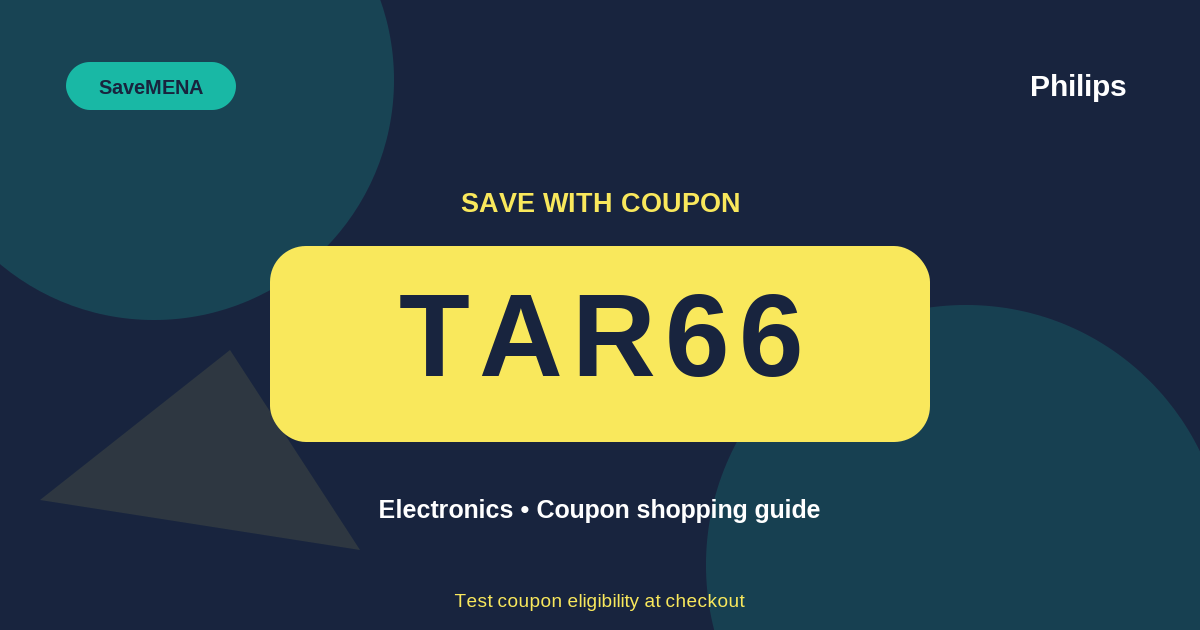
Codes available to try while comparing
These codes are not guaranteed for the article topic or listed brands; test them at checkout and use the live result.
Choosing the Right Electronics for Noon UAE
When selecting electronics on Noon, consider the price range, customer reviews, and return policy before adding items to your cart. To test a coupon code effectively, choose a product with stable pricing—preferably one that is not subject to frequent price changes or promotional spikes. This stability ensures that any variation in the final amount is due to the coupon or payment method, not an underlying price fluctuation.
A coupon is not guaranteed; verify its result at the retailer checkout. While Noon’s catalog often lists items that accept coupons, verifying eligibility at the product page can save time. This step allows you to begin your coupon testing sequence without unexpected rejections during checkout.
How Philips Electronics Stack up on Noon
Philips offers a notable range of electronics such as audio equipment, kitchen appliances, and smart TVs. When navigating Noon’s Philips listings, look for items with consistent stock availability to avoid last‑minute withdrawal of the coupon applicability. Sometimes, certain Philips models may have unique payment partner requirements, which can affect coupon acceptance.
To test TAR73 against Philips products, add a single item to your cart and proceed to checkout. Observe whether the coupon applies immediately or requires a manual re‑entering of the code after selecting your payment method. Recording this behavior helps you understand how the combination of brand, product category, and payment option influences discount eligibility.
Trialing a Single Coupon Code: What to Expect
The first coupon test should involve entering TAR73 at the checkout stage with your default payment method. Note whether the code is accepted and how the discount is displayed—sometimes a temporary voucher may be shown, while other times the discount may be applied automatically once the payment method is confirmed.
Pay attention to any messages or prompts that indicate the coupon’s status. A code may “work” but show a zero‑value discount if the terms are not met or if the payment method conflicts. Capturing these details is crucial for determining whether to end the trial or proceed to the next test.
Repeating the Process: Cycling Through Coupon Codes
When you move on from the initial TAR73 test, replace it with any other code you wish to examine—keeping the payment method unchanged. This duplication helps isolate the coupon’s effect on the final price, proving whether each code has a functional or theoretical benefit on Noon’s checkout platform.
Log each session’s outcome: the payment method used, the coupon code entered, and the final payable amount. By following this systematic approach, you avoid confusion between different coupon codes and ensure that one successful test does not mask the failure of another.
Monitoring Coupon Applicability at Checkout
During the checkout process, Noon typically shows a “Discount” line if a coupon applies. Verify whether this line appears before you confirm payment. If it does not appear, the code may not be valid for the selected payment method, or the item’s price doesn’t meet any implicit minimum spend. If the code appears but shows zero savings, carefully read any accompanying text that might explain the lack of discount.
After confirming payment, the final receipt reflects the total deducted. If TAR73 had a value but the receipt shows no deduction, contact Noon’s customer service for clarification. Nonetheless, the receipt is the definitive record of the payment moment and whether the coupon benefitted your purchase.
Payment Method Verification & Coupon Interaction
Make sure to verify the payment method before finalizing each coupon test. Some payment options—like installment plans—may not trigger coupon acceptance until the payment plan is fully established. In these cases, the coupon may need to be reapplied after the initial payment resolution.
If you encounter a scenario where the coupon is not accepted with a specific card, try switching to a digital wallet and observe any change. Documenting both the failure and success scenarios will help inform future purchasing decisions, ensuring you choose the payment method that consistently works with your chosen coupons.
Final Tips for Maximizing Your Noon Shopping Experience
After completing the coupon test series, compile all observations into a simple chart: payment method, coupon code, discount granted, and final total. This reference allows you to quickly select the optimal combination for future electronics purchases, reducing the trial‑and‑error time.
Remember that Noon’s terms and conditions for coupons and payment methods can change. Even if a code worked today, it might not next month. Therefore, always review any notices on the website or app before you finalize a purchase and re‑test the coupon if you are unsure of its status.
Related SaveMENA pages
Related articles
Official sources to check
Frequently asked questions
Does the TAR73 coupon work with all payment methods on Noon UAE?
No single coupon guarantees compatibility across every payment method. The acceptability of TAR73 can differ between cards, wallets, or installment plans.A coupon is not guaranteed; verify its result at the retailer checkout.
Will entering the coupon code at the cart stage apply it at payment?
Coupons are generally applied at the checkout step. Entering them in the cart might prompt a preliminary indication of validity, but the final discount is only confirmed once the payment method is selected and confirmed.
Can I combine the TAR73 code with other promotions on Noon?
Noon’s policy typically disallows simultaneous use of multiple coupons on a single order. However, you might combine a coupon with manufacturer or brand offers, provided packaging and the terms permit it. Confirm by reviewing the promotion details during checkout.
How can I confirm if my payment method supported my coupon?
After finalizing payment, check the order confirmation page or email for a “Discount” line. If the line is missing or shows zero savings, it likely indicates the payment method did not support the coupon for that transaction.