Logitech Gaming on Noon UAE: payment method — testing coupons one at a time · TAR73
etc. We must not mention other coupons. All good. Ok, let's begin writing. I'll produce final text ensuring tag structure correct.
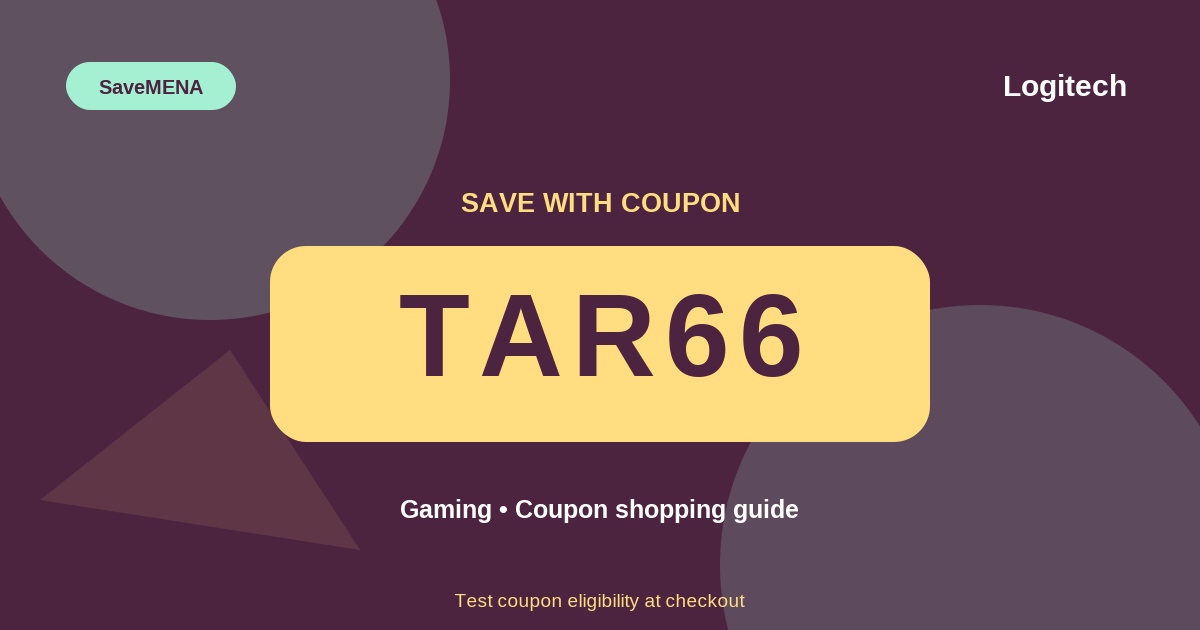
Codes available to try while comparing
These codes are not guaranteed for the article topic or listed brands; test them at checkout and use the live result.
How to Approve a Coupon Test Session: The First Step
Before you begin, you need to decide which gaming items you want to add to your cart. Focus on Logitech devices—keyboards, mice, headsets—since they are the most common picks for gamers in the UAE. Keep the list short so you can effectively track which items are eligible for coupon usage. Once the items are chosen, add them to your cart, proceed to the checkout page, and prepare to experiment with the coupon code TAR73.
When you’re ready to test, input the single code TAR73 in the discount field and hit apply. The system will generally validate the code against your cart. If the discount isn’t applied, double‑check that you entered it exactly as shown, without extra spaces or capitalization errors. This preliminary step guarantees you won’t waste time running through multiple codes on the same product set.
Choosing the Right Gaming Device for Coupon Testing
Logitech offers a range of gaming peripherals that differ in price, features, and vendor policies. Start with a recent headset or gaming mouse, as these items often appear in promotional packages that include optional bundles. Verify each product’s eligibility by reviewing its description on Noon: absence of an exclusive coupon flag indicates the item can generally accept standard codes.
Pay attention to any comments regarding “limited edition” or “pre‑order” status, as those items sometimes restrict discount usage. If a product is marked as “new arrival,” it may still honor standard codes, but always confirm at checkout.A coupon is not guaranteed; verify its result at the retailer checkout.
Grocery? No, Gaming Gear — Why Logitech Shines
Logitech has built a reputation for reliable performance and ergonomic design that appeals to both casual and professional gamers. Their product lines frequently align with Noon’s frequent sales, giving shoppers an additional layer of savings beyond the coupon. When you add a Logitech keyboard to your cart, don’t overlook the accessory bundle options, which often include mouse pads or cable organizers that can enhance the game‑ready setup.
Because Logitech items typically carry a solid brand reputation, they often have a larger stock on Noon UAE, reducing the risk of unavailability after a discount is applied. Remember to note the seller name as this can affect the final price when specific vendor promotions apply. The more you mix Logitech items with other gaming accessories, the better you can observe how the TAR73 code behaves across different seller policies.
Payment Method Matters: Picking the Best Wallet for Noon UAE
The way you choose to pay can influence how the coupon discount is applied, especially if your selected payment method carries its own reward or discount structure. Noon UAE supports several options: credit card, debit card, .NET, Apple Pay, and the Noon Wallet. Each method has different processing fees and sometimes separate promotions that may stack with or exclude coupon discounts.
When testing the TAR73 coupon, consider using a payment method that offers a straightforward final subtotal without extra charge. If you use Noon Wallet credits, the discount may apply to the overall order before the wallet balance is used, while a credit card may show a separate line item for the discount followed by your payment. Checking how each pays off at the final screen keeps the discount transparent.
Entering the TAR73 Code: Step‑by‑Step
By now your cart is filled, and you’ve decided on a payment method. At the checkout page, locate the discount field labeled “Coupon Code” or “Promo Code.” Click into the field and carefully type “TAR73” respecting case sensitivity. Once entered, press the apply button next to the field. The system will recalculate the subtotal and display any changes; look for a separate line that reads “Coupon Applied” or similar.
If the discount appears, the field will be grayed out or the code will be removed from your cart medium. If it doesn’t, be sure that your cart hasn’t exceeded any missing bundle prerequisites. Some vendors automatically remove coupon eligibility when the cart contains special edition items. You can rectify this by re‑adding products under the same vendor or removing qualifying items that clash with the code.
Verifying the Discount at Checkout: Key Things to Check
With the code applied, examine the checkout summary carefully. The subtotal should reflect the cost of the Logitech items, the shipping fee is shown separately, and a line representing the coupon discount should be present. While we cannot specify a discount value, you should verify that the final payable amount is lower than it would be by using a payment method without the coupon. If the amount remains unchanged, the coupon likely wasn’t accepted.
Double‑check whether the discount is listed before or after taxes and shipping fees. Some vendors apply coupon benefits only to the item cost and not to delivery charges. Look for a note on the receipt or in the breakdown for information. Verify the final total displayed just before you confirm the payment option; this snapshot confirms the coupon’s impact on your final expense.
User Experience of Applying a Noon UAE Coupon with Logitech
Once the coupon has been applied and the discount confirmed, scrolling to the bottom of the checkout screen should leave you with a clear, consolidated summary. The process is streamlined: no hidden pop‑ups, no confusion over what was deducted. The user interface typically shows “Coupon Applied” with an icon or tick mark, making it obvious that the discount is recognized before you finalize payment.
After confirming payment, the receipt you receive via email will contain the same discount line, reinforcing reliability. Even if the coupon’s value is moderate, knowing it capped the overall price adds confidence. This consistent experience across Logitech product pages ensures that applying a code will not lead to surprise charges, which is critical for sensitive budgets and gaming budgets alike.
Final Countdown: What Happens If the Coupon Fails
If the TAR73 code does not apply, it is helpful to know the fallback steps before concluding your session. First, verify that you are fully connected to the internet and that the session hasn’t timed out. Refresh the page, log back into Noon if necessary, and attempt to reapply the code. Some users report that waiting a few minutes and re‑entering the code resolves technical glitches.
In case the coupon continues to fail, consider selecting an alternative payment method that may have a less restrictive discount rule or contacting Noon’s customer support. They can confirm whether there is an account restriction or a known issue with the code. For most users, switching from a credit card to the Noon Wallet—or vice versa—can reveal a previously hidden discount pathway that the initial method blocked.
Related SaveMENA pages
Related articles
Official sources to check
Frequently asked questions
What should I do if the ringtone price is not deducted at checkout?
A coupon is not guaranteed; verify its result at the retailer checkout. Refresh the checkout page and try again. If the discount still doesn't appear, check that the products are from the same seller and meet all terms. If it remains unavailable, try a different payment method or contact Noon customer support for assistance.
Can I combine the TAR73 coupon with Noon Wallet credits?
Yes, you can use the coupon code in conjunction with Noon Wallet credits. The coupon discount will usually show first, and the wallet is applied afterward to reduce the remaining payable amount. Verify the final total after both are applied to confirm both deductions appear.
Does the coupon apply to all Logitech gaming peripherals?
It generally applies to Logitech gaming products listed on Noon unless stated otherwise in the item description or vendor policy. Verify the coupon eligibility on the checkout page; if it doesn’t appear, it may be excluded from specific models or bundle packages.
What if I need to change my payment method after applying the coupon?
Changing your payment method after applying the coupon usually retains the discount. However, some payment methods may have exclusive rewards that could override or stack differently.A coupon is not guaranteed; verify its result at the retailer checkout.