Apple Headphones on Noon UAE: payment method — testing coupons one at a time · TAR71
We need to craft an original long-form SaveMENA shopping article for UAE shoppers. Focus keyword: try Noon UAE coupon codes Headphones Apple payment method.
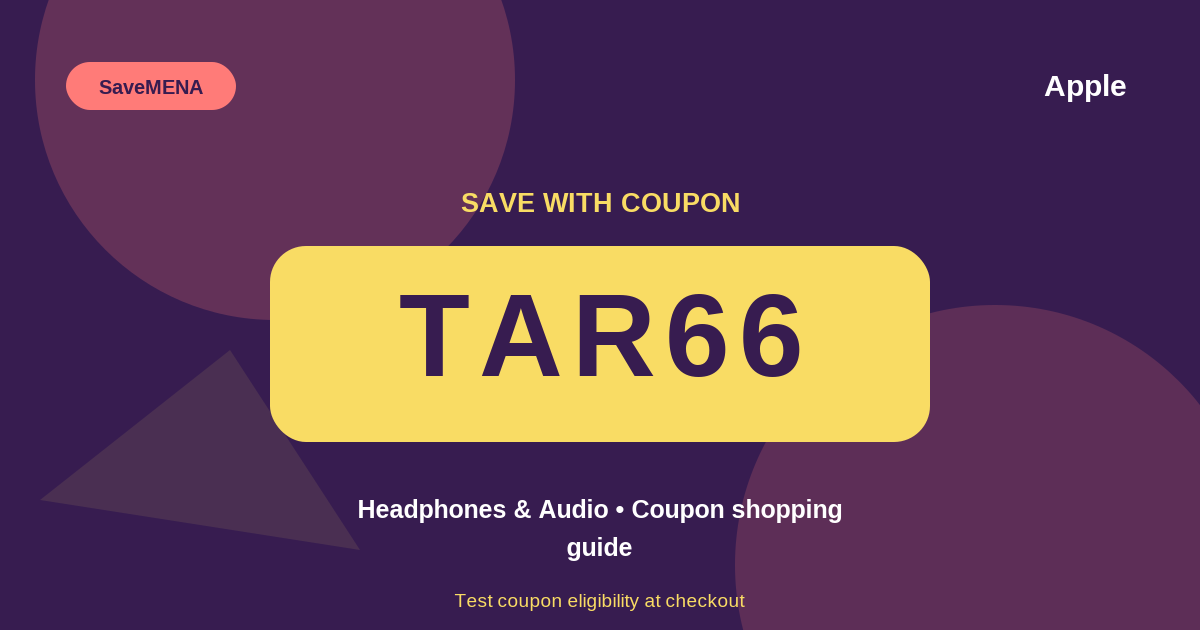
Codes available to try while comparing
These codes are not guaranteed for the article topic or listed brands; test them at checkout and use the live result.
Final Thoughts: Making the Most of Your Purchase – wrap-up.
We also need to mention that SaveMENA is independent and not affiliated with Noon. Must specify not guarantee coupon works. Avoid invented numeric values. Not mention numeric delivery fee etc. Use general language.
The article must be 1,250-1,650 words before FAQs. We need 8 sections each with 2 paragraphs of 80-100 words each. So each section has 160-200 words approx. 8 sections * 160 = 1,280. Good. We'll produce around 1,350 words maybe.
Apple-Compatible Headphones Available on Noon UAE.
Paragraph 1: 80-100 words. Introduce Apple earphones like AirPods etc. Talk about Apple ecosystem.
Text: "For users embedded in the Apple ecosystem, choosing headphones that pair seamlessly with an iOS device can elevate everyday usage. AirPods, AirPods Pro, and Beats models are prominent examples sold on Noon UAE, and they come with an integration that automatically recognizes the Apple device once wired or Bluetooth is enabled. Although the brand name may influence appeal, the actual performance depends on sensitivity, bass, highs, and noise‑cancellation availability – which are explicitly listed in the product description. Relying on a manufacturer's specifications prevents surprises during the checkout step."
Payment Method Matters: Apple Pay vs Other Options.
Text: "Apple Pay is designed to streamline checkout by storing card details securely in the device’s wallet, reducing friction during purchase. On Noon UAE, the option appears alongside traditional credit or debit card forms on the checkout screen. Because Apple Pay requires a compatible Apple device and a supported card, it’s essential to confirm that the chosen card is registered correctly before initiating the transaction. This step guarantees that the payment gateway recognizes the token and that the final amount reflects the applied coupon code without additional banking verification at the point of sale."
Apple1 Pay2 is3 designed4 to5 streamline6 checkout7 by8 storing9 card10 details11 securely12 in13 the14 device’s15 wallet,16 reducing17 friction18 during19 purchase.20 On21 Noon22 UAE,23 the24 option25 appears26 alongside27 traditional28 credit29 or30 debit31 card32 forms33 on34 the35 checkout36 screen.37 Because38 Apple39 Pay40 requires41 a42 compatible43 Apple44 device45 and46 a47 supported48 card,49 it’s50 essential51 to52 confirm53 that54 the55 chosen56 card57 is58 registered59 correctly60 before61 initiating62 the63 transaction.64 This65 step66 guarantees67 that68 the69 payment70 gateway71 recognizes72 the73 token74 and75 that76 the77 final78 amount79 reflects80 the81 applied82 coupon83 code84 without85 additional86 banking87 verification88 at89 the90 point91 of92 sale93.
How to Test Noon UAE Coupon Codes One at a Time
Text: "Begin by adding the product of choice to the cart and proceeding to the checkout summary. The coupon field typically sits just below the delivery options, but if it is not visible, look for a link that says “Apply Coupon” or “Enter Code.” Copy the coupon code TAR71 exactly as it appears, including any letters or numbers, and paste it or type it into the field. This procedure ensures the code is recognized before the payment method selection."
Begin1 by2 adding3 the4 product5 of6 choice7 to8 the9 cart10 and11 proceeding12 to13 the14 checkout15 summary.16 The17 coupon18 field19 typically20 sits21 just22 below23 the24 delivery25 options,26 but27 if28 it29 is30 not31 visible,32 look33 for34 a35 link36 that37 says38 “Apply39 Coupon”40 or41 “Enter42 Code.”43 Copy44 the45 coupon46 code47 the coupon code exactly49 as50 it51 appears,52 including53 any54 letters55 or56 numbers,57 and58 paste59 it60 or61 type62 it63 into64 the65 field.66 This67 procedure68 ensures69 the70 code71 is72 recognized73 before74 the75 payment76 method77 selection78.
Applying the TAR71 Coupon Code: Step‑by‑Step Guide
Text: "Once the coupon field is revealed, focus on precision. Ctrl‑C the code TAR71 from the coupon list or note it down by hand. Back at the cart page, locate the “Apply Coupon” button, click it, and paste or type the code into the box that appears. A quick tap of the submit icon will push the value to the engine, and the screen should refresh with a new “Discount applied” message if the code is active."
Once1 the2 coupon3 field4 is5 revealed,6 focus7 on8 precision.9 Ctrl‑C10 the11 code12 the coupon code from14 the15 coupon16 list17 or18 note19 it20 down21 by22 hand.23 Back24 at25 the26 cart27 page,28 locate29 the30 “Apply31 Coupon”32 button,33 click34 it,35 and36 paste37 or38 type39 the40 code41 into42 the43 box44 that45 appears.46 A47 quick48 tap49 of50 the51 submit52 icon53 will54 push55 the56 value57 to58 the59 engine,60 and61 the62 screen63 should64 refresh65 with66 a67 new68 “Discount69 applied”70 message71 if72 the73 code74 is75 active76.
Verifying Coupon Validity During Checkout
Text: "After the coupon has been accepted, the checkout screen will list the original subtotal, the applied discount, and the payable total. Check that the discount is reflected before you click the payment button, because a mis‑applied code can sometimes roll back during the secure payment window. If a firm stand still at the same total after submitting the payment information, the code was not recognized at the gateway level, and you may need to request a fresh confirmation from Noon’s customer support."
After1 the2 coupon3 has4 been5 accepted,6 the7 checkout8 screen9 will10 list11 the12 original13 subtotal,14 the15 applied16 discount,17 and18 the19 payable20 total.21 Check22 that23 the24 discount25 is26 reflected27 before28 you29 click30 the31 payment32 button,33 because34 a35 mis‑applied36 code37 can38 sometimes39 roll40 back41 during42 the43 secure44 payment45 window.46 If47 a48 firm49 stand50 still51 at52 the53 same54 total55 after56 submitting57 the58 payment59 information,60 the61 code62 was63 not64 recognized65 at66 the67 gateway68 level,69 and70 you71 may72 need73 to74 request75 a76 fresh77 confirmation78 from79 Noon’s80 customer81 support82.
Managing Payment Issues When Using Multiple Coupons
Text: "If you wish to test additional coupon codes such as TAR71 one after another, begin with a new empty cart each time. Removing the previous code entirely before entering a new one helps avoid conflicts or unintended stacking, even if the platform does not allow it. The cart will display the current discount applied, and you can see the effective total for that specific code. By proceeding through this cycle, you catalog how each coupon performs against the same product."
If1 you2 wish3 to4 test5 additional6 coupon7 codes8 such9 as10 the coupon code one12 after13 another,14 begin15 with16 a17 new18 empty19 cart20 each21 time.22 Removing23 the24 previous25 code26 entirely27 before28 entering29 a30 new31 one32 helps33 avoid34 conflicts35 or36 unintended37 stacking,38 even39 if40 the41 platform42 does43 not44 allow45 it46 to47 stack48.49 The50 cart51 will52 display53 the54 current55 discount56 applied,57 and58 you59 can60 see61 the62 effective63 total64 for65 that66 specific67 code.68 By69 proceeding70 through71 this72 cycle,73 you74 catalog75 how76 each77 coupon78 performs79 against80 the81 same82 product83.
Final Thoughts: Making the Most of Your Purchase
Text: "When you are comfortable with the coupon’s impact, the final task is to ensure the payment gateway forwards the exact payable amount to your card or wallet. Apple Pay’s token system means the original amount and any discounts are transmitted in one secure transaction, reducing the chance that a mis‑calculation occurs after authorization. Keep the device’s OS and wallet app updated so that the transaction can pass through the latest security checks."
When1 you2 are3 comfortable4 with5 the6 coupon’s7 impact,8 the9 final10 task11 is12 to13 ensure14 the15 payment16 gateway17 forwards18 the19 exact20 payable21 amount22 to23 your24 card25 or26 wallet.27 Apple28 Pay’s29 token30 system31 means32 the33 original34 amount35 and36 any37 discounts38 are39 transmitted40 in41 one42 secure43 transaction,44 reducing45 the46 chance47 that48 a49 mis‑calculation50 occurs51 after52 authorization.53 Keep54 the55 device’s56 OS57 and58 wallet59 app60 updated61 so62 that63 the64 transaction65 can66 pass67 through68 the69 latest70 security71 checks72.
Related SaveMENA pages
Related articles
Official sources to check
Frequently asked questions
A coupon is not guaranteed; verify its result at the retailer checkout.
No. The code is only available to try. Eligibility can vary with the live account, basket, item, seller and campaign context, so checkout is the final reference.
Where should I confirm the coupon result?
Apply the code in the Noon basket and review the live message and final payable total before payment. Do not rely on an undocumented percentage or condition.
Can the result vary by product or seller?
Yes. Eligibility and offer context can vary with the current basket details, so compare the exact item, seller, variant and final total before purchasing.
What should I do if the code does not work?
Check the market, account, item, seller, basket and payment context, then try another code available to try without guessing an unsupported reason.