Headphones on Noon UAE: payment method — testing coupons one at a time · TAR71
Once you narrow down the headphones, double‑check the item’s packaging for FAA‑compliance or CE‑labeling, which can influence shipping fees or customs duties if you
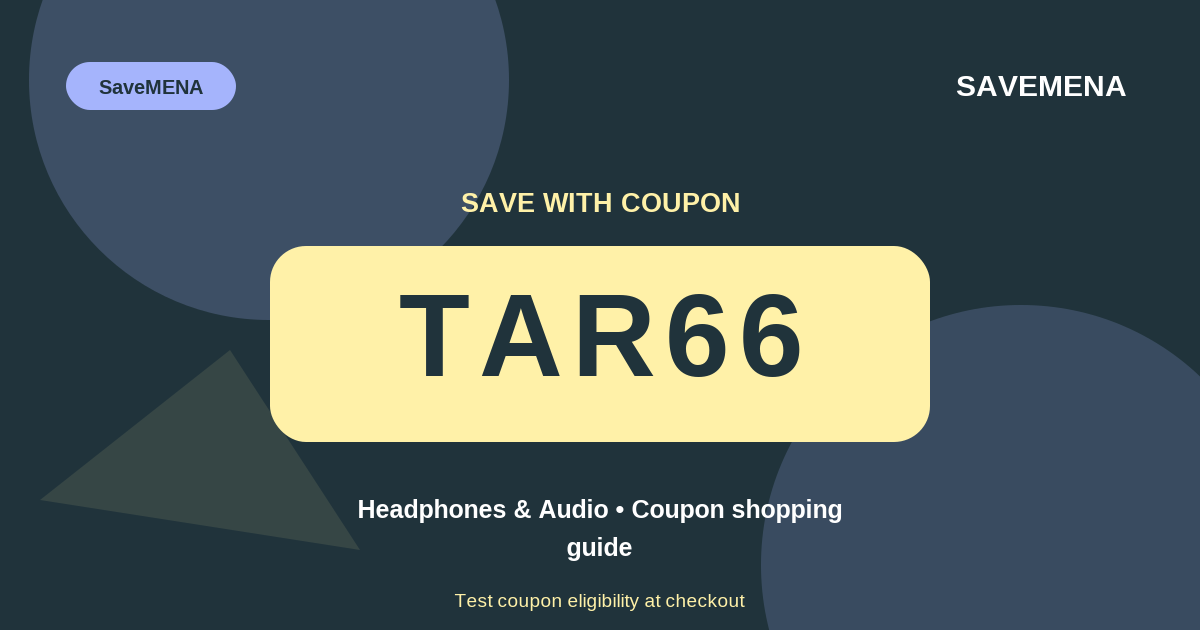
Codes available to try while comparing
These codes are not guaranteed for the article topic or listed brands; test them at checkout and use the live result.
Choosing the Right Headphones on Noon UAE
Once you narrow down the headphones, double‑check the item’s packaging for FAA‑compliance or CE‑labeling, which can influence shipping fees or customs duties if you reside outside the UAE. Noon’s “Product Details” tab usually lists "Featured Reviews" to give you quick insight into buyer experience. This initial scrutiny helps keep the focus on a genuine deal: the headphone itself, and not a glitch in the listing that might otherwise mislead you when you apply a coupon code.
Locating and Applying the TAR71 Coupon on Noon UAE
In the Noon mobile app or web interface, locate the “Coupon” field on the cart summary page, typically beneath the subtotal. Type “TAR71” into the box and tap “Apply.” The system typically validates and adjusts the “Discount” line in real time. It is crucial to note that applying the coupon before selecting a payment method communicates the discount to the payment gateway for accurate billing.
When you press “Apply,” the interface should refresh automatically, depicting the new total. Be handy with transaction memory: the guarantee of the coupon’s application is not legal, only technical.A coupon is not guaranteed; verify its result at the retailer checkout.
Understanding Noon UAE’s Payment Method Options
Noon allows several payment methods: Visa/MasterCard, American Express, debit cards, NetBank, Apple Pay, Google Pay, and PayPal. The choice often affects the final amount because some issuers impose transaction fees or pending authorizations that can differ from the declared checkout price. Inspect the “Payment Options” menu; not every key is available for every product due to seller restrictions.
For electronics like headphones, Noon sometimes restricts “Cash on Delivery” if the SKU is high‑value. Thus coupons can run differently on COD, where the final voucher is applied after order confirmation.A coupon is not guaranteed; verify its result at the retailer checkout.
Step‑by‑Step: Applying the Coupon with Each Payment Method
Begin with a credit card. In the payment screen, select your card, enter the CVV, and click “Pay.” Once the card is processed, Noon will display the last payable amount, inclusive of any shipping or nominal fees. If TAR71 applied, the final figure should reflect the discount. Verify the amount before confirming the transaction or saving the order.
Next test the PayPal option, if available. Link your PayPal account, confirm the payment, and check that the seller’s accepted currency matches UAE Dirham.A coupon is not guaranteed; verify its result at the retailer checkout.
Confirming Coupon Validity at Checkout
After selecting the payment method, the checkout page should still display a “Discount” field. If the code has been accepted, you’ll see “TAR71” next to a numeric value; otherwise, the field may revert to “0” and show an error message. Do not rely on a green check; confirm the numeric difference between the “Subtotal” and “Total” lines. A zero discount indicates the coupon did not trigger at this stage.
Also review the “Final Summary” which, for Noon, lists shipping fees, taxes and any encoded discount. This is the definitive checkpoint: the figure that the payment gateway will chase. If the discount is absent, try refreshing the cart or clearing the session data before reapplying TAR71.
Caveats and Common Issues When Using Coupons
Coupons on Noon may be subject to inventory limits; if the headphone variant is low in stock, the system might omit the discount to maintain availability. Bypass this by selecting an alternate but compatible SKU; then reapply TAR71. Noon also reserves the right to block coupons with high‑value or sale items, so verify if your headphone falls under a discount exception.
Additionally, be wary of currency conversion errors: if your card is USD and Noon charges in AED, the local transaction fee can alter the displayed price, giving the illusion that TAR71 failed. Use a local card or check your bank’s foreign fee disclosures before placing the order.
Maximizing Savings for Future Headphone Purchases
SaveMENA recommends bookmarking Noon’s “Deal of the Day” section before proceeding to cart. Many headsets appear with a temporary coupon, and you can test TAR71 there as well, knowing the discount may expire after the deal window. Use the “SaveMENA” app notifications to stay informed of new coupon releases that align with headphone brands.
When you receive a confirmation email from Noon, it may include a new code for a future purchase. Save it securely; testing the coupon with different payment methods ensures you get the best rate before adding it to your payment profile for next time.
Wrapping Up: Deciding on Your Payment Strategy
After running TAR71 through multiple payment gateways, you’ll know which method preserves the discount and offers the lowest final cost. Credit cards generally provide instant application, while PayPal may introduce a minor fee. Decide based on your preference for transaction speed versus additional cost.
Finally, record the final payable amount after coupon application and payment selection. Keep a screenshot of the checkout confirmation as proof, should you need to contest a discrepancy. With these steps, your headphone purchase on Noon UAE will be both cost‑efficient and clear of any Pay‑Later confusion.
Related SaveMENA pages
Related articles
Official sources to check
Frequently asked questions
What happens if TAR71 doesn’t work at checkout?
When the coupon fails, the final price will show without a discount value. At this point, you can refresh the cart, clear the session, or select a different headphone variant, then try reapplying TAR71. If it still fails, NOON may have excluded the SKU from coupon eligibility.
Can I combine TAR71 with other offers or seasonal sales?
Coupons usually cannot intersect with additional sale prices. If your headphone is on discount, Noon typically disables the coupon field. Check the product page; if a coupon button is present, it indicates eligibility.
Will my card holder fee affect the final amount with the coupon?
The coupon discount applies before the card’s interchange fee. The fee is added after the final total, so using a card with lower fees can reduce the overall spend even if the discount amount stays the same.
Is the coupon code TAR71 valid nationwide within the UAE?
Noon operates across the UAE, but some sellers restrict coupons to specific regions. Verify on checkout; if the “TAR71” field is grayed out, the code may only apply to your delivery address or to a subset of sellers.