LG Home Appliances on Noon UAE: payment method — testing coupons one at a time · TAR71
When using Noon UAE coupon codes, the platform requires you to enter the code in a dedicated field during the checkout process.
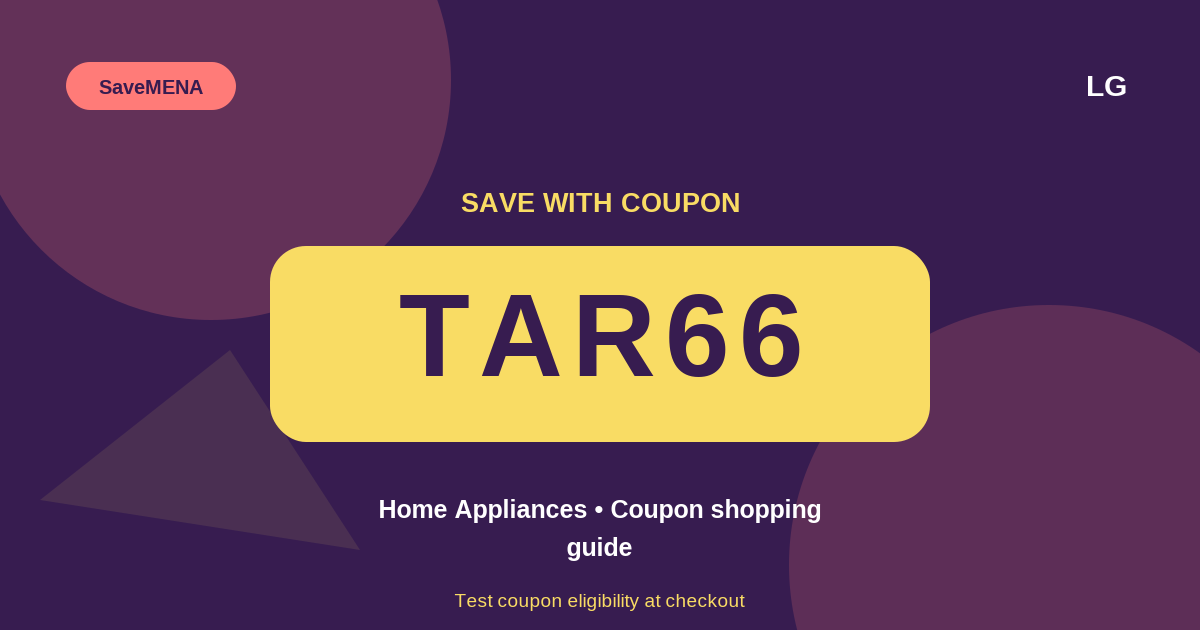
Codes available to try while comparing
These codes are not guaranteed for the article topic or listed brands; test them at checkout and use the live result.
Section 1: Understanding Noon’s Coupon Workflow
When using Noon UAE coupon codes, the platform requires you to enter the code in a dedicated field during the checkout process. The code is evaluated against the products in your cart and the current promotions Noon is offering. For shoppers of LG appliances, the code may interact with any existing offers that include the brand or the wider home appliances category.
The evaluation of the coupon is performed only at final checkout, and the outcome is determined by the system. If the code is accepted, the calculated discount will be applied automatically. If the coupon isn’t accepted, Noon will notify you of the reason, such as incompatibility with cart items or exceeding usage limits. It’s essential to bear in mind that the coupon is unevaluated until this step and is subject to Noon’s policies.
Section 2: Selecting the Right Home Appliance for Savings
When you’re preparing to apply a coupon, start by reviewing the product you intend to purchase. For LG appliances, variety ranges from washers to air‑conditioners.A coupon is not guaranteed; verify its result at the retailer checkout. It’s best to pick items with clear product descriptions and established seller ratings.
To verify that your chosen product is eligible for the TAR71 code, cross‑check the brand and category details in the product listing. Noon typically lists brand affiliation prominently; confirm that the seller has not restricted the item for coupon usage. If the product appears eligible, proceed to add it to your cart before you test the coupon. This way, you’ll avoid any surprises that might arise from incompatible items.
Section 3: Applying the TAR71 Coupon Code
During checkout, there is a field labelled “Coupon Code” or “Promotion Code.” Enter the code TAR71 exactly as it appears, paying close attention to capitalization. Notice that Noon’s system will immediately validate the code once submitted, indicating whether it’s accepted or rejected.
If the code is accepted, a line item will appear noting the discount applied. If rejected, a brief message will describe the possible mismatch or other reasons. At this juncture, it is crucial to confirm that no other active coupons are simultaneously applied, as Noon typically allows only one promotional code per order unless explicitly stated otherwise. Adding a second coupon may cause an unexpected order adjustment.
Section 4: Checking Eligibility at Checkout
After entering the coupon, double‑check the cart summary. Pay particular attention to the “Final Total” field. Noon will calculate the total payable after any successful discount. Ensure that no hidden fees or service charges appear that could negate a perceived saving from the coupon.
If you encounter a mismatch or notice that the discount hasn’t been applied, revisit the product details to confirm category eligibility and ensure you’re on the correct page for the product’s promotional eligibility. A quick refresh of the cart or a removal and re‑addition of the item often clears temporary glitches before proceeding to payment.
Section 5: Choosing Your Preferred Payment Method
Once the coupon validation succeeds, you’ll be prompted to select a payment method. Noon UAE supports a variety of options including credit/debit cards, PayPal, and local wallets. Decision‑making here should factor in benefits such as reward points or installment schemes that may accompany certain card issuers.
Consider the liquidity offered by your chosen payment method. For instance, card payments generally process instantly, while bank transfers might take a few business days. Confirm that the payment method you select meets your budget timing and that its transaction fee structure aligns with your expectations. Choice of payment can sometimes influence the final payable amount, especially if specific payment partners offer promotional incentives.
Section 6: Transaction Confirmation and Record Keeping
After submitting the payment, Noon will display a 2‑step confirmation: the transactional receipt and the order summary. The receipt includes the applied coupon code, the final discount (if any), the itemised charges, and the payment method used. This documentation is critical for future reference, should you need to request a refund or query the discount.
Save the receipt to a secure location—preferably the Noon app or your email inbox where an order confirmation link is stored.A coupon is not guaranteed; verify its result at the retailer checkout. A well‑maintained record will streamline any verification or dispute procedures.
Section 7: Troubleshooting Common Issues
When a coupon fails to apply, Hindrances may stem from cart incompatibilities or regional restrictions. Often, the error message at checkout will specify that the coupon is not compatible with the current items or that you exceed usage limits. Reviewing Noon’s FAQ section for coupon policies can clarify these specifics.
In case of partial application, such as a discount applied to one item only, double‑check product categories. Some promotions apply exclusively to items of a specific sub‑category. If the issue persists despite verification, reaching out to Noon customer support via chat or email will give you direct guidance, ensuring your transaction proceeds smoothly.
Section 8: Making the Most of Your Savings
For future purchases, consider timing your orders around Noon’s sales events, as the combination of a coupon code and a promotional sale may yield higher savings. Though the TAR71 code is available for testing, keep an eye out for broader seasonal deals that may be more advantageous.
When your transaction is complete, reflecting on the final amount and the process helps refine future purchasing strategies. If the coupon yield was satisfactory, you can adopt similar tactics for other appliances, balancing coupon usage with preferred payment methods for optimal consumer value.
Related SaveMENA pages
Related articles
Official sources to check
Frequently asked questions
What should I do if the TAR71 code doesn’t work?
If the code fails during checkout, double‑check that your selected LG appliance falls within the coupon’s eligible category. Ensure no other promotional codes are simultaneously active, and confirm that your cart contains only one taxable item if required. A quick cart refresh or re‑adding the item may resolve the issue. If problems persist, contact Noon support.
Can I combine TAR71 with other discount offers?
Typically Noon allows only one promotional code per order unless the platform’s terms specifically permit multiple codes. If you want to maximize savings, apply only the valid coupon and rely on Noon’s sales or store‑specific discounts that apply automatically at checkout.
Will using a particular payment method affect the coupon’s applicability?
Payment method choice normally does not alter the coupon’s function. However, some payment options may offer cashback or reward points that offset part of the purchase. Verify your card’s benefits before finalizing the order to ensure you receive all applicable perks.
Is the availability of TAR71 restricted to certain regions?
Noon’s coupon distribution is usually nationwide, but regional restrictions can apply. When you enter the code, Noon will indicate if the coupon is not valid in your location. If it fails, check your shipping and billing addresses match the intended shipping region.