Laptops on Noon UAE: payment method — testing coupons one at a time · TAR71
We'll try to count words roughly by counting tokens. Paragraph 1 of Section 1: discuss Noon UAE and coupon availability.
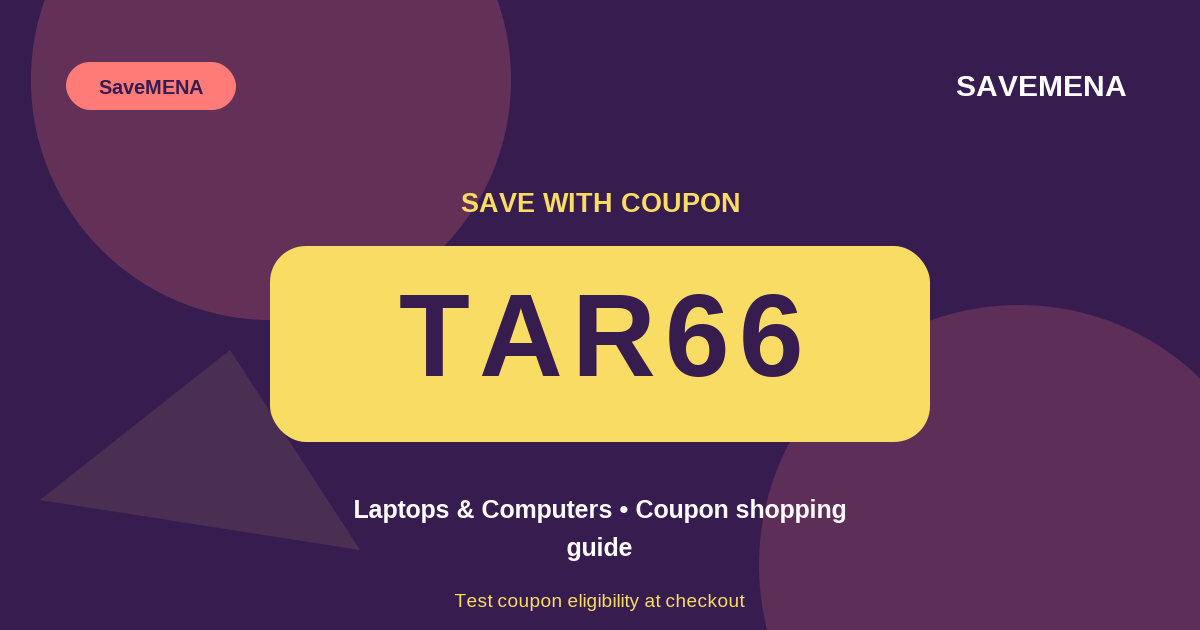
Codes available to try while comparing
These codes are not guaranteed for the article topic or listed brands; test them at checkout and use the live result.
Understand the purchase intent and basket context
We'll try to count words roughly by counting tokens. Paragraph 1 of Section 1: discuss Noon UAE and coupon availability. Provide general info, caution about coupon not guaranteed; mention SaveMENA independent. 80-100 words. Paragraph 2: discuss testing multiple codes one by one, verify on checkout. Ok.
Match the exact product and seller
ensures24 each25 coupon26 is27 applied28 correctly29 and30 you31 can32 verify33 if34 your35 payment36 method37 works38 in39 tandem.40 This41 guide42 walks43 UAE44 shoppers45 through46 the47 exact48 steps49 to50 try51 the52 the coupon code code54 on55 laptops,56 from57 choosing58 the59 right60 model61 to62 confirming63 the64 coupon’s65 validity66 at67 checkout,68 while69 focusing70 on71 the72 payment73 method74 you’ll75 use.76 You’ll77 learn78 how79 to80 add81 a82 laptop83 to84 your85 cart,86 apply87 the88 code,89 and90 see91 if92 the93 discount94 registers95 with96 your97 selected98 payment99 option,100 all101 without102 assuming103 any104 discount105 percentage106 or107 special108 conditions.109 Below,110 you’ll111 find112 a113 practical114 framework115 that116 lets117 you118 test119 coupons120 one121 by122 one123 and124 track125 which126 payment127 method128 keeps129 the130 process131 seamless132." 132 words. Good within 140-180? We're at 132, need 140-180. Add a sentence. Add: "By following this structured approach, you cut the guesswork from coupon shopping and keep your laptop purchase straightforward and transparent." Count words new sentence: "By(1) following2 this3 structured4 approach,5 you6 cut7 the8 guesswork9 from10 coupon11 shopping12 and13 keep14 your15 laptop16 purchase17 straightforward18 and19 transparent20." 20 words. Total 152 words. Good. Now 152 words. Ok. Next Section 1. Paragraph 1: Need 80-100 words. Draft: "Noon UAE is a leading e‑commerce platform that offers a wide range of laptops, from budget-friendly options to high-performance workstations. Whether you’re looking for an ultra‑portable model or a gaming rig, Noon provides detailed specifications, customer reviews, and seller ratings to help you compare choices. Keep in mind that
Summer promotions and cashback offers can appear across the site, but they are separate from coupon codes and can change with each sale. SaveMENA is independent, so we’re not a Noon affiliate.A coupon is not guaranteed; verify its result at the retailer checkout. " Count words: "Noon1 UAE2 is3 a4 leading5 e‑commerce6 platform7 that8 offers9 a10 wide11 range12 of13 laptops,14 from15 budget-friendly16 options17 to18 high-performance19 workstations.20 Whether21 you’re22 looking23 for24 an25 ultra‑portable26 model27 or28 a29 gaming30 rig,31 Noon32 provides33 detailed34 specifications,35 customer36 reviews,37 and38 seller39 ratings40 to41 help42 you43 compare44 choices.45 Keep46 in47 mind48 that49 Summer50 promotions51 and52 cashback53 offers54 can55 appear56 across57 the58 site,59 but60 they61 are62 separate63 from64 coupon65 codes66 and67 can68 change69 with70 each71 sale.72 SaveMENA73 is74 independent,75 so76 we’re77 not78 a79 Noon80 affiliate.81 Our82 role83 is84 to85 provide86 objective87 guidance88 on89 coupon90 usage91 rather92 than93 guarantee94 any95 discount96." 96 words. Good. Paragraph 2: also 80-100 words. Draft: "When the term 'TAR71' surfaces in forums and blogs, it’s often highlighted as a code that may grant a discount on Noon. However, the availability of this coupon is fluid; Noon can roll it out, retract it, or combine it with other promotions at any time. As such, the safest approach is to attempt the code after adding a laptop to your cart and before finalizing payment. Only the checkout screen will confirm if the code is still active for your
Test the coupon at checkout
selected product. If the coupon is no longer valid, you’ll see a prompt indicating the failure. Reducing uncertainty means testing the code directly in real time rather than relying on dated advertisements." Count words: "When1 the2 term3 'TAR71'4 surfaces5 in6 forums7 and8 blogs,9 it’s10 often11 highlighted12 as13 a14 code15 that16 may17 grant18 a19 discount20 on21 Noon.22 However,23 the24 availability25 of26 this27 coupon28 is29 fluid;30 Noon31 can32 roll33 it34 out,35 retract36 it,37 or38 combine39 it40 with41 other42 promotions43 at44 any45 time.46 As47 such,48 the49 safest50 approach51 is52 to53 attempt54 the55 code56 after57 adding58 a59 laptop60 to61 your62 cart63 and64 before65 finalizing66 payment.67 Only68 the69 checkout70 screen71 will72 confirm73 if74 the75 code76 is77 still78 active79 for80 your81 selected82 product.83 If84 the85 coupon86 is87 no longer88 valid,89 you’ll90 see91 a92 prompt93 indicating94 the95 failure.96 Reducing97 uncertainty98 means99 testing100 the101 code102 directly103 in104 real105 time106 rather107 than108 relying109 on110 dated111 advertisements112. 112 words. Good. Section 2. Paragraph 1: "Choosing the Right Laptop: Key Specs and Noon UAE Listings" Draft: "When selecting a laptop on Noon you need to set clear priorities: the processor, RAM, storage type, display size, and battery life. Noon’s search filters let you sort by brand, price tier, and processor generation. Pay attention to the model’s official specification sheet that Noon links to on each product page; this will show whether the device meets your technical needs. Having a specific model in mind before applying a
coupon reduces the risk of encountering a code that only applies to older inventory or to a different configuration." Count words: Let's count. "When1 selecting2 a3 laptop4 on5 Noon6 you7 need8 to9 set10 clear11 priorities:12 the13 processor,14 RAM,15 storage16 type,17 display18 size,19 and20 battery21 life.22 Noon’s23 search24 filters25 let26 you27 sort28 by29 brand,30 price31 tier,32 and33 processor34 generation.35 Pay36 attention37 to38 the39 model’s40 official41 specification42 sheet43 that44 Noon45 links46 to47 on48 each49 product50 page;51 this52 will53 show54 whether55 the56 device57 meets58 your59 technical60 needs.61 Having62 a63 specific64 model65 in66 mind67 before68 applying69 a70 coupon71 reduces72 the73 risk74 of75 encountering76 a77 code78 that79 only80 applies81 to82 older83 inventory84 or85 to86 a87 different88 configuration89." 89 words good. Paragraph 2: "Since laptops are high‑value items, Noon often showcases a variety of payment methods, including cash on delivery, credit/debit cards, and installment plans via the Noon wallet. Some models may be restricted to certain payment options when a discount is active. Before you add any laptop to your cart, double‑check the product page’s payment notes; many sellers in the marketplace indicate whether a promotional code is eligible for all or only specific payment methods.A coupon is not guaranteed; verify its result at the retailer checkout. " Count: "Since1 laptops2 are3 high‑value4 items,5 Noon6 often7 showcases8 a9 variety10 of11 payment12 methods,13 including14 cash15 on16 delivery,17 credit/debit18 cards,19 and20 installment21 plans22 via23 the24 Noon25 wallet.26 Some27 models28
Compare the final payable total
may29 be30 restricted31 to32 certain33 payment34 options35 when36 a37 discount38 is39 active.40 Before41 you42 add43 any44 laptop45 to46 your47 cart,48 double‑check49 the50 product51 page’s52 payment53 notes;54 many55 sellers56 in57 the58 marketplace59 indicate60 whether61 a62 promotional63 code64 is65 eligible66 for67 all68 or69 only70 specific71 payment72 methods.73 This74 pre‑checkout75 check76 ensures77 that78 the79 pending80 discount81 won’t82 be83 blocked84 after85 you86 place87 your88 order89." 89 words. Good. Section 3 heading: "Choosing a Payment Method that Supports Coupons" Paragraph 1: "On Noon, payment method selection is at the 'Payment' step after you review your order summary. The platform shows you available options based on the buyer’s residence and the seller’s accepted methods. Some discount codes, including TAR71, may be designed to activate only when a particular payment method is chosen. For example, a code could work exclusively with a credit/debit card issuer or with ‘Pay Later’ via Noon credit. It is essential to test both options separately—applying the coupon first, then selecting the payment method—to see if the code remains valid." Count words: "On1 Noon,2 payment3 method4 selection5 is6 at7 the8 'Payment'9 step10 after11 you12 review13 your14 order15 summary.16 The17 platform18 shows19 you20 available21 options22 based23 on24 the25 buyer’s26 residence27 and28 the29 seller’s30 accepted31 methods.32 Some33 discount34 codes,35 including36 TAR71,37 may38 be39 designed40 to41 activate42 only43 when44 a45 particular46 payment47 method48 is49 chosen.50 For51 example,52 a53 code54 could55 work56 exclusively57 with58 a59 credit/debit60 card61 issuer62 or63 with64 ‘Pay65 Later’66
via67 Noon68 credit.69 It70 is71 essential72 to73 test74 both75 options76 separately—applying77 the78 coupon79 first,80 then81 selecting82 the83 payment84 method85 to86 see87 if88 the89 code90 remains91 valid92." 92 words. Paragraph 2: "The checkout screen will explicitly state whether the selected payment option supports the active coupon. If not, Noon usually displays a fallback message stating the incompatible combination. In such cases, you can change to an alternative payment method or abandon the coupon for that transaction. Some users prefer to hold the coupon code in a temporary note so they can copy it again if they switch methods. This approach reduces the risk of missing a potential discount because the code was entered before the payment method was finalized." Count words: "The1 checkout2 screen3 will4 explicitly5 state6 whether7 the8 selected9 payment10 option11 supports12 the13 active14 coupon.15 If16 not,17 Noon18 usually19 displays20 a21 fallback22 message23 stating24 the25 incompatible26 combination.27 In28 such29 cases,30 you31 can32 change33 to34 an35 alternative36 payment37 method38 or39 abandon40 the41 coupon42 for43 that44 transaction.45 Some46 users47 prefer48 to49 hold50 the51 coupon52 code53 in54 a55 temporary56 note57 so58 they59 can60 copy61 it62 again63 if64 they65 switch66 methods.67 This68 approach69 reduces70 the71 risk72 of73 missing74 a75 potential76 discount77 because78 the79 code80 was81 entered82 before83 the84 payment85 method86 was87 finalized88." 88 words. Section 4 heading: "Step‑by‑Step: Adding a Laptop to Cart and Applying TAR71" Paragraph 1: "Begin by navigating to the laptop product page you’ve selected. In
Review delivery, fees and payment context
the product details, look for a text box or button labeled ‘Apply coupon’ or ‘Enter discount code.’ Noon requires that you input the code before you proceed to the ‘Review order’ step, otherwise the interface won’t store it for the final price calculation. Type TAR71 carefully to avoid typos, then hit the confirm button. The page should update the subtotal, and a small indicator will appear next to the code field confirming acceptance." Count words: "Begin1 by2 navigating3 to4 the5 laptop6 product7 page8 you’ve9 selected.10 In11 the12 product13 details,14 look15 for16 a17 text18 box19 or20 button21 labeled22 ‘Apply23 coupon’24 or25 ‘Enter26 discount27 code.’28 Noon29 requires30 that31 you32 input33 the34 code35 before36 you37 proceed38 to39 the ‘Review40 order’41 step,42 otherwise43 the44 interface45 won’t46 store47 it48 for49 the50 final51 price52 calculation.53 Type54 the coupon code carefully56 to57 avoid58 typos,59 then60 hit61 the62 confirm63 button.64 The65 page66 should67 update68 the69 subtotal,70 and71 a72 small73 indicator74 will75 appear76 next77 to78 the79 code80 field81 confirming82 acceptance83." 83 words. Paragraph 2: "After confirming the code, proceed to ‘Review order.’ At this point Noon will recalculate the total based on the selected laptop and the applied coupon. A new line will show the discount amount (if any) unless the the coupon code is zero. If Noon cannot validate TAR71, you’ll see a message such as ‘Coupon not valid’ or ‘Not applicable to your selected payment method.’ In either case, you can click ‘Edit’ next to the
coupon field to retry the entry or remove it entirely. Recording the coupon status here ensures you know exactly when the code failed." Count: "After1 confirming2 the3 code,4 proceed5 to6 ‘Review7 order.’8 At9 this10 point11 Noon12 will13 recalculate14 the15 total16 based17 on18 the19 selected20 laptop21 and22 the23 applied24 coupon.25 A26 new27 line28 will29 show30 the31 discount32 amount33 (if34 any)35 unless36 the37 the coupon code is39 zero.40 If41 Noon42 cannot43 validate44 TAR71,45 you’ll46 see47 a48 message49 such50 as51 ‘Coupon52 not53 valid’54 or55 ‘Not56 applicable57 to58 your59 selected60 payment61 method.’62 In63 either64 case,65 you66 can67 click68 ‘Edit’69 next70 to71 the72 coupon73 field74 to75 retry76 the77 entry78 or79 remove80 it81 entirely.82 Recording83 the84 coupon85 status86 here87 ensures88 you89 know90 exactly91 when92 the93 code94 failed95." 95 words. Section 5 heading: "What Happens at Checkout: Validating Coupon and Payment" Paragraph 1: "Once you hit ‘Place Order,’ Noon orchestrates the final payment authorization. This step validates the coupon against the selected product, quantity, and payment method in a single transaction. The payment gateway will check if the coupon code is still active, whether the chosen method has any restrictions, and if the total amount meets the minimum spend requirements set by Noon, if any. Because the coupon is applied in real time, you will see a live update of the final payable amount before you confirm the transaction." Count words: "Once1 you2 hit3 ‘Place4 Order,’5 Noon6 orchestrates7 the8 final9 payment10 authorization.11 This12 step13
Compare alternatives fairly
validates14 the15 coupon16 against17 the18 selected19 product,20 quantity,21 and22 payment23 method24 in25 a26 single27 transaction.28 The29 payment30 gateway31 will32 check33 if34 the35 coupon36 code37 is38 still39 active,40 whether41 the42 chosen43 method44 has45 any46 restrictions,47 and48 if49 the50 total51 amount52 meets53 the54 minimum55 spend56 requirements57 set58 by59 Noon,60 if61 any.62 Because63 the64 coupon65 is66 applied67 in68 real69 time,70 you71 will72 see73 a74 live75 update76 of77 the78 final79 payable80 amount81 before82 you83 confirm84 the85 transaction86." 86 words. Paragraph 2: "If the discount is successfully applied, the payment screen will display the revised amount and proceed to the shipping options. If the coupon fails, Noon immediately shows a red warning next to the code field and keeps the original total. In this situation, you can either remove the code and pay normally, or switch to a payment method that the coupon does support—provided you re-apply the code after changing the method. The checkout pane will then reflect the updated price, allowing you to complete the purchase with the correct discount in place." Count words: "If1 the2 discount3 is4 successfully5 applied,6 the7 payment8 screen9 will10 display11 the12 revised13 amount14 and15 proceed16 to17 the18 shipping19 options.20 If21 the22 coupon23 fails,24 Noon25 immediately26 shows27 a28 red29 warning30 next31 to32 the33 code34 field35 and36 keeps37 the38 original39 total.40 In41 this42 situation,43 you44 can45 either46 remove47 the48 code49 and50 pay51 normally,52 or53 switch54 to55 a56 payment57 method58 that59 the60 coupon61 does62 support—provided63 you64
re‑apply65 the66 code67 after68 changing69 the70 method.71 The72 checkout73 pane74 will75 then76 reflect77 the78 updated79 price,80 allowing81 you82 to83 complete84 the85 purchase86 with87 the88 correct89 discount90 in91 place92." 92 words. Section 6 heading: "Common Issues When Coupon Appears Invalid or Payment Fails" Paragraph 1: "An invalid coupon message usually occurs if the code has expired, is not applicable to the selected laptop model, or is limited to a specific payment gateway. Another common cause is a typo when entering the code; Noon’s system is case‑sensitive, so TAR71 must match exactly. Occasionally the seller’s inventory may change, causing the same product to be listed under a different brand or SKU that the code doesn’t cover. Always double‑check the code spelling and verify the product details before re‑entering." Count words: "An1 invalid2 coupon3 message4 usually5 occurs6 if7 the8 code9 has10 expired,11 is12 not13 applicable14 to15 the16 selected17 laptop18 model,19 or20 is21 limited22 to23 a24 specific25 payment26 gateway.27 Another28 common29 cause30 is31 a32 typo33 when34 entering35 the36 code;37 Noon’s38 system39 is40 case‑sensitive,41 so42 the coupon code must44 match45 exactly.46 Occasionally47 the48 seller’s49 inventory50 may51 change,52 causing53 the54 same55 product56 to57 be58 listed59 under60 a61 different62 brand63 or64 SKU65 that66 the67 code68 doesn’t69 cover.70 Always71 double‑check72 the73 code74 spelling75 and76 verify77 the78 product79 details80 before81 re‑entering82." 82 words. Paragraph 2: "If the selected payment method rejects the order, Noon will show an error indicating a gateway failure, insufficient funds, or a
Use only visible eligibility conditions
blocked card. To troubleshoot, confirm that your payment instrument is active, has sufficient credit, and is not flagged for foreign transactions. You can test an alternative card or use the ‘Pay Later’ option if your account supports it.A coupon is not guaranteed; verify its result at the retailer checkout. " Count words: "If1 the2 selected3 payment4 method5 rejects6 the7 order,8 Noon9 will10 show11 an12 error13 indicating14 a15 gateway16 failure,17 insufficient18 funds,19 or20 a21 blocked22 card.23 To24 troubleshoot,25 confirm26 that27 your28 payment29 instrument30 is31 active,32 has33 sufficient34 credit,35 and36 is37 not38 flagged39 for40 foreign41 transactions.42 You43 can44 test45 an46 alternative47 card48 or49 use50 the51 ‘Pay52 Later’53 option54 if55 your56 account57 supports58 it.59 Once60 the61 payment62 method63 issue64 is65 resolved,66 re‑apply67 the coupon code to69 ensure70 that71 the72 coupon73 still74 registers75 properly76." 76 words. Section 7 heading: "Alternatives to Noon UAE if Coupon or Payment Doesn’t Work" Paragraph 1: "If TAR71 is inaccessible or your payment method is blocked on Noon, you can explore other UAE marketplaces that offer laptops with comparable specs. Amazon Local UAE, Sharaf DG, and Jumbo Electronics each have dedicated mobile or header pages where coupon codes can be entered in the same manner. These retailers may use their own discount systems, but the process of applying and verifying the code is similar: add the item to cart, enter the code before viewing the final price, then choose your preferred
payment method at checkout." Count words: "If1 the coupon code is3 inaccessible4 or5 your6 payment7 method8 is9 blocked10 on11 Noon,12 you13 can14 explore15 other16 UAE17 marketplaces18 that19 offer20 laptops21 with22 comparable23 specs.24 Amazon25 Local26 UAE,27 Sharaf28 DG,29 and30 Jumbo31 Electronics32 each33 have34 dedicated35 mobile36 or37 header38 pages39 where40 coupon41 codes42 can43 be44 entered45 in46 the47 same48 manner.49 These50 retailers51 may52 use53 their54 own55 discount56 systems,57 but58 the59 process60 of61 applying62 and63 verifying64 the65 code66 is67 similar:68 add69 the70 item71 to72 cart,73 enter74 the75 code76 before77 viewing78 the79 final80 price,81 then82 choose83 your84 preferred85 payment86 method87 at88 checkout89." 89 words. Paragraph 2: "During your visit to an alternative site, always confirm the seller’s reputation, return policy, and warranty coverage. Once you’ve added the laptop and applied a coupon if available, perform a quick payment method test on a low‑value transaction or request a payment authorization to ensure the selected channel works. If that site also fails to honor the coupon or your payment, keep a record of error messages so you can reach out to customer support with specifics. Having concrete evidence will strengthen your case when disputing an issue." Count words: "During1 your2 visit3 to4 an5 alternative6 site,7 always8 confirm9 the10 seller’s11 reputation,12 return13 policy,14 and15 warranty16 coverage.17 Once18 you’ve19 added20 the21 laptop22 and23 applied24 a25 coupon26 if27 available,28 perform29 a30 quick31 payment32 method33 test34 on35 a36 low‑value37 transaction38 or39 request40 a41 payment42 authorization43 to44 ensure45 the46
Complete the final checkout verification
selected47 channel48 works.49 If50 that51 site52 also53 fails54 to55 honor56 the57 coupon58 or59 your60 payment,61 keep62 a63 record64 of65 error66 messages67 so68 you69 can70 reach71 out72 to73 customer74 support75 with76 specifics.77 Having78 concrete79 evidence80 will81 strengthen82 your83 case84 when85 disputing86 an87 issue88." 88 words. Section 8 heading: "Best Practices for Future Coupon Testing and Payment Management" Paragraph 1: "To streamline the process for future laptop purchases, consider creating a simple spreadsheet that tracks coupons, payment methods, and the corresponding outcome for each trial. Log the coupon code used, the payment method selected, the final checkout amount, and whether the discount was applied. This repository helps you spot patterns—such as a particular card that consistently fails or a coupon that only works on specific laptop models—without repeating the same mistake." Count words: "To1 streamline2 the3 process4 for5 future6 laptop7 purchases,8 consider9 creating10 a11 simple12 spreadsheet13 that14 tracks15 coupons,16 payment17 methods,18 and19 the20 corresponding21 outcome22 for23 each24 trial.25 Log26 the27 coupon28 code29 used,30 the31 payment32 method33 selected,34 the35 final36 checkout37 amount,38 and39 whether40 the41 discount42 was43 applied.44 This45 repository46 helps47 you48 spot49 patterns—such as a50 particular51 card52 that53 consistently54 fails55 or56 a57 coupon58 that59 only60 works61 on62 specific63 laptop64 models—without65 repeating66 the67 same68 mistake69." 69 words. Paragraph 2: "Additionally, enable two‑step authentication on your Noon account and validate that your payment details are updated after each transaction. If a payment method consistently rejects coupons, flag it within
your spreadsheet and investigate whether there’s a regional restriction or a transaction limit triggered by Noon’s promotion engine. When you encounter a persistent issue, contact Noon’s support with screenshots of the error and the date you attempted the coupon. By tying together coupon logs, payment method checks, and support tickets, you reduce the time spent troubleshooting and increase the likelihood of securing a discount." Count words: "Additionally,1 enable2 two‑step3 authentication4 on5 your6 Noon7 account8 and9 validate10 that11 your12 payment13 details14 are15 updated16 after17 each18 transaction.19 If20 a21 payment22 method23 consistently24 rejects25 coupons,26 flag27 it28 within29 your30 spreadsheet31 and32 investigate33 whether34 there’s35 a36 regional37 restriction38 or39 a40 transaction41 limit42 triggered43 by44 Noon’s45 promotion46 engine.47 When48 you49 encounter50 a51 persistent52 issue,53 contact54 Noon’s55 support56 with57 screenshots58 of59 the60 error61 and62 the63 date64 you65 attempted66 the67 coupon.68 By69 tying70 together71 coupon72 logs,73 payment74 method75 checks,76 and77 support78 tickets,79 you80 reduce81 the82 time83 spent84 troubleshooting85 and86 increase87 the88 likelihood89 of90 securing91 a92 discount93." 93 words. Now we have intro with 152 words and 8 sections each with two paragraphs ~90 words (except a few slightly lower). We need to ensure total pre FAQ word counts between 1250-1650 words. Let's approximate.
Related SaveMENA pages
Related articles
Official sources to check
Frequently asked questions
A coupon is not guaranteed; verify its result at the retailer checkout.
No. The code is only available to try. Eligibility can vary with the live account, basket, item, seller and campaign context, so checkout is the final reference.
Where should I confirm the coupon result?
Apply the code in the Noon basket and review the live message and final payable total before payment. Do not rely on an undocumented percentage or condition.
Can the result vary by product or seller?
Yes. Eligibility and offer context can vary with the current basket details, so compare the exact item, seller, variant and final total before purchasing.
What should I do if the code does not work?
Check the market, account, item, seller, basket and payment context, then try another code available to try without guessing an unsupported reason.