Lenovo Laptops on Noon UAE: payment method — testing coupons one at a time · TAR71
When you add a Lenovo laptop to your Noon UAE cart, the first instinct is often to hunt for discounts that ease the higher price tag.
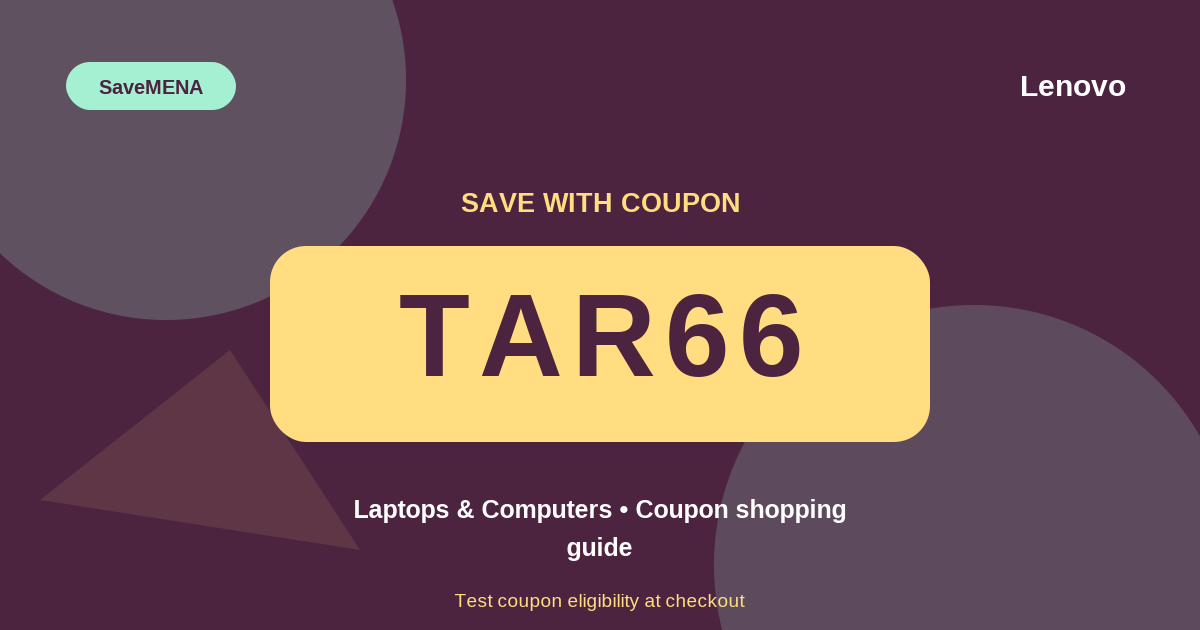
Codes available to try while comparing
These codes are not guaranteed for the article topic or listed brands; test them at checkout and use the live result.
Why Test Noon UAE Coupon Codes with Lenovo Laptops
When you add a Lenovo laptop to your Noon UAE cart, the first instinct is often to hunt for discounts that ease the higher price tag. Applying a coupon code such as TAR71, even if it’s only available to try, lets you see firsthand how much instant reduction is possible before you commit payment. This testing approach avoids the pitfall of paying the full price and then hoping a discount will magically appear in the checkout queue. Every code trial gives you a clearer picture of what you’re actually paying, making the buying decision more transparent.
In the UAE e‑commerce scene, volatile pricing and frequent promotions can leave buyers uncertain. By manually testing each code, you eliminate guesswork. The act of inputting TAR71 also confirms whether the code applies to the specific laptop model, bundle, or just the overall cart total. Such confirmation is crucial because a coupon that doesn’t apply to your chosen Lenovo product voids any perceived benefit. Hence, a systematic trial of coupon codes short‑circuits ambiguity right from the start of the purchase.
Understanding the TAR71 Coupon: What to Expect
The TAR71 coupon code is currently available for trial on Noon UAE, but there is no guarantee about its effectiveness for any particular laptop or discount level. When you apply it, the only guarantee you have is that the platform will either acknowledge acceptance or reject the code in the usual checkout flow. This outcome log acts as a direct indicator of eligibility, ensuring that you aren’t left surprised by a price you think you’ve already paid.
Since Noon’s checkout displays the final payable amount in real time, you’ll see whether TAR71 has altered your cart total immediately after submission. This visibility lets you cross‑check the effect of the code with your chosen payment method. For instance, if you’re planning to pay with a credit card that offers cashback or points, you’ll want to confirm the total before final confirmation to avoid an unexpected burnout of rewards.
Step‑by‑Step Guide to Applying Your Coupon at Noon
First, navigate to the product page for your chosen Lenovo laptop and add the desired quantity to your cart. Once added, click on the cart icon and proceed to the “View Cart” screen. Before checking out, locate the “Coupon Code” field—this is where you’ll input TAR71. After typing the code, hit the Apply button and watch the cart automatically recalculate the new price. If the code is valid, the saved amount will appear in the breakdown.
Before proceeding past this point, take a moment to verify that the updated total now matches the price you expect. If TAR71 was rejected, the cart will typically display an error message, leaving the original price unchanged. In that case, you’ll need to either remove the code or explore alternative discount options. Remember, the verification step is essential because the final price might still be subject to additional fees or rules applied later.
Choosing the Right Payment Method for Your Lenovo Purchase
After applying TAR71, your next critical decision revolves around the payment method you’ll use. Noon UAE typically offers a range of options, including debit and credit cards, PayPal, and local wallets like Tap. Each payment channel carries its own fee structure and reward mechanics. For example, a credit card with cashback might earn you a tiny percentage back on the post‑discount amount, while a wallet could provide instant discounts that stack differently.
When selecting a method, look at any possible surcharge listed in the final checkout summary. Some payment options incur a processing fee slightly above the net price, potentially eroding the savings from your coupon. Therefore, cross‑compare the net payable amount—including card fees—against alternative methods that might charge a lower base fee. This calculation will reflect what you truly pay, ensuring you make an economically sound choice.
Potential Fees and How The Coupon Interacts With Them
Any payment method you choose may apply a small surcharge that isn’t directly visible until you reach the final confirmation screen. If you’re using a credit card, for instance, a 1‑the discount shown at checkout fee might be added after the TAR71 reduction has already taken effect. In other payment scenarios, a flat fee of AED 1.50–2.00 could be included. The important point is that the coupon never deducts from these fees; you’ll always pay the full amount of the rise straight out of your chosen payment instrument.
Because fees are applied after coupon calculation, it’s prudent to use a “price‑compare” logic. Evaluate the discounted price plus any additional fee for each payment method. By doing so, you will see the true net cost and confirm whether the chosen payment channel is the most economical route. This upfront analysis will help prevent last‑minute surprises that could diminish the perceived advantage of using TAR71.
Verifying Your Deal: From Cart to Confirmation
With TAR71 applied and a payment method selected, the checkout process will present a final confirmation page. Here you’ll see a breakdown that includes the original price, the discount amount (indicated only if the code is valid), any applicable fees, and the net total you’ll be charged. Take the time to read this summary carefully; it’s where the real transaction amount is finalized. A slip in this stage could mean you’re paying more than you intended.
Ensure that the “Pay Now” button directs you to the secure payment gateway for the selected method. Once you confirm payment, the order goes live, and your laptop will be processed for shipping. Only after receiving the payment confirmation should you feel confident that the coupon and payment method worked as expected.
Common Pitfalls When Using Coupon Codes on Noon
One frequent mistake is assuming coupons apply to every product in a shopping session. If TAR71 doesn’t apply to the Lenovo laptop you added, but does to other items, you’ll still pay the full price for that particular laptop.A coupon is not guaranteed; verify its result at the retailer checkout. Another pitfall involves overlooking expiration windows that may tick up automatically; even a valid code can become invalid as soon as the session times out.
Finally, some users forget that many payment methods come with hidden fees. Ignoring these can erode the money you saved from a coupon. A careful review of the fee section, matched against your payment method, is essential before finalizing the order.
Related SaveMENA pages
Related articles
Official sources to check
Frequently asked questions
How do I know if the TAR71 coupon worked?
The cart will automatically update to show a discount amount and adjust the total price immediately after you hit “Apply.” If the field rejects the code, it will display an error message, and the original price remains unchanged. Verify at the final confirmation page for confirmation.
Will the coupon affect the payment fees?
No. Coupon discounts apply before any payment method surcharges are added. Fees are calculated on the reduced amount, so the net effect of the code remains unchanged regardless of which payment option you pick.
Can I stack the TAR71 code with other promotions?
Only if Noon’s policy allows multiple offers, which is not guaranteed. The standard procedure is to test one code at a time, applying it, and then checking if additional discounts are still available before finalizing payment.
What happens if my chosen payment method is unavailable?
If the selected payment option fails during checkout, Noon will prompt you to choose another method. The coupon remains applied to the cart total, but you’ll need to pay the full amount using a different payment channel as indicated by the platform.