Calvin Klein Men’s Fashion on Noon UAE: payment method — testing coupons one at · TAR71
We must create a long-form shopping editorial for UAE shoppers, category Men's Fashion, brand optional Calvin Klein.
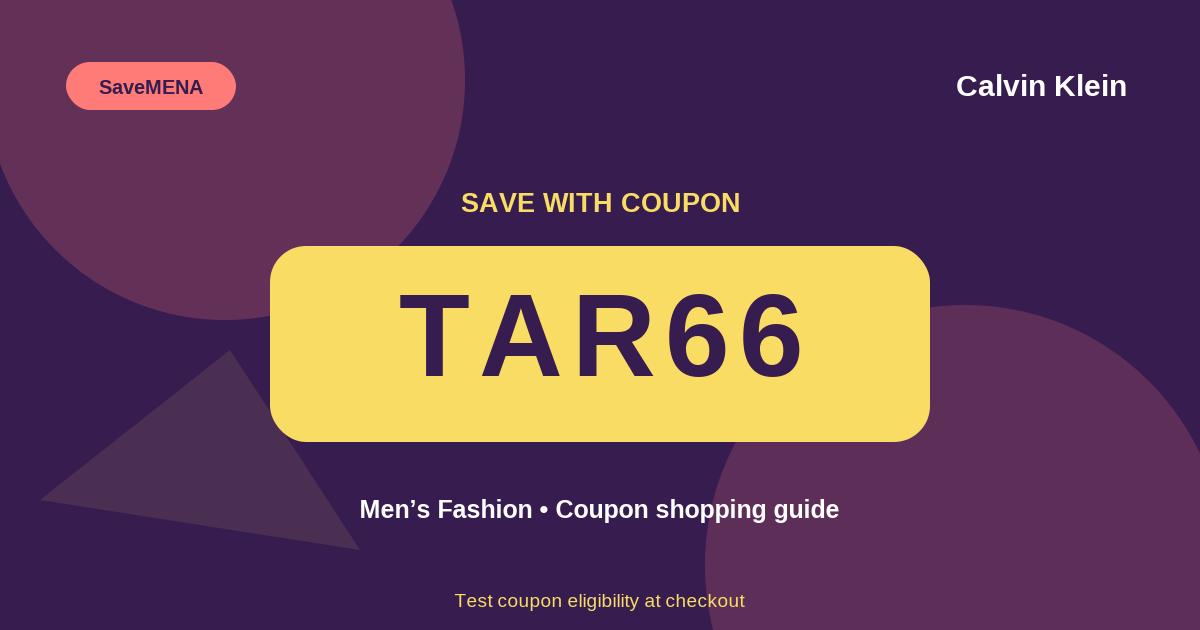
Codes available to try while comparing
These codes are not guaranteed for the article topic or listed brands; test them at checkout and use the live result.
Title
Paragraph
Paragraph
1. The Role of Coupon Codes in Men’s Fashion Shopping
Coupon codes are a common way for shoppers to receive a price reduction on Men’s Fashion items, including contemporary designers like Calvin Klein. When you view a product on Noon UAE, the option to enter a code is typically displayed at the basket or checkout page. The retailer evaluates each entry against its internal rules—whether the code applies to that specific brand, the customer’s status, or any seasonal requirements—before deciding on a final discounted amount. Although the discount is not guaranteed, attempting the code remains an essential step in any value‑seeking shopper’s routine.
In practice, the use of a coupon code can influence the total cost’s shape, especially if you’re planning a bulk purchase. The final amount you see after applying a valid code is what matters at checkout, because payment methods may treat the discounted total differently. For example, digital wallets and credit cards can apply different processing fees or must comply with specific thresholds before the discount is effectively applied.
2. Understanding Noon UAE’s Coupon Code Landscape
Noon UAE offers a range of coupon codes for different categories, but not all codes are universally applicable across product lines. A code that works for Men’s Fashion may be inactive for other segments such as Electronics or Home, and vice versa. Keeping the focus on Men’s Fashion ensures that you are testing an environment where the code’s logic is most likely to be engaged.
Every code, including the TAR71 you are about to try, is governed by Noon’s terms and conditions. These conditions determine eligibility at the individual order level. Since you are testing the code, you should prepare to check the eligibility verification step that appears at the checkout to confirm whether the code has been accepted and a discount awarded.
3. How to Test the TAR71 Coupon Code One at a Time
Testing a coupon code stepwise eliminates the risk of confusing multiple offers. Begin by selecting a single Calvin Klein item or a small set of Men’s Fashion products that you truly wish to purchase. Add them to your cart and proceed to the “Apply Coupon” field. Enter TAR71 exactly as it appears, then hit submit.
After submission, the system should display a confirmation if the code is accepted. If the field remains active or the screen reflects an error, the code is invalid for that selection. At this point, you can still try a different product or stop the trial, but note that the checkout total must be reviewed to see whether a discount appears.
4. Choosing a Payment Method That Supports Coupon Redemption
Certain payment methods may interact differently with coupon codes when Noon processes the order. If you pay by a method that imposes transaction fees at a final‑step level—such as credit cards or PayPal—the fee may be added after the discount is applied, potentially altering the visible total you see. Using a Noon Wallet balance, on the other hand, frequently shows the discounted amount directly in the immediate final price.
A shopper who wants to be certain the discount stands can experiment by first selecting a convenient payment option, then leaving it as a variable in the test. Once the discount has shown in the cart, you can switch to an alternative payment method before arriving at the final amount, ensuring the coupon’s value remains intact.
5. Verifying Coupon Eligibility During Checkout
When the coupon is applied but the system requires agreement to the terms before the final payment, the checkout screen will highlight a line that states the status of the coupon. This line will either confirm that TAR71 was successful, or will request additional actions if the code is technically applicable but blocked by a reason such as an inapplicable product type.
Because the final payable total appears only at this last step, the shopper should take note of how the discounted subtotal integrates with shipping fees, tax, and any other payable amount. Double‑checking the total ensures that the coupon’s effect is indeed represented and that the chosen payment method does not override it.
6. Factors That Affect Final Payable Amount
The posted final payable amount can vary with factors such as shipping method, tax location, or any loyalty program points used alongside the coupon. Even if the code grants a discount, the appended shipping cost or tax amount is calculated after the discount has been processed, which can change the perceived savings.
Because payment methods may impose specific surcharges or processing instructions, verifying the entire line item breakdown—discount, shipping, tax, surcharge—is essential. A shopper can often see a “View Details” or “Breakdown” button that displays every component, providing full transparency before the final confirmation.
7. Common Pitfalls When Applying Coupon Codes
One frequent error occurs when a shopper applies a coupon code to an item that, while listed as Men’s Fashion, belongs to a sub‑category not covered by the code. If this mismatch exists, Noon will treat the code as inactive, and the discount will never be reflected in the cart.
Another mistake is overlooking the checkout page’s final confirmation. An initial “accepted” message can appear when the cart recalculates the subtotal, but the final checkout step may still reject the code if limits or other rules apply. Checking the final amount is the only way to confirm the coupon did not slip through incorrectly.
Related SaveMENA pages
Related articles
Official sources to check
Frequently asked questions
A coupon is not guaranteed; verify its result at the retailer checkout.
No. The code is only available to try. Eligibility can vary with the live account, basket, item, seller and campaign context, so checkout is the final reference.
Where should I confirm the coupon result?
Apply the code in the Noon basket and review the live message and final payable total before payment. Do not rely on an undocumented percentage or condition.
Can the result vary by product or seller?
Yes. Eligibility and offer context can vary with the current basket details, so compare the exact item, seller, variant and final total before purchasing.
What should I do if the code does not work?
Check the market, account, item, seller, basket and payment context, then try another code available to try without guessing an unsupported reason.