Puma Shoes on Noon UAE: payment method — testing coupons one at a time · TAR71
Start by listing the Puma models that fit your need—whether it’s performance running shoes, casual trainers or performance sneakers.
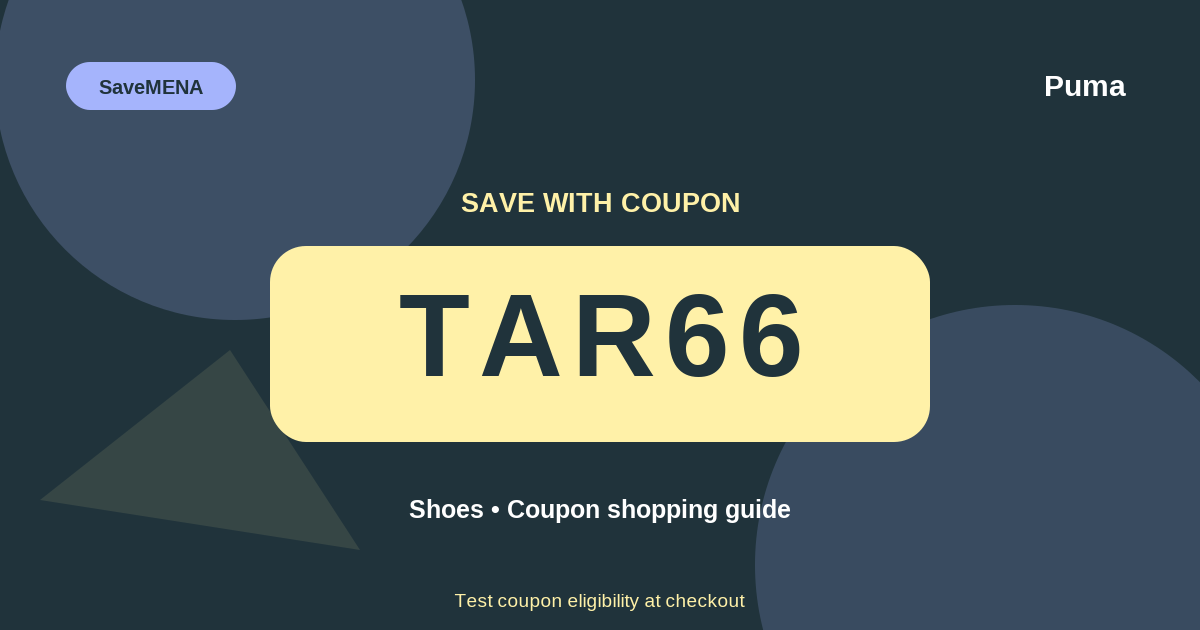
Codes available to try while comparing
These codes are not guaranteed for the article topic or listed brands; test them at checkout and use the live result.
1. Selecting the Right Puma Shoe on Noon UAE
Start by listing the Puma models that fit your need—whether it’s performance running shoes, casual trainers or performance sneakers. On Noon’s search page, use the “Brand” filter to narrow down to Puma and then the “Category” filter to “Shoes.” Pay attention to product variants such as size, color, and material. Each variant will have its own SKU and stock status, so confirm that the exact version you want is available before proceeding to checkout. This step ensures you’re testing coupons on items you actually plan to buy.
Read the product description carefully, focusing on size charts, material composition and any technical specifications. Many Puma shoes come with specialty lining or cushioning features that are highlighted in the details. Note any customer feedback or top‑rated comments which indicate comfort or fit quality. This is where you gauge the value of each model, because a reliable coupon is only worth using on products you’re genuinely interested in purchasing. Once you’ve made your selection, add it to the cart and proceed to the next stage of verification.
2. Assessing Product Availability and Seller Reliability
Before attempting to apply the TAR71 code, make sure the seller listed for your chosen Puma shoe is reputable. On Noon’s product page, view the “Seller” information—look for a verified or trusted rating. A higher seller rating indicates better customer service and faster shipping. This is essential because if the order ends up on hold, you might still lose a coupon discount if the final transaction fails or is refunded.
Next, confirm the shipping window. Products marked “Fulfilled by Noon” often guarantee quicker delivery compared to third‑party sellers. If shipping is delayed, you may end up waiting months, and that changes your mental calculation of savings versus waiting time.A coupon is not guaranteed; verify its result at the retailer checkout.
3. Validating the TAR71 Coupon Code at Checkout
With your selected Puma shoe ready in your cart, proceed to the checkout page. Pay close attention to the “Coupon” field under the payment section. Paste TAR71 into that field and click “Apply.” If the code is accepted, you’ll see a change in the subtotal. If not, Noon will display a message indicating the code is invalid or expired. At this point, record what happened, because it determines how you’ll approach the payment step later.
If the coupon does not immediately apply, double‑check that you didn’t exceed any hidden limitations such as minimum spend or product exclusions. Do not assume the code is universally valid across all categories; it might simply be a general discount. If you see any restriction notice, plan to try the code again with a different product or adjust your cart contents before moving forward. This cautious approach ensures you’re not caught off‑guard by a non‑applied discount.
4. Understanding Noon UAE Payment Options
Noon UAE offers a range of payment methods: debit/credit card, PayPal, and Cash on Delivery (COD). Each of these options may interact differently with applied coupons. Credit/debit card payments often process instantly, which might reflect the discount in the final total immediately. COD transactions are usually subject to the merchant’s confirmation before the order is shipped, meaning the discount could be applied after the order is verified.
PayPal users benefit from additional buyer protections and a seamless currency conversion process, which may influence how the TAR71 discount is displayed. It is important to understand the payment gateway’s role: the merchant initiates the discount, then the payment provider finalizes the amount. Knowing this helps you anticipate any variations between the displayed price before payment and what actually appears on your payment slip.
5. Comparing Cash on Delivery vs. Digital Wallets
Choosing Cash on Delivery can be appealing for those preferring to hold cash until receipt, but COD often delays the final confirmation of the discount until the courier confirms payment. This means you might see the discounted amount in your order summary, yet the payment recorded by the courier could differ if there is a discrepancy at hand‑exchange. Verify with Noon’s terms that COD orders honor coupon usage.
Digital wallets like Apple Pay or Google Pay, if supported, typically mirror credit/debit card results, applying the coupon at the instant of transaction. The advantage here is that the discount is reflected in the transaction receipt and You can track it in your wallet statements. If you anticipate frequent coupon usage, a digital wallet can streamline the process and reduce the risk of manual errors in applying the code.
6. Applying the Coupon During the Final Payment Stage
Once you confirm the TAR71 code has been accepted at checkout, you’ll see the final amount due. If your payment method is a card or digital wallet, you should verify that the amount captured in the payment gateway screen matches the amount shown in Noon’s order summary. This confirms the coupon was applied successfully before the authorisation.
In the case of COD, review the invoice that the courier will provide upon delivery. Some couriers alter the final amount slightly due to handling fees, so confirm if the COD total matches what Noon listed. If there is a discrepancy, contact Noon’s customer support immediately to request clarification or a corrected receipt.A coupon is not guaranteed; verify its result at the retailer checkout.
7. Confirming Order Summary and Transaction Accuracy
After making the payment, scroll to the “Your Order” page to confirm that every detail—product, size, price, applied coupon code, shipping method, and payment method—is accurate. The “Total” figure should match the amount you paid. If you notice any difference, like an unexpected fee or a missing discount, document the discrepancy and reach out to Noon’s support team before the delivery.
Keep a screenshot of the payment confirmation and the order summary for your records. This record serves as proof if the coupon was not applied correctly, and it helps expedite any dispute resolution.A coupon is not guaranteed; verify its result at the retailer checkout.
Related SaveMENA pages
Related articles
Official sources to check
Frequently asked questions
Will the TAR71 coupon be applied automatically with Cash on Delivery?
The coupon generally applies at the order creation stage. However, COD transactions require courier confirmation before the final amount is finalized, so verify the COD total matches the discounted sum at delivery.
Does the payment method affect how the coupon discount is displayed?
Yes. Credit/debit cards and digital wallets usually reflect the discount instantly, while COD may delay confirmation, potentially altering how the sum appears at hand‑exchange.
What should I do if the TAR71 coupon isn’t accepted at checkout?
Double‑check the code for typos, confirm there are no hidden restrictions, and ensure the product is eligible. If problems persist, contact Noon support before finalizing the purchase.
Can I use the TAR71 code with multiple Puma shoes?
You can only apply the coupon once per transaction. If you add different Puma shoes to the same order, the discount will still apply once, based on the subtotal before tax and shipping.