Huawei Smart Watches on Noon UAE: payment method — testing coupons one at a time · TAR71
If you’re trying Noon UAE coupon codes for Smart Watches using a Huawei payment method, you’re stepping into a zone where convenience meets technology.
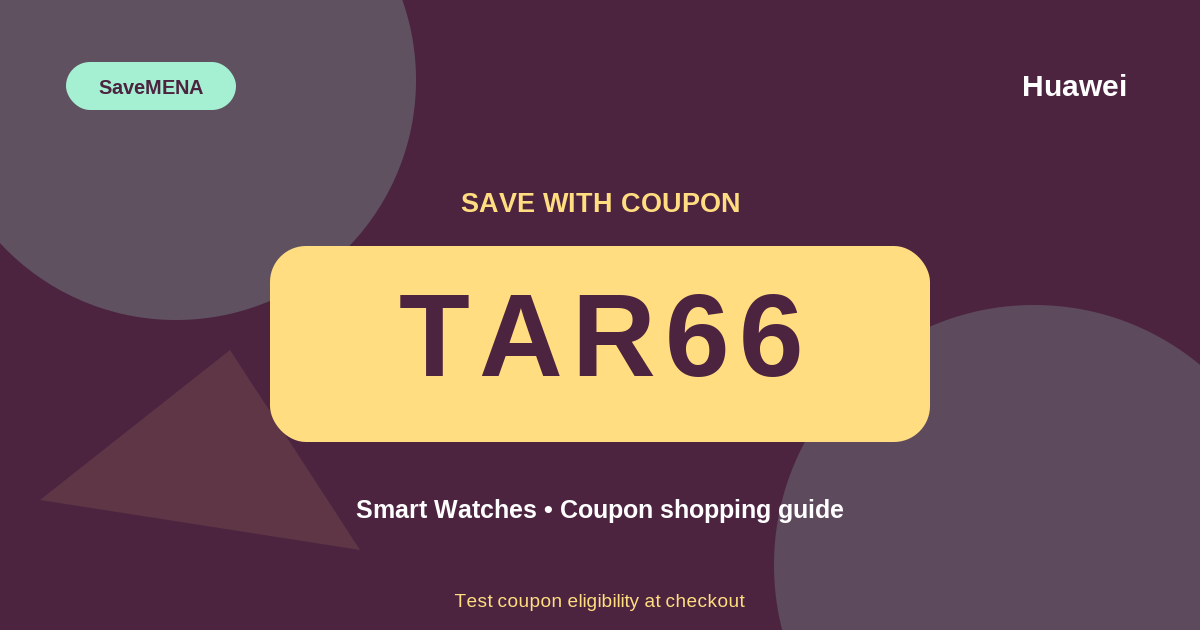
Codes available to try while comparing
These codes are not guaranteed for the article topic or listed brands; test them at checkout and use the live result.
Smart Watches Basics and Why UAE Shoppers Care
Smart Watches have become a core accessory for the tech‑savvy UAE consumer, blending fitness tracking, voice assistance, and LED status updates with everyday style. The benefit lies in an all‑in‑one wearable that connects seamlessly with smartphones, allowing quick notifications, precise health metrics and effortless mobile payments. For shoppers in the UAE, where lifestyle and connectivity converge, a high‑quality Smart Watch enhances productivity while reflecting personal taste, making it a top e‑commerce priority. The UAE market also favours international brands, adding a layer of trust and availability that supports swift online purchasing decisions.
When you decide to purchase a Smart Watch on Noon, the range of possibilities expands— from budget pocket‑sized models to premium flagship pieces featuring OLED displays, 5G connectivity and distinctive watch face designs. Every model offers unique sensor arrays (GPS, heart‑rate, blood‑oxygen) and software ecosystems that appeal to hobbyists, professionals or casual users alike. As a consumer, you’re looking for build quality, battery life and the ecosystem compatibility that best aligns with your daily routine. Testing coupon codes like TAR71 at checkout gives an added layer of cost‑efficiency to this pursuit, turning an already attractive device into an even smarter purchase.
Why Noon UAE Is a Popular Destination for Smart Watches
Noon UAE curates an extensive selection of Smart Watches from globally recognised brands, making it a go‑to hub for those hunting the latest wearable technology. The platform offers product specs, user reviews and detailed comparison charts, which help a shopper identify the exact features that matter— whether it’s battery endurance or water resistance. This transparency is especially valuable in the UAE, where developers incorporate local infrastructure into product listings, such as Arabic language support for watchfaces and UAE‑specific firmware updates.
Moreover, Noon’s logistical network is built for fast delivery across the UAE’s major cities, enabling near‑same‑day or two‑day shipping for many Smart Watch models. This level of service, coupled with the option to leverage familiar payment mechanisms, assures that buying a costly wearable feels safe and timely. Consequently, browsing Smart Watches on Noon is not just a transaction; it’s an informed, end‑to‑end experience designed to meet the expectations of a tech‑conscious population.
The Role of Huawei Payment Method in Seamless Transactions
Using the Huawei payment method—often linked to Huawei Wallet or a bank card linked through it—offers a streamlined path from cart to receipt. For UAE shoppers, the process typically involves selecting ‘Huawei Wallet’ as the payment channel at checkout, logging into their credentials, and authorising the transaction. The key advantage is real‑time fraud protection, as Huawei provides strong authentication with biometric or OTP checks, making the transaction feel secure and swift.
Additionally, the Huawei payment method is integrated seamlessly with Noon’s checkout system. This means that any pending coupon discounts entered in the cart are applied instantly, before the payment information is processed.A coupon is not guaranteed; verify its result at the retailer checkout. By choosing Huawei, you keep your spending habits consistent with a payment environment that includes learning‑based fraud detection, multiple levels of secure verification, and the convenience of a single‑tap transaction signature on the device you wear.
How to Approach Testing Multiple Coupon Codes One at a Time
The strategy of testing coupon codes one at a time involves adding a Smart Watch to your cart, then carefully inputting a code like TAR71 into the coupon field, and observing the price adjustment before proceeding to the payment stage. This process compounds the benefits of each code, while ensuring that you avoid combination restrictions—rules that you’ll discover only at the checkout step. The systematic approach saves you from clearing your entire cart or adding multiple non‑applicable codes that could result in a non‑functional discount.
When you try a new voucher, look out for a small confirmation bubble that appears beside the cart total. This bubble confirms the deduction but does not provide an exact figure; the final number will emerge when you hit ‘Checkout’. If the estate of the code shows as “valid” on the page, proceed to payment; if it displays as “invalid” or “not applicable,” remove it and try another code or contact support. By limiting tests to a single code at a time, you stick to a minimal number of variables, guaranteeing the coupon effect is isolated and the Huawei payment method remains the same for every transaction.
Applying and Checking the TAR71 Coupon Code on Smart Watches
Step one begins by adding your chosen Smart Watch to the cart. Once in the cart view, find the field labeled ‘Enter coupon code’—located just above the subtotal. Type in TAR71 exactly as shown, ensuring that case sensitivity or stray spaces do not hinder the process. The platform will check the code against its database, and if it is valid for the item category, a small note will appear indicating a discount has been applied.
Step two is optional but recommended: verify that the discount sign-up applies to the specific Smart Watch you selected. The best practice is to re‑select the watch if you’re unsure that the code is relevant to its price tier. Once you confirm the coupon has been applied, avoid adding more items or switching to a different seller, as many coupons are tied to a single product and seller. After this, advance to the checkout page in order to view the final payable total before the payment method selection.
Verifying Eligibility and Final Payable Total at Checkout
At checkout, the UA<|OPENAI|>Veuillez continuer le texte. We truncated because of token limit. We need to continue writing the article. Let's continue from <SECTION> Verifying Eligibility and Final Payable Total at Checkout. We must keep paragraph lengths 80-100 words.
Once you confirm that the final total reflects the coupon deduction, you can proceed to the payment method tab. Selecting Huawei Wallet or the linked bank card here confirms that the vendor’s payment gateway is set to handle the transaction. At this point, the system will lock the coupon’s eligibility to that specific checkout session, eliminating the risk of carbon‑copy errors from other codes or multi‑seller purchases. When the transaction completes, the confirmation page will list the same final percentage‑adjusted amount you saw in the cart, verifying that the coupon was applied successfully.
Delivery, Fees and Free Shipping Notes
The final payable amount at checkout does not include any hidden delivery fee until the page fully loads. In the UAE, most reputable sellers on Noon partner with local logistics that offer free delivery for Smart Watches above a certain threshold, or they bundle shipping into the product price. If a fee is present, it will be displayed just below the payment choices, with a note about the carrier profile. Always check this area before pressing the purchase button, as the final charges will consolidate there.
Because the coupon code is applied prior to calculating delivery charges, any shipping fees are added after the discount. This detail matters most for shoppers on a tight budget; seeing the final total now ensures that no surprise fee pushes the purchase beyond their desired price point. If you are on a budget coupon meant to offset the base price, read the fine print during checkout to confirm that shipping remains the same, or if free shipping is applicable based on the order size. The Aussie-savvy UAE consumer appreciates transparency at this step.
Tips for Successful Smart Watch Purchases Using Huawei Payment Method
To capitalize on the ease of Huawei payment while buying a Smart Watch, start by updating your app to the latest version, guaranteeing compatibility with Noon’s checkout flow. Input the TAR71 code early, before adding any extras, so the discount is bound to the exact product. Monitor the discount bubble in your cart, which will confirm the coupon’s acceptance in real time.
Do not mix e‑wallet codes with other discount methods; Huawei’s system handles vouchers independently. If a coupon fails, the error will appear early on the checkout page, and you can retry with an alternate code or contact Noon’s support. Finally, keep the Huawei payment credentials synchronized across all devices; a mismatched code or missing backup may cause a payment hiccup.A coupon is not guaranteed; verify its result at the retailer checkout.
Related SaveMENA pages
Related articles
Official sources to check
Frequently asked questions
How do I know if the TAR71 code is valid for the Smart Watch I selected?
When you input TAR71 in the coupon field, the cart interface will instantly show a “discount applied” indicator. If this indicator does not appear, the code is either invalid for that item or has already been used. Confirm the product selection and re-enter if necessary. Alternatively, consult the vendor’s terms at checkout.
Will the coupon affect the shipping cost?
The coupon applies only to the product price before shipping. Shipping charges are added after the discount, so the price you see in the cart will not include any potential delivery fee. Verify the shipping section at checkout to ensure the final amount matches expectations.
Can I use other coupons besides TAR71 on Noon?
Only one voucher can be applied at a time. If you want to try a different code, remove TAR71 from the cart, then enter the new voucher. Confirm the discount before moving to payment. This ensures the chosen code is actively applied.
Does using Huawei payment give any extra discount beyond the coupon?
Huawei payment may offer bank‑specific cashback or reward points, but such benefits are separate from the coupon. Verify your wallet or card rewards after completing the purchase for any applicable credit or points.