Nike Sports on Noon UAE: payment method — testing coupons one at a time · TAR73
Planning a sports gear haul with Noon UAE? Testing one coupon code at a time can help you understand how each discount behaves before you decide to go ahead.
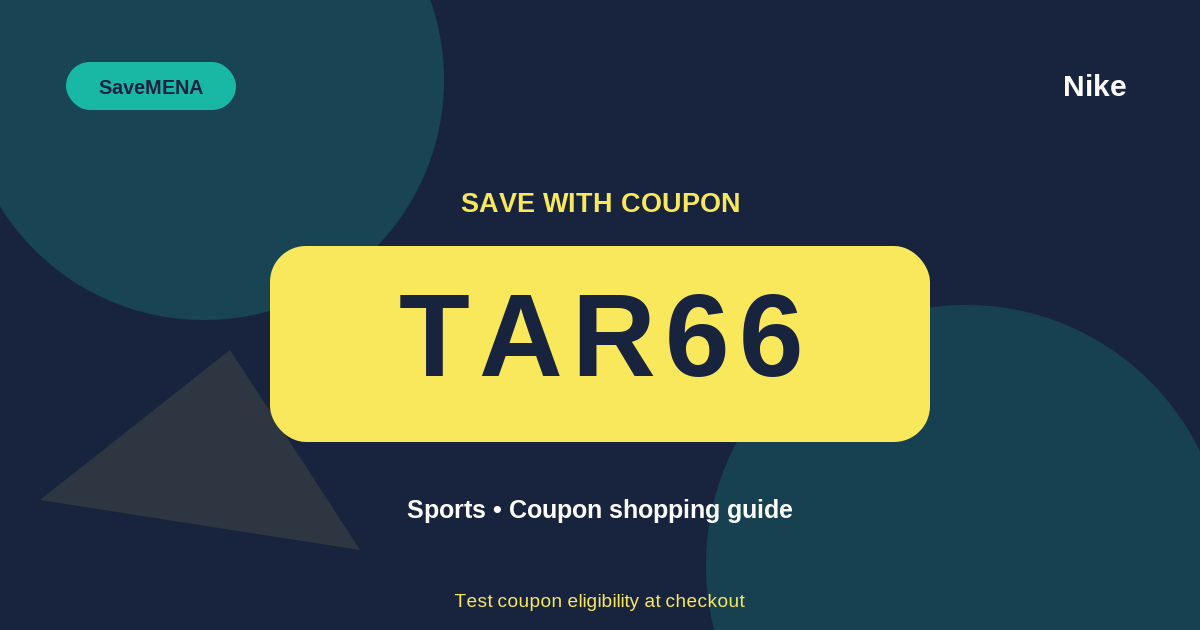
Codes available to try while comparing
These codes are not guaranteed for the article topic or listed brands; test them at checkout and use the live result.
Understanding Your Sports Shopping Journey on Noon UAE
Online sports shopping starts the moment you pick a product on Noon UAE. As a shopper in the UAE, you’ll see a variety of items such as sneakers, training gear, and sports apparel from brands like Nike. It’s crucial to keep track of each product’s seller and shipping details because certain sellers may require a different payment window or have distinct return policies. By noting each seller’s profile before adding items to your cart, you can avoid surprises during the checkout process and ensure you’re set up for a smooth transaction.
Before you even reach the payment step, double‑check that the items chosen match what you intend to buy. For example, if you’re looking for a specific Nike training shoe, confirm that the size, color, and any promotional offers listed on Noon UAE align with your preference. This preliminary verification saves time later, especially when you’re trying out coupon codes and want to see how they affect the exact items in your cart.
The Role of Coupon Codes in Your Checkout Experience
Coupon codes on Noon UAE act as a filter that can potentially lower the price of the items you’re purchasing. When you enter a coupon like “TAR73,” you’re nudging the platform to apply a discount if the code is valid for your cart contents. However, the coupon’s eligibility may depend on factors such as the seller, the total cart value, or whether the item is on sale. Keeping an eye on these variables helps you understand why a code might not work in certain situations.
The process of testing coupons one at a time is practical because it isolates each code’s effect. If you put multiple codes into the same attempt, you might not know which code actually contributed to your savings or whether the discount was applied at all. By testing “TAR73” alone, you can record precisely how it interacts with the payment method and the overall checkout flow, ensuring you have a clear record of each step.
Why “TAR73” Might Be Different from Other Codes
“TAR73” is listed as a coupon code you can try on Noon UAE. Unlike generic or seasonal codes, “TAR73” may have unique conditions tied to it that aren’t revealed until you enter it. It could only work for certain sellers, or it might be tied to a specific sporting item or brand. Since it’s not guaranteed, you may find that it doesn’t apply to your Nike sneakers in this instance, but could do so for another product later on.
Because the code isn’t grouped under a specific category or brand, it treats every product in your cart the same, but the actual discount application still relies on Noon’s internal validation. That means your decision to use “TAR73” still carries the risk of it not triggering any savings, which is why you’ll need to confirm its effect through the payment step.A coupon is not guaranteed; verify its result at the retailer checkout.
Step‑by‑Step Guide to Applying TAR73 Before You Pay
First, add your chosen Nike sports item to the cart and proceed to the checkout screen on Noon UAE. On the payment section, there will be a field labeled “Coupon Code” or “Promotions.” Enter “TAR73” into this box, then press the apply button. The screen will refresh and may show if the code is accepted or rejected. If it’s accepted, you’ll see a line item indicating the discount amount in your order summary.
After the coupon is applied, double‑check that the discount is reflected before you confirm the payment method. Make sure you’re using a payment technique that is supported by Nu.net. If the coupon is rejected or not reflected, you might want to try a different code or revisit the items in your cart. Either way, the key is to finish this step before you add any financial details to the form, thereby keeping an audit trail of the discount application.
Payment Method Checks: Ensuring a Smooth Transaction
During this phase, your payment method choice plays a direct role in the success of the checkout. Noon UAE accepts various payment methods like credit or debit cards, PayPal, and sometimes local options like Apple Pay or COD, depending on the seller. Before clicking “Confirm Payment,” verify that the payment method you select is linked to a bank account or card that hasn’t expired and has sufficient balance or credit limit.
Because you’re testing a potential discount, you want to confirm that the payment method correctly reflects the discounted total displayed in the order summary. Some payment gateways display the pre‑discount total or may not recognize the discounted amount if there’s a delay in processing. In such cases, you may need to retry the payment or double‑check the code change at checkout. Ensuring the payment method matches the displayed amount guarantees you won’t be surprised by a higher charge later.
What to Watch If the Coupon Doesn't Apply
If “TAR73” fails to update the order total, check whether the coupon field shows any error message. Common issues are mismatched item categories or sellers that exclude coupon usage. In those cases, the platform’s error note will explain why the code didn’t apply. If no message appears, the problem may be with the code itself, so consider testing it again or contacting Noon’s support for clarification.
In many scenarios, the payment method may still process the full amount if the discount isn’t applied. That’s why it’s essential to address coupon issues before you finalize the payment. This practice keeps your payment transaction clean and straightforward, eliminating any unforeseen charges that could invalidate your money‑saving attempt.A coupon is not guaranteed; verify its result at the retailer checkout.
How to Test Multiple Codes Safely
When exploring several coupon codes, keep each attempt isolated: try one code, apply it, note the resulting price, then remove it before moving onto the next. This method helps you see exactly how each code influences your total before the payment gateways finalize the transaction. By logging these results, you can compare which code offers the best savings for your particular sports purchase on Noon UAE.
Take advantage of Noon’s cart feature while performing these tests. If you’ve added multiple sports items from different sellers, make sure your cart’s price is accurate after each code application. Some sellers might restrict coupon usage; if so, you’ll notice a new error message or a change in the total. Keeping a light record of these changes simplifies the decision on which coupon to keep before final payment.
Final Thoughts: Combining Savings with Secure Payments
Summarizing the journey: searching for quality sports gear in the UAE, adding Nike items to your Noon UAE cart, and testing a single coupon code like “TAR73” before you commit your money forms a structured approach to online shopping. Keeping your focus on the payment method ensures the platform recognizes the discounted total you’ve confirmed, avoiding any surprises when the payment processor completes the transaction.
Before you finalize, double‑check that your coupon’s effect is still visible in the order summary and confirm that your chosen payment method is active and functional. Once verified, hit the “Confirm Payment” button; the checkout will lock in the final amount you see. By repeating this cautious process for each code you attempt, you’ll keep your shopping efficient, your savings reliable, and your payment trajectory clear.
Related SaveMENA pages
Related articles
Official sources to check
Frequently asked questions
What happens if “TAR73” doesn't apply to my Nike sneakers?
Here, you’ll see no discount line in the order summary. Try the code again, verify the seller, or contact Noon support for clarification. If it still fails, you might need to test a different code or proceed without a discount for this purchase.
Can I use multiple coupons on one order?
No, only one coupon can be applied per checkout. Testing coupons individually allows you to determine which one offers the best savings before selecting a payment method.
Does the coupon affect the payment method used?
The coupon is applied before the payment method selection. Once the discount is confirmed in the order summary, you can proceed with any supported payment option without affecting the discount.
What should I verify about my payment method before confirming the order?
Make sure the card or account is active, has sufficient balance or credit limit, and supports the payment gateway.A coupon is not guaranteed; verify its result at the retailer checkout.