Puma Sports on Noon UAE: payment method — testing coupons one at a time · TAR73
When you’re on Noon UAE looking for sports gear, you’ll often wonder how to get the best deal while still keeping an eye on what’s best for your wallet.
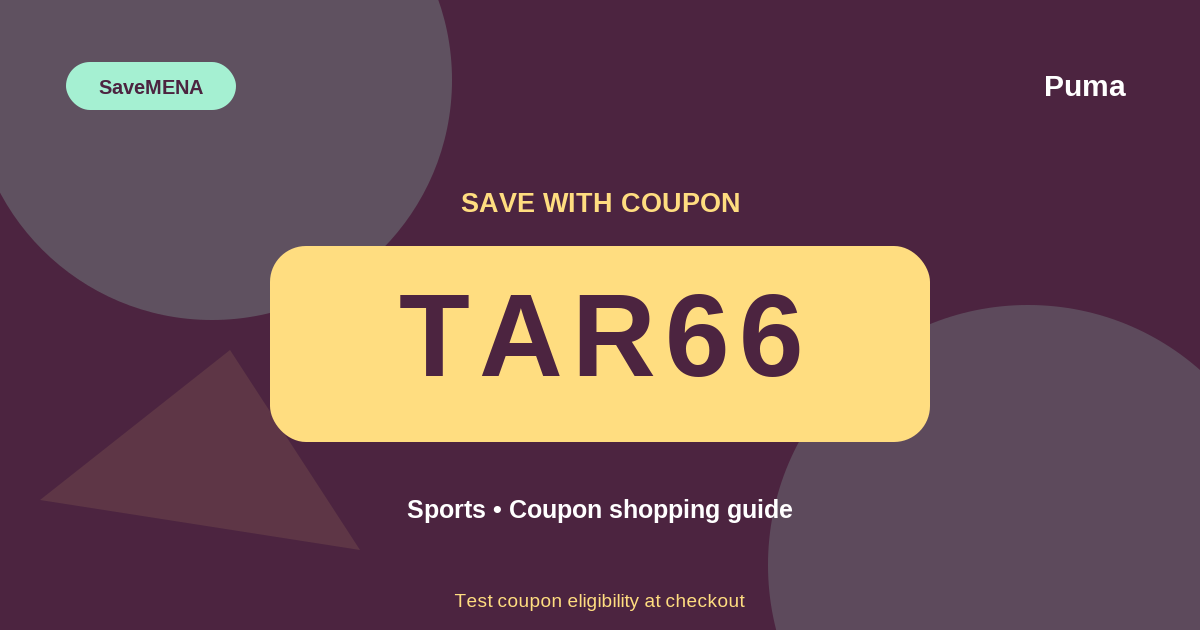
Codes available to try while comparing
These codes are not guaranteed for the article topic or listed brands; test them at checkout and use the live result.
Step 1: Browsing Sports Gear on Noon UAE
Start by navigating Noon’s sports section, filtering results by brand and category if you’re specifically after Puma products. The search bar supports spelling variations, but typing “Puma sports” or simply “Puma” delivers the most relevant listings. While scrolling, check product descriptions and seller ratings for any notes on shipping times or return policies—useful if you plan to order multiple items or if you need quick delivery before a sports event.
When a listing catches your eye, add it to a temporary cart to keep a running tally of prices. This allows you to compare different Puma models side‑by‑side and decide which items fit your budget before you start the coupon‑testing process. Keep this list handy, as you’ll return to it when you add items to your final cart for checkout.
Step 2: Selecting Puma Products and Preparing Checkout
Once your shortlist is ready, pick the exact variants—size, color, and quantity—to reflect what you intend to buy. Add them to your cart in one go; this reduces the number of times you need to re‑apply the coupon. In Noon, each product page offers “Add to Cart” and “Buy Now” options; favor “Add to Cart” so you can review all items collectively before moving to payment.
After all items are in the cart, use the “Review Cart” screen to confirm quantities and sub‑totals. Look for any hidden fees or taxes, which Noon lists separately. At this stage, you can proceed to voucher entry but avoid final payment until you’re finished testing all coupon variations.
Step 3: Applying the TAR73 Coupon Code
Navigate to the “Apply Voucher” field in the cart summary. Enter the single code TAR73 and hit apply. The system will recalculate the subtotal, displaying the discount amount if the voucher is valid. If it doesn’t apply immediately, double‑check spelling, capitalization, and any whitespace. Once accepted, the code remains active until you complete the transaction, so you can compare it against a “no‑voucher” baseline by resetting the cart.
Remember, the coupon is available to try; Noon does not guarantee its effectiveness on every purchase. A successful code entry means the discount is eligible at checkout, but the final payable amount will be confirmed only after you select a payment method and proceed to the payment gateway.
Step 4: Choosing a Payment Method That's Right for You
At checkout, Noon lists multiple payment options: credit/debit card, PayPal, Apple Pay, and different local wallets. For sports shoppers, card payments often offer the highest flexibility, with built‑in fraud protection and the possibility of transaction insurance. If you prefer a non‑card method, verify the wallet’s purchase limits and whether it accepts first‑time user or existing user restrictions.
Each payment method may have its own processing fee or reward program. For example, some cards offer cashback for sports purchases, while certain wallets provide instant rebates. Review these details before finalizing because they influence the net amount you pay after all discounts and fees are applied.
Step 5: Confirming Final Price and Coupon Validity
After selecting a payment method, the checkout page will display a “Final Payable Total.” This figure incorporates any coupon deductions, platform fees, and tax. Verify that the total matches the amount you expected based on the cart summary and coupon entry. If a discrepancy appears, double‑check for hidden charges or size/quantity errors. Note that Noon’s checkout system is the authoritative source for price confirmation.
If the TAR73 coupon appears inactive at this stage, the code was not accepted for your particular combination of items or quantity, or it may have expired. In that case, you could opt for a “no‑voucher” checkout to explore other discount opportunities or return to the cart and adjust items before re‑applying the code.
Step 6: Understanding Noon UAE’s Payment Options for Sports Buyers
Different payment methods behave differently regarding reversals, fraud checks, and fraud protection. For instance, using a credit or debit card usually subjects the transaction to a quick merchant‑level fraud check, which can delay order confirmation if flagged. Local wallets may offer faster confirmation but could be limited to specific amounts per day. Pick the method that matches your buying urgency and risk tolerance.
Beyond the payment method, check the retailer’s return policy on sports apparel; many sellers allow returns within a set period. Payment methods may also influence return processing, especially if the payment was made using a wallet that requires the seller to reverse the transaction manually.
Step 7: Completing the Transaction and Expected Delivery
Once you’re satisfied with the final amount, click “Place Order.” Noon will send a confirmation email with the estimated delivery window and tracking reference. Sports items sometimes have different handling times, so confirm that the shipping date aligns with your training schedule or event. If you see a delay, contact Noon support, citing your order ID and noting the payment method used.
After order placement, keep the confirmation handy. In case of any discrepancies, having the payment method details and final price available helps expedite dispute resolution. For sports gear, shipping times are critical, so verify that the courier service and handling match the expected delivery window.
Step 8: Post-Purchase Tips and Refund Considerations
After receiving your Puma sports gear, inspect the item immediately for defects or size inconsistencies. If you need a return, refer to Noon’s return portal, which requires the same login used for purchase. Payment method details are vital if the refund is processed back to a card or wallet; mismatched billing information can delay the refund.
For coupon-related refunds, note that support will evaluate the coupon’s status at the time of return. If you’re reversed back to the full price, the coupon will not be applied to future purchases unless re‑tested. Storing the coupon code for future use can save you time if you plan recurring sports gear purchases.
Related SaveMENA pages
Related articles
Official sources to check
Frequently asked questions
What verification is needed when applying the TAR73 code?**
The coupon must be entered in the cart’s voucher field and accepted by the system; only after selecting a payment method at checkout does Noon confirm eligibility and final pricing.**
Does the payment method affect the coupon’s validity?**
No. The coupon’s acceptance depends on the items and quantity, not on whether you use a card, wallet, or other option; however, final price confirmation occurs during payment.**
Can I use TAR73 with multiple tags or items?**
Yes, as long as the coupon is accepted at the cart level. Each item in your cart shares the discount, but it must not exceed any unstated limits; confirm at checkout.**
Will using a wallet instead of a card change the final price?**
Only if the wallet has different commission or reward structures; otherwise, the price is the same once the coupon is applied and final payable amount is shown.**