Apple Tablets on Noon UAE: payment method — testing coupons one at a time · TAR73
If you’re eager to try Noon UAE coupon codes while shopping for tablets and prefer using your Apple payment method, this guide will walk you through the process
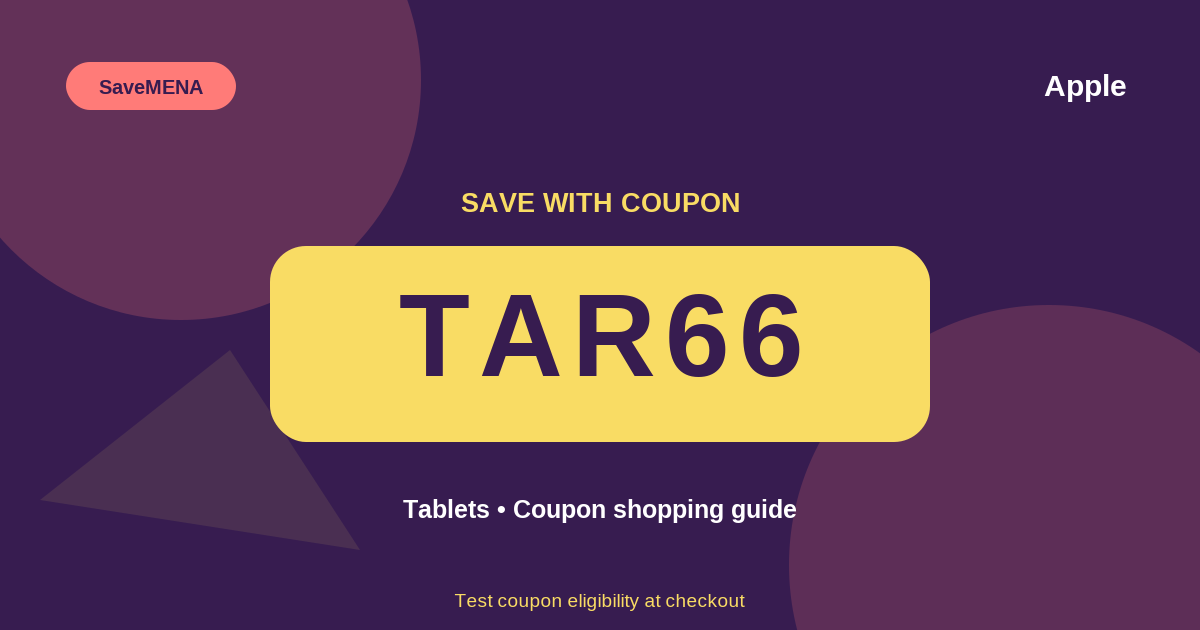
Codes available to try while comparing
These codes are not guaranteed for the article topic or listed brands; test them at checkout and use the live result.
Why Testing Codes Matters
Before you head to the checkout page, it’s important to test coupon codes individually to see which ones are compatible with your selected tablet. Each code’s validity can vary by product category, seller, or even time of day, so using them one at a time reduces confusion and helps you pinpoint the exact savings you can unlock. When you touch certain details, the system may try to auto‑apply multiple codes, which could lead to conflicts. Testing gives you full control over which code is active.
Moreover, trying each code allows you to confirm that the discount is indeed applied before you commit to payment. The verification step is simple: after entering the code, check the subtotal change in real time. If no difference appears, the code is either expired or incompatible for that item. At this point, you can immediately stop the process or look for alternative codes. The process is seamless, especially on the Noon UAE app, where a simple tap updates the totals instantly.
Finding the Right Tablet Deals on Noon UAE
Start by searching for the tablet model you’re interested in. Use the search bar on the Noon UAE website or app, filter by brand or specifications, and then refine results by price range or seller rating. Noon hosts a wide variety of tablets from different manufacturers, so look for listings that clearly display price, shipping details, and available payment options. A quick glance at each product’s top card will show whether the tablet is sold directly by Noon or by a third‑party seller.
Once you locate your preferred tablet, cross‑reference its product page with the Add to Cart button. Ensure that the tablet is in stock and that the delivery option you desire is listed. It’s also useful to check user reviews for any mention of past coupon usage or payment issues. These quick steps give you confidence that the product itself is eligible for using a noonCoupon code and that the Apple payment method will be accepted at checkout.
Where to Enter the TAR73 Coupon Code
After you add a tablet to your cart, navigate to the cart summary page. Near the subtotal line, you’ll find a field labeled “Enter Coupon/Promo Code.” This area accepts any promotional codes provided by Noon. Paste the TAR73 string exactly as shown, then press the “Apply” button.
Once applied, the cart should refresh and display the new subtotal. If you see a note that the code was unsuccessful or that the discount did not apply, double‑check the code’s spelling, case sensitivity, and the product’s eligibility. Remember, the code is currently available to try, so it may not work for all items. If it does not apply, you can either abandon that code at this point or try another variant from your set of coupons before proceeding to payment.
How the Apple Payment Method Works with Noon
Noon UAE supports several payment options, including credit cards, debit cards, PayPal, and Apple Pay where available. Selecting Apple Pay means you can use the secure authentication provided by your iOS device’s Wallet app, which typically requires Face ID, Touch ID, or a confirmation PIN. This method hides your card details and reduces the risk of fraud.
When you finalize your order, choose Apple Pay from the list of available payment options. The transaction amount will then be fetched from your default card linked to the Wallet. The platform will verify the amount and push an approval prompt to your device. Confirming this prompt completes the payment instantly, ensuring you don’t have to manually enter card information during checkout.
Step‑by‑Step Checkout Process with Apple Pay
Begin by reviewing your cart: confirm that the tablet you added is the correct model, that the quantity is one, and that any shipping fees are as expected. Next, click the “Proceed to Checkout” button. On the address confirmation screen, verify your shipping location is within the UAE; Noon will calculate delivery time and cost based on the postal code you entered.
At the payment screen, scroll to the list of payment methods and tap “Apple Pay.” Your device’s authentication screen should then appear. After completing Face ID/Touch ID, the order will be submitted. The system then completes the transaction, and you’ll see a confirmation page. Verify the final payable total on this page; this amount is the one you’ll see on your bank statement or card receipt.
Common Issues and How to Resolve Them
Sometimes the TAR73 code may show as invalid. Double‑check that you’re applying the code to the correct cart; some codes only work with specific sellers or brands. If the code still fails, remove it, refresh the page, and try re‑entering. If no progress, consider contacting Noon’s customer support for clarification on the code’s scope.
Apple Pay can also run into issues if your device’s Wallet isn’t set up correctly, or if your card is not supported in the UAE. Ensure your card is linked to the Wallet and that you have saved a PIN or enabled Face/Touch ID. If Apple Pay is unavailable, you can still pay by selecting a debit or credit card from the payment screen, though the convenience of a single tap will be lost.
Comparing Savings: Code vs. Apple Pay Perks
While the TAR73 coupon might provide a direct discount, Apple Pay offers its own perks such as safer transactions, quick checkout, and sometimes additional rewards from card issuers. It’s worthwhile to reach out to your bank to inquire whether using Apple Pay on Noon triggers any cashback or loyalty points.
In many cases, the savings from a valid coupon will surpass any merchant‑generated Apple Pay discount, but it never hurts to evaluate both options. Look at the final cash out on the checkout page after the coupon is applied, and compare that number with the amount you would see if you used a different payment method that offers extra benefits.
Final Thoughts and Next Steps
After confirming that the TAR73 code has effectively reduced your tablet’s subtotal and that Apple Pay has processed the transaction successfully, you’re ready to enjoy your new device. Keep an eye on the tracking information provided by Noon for delivery updates. If you’re satisfied with the experience, consider saving the code for future use, watching for any fresh updates or new coupon releases from Noon UAE.
For future tablet purchases, repeat the simple pattern: locate the product, add it to cart, preview the discount with the coupon code, and then use your preferred payment method. This disciplined approach ensures you always get the best possible price and the safest payment experience each time you shop.
Related SaveMENA pages
Related articles
Official sources to check
Frequently asked questions
What happens if the TAR73 code does not apply at checkout?
If the code appears invalid or has no effect, double‑check the spelling and that the tablet is eligible for promotions. It may be expired or restricted to specific sellers. Delete the code and try another if available, or contact Noon support for clarification. Your payment method will still process normally.
Can I use Apple Pay on Noon UAE for all products?
Noon UAE supports Apple Pay for most items sold directly by Noon, but some third‑party sellers may not accept Apple Pay. Check the product’s payment options on the listing page; if Apple Pay isn’t listed, you’ll need to select another payment method for that purchase.
Will I see the discount from TAR73 reflected in my bank statement?
The discount is applied to the one‑time purchase amount shown at checkout. Your bank statement will reflect the final debit from your card after the discount is processed. Verify the final amount on Noon’s confirmation page before confirming the payment.
Can I combine TAR73 with other coupons on Noon?
Noon UAE typically allows only one coupon code per order. Once you apply TAR73, additional coupon fields will be disabled or show an error. If you want to test other codes, remove TAR73 first, then enter a new code before proceeding to payment.