Xiaomi Tablets on Noon UAE: payment method — testing coupons one at a time · TAR73
When you search for “try Noon UAE coupon codes Tablets Xiaomi payment method” you’re often looking to lock in extra value on a tablet purchase while ensuring a
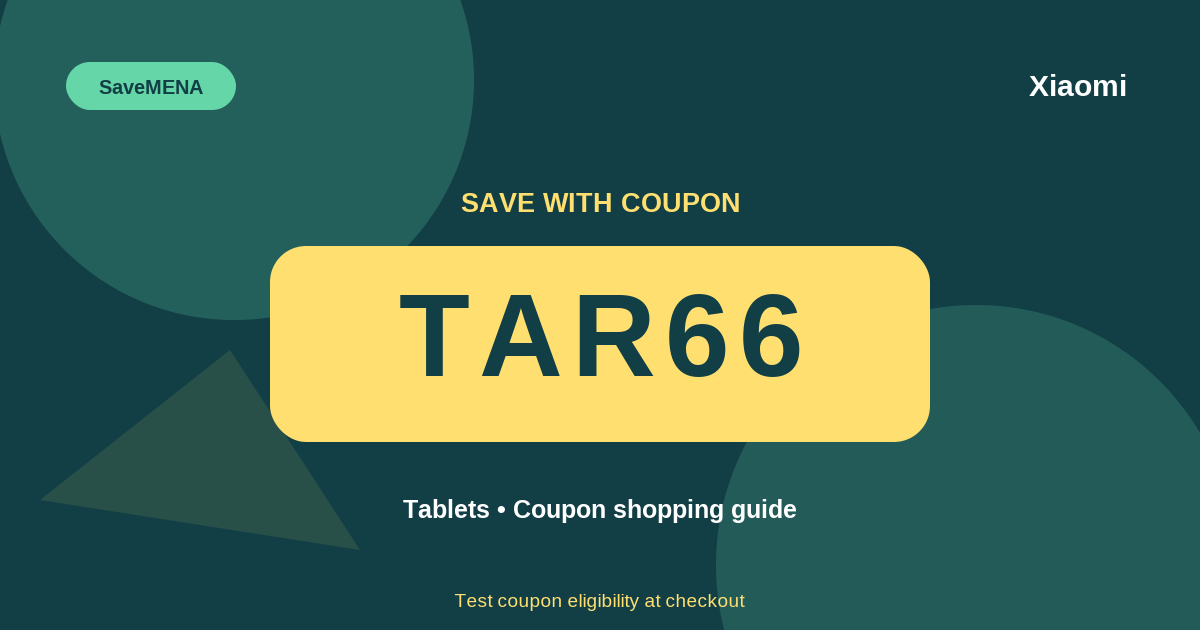
Codes available to try while comparing
These codes are not guaranteed for the article topic or listed brands; test them at checkout and use the live result.
How Noon UAE Coupons Work for Tablets
Coupons on Noon UAE are applied during the checkout stage when you enter a private code in the designated field. The platform automatically verifies the code against the items in your cart, the chosen seller, and any ongoing promotions. If the code is valid, the discount is reflected in the subtotal before tax and shipping calculations. The code you’ll be testing, TAR73, is a single‑use entry that may or may not be valid for every tablet item in the cart, so your account must be prepared to handle different outcomes.
Because Noon structures its discount engine per order, each attempt to use a code can trigger a new assessment of eligibility. If TAR73 does not meet the criteria for the selected Xiaomi tablet, the system will simply return a notice and require you to proceed without the discount. That behavior is standard and depends on factors such as the seller, product availability, and any higher‑level promotions. Understanding this flow helps you anticipate the results of each trial and avoid frustration during the final payment step.
Daily Deal Spotlight: Xiaomi Tablet Models on Noon
Among Noon UAE’s tablet offerings, Xiaomi provides a range of models that resonate with UAE consumers, from high‑performance flagship devices to budget‑friendly alternatives. Each model comes in different storage variants and display sizes, with sellers that vary in shipping speed and return policies. These variant differences are crucial because a coupon may apply differently to distinct SKUs or to certain sellers only.
Before adding a tablet to your cart, review the product details for the chosen model, such as RAM, battery capacity, and included accessories. These specifications not only influence your purchase decision but also determine whether the coupon code TAR73 will be accepted. When you later reach the coupon entry, Noon will confirm whether the current selection is compatible with the discount. Hence, understanding each model’s specifics provides a solid groundwork for successful coupon testing.
Preparing Your Noon UAE Account for Coupon Success
To test the TAR73 code effectively, your Noon UAE account should be fully set up with verified email and mobile number. This verification step is crucial because it activates the coupon application system for the user. Additionally, a valid, active payment method—whether a credit card, debit card, or Noon wallet—is required to finalize the purchase once the code has been applied.
Keep your account balance or card limits in mind, as some payment methods may default to the lowest‑available circulation if the final payable amount exceeds the available funds. Also ensure that your account has no pending disputes or payment holds, as these could block the transaction even if the discount is applied successfully. By addressing these account prerequisites beforehand, you eliminate common blockers that could otherwise invalidate the coupon at checkout.
Step‑by‑Step: Applying the TAR73 Code at Checkout
After adding your desired Xiaomi tablet to the cart, navigate to the checkout page while logged in. In the “Discount/Promo” field, type the exact code TAR73 and click apply. Noon’s system then cross‑checks the code against the cart contents, seller information, and any active promotions. A confirmation message will appear if the code passes all checks, or a brief error will be shown if not.
At this point, review the updated subtotal, which should reflect any discount applied. Make sure the updated total matches the first mention in the discount confirmation you received. Following that, proceed to select or confirm your saved payment method. The platform’s payment interface will list available options such as credit cards, debit cards, or Noon wallet. Selecting the correct payment method is essential to ensure that the final amount seen in the checkout aligns with what you intended to pay.
Common Pitfalls: Why a Code Might Not Work
Several factors can prevent the TAR73 code from applying. One possibility is that the selected tablet variant or seller does not meet the code’s eligibility criteria. Another risk is that the code may already be used, as many Noon codes have single‑use or per‑account limits. If either condition is true, the discount will not appear and you will be prompted to continue without it.
A third scenario involves technical hiccups, such as a temporary outage of Noon’s discount servers or an issue with your browser’s cache. To mitigate this, try restarting the browser, refreshing the page, or clearing cookies before re‑entering the code. If the code still fails under these conditions, it is likely no longer valid for your cart, and you should consider other discount options or wait for a new code release.
Selecting the Right Tablet Variant and Seller
When choosing a Xiaomi tablet on Noon, pay attention to the seller’s name and the variant string. Some sellers offer exclusive models or limited‑time bundles that may affect the coupon’s applicability. Variants differ not just in color but also in internal storage, RAM, and sometimes accessories, all of which can alter eligibility.
To maximize the chances of your coupon code applying, align your selection with the most common variant sold by Noon’s flagship sellers. Read the user notes or ask the seller’s FAQs to confirm if the item is generally coupon‑eligible. If you are uncertain, opt for a widely offered variant; this increases the probability that the discount code will work during checkout. Once you’ve confirmed the variant and seller, the coupon testing process becomes more predictable.
Optimizing Your Payment Method for a Smooth Transaction
Even if your coupon code applies successfully, the payment method can determine the final outcome of the purchase. Pre‑selecting a card with a high credit limit or a Noon wallet balance can streamline the process. Some payment methods also support built‑in currency protection or fraud prevention, which may offer added reassurance during high‑value purchases like tablets.
If you notice a discrepancy between the discounted total shown at the coupon step and the figure rounded up at the payment screen, double‑check your card or wallet balance. Occasionally, exchange rate conversions or dynamic currency adjustments can cause the final payable amount to differ slightly. By confirming that your selected payment method is fully authorized, you avoid last‑minute rejections that could nullify the discount you worked hard to secure.
Final Checks: What to Verify Before Finalizing the Purchase
Before you hit the “Place Order” button, cross‑verify the tablet model, variant, seller, and the final total, including any applied discount. Make sure the shipping address is correct and that you have the latest contact information for any post‑purchase customer service. This preventative step ensures that the order is processed accurately from the start.
Lastly, after confirming the order, keep an eye on your email for a purchase confirmation that lists the applied code, last digit of the payment method, and expected delivery timestamp. This confirmation serves as a final checkpoint; any mismatch should be addressed with Noon’s support team immediately. By diligently validating each detail, you secure a smooth transaction that reflects both your discount intent and payment setup.
Related SaveMENA pages
Related articles
Official sources to check
Frequently asked questions
What happens if the TAR73 code doesn’t apply to my Xiaomi tablet?
If the code is rejected during the checkout, Noon will notify you with a brief message. In that case, you can proceed with the purchase without the discount, or try a different coupon, if available, that specifically the coupon code the tablet category.
Can I use the same paid method for multiple orders with the TAR73 code?
Yes, the payment method remains the same across orders. However, if the TAR73 code has per‑account limits, a subsequent use on another order may not provide a discount. Always check the code’s status before re‑applying.
Will my chosen shipping speed affect whether the code applies?
The code’s eligibility is tied to the product and seller, not the shipping speed. You can choose any shipping option, and the discount will persist as long as the product and seller remain eligible.
Is there a way to see the discount amount before placing the order?
Noon displays the discounted subtotal immediately after you apply the code. To view the exact savings, compare the original subtotal with the updated one; the difference represents the discount applied.