Cameras on Noon UAE: price changes — testing coupons one at a time
try Noon UAE coupon codes Cameras rechecking after a price change: If you’re looking to try Noon UAE coupon codes on cameras after a price change, here’s a
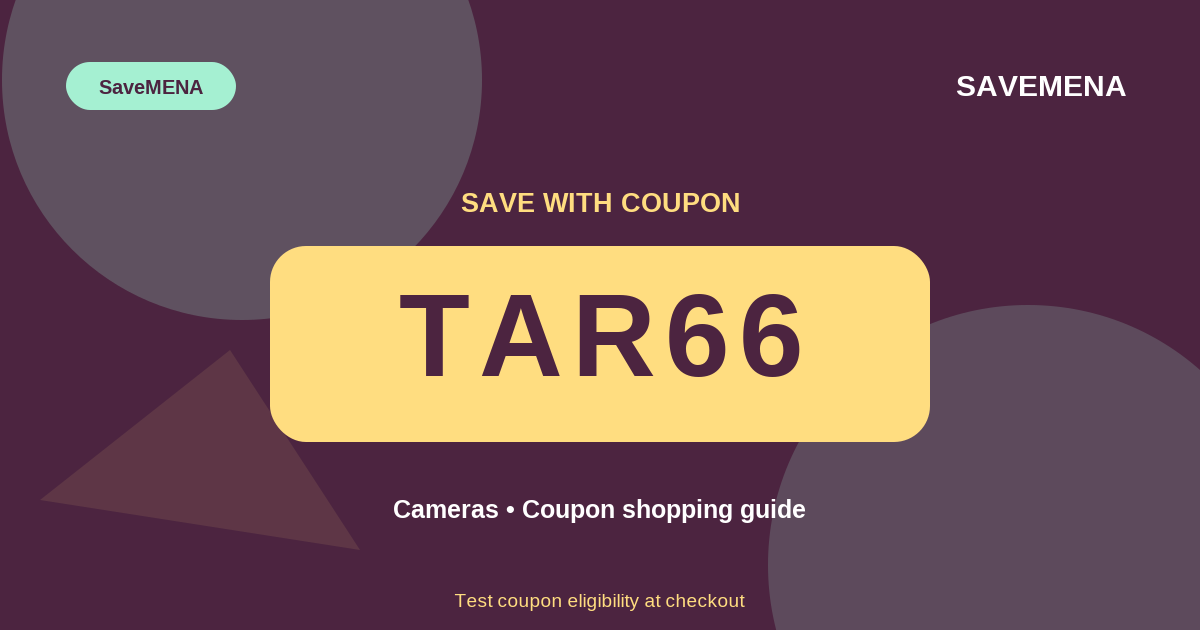
Codes available to try while comparing
These codes are not guaranteed for the article topic or listed brands; test them at checkout and use the live result.
1. Identify the Exact Camera Listing
Locate the camera you want on Noon’s site, noting the product title, any variant options, and the current price. A best practice is to copy the product’s URL or screenshot in a note‑taking app. This record prevents confusion if Noon revises the price again—especially important if you plan to re‑check after a price change and later compare with a new wallet entry.
When you revisit the listing, verify that the display price matches your earlier record. If it’s different, that means the price has indeed changed; keep this updated figure handy since it will serve as a baseline before you add the camera to your cart or apply the TAR66 coupon.
2. Compare Sellers and Variants Before Adding
Many cameras appear on Noon from multiple sellers, and occasionally from third‑party brands or refurbished options. Compare these offers side‑by‑side: look at the title, variant description, shipping estimates, and any seller‑specific notes. Establishing which seller offers the camera you prefer helps avoid unintended cost differences that could appear during the checkout stage.
Record your chosen seller and variant ID, and double‑check that the price matches the one you noted earlier. A quick “Add to Cart” placeholder can trigger a price re‑evaluation from Noon’s backend, letting you see any subtle price discrepancies before you proceed further.
3. Add to Cart and Inspect the Subtotal
With the right seller and variant selected, insert the camera into your cart. The cart screen should display the product’s name, variant, unit price, and subtotal. Scrutinise the subtotal for any unexpected changes – for instance, a sudden drop or rise in price relative to your earlier capture.
Cross-referencing the cart subtotal with your original price listing confirms whether Noon’s pricing engine has applied a new rate. Don’t yet apply the coupon; ensure the cart exactly reflects the current price so that you can isolate the coupon’s effect afterward.
4. Insert the TAR66 Coupon Code
Navigate to the “Apply Promo Code” field on the cart summary. Type TAR66 into the input box and click apply. Noon will process the code against your current cart total and display any coupon‑induced reduction or error message visually on the screen.
Because the code is only offered to try, avoid assuming a discount. Simply observe any change in the total: the presence of a “Promo Applied” line or a new subtotal will provide a baseline for comparison against your pre‑coupon price.
5. Verify Coupon Application Post‑Price Change
After the coupon processes, click “View Details” or a similar link to see the breakdown of how the total was calculated. Verify that the original camera price in the breakdown matches the latest one you sourced from the product page. If it aligns, the coupon is eligible against the current price.
Note that Noon displays the final payable amount and the discount amount, if any. Even if the coupon does not reduce the price, the navigation flow will still show whether it was accepted or rejected, which is critical for record‑keeping during coupon testing.
6. Recheck the Camera Pricing If the Page Reloads
Sometimes Noon reloads the product page just before you proceed to checkout, which can trigger a new price. If you observe a change, pause the checkout flow and return to the product listing, noting any new price.
Re‑enter the cart with the updated price and re‑apply the TAR66 coupon. This iterative approach ensures you’re testing the code against the most recent price, satisfying the rechecking after a price change focus that guides efficient coupon evaluation.
7. Log Coupon Performance for Future Reference
When you exhaust a coupon’s test run, write down whether the TAR66 coupon applied successfully, what the discount was (if any), and the final total. Store this information in a dedicated spreadsheet or note to compare with future coupon trials.
Testing multiple codes one at a time becomes clearer when you keep a simple log: each row contains the code, the product title, original price, post‑price‑change price, and the resulting savings. This practice turns a potentially confusing process into a repeatable workflow.
8. Conclude the Checkout with Confidence
Once you’ve confirmed that the camera’s price has stabilized in the cart, the coupon has applied appropriately (or not), and you’re satisfied with the final total, proceed to select your payment method. Verify that the payable amount on the final confirmation page matches the cart subtotal you previously verified.
Completing payment with confidence means you’ve ensured that every step—product selection, price confirmation, coupon application, and price‑shift rechecking—has been duly considered. This disciplined approach supports accurate coupon testing across Noon UAE’s fluctuating camera pricing landscape.
Related SaveMENA pages
Related articles
Official sources to check
Frequently asked questions
What if the TAR66 coupon doesn't seem to work?
It could be that the coupon simply isn’t valid for that particular camera listing or seller, or it may only be a trial code. Re‑check the cart for any error message or message indicating the coupon was rejected.
Can I use the TAR66 code on a different camera?
Yes, you can apply the code to any product in your cart that qualifies. However, remember to re‑verify the price after each cart update, especially if the price changes again.
How many times can I attempt to use TAR66?
The code is available to try, so you can test it multiple times. Keep a record after each attempt to see if it produces a discount and whether the outcome is consistent across price changes.
Will the coupon apply if I buy more than one camera?
Only if the cart total and each item’s eligibility accept the coupon. Check the coupon terms and apply it after adding all items to the cart; the final summary will confirm whether the discount applies to each or the entire cart.