Men’s Fashion on Noon UAE: price changes — testing coupons one at a time
When you first locate a men’s fashion item on Noon, note the listed price exactly as it appears on the product page.
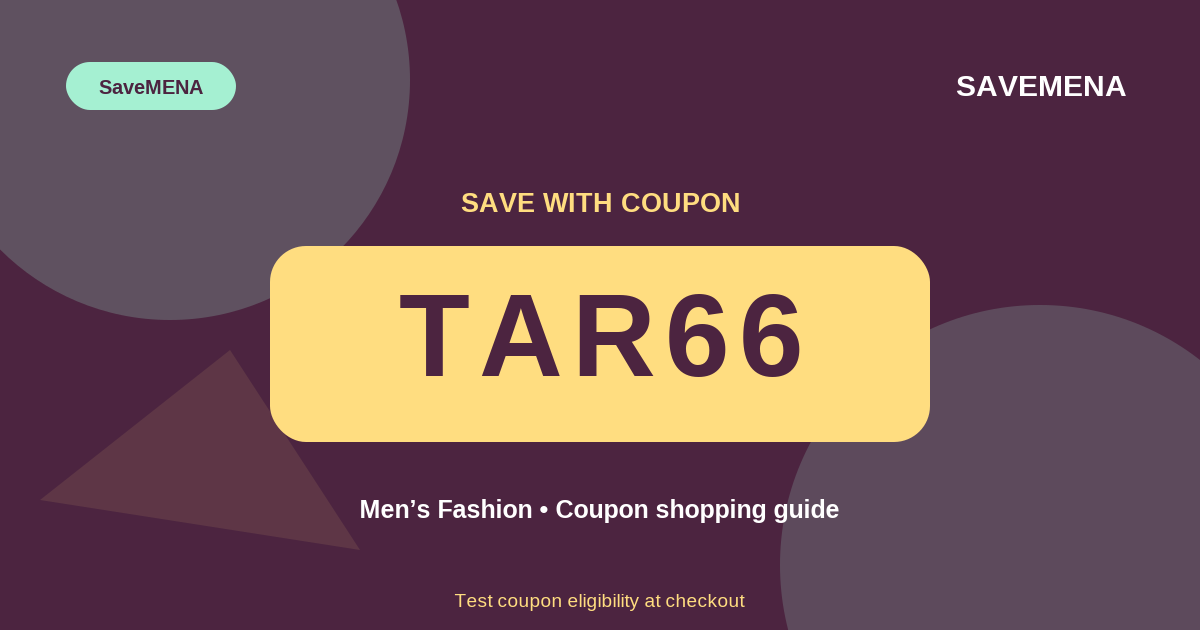
Codes available to try while comparing
These codes are not guaranteed for the article topic or listed brands; test them at checkout and use the live result.
1. Lock in the Current Price Before Coupon Entry
When you first locate a men’s fashion item on Noon, note the listed price exactly as it appears on the product page. UAE shoppers must remember that once you add the item to the cart, the platform may adjust the price in real time, especially if a price change occurs after you view the product. Capture a screenshot or write down the figure to avoid confusion later. This baseline allows you to compare the total before and after applying the TAR66 coupon, ensuring that any perceived savings are due to the code and not a spontaneous price drop.
Additionally, check whether the item has a “price history” badge or a “previous price” counter that indicates a recent drop. This feature is common on UAE retail sites and can influence your decision to use or skip the coupon. Rechecking after a price change is crucial because applying a coupon after a discount may lead to a lower refund amount. Rather than rely on speculation, set the reference point now and revisit it at checkout.
2. Add the Desired Item(s) to Your Cart
Once the current price is logged, add the item to your cart. If you plan to test multiple codes, add each product you want to compare to the cart before applying any code. The cart overview displays the subtotal, any shipping surcharge, and tax, but it does not yet reflect coupon impact. Look for a “Current Price” data field in the cart and cross‑check it with the earlier snapshot to confirm the price remained unchanged during the addition process.
At this point, it is wise to bookmark or write down the quantity field. The quantity can influence the final price if the retailer offers a bulk‑purchase incentive that could override or complement the coupon. Note that you haven’t entered any code yet; this step is purely a control check, ensuring that the cart reflects the exact listing price you intend to discount.
3. Insert the TAR66 Coupon Code in the Cart
Below the cart totals, there is a text box where you can enter a coupon or voucher. Type TAR66 exactly, preserving letter case as required, and press “Apply.” This is the only available coupon code provided for this demonstration. Section expectations guide you to enter the code once, depending on how many coupons you have at hand. If the card accepts the code, it will trigger a recalculation of the subtotal instantaneously.
Observe the system’s immediate response. The cart should prompt a new subtotal, sometimes with an “Amount Saved” placeholder. However, since we cannot guarantee the discount, do not assume the amount is final until you reach the final checkout. If the code triggers a red or neutral message, the coupon is invalid or inapplicable, and you should continue without it for accurate price tracking.
4. Verify the Updated Cart Totals After Coupon Application
After the code runs, read the new cart summary carefully. It will list the reduced price, any applied tax, and the shipping fee—if not removed by the coupon. Confirm that the shipping fee has not changed because sometimes coupons only apply to the item price. The monetary value shown here is a preliminary estimate, still subject to final checkout adjustments.
Record this new figure in your comparison sheet and compare it to the initial figure from Section 1. Note how a price change that occurred prior to coupon application may affect the margin between the two numbers. It’s not uncommon for a coupon to look effective on paper, but when you re‑check after a price adjustment, the marginal benefit goes away. Keep the data tidy for later validation.
5. Cross‑Check Seller Details and Return Policy
Before proceeding, examine the vendor information. UAE shoppers should verify that the seller has a reputable track record and is responsible for accurate stock delivery. The return policy and warranty terms can significantly affect the post‑purchase experience, especially if a discounted price subsequently leads to a delayed refund. Asus chewing is not necessary if the seller is a NOON re‑seller, but still essential to confirm page specifics.
Double‑check that the delivery estimation and shipping cost entered in the cart match those stated on the seller’s profile. A mismatch here could indicate a miscalculation that might show up at the final checkout line. Capturing this snippet early eliminates surprises later.
6. Final Comparative Review of the Payable Amount
Now overlay the pre‑coupon and post‑coupon totals to see the net amount payable. Re‑check for hidden fees or surcharges that might appear only on final validation. An example is a small change in shipping cost triggered by the coupon that can offset savings slightly. Whenever you see a variation, note it clearly before committing to the purchase.
Use a simple spreadsheet or a phone note app to summarize the figures. Consider bounding the decision to whether the discount nets more than a minimal benefit, such as a round‑digit amount. Since we do not provide an exact discount percentage, the decision relies solely on the numeric totals you’ve personally verified.
7. Choose a Payment Method and Verify Additional Fees
Select your preferred payment method—credit card, debit card, or digital wallet. Some payment options carry extra processing fees that are added after coupon application. Confirm via the payment gateway’s fee preview that no additional charges appear. If the platform offers a “Pay on delivery” option, ensure the total checked at checkout includes any cash‑on‑delivery premium.
During this step, double‑check the total number presented again. Many UAE shoppers prefer leveraging a credit card with cashback to amplify savings. However, do not rely on planned cashback advantages for coupon verification; focus on whether the coupon impact is evident in the baseline figure after all intermediate charges have settled.
8. Re‑Confirm the Final Total Before Submitting Order
At this concluding stage, review every line item on the final order page: the item price, discount reduction, tax, shipping, and any payment‑gateway fees. Contrast it with the original price you recorded to see the actual financial outcome. If the final owed amount differs from the anticipated value—particularly if a price drop occurred after the coupon code entry—then your re‑check after a price change has highlighted the true benefit.
Only after confirming everything does the “Place Order” button become actionable. At that moment, you have satisfied the decision lens: you have tested the single code, re‑checked after a price change, and confirmed its real world application through a definitive final receipt. The knot of uncertainty about coupon viability is now replaced by concrete numbers on the order confirmation screen.
Related SaveMENA pages
Related articles
Official sources to check
Frequently asked questions
How do I know if my product price changed recently?
When you visit a product page, look for a “previous price” tag next to the current price. Some UAE retailers display a price history trail or a brief note that a discount was applied. You can also compare the price in the cart to the listing price to spot any difference since you first checked.
Can the TAR66 coupon be combined with other discounts?
Free‑to‑use coupons like TAR66 usually cannot be stacked with other vouchers or promotional codes on the same transaction. The platform typically applies one discount per order unless stated otherwise. Confirm by attempting to use a second code; if the system rejects it, stacking is not allowed.
What should I do if my coupon code doesn’t work after a price change?
Re‑enter the code once more to make sure you typed it correctly. Check the cart for automatic updates—sometimes a price shift re‑evaluates coupon eligibility. If it still fails, the vendor or platform may have restricted its use for that item after the modification. In that case, proceed without the coupon or look for an alternate voucher.
Is it safe to use Noon UAE coupon codes while checking for price changes?
Yes. Noon’s payment system secures transactions with industry‑standard encryption. Coupon codes are applied server‑side and do not expose sensitive data. Clicking “Apply” sends only the code itself to validate; no personal information is sent. Nevertheless, verify each total at checkout to bring confidence.