Adidas Sports on Noon UAE: price changes — testing coupons one at a time
Begin by searching Noon’s sports section and filtering for the brand you’re after, such as Adidas sneakers, apparel, or equipment.
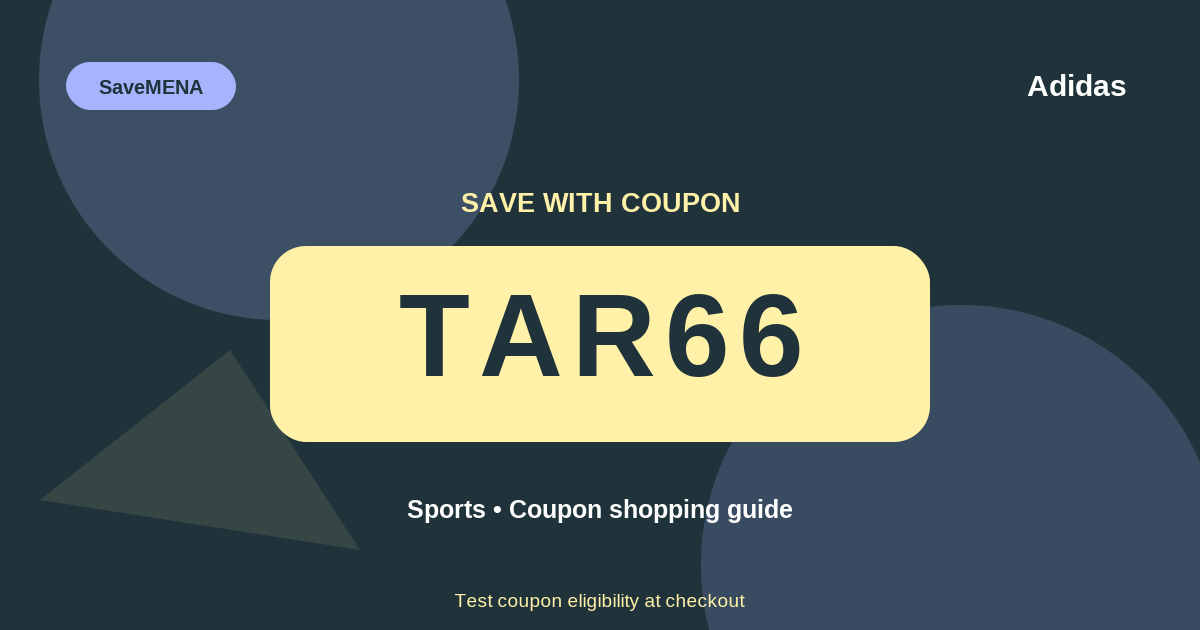
Codes available to try while comparing
These codes are not guaranteed for the article topic or listed brands; test them at checkout and use the live result.
Step 1: Pinpoint the Exact Adidas Item You Want
Begin by searching Noon’s sports section and filtering for the brand you’re after, such as Adidas sneakers, apparel, or equipment. Choose the specific variant—size, color, and features—then add it to your cart. Do not rely on screenshots alone; the listing page will display the most current price and any labels like “new” or “sale.” By doing this before applying a coupon, you create a baseline that you can compare later if Noon tweaks the price. The window for coupon application opens only after you commit the item to the cart, making it crucial to be certain of your selection first.
Once the item is in your cart, double‑check that the quantity is correct and that the seller information is complete. Noon lists sellers by name or price; confirm that the seller is still available and that the product image matches your expectations. These verification steps are small but essential; a mis‑placed product can lead to confusion later when you try to apply a coupon or see a price shift. If any detail looks off, remove the item, correct it, and re‑add it—this way you work with accurate data when you proceed to the coupon stage.
Step 2: Capture the Current Price Before Applying Any Code
Now that your Adidas item sits in the cart, take note of the displayed price and any associated fees. This figure may appear to fluctuate quickly because Noon’s algorithms adjust costs in real time. Write down the exact amount (or simply remember the value if you prefer digital notes) and avoid any premature clicks that could alter the cart. In practice, screen‑capturing or jotting the price ensures you have a reference point for later steps, such as rechecking after a price change.
Simultaneously check for any promotional labels on the order total page—sometimes Noon shows an “appealing offer” directly above the coupon field. Even if the label does not mention a specific discount, it signals that a coupon could be applied. Confirm that the total reflects all product cost, any delivery charges, and municipal taxes. By having the full breakdown, you reduce surprises when the cart updates, and you’ll know exactly when a price adjustment returns you to your starting point.
Step 3: Apply the TAR66 Code One At A Time
Locate the coupon entry box on Noon’s cart or checkout page. Type the single code, TAR66, into the field and click “Apply.” The platform will process the entry and either show a revised total or return the same price if the code isn’t valid for your item. In the latter event, remain patient; you can always revisit the application after a short delay or a price revision, which is common in ecommerce environments.
After submitting the code, carefully observe any message from Noon—whether the coupon was accepted or rejected. If the code does nothing, verify that you entered it exactly as written, with no spaces or case errors. If Noon indicates the coupon requirement wasn’t met, it might be due to an incompatibility (e.g., a different brand). In that case, recording the response keeps the next recheck timely, just in case the code will match after a price change triggers the coupon's eligibility window.
Step 4: Check for Online Price Adjustments Before Checkout
Once the code has been entered, do not press “Checkout” immediately. Instead, view the cart page after a few seconds (or wait a minute to allow Noon’s system to finalize any dynamic pricing). The platform may recalculate the total if the item’s price shifts mid‑session. This is a common occurrence when Noon refreshes its catalog; a slight adjustment can either enable or disable a coupon’s effect.
If you notice the price has changed, hit “Reload” or navigate away and back to the cart. This ensures you’re seeing the most recent figure. Keep a close eye on the coupon field—sometimes the platform automatically revokes a code if the price edge falls outside the eligibility threshold. Document whether the "Apply" button is still clickable; if not, the code has likely failed for the new price. This step sets the stage for the rechecking framework that follows.
Step 5: Verify Coupon Validity at the Final Checkout Screen
Proceed to the checkout flow once you’re satisfied no price changes are pending. Here Noon consolidates all costs and displays the final payable amount. The coupon field may prompt you to re-enter the code, even if you previously applied it; this is part of the platform’s safety check. Enter TAR66 again, fully noting any error or success message that Noon provides. This intentional re‑entry avoids missing a chance to secure the discount if the system was momentarily out of sync.
Observe the scrolling margin where the platform may list coupon details—sometimes it shows the discount applied or an explanatory note. Should the coupon result in no adjustment, take note of the message type: it could be a "not applicable" warning or "already applied" notice. Even if the application shows no effect, the step verifies that Noon processed the code, which matters for any future attempts at rechecking after further price changes.
Step 6: Recheck After Any Noticeable Price Fluctuation
If Noon indicates the price has surged or dipped once again, or if you hear of a promotional announcement regarding the item, pause the checkout. Return to your cart and reapply TAR66, observing whether the platform now accepts it. This iterative process aligns with the payment confirmation requirement: noon’s system may loom for price adjustments that inadvertently shift the discount eligibility threshold.
During each recheck, carefully read the system’s response. It could persistently return the same total, or it may reveal a new discounted amount. The difference—if any—should be captured for your records. Even though you do not have a guaranteed discount value, the fact of a successful code application informs your decision to proceed or to hold off until a more advantageous price slot appears in future.
Step 7: Confirm Final Payable Total Before Finalizing Order
Before clicking the “Place Order” button, review the summary page that lists product quantities, final price, any applied coupon impact, and delivery fees. Noon shows a consolidated total in AED. Make sure that the figure reflects any adjustments you observed during the recheck process. If the price remains unchanged and the coupon accepted, the stage is ready for payment.
Verify that the shipping address, payment method, and promotional information are correct. Some Noon sellers might have different shipping terms or merchant‑specific discounts that could affect the total. If the cart indicates a different total than expected, double‑check whether you—and only you—have applied the coupon correctly, and that no more price updates are pending. This final cross‑check protects against accidental overpayment.
Step 8: Proceed to Payment and Monitor Order Status
Click “Place Order” once you are confident the total is accurate. The checkout will redirect you to a payment gateway where you can select your card or other options available on Noon. Confirm the information is correct before submitting. Upon successful payment, Noon delivers an order confirmation via email or the Noon app, which includes a reference number, shipping tracking, and any final remarks from the seller.
Keep an eye on the order status through Noon’s order tracking page. If you suspect the price or coupon application dropped after payment, do not contact Noon immediately—rates and terms can shift only if the seller opts to adjust after you’ve paid. Nevertheless, monitor the order for any updates or discrepancies, and be prepared to engage Noon’s customer service if a refund or adjustment is needed. This completes the best practice workflow when working with dynamic pricing and coupon codes.
Related SaveMENA pages
Related articles
Official sources to check
Frequently asked questions
Why does the price of a Noon item sometimes change after I add it to my cart?
Online retailers like Noon update prices in real time to reflect inventory, market conditions, or promotion cycles. A price shift may occur even after the item is in your cart, which is why it’s best to capture the number and keep an eye on it before checkout.
How can I confirm that my TAR66 coupon was accepted?
You should see a message from Noon in the checkout section stating whether the coupon was applied successfully. If the total changes or a minus sign appears next to the coupon field, that indicates acceptance. Otherwise, the system will show a not‑applied notification.
Will the TAR66 code apply to any sports item on Noon?
Currently, the code’s applicability depends on Noon’s promotional criteria. Some sports items—particularly those from Adidas—may be eligible, but the code may not work on every product category. Check Noel’s coupon field for confirmation.
What should I do if the price adjusts after I’ve placed my order?
If your order total changes after payment, contact Noon customer support. Typically, the posted price is what you’ll pay. However, if a lower price becomes available, you may request a partial refund based on Noon’s policies and seller agreement.