Puma Women’s Fashion on Noon UAE: price changes — testing coupons one at a time
try Noon UAE coupon codes Women’s Fashion Puma rechecking after a price change: If you want to try Noon UAE coupon codes on Women’s Fashion items from Puma after a
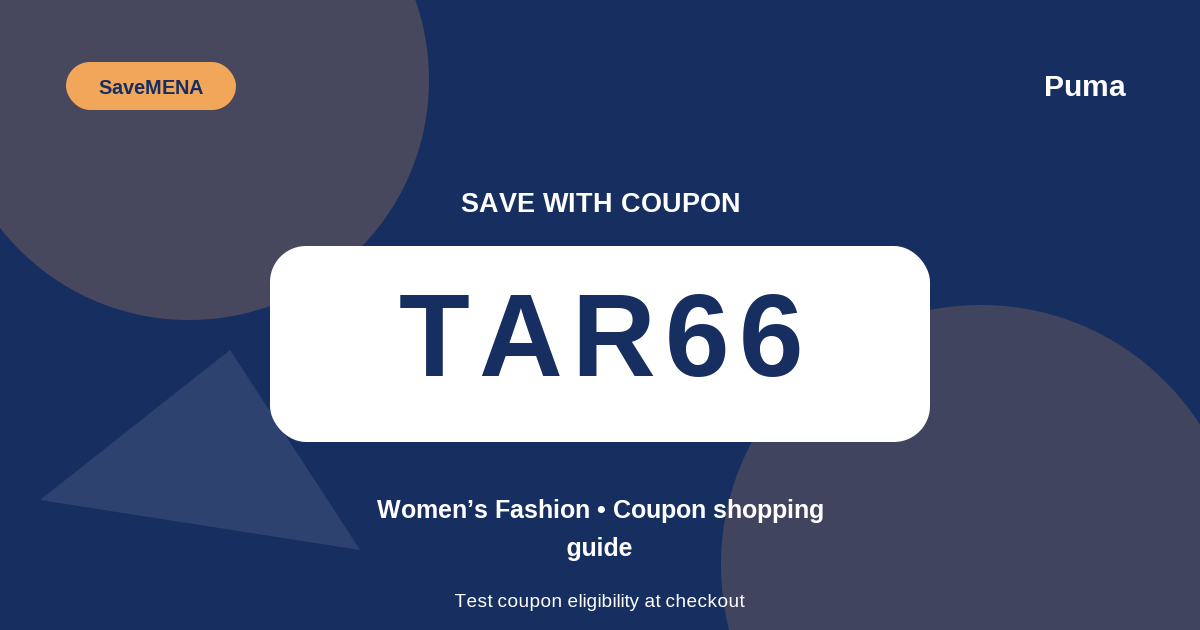
Codes available to try while comparing
These codes are not guaranteed for the article topic or listed brands; test them at checkout and use the live result.
Verify the Updated Price of Puma Women’s Fashion
The first step after any price alteration is to confirm the current listing of the Puma product you wish to purchase. Navigate to the product detail page and note the displayed price figure. If the price was previously lower, compare the figure to your saved wishlist or earlier cart snapshot. Pay special attention to any dynamic pricing indicators that Noon may display, such as “Was: AED 150 – Now: AED 120.” These real‑time updates will be crucial for determining if the coupon code TAR66 can still offer value against the baseline cost.
Do not assume the old price remains. Instead, double‑check by closing and reopening the product page or using the “Refresh” button if available. A subtle variation—just a few dirhams—could mean the difference between a coupon that applies or one that falls short of the minimum requirements. Consistently recording the updated price into a small log or note app can help you track changes over time. This foundational verification supports all subsequent steps in the coupon application process.
Confirm Puma Women’s Fashion Eligibility for Noon Coupon Use
Not all products on Noon qualify for every coupon. Before adding the Puma item to your cart, search the product detail for any “Coupon Eligible” tags or seller notes stating compliance with Noon’s promotional rules. These annotations often appear near the price or in the product description and can indicate whether the item can accept third‑party coupon codes. If such a mention is missing, it doesn’t automatically mean the item is ineligible, but it does warrant extra caution.
Reach out to the seller’s customer service channel through Noon’s chat if you’re uncertain. Request confirmation that the TAR66 code can be applied to this specific Puma piece. Sellers sometimes apply brand‑specific restrictions that are only visible once you express intent to purchase. A clear answer from the seller will give you a concrete basis to proceed with attempting the coupon.
Add Product to Cart and Look for Coupon Prompt before Checkout</HEHeading>
Once you’ve confirmed eligibility, add the item to your shopping cart. At this stage, Nom likely offers a prompt to apply coupons via a dedicated field near the total amount. Carefully enter TAR66 there and observe the system’s response. Sometimes the platform will immediately display a “Discount Applied” note; other times it might show a provisional indication that the coupon has been recognized but not yet discounted.
Regardless of the interface response, keep a screenshot before proceeding. This visual record establishes a baseline snapshot of how the coupon is applied when the product’s price is still at its pre‑adjusted level. Should the discount not appear, a simple cart refresh or re‑entry of the coupon code often prompts the algorithm to re‑evaluate the current price against the coupon criteria.
Retry Coupon Entry after Refreshing Cart
If the initial attempt fails to apply TAR66, clear the session cookie for the cart by refreshing the page or clicking “Clear All.” Then, re‑within the cart, re‑enter the code into the designated field. Some platforms only validate coupons after a fresh load, ensuring all updated price calculations are considered.
Watch for any inline messages that the coupon does not meet the minimum spend condition. Even with price changes, Noon’s algorithm recalculates eligibility thresholds in real‑time. Should a “Minimum Spend Not Met” remark appear, consider adding a second product, such as a matching Puma accessory, that will bring the total above the threshold. This adjustment often resolves the issue and brings the discount into effect.
Monitor Total and Prompt Re-Application of TAR66
After re‑entering the code, review the updated cart total. Ensure the number reflects the current price, any recalculated taxes, and delivery fees. The total should be displayed in a clear, bold font distinct from the breakdown of individual costs. If the card total appears unchanged after re‑entering the coupon, it is possible the coupon’s applicability has been revoked because the price shift moved the item outside of the eligible range.
To resolve, select the “Apply Coupon” button again. Some users find that dragging the cart to a new pane or clicking the “Refresh” link before re‑applying TAR66 causes the platform to re‑authenticate the coupon against the final price. If additional confirmation prompts appear—such as “Do you want to apply a discount?”—confirm them to ensure the code is accepted after the price update.
Check for Additional Delivery Fees or Taxes
Noon typically adds a separate line item for delivery charges and another for VAT. After confirming the coupon’s status, verify these extra costs. For each fee, confirm that the values displayed match those shown on the seller’s FAQs or the Noon Help Center. Mis‑aligned delivery fees can surmount the final discounted price, leading to a feeling of disappointment or a surprise checkout cost.
Remember that coupon codes usually apply only to the product subtotal and not necessarily to delivery fees or tax. If the TAR66 does include delivery discounts, there would be a distinct field or message stating “Delivery Discount Applied.” If such a message is absent, the coupon will not affect the shipping charge. Recording these flags before payment provides a transparent snapshot for later reference.
Final Checkout Verification Before Payment
Before clicking the “Proceed to Checkout” button, scroll through the payment summary to ensure every line item matches your expectations. Confirm the product price, summed subtotal, any coupon discount, delivery fee, taxes, and the final payable amount. A miscalculation could stem from either the dynamic pricing update or the coupon application glitch.
Keep a note of the final amount before you pay. Should you notice an unexpected increase—such as an extra dirham or a new line item—reach out via Noon’s in‑app support channel immediately. Documenting the discrepancy, ideally with a screenshot, gives you leverage for any post‑purchase dispute or adjustment claim.
Post‑Checkout Confirmation & Hold for Possible Refunds
After completing the payment, you receive a confirmation page outlining the order ID, item details, applied discount, and final paid amount. Verify that the TAR66 coupon is listed in the transaction summary. If the coupon was applied, it should appear next to the product price within the subtotal line, often noted as “Coupon Discount.” If the code is absent, the system likely rejected it at checkout.
Even if the coupon didn’t initially apply, you can request a refund of the coupon value by contacting Noon support. Provide the order ID, transaction details, and a brief explanation of why the coupon was not applied after reviewing the price update. The seller’s team will investigate and may offer a partial refund if the discount should have been valid, safeguarding your purchase confidence.
Related SaveMENA pages
Related articles
Official sources to check
Frequently asked questions
What if the TAR66 coupon still doesn’t apply after pressing “Apply Coupon”?
You might need to add another eligible item to meet a minimum spend threshold, or contact Noon’s support to verify the discount’s eligibility for the specific Puma product. Keep the cart’s updated price in mind, as it may have moved outside the coupon’s valid range.
Can I use the TAR66 coupon for multiple items in the same order?
Coupon usage limits are supplied only by Noon’s terms. If the coupon’s restrictions allow multi‑item usage, ensure each item meets the individual eligibility criteria, and the combined total matches any minimum spend requirement.
Will delivery fees influence the applicability of the TAR66 coupon?
Typically, coupon codes apply to the product subtotal only, not delivery fees or taxes. Delivery charges remain unchanged unless the coupon specifically states otherwise in its terms.
Is a price change always a sign that the coupon can no longer be applied?
Not necessarily. Some coupons have a flexible threshold that can adapt to price updates. It’s essential to verify the current price against the coupon’s stated criteria during each checkout attempt.