Apple Headphones on Noon UAE: offer combinations — testing coupons one at a time
try Noon UAE coupon codes Headphones Apple coupon interaction with visible promotions: When you’re hunting for a new pair of headphones in the UAE, trying the Noon
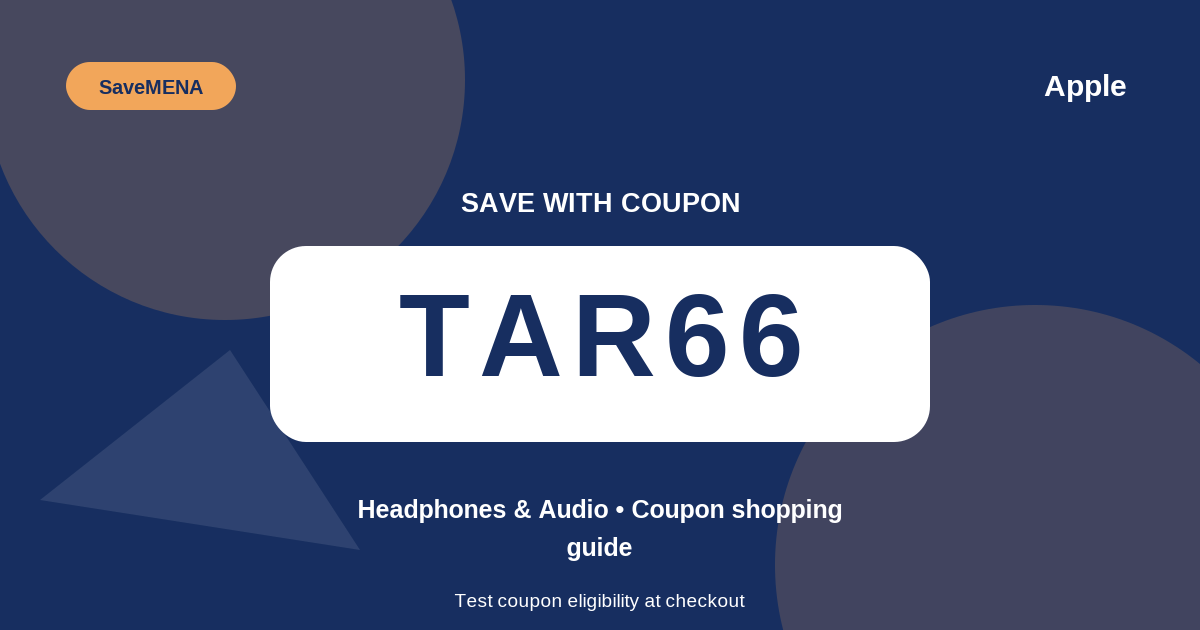
Codes available to try while comparing
These codes are not guaranteed for the article topic or listed brands; test them at checkout and use the live result.
Check Product Availability Before Applying the Coupon
Begin your search by locating the specific headphone model you want on Noon. The website frequently updates its inventory, and the product you’re interested in might be out of stock or only available for pre‑order. Pay attention to the “Availability” label; if it reads “In Stock” or “Ready to ship,” you’re ready for the next steps. If the status indicates otherwise, the coupon code will have no effect until the item becomes available, so postpone further testing until you can add the product to your cart.
If the headphone is listed as “Limited Quantity,” save the item to your wish list or mention it in a note. This helps you revisit the product with fresh eyes once more units become available. At this stage, ignore the coupon code; the goal is to confirm that the product is indeed tradable. No coupon will apply to merely browsing or wish‑listing, so your focus remains on inventory confirmation before any promo interaction.
Inspect Seller Ratings and Shipping Options
On the product page, Noon often displays multiple sellers offering the same item. Compare their ratings and overall customer feedback to gauge reliability. A higher rating usually signifies smoother transactions and fewer return issues, which can influence how the coupon interacts with the purchase. Note that the rating does not affect the coupon’s application, but it informs your decision on which seller’s listing you’ll choose for checkout.
Next, review the shipping terms. Pay attention to the estimated delivery date and any associated shipping fees posted beside the price. These fees are added after the discount is applied, so ensure you’re aware of them before putting the item in your cart. One seller might offer free shipping for a certain price threshold; however, the coupon does not alter these shipping conditions, so double‑check each seller’s shipping specifics for accurate post‑discount totals.
Evaluate Visible Promotions and Compare Them to the Coupon
Occasionally, Noon presents “Deal of the Day” or “Bundle Discounts” right on the product’s page. These promotions are automatically applied if you click the corresponding “Buy Now” button, and they are independent of any coupon code you might enter. To isolate the effect of TAR66, add the headphones to your cart via the “Add to Cart” option instead of a pre‑discounted button. This ensures the visible promotions appear as a separate line item when you reach checkout, giving a clear before‑and‑after view of the code’s interaction.
Once you’ve added the product to your cart, navigate to the cart page. Here, you should see the base price, any visible promotion discount, and the total. Take note of each figure; this allows you to see how the coupon code alters the total once applied. By separating natural promotions from coupon usage, you ensure that any change in the cart total is attributable solely to your code entry. This clarity is vital for accurate evaluation.
Add the Product to Cart and Note the Base Price
When the headphones are confirmed available and the seller chosen, click “Add to Cart” from the product page. This action records the item’s base price and prepares it for checkout. At this point, any coupon code has yet to be applied, so the displayed cart total should match exactly the base price plus any shipping. Avoid applying any promotion codes or gift cards here; you’re only looking to bring the product into the cart for coupon testing.
Open the cart and double‑check the item quantity—most headphones are sold one at a time—but if a bundle option shows, verify the quantity. Cart totals are updated automatically with each change, so confirming the exact amount now sets the benchmark for your later comparisons. Keep this baseline on hand for a quick visual cue when the coupon is later entered; any jump or drop in the total reflects coupon interaction rather than inventory fluctuations.
Apply the TAR66 Coupon in the Checkout Field
Proceed to checkout by selecting “Buy” or “Proceed to Checkout” from the cart page. On the checkout screen, locate the “Coupon Code” input box where you can enter promotional codes. Type in TAR66 exactly as written; Noon’s system is case‑insensitive, but copy‑paste is safest to preserve characters. Ensure you have no typos—an incorrectly entered code will return a “code not found” response, and the code will not be applied to the order total.
After entering the code, click the “Apply” button (or the equivalent action). The system will validate whether the code is active and applicable to the selected seller’s inventory. Note that the code may or may not yield a discount, depending on Noon’s current promotions. This step is the crucial point where coupon interaction with visible promotions becomes apparent: any price adjustment will appear immediately below the cart total, along with a note indicating the discount amount or lack thereof.
Verify Coupon Interaction and See Updated Total
When the coupon code is accepted, the checkout page will adjust the displayed total to reflect the discount applied. The change appears as a line item, usually labelled with the coupon code or a short description. Observe whether the discount appears as a subtraction from the total or as a new price; if the code is invalid, the field will display an error and the total stays unchanged. Comparing the original base price and the new total confirms the interaction level of TAR66 versus any pre‑visible promotions.
If the code does not affect the total, the page typically shows a message stating the coupon cannot be applied to your order. At this point, you can still proceed to checkout to confirm the unchanged price or return to the cart to add another item that might benefit from the code. Remember, the coupon’s impact is only visible once it is entered and successfully validated, so keep the “Apply” action a distinct checkpoint in your decision process.
Secure the Configuration Before Final Pay
Before finalising the purchase, read through the order summary again. It lists the base price, any visible promotion discounts, the applied coupon discount, shipping fees, and the payable total. Double‑check that all figures are correct and there are no hidden adjustments. If the coupon changed the total, you should see a corresponding decrease; if not, the total remains as before. This verification step ensures there are no surprises when you complete the payment.
Now, proceed to the payment section. Input your payment credentials, confirm the shipping address, and review all conditions, including return policy. Notice that coupon interaction does not alter the return window or terms; these rely on Noon’s standard policies. Verify that the payment method you prefer is available; if you use a stored card, the decline notice will use your saved card. Once everything checks out, you can confidently hit the “Place Order” button to complete the transaction under the verified total.
Reflect on Post‑Purchase Steps and Return Policy</HEHeading>
After you place the order, Noon sends an order confirmation email that details what you purchased, the final paid amount, and the shipping status. Scan this confirmation for any inaccuracies or missing information. If the final total differs from what you saw during checkout, contact Noon’s customer support for clarification. Capturing the emails promptly ensures you have a record that may help if the coupon was not applied correctly.
Lastly, keep an eye on the return policy referenced during checkout. The policy dictates the return window and conditions for defective or unsatisfactory products. Understand that the coupon code does not influence the return policy; it’s strictly a pricing adjustment at purchase. If you find the headphones unsatisfactory, follow Noon’s standard return procedure, regardless of any discount received through TAR66. Document your receipt and return labels for auditing purposes.
Related SaveMENA pages
Related articles
Official sources to check
Frequently asked questions
How do I know if the TAR66 coupon actually applied to my order?
After applying TAR66, check the order summary on the checkout page; a line item indicating a discount amount will appear. If no discount line shows or an error message appears, the coupon did not apply. The final total will match the original price if the coupon was invalid.
Can I use the TAR66 code on multiple items within the same order?
The code typically applies to the entire order total, not individual items. If you add multiple headphones or other products, the coupon’s effect is calculated across the combined cart value. Check Noon’s coupon terms at checkout to verify applicability.
Will the visible promotions on Noon override or combine with the TAR66 coupon?
Promotions displayed on the product page are applied separately from the coupon. Using the coupon will either add to these discounts or replace them, depending on Noon’s calculation rules. The order total reflects the combined effect after all discounts are applied.
Is there a limit to how many times I can use the TAR66 coupon?
Coupons generally have a one‑time use per order, as shown in Noon’s checkout interface. If the coupon is tied to a single redemption, the system will prevent multiple uses within the same transaction. Check the coupon status after attempting to apply it.