Canon Cameras on Noon UAE: seller context — testing coupons one at a time · TAR78
We need to produce 1,400-1,650 words before FAQs. Each section 2 paragraphs 80-100 words each, so per section ~160-200 words. 8 sections gives 1280-1600 words.
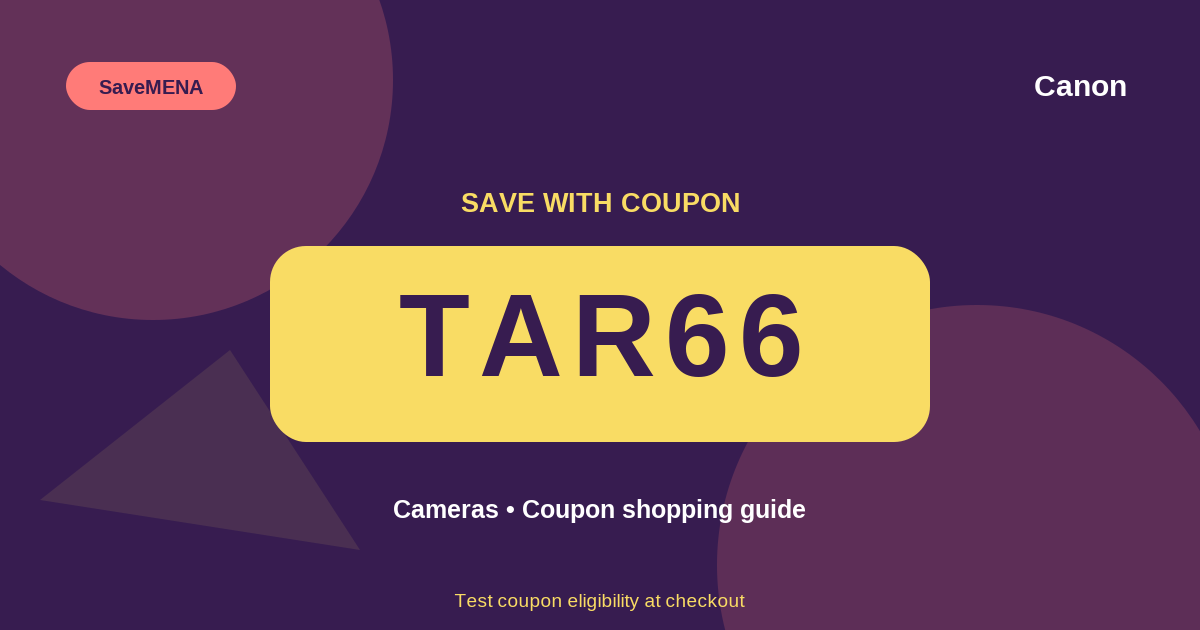
Codes available to try while comparing
These codes are not guaranteed for the article topic or listed brands; test them at checkout and use the live result.
Understanding Seller Context on Noon for Camera Purchases
Seller context refers to the identity, performance, and trust level of the Noon vendor listing your product. When buying a Canon camera, it’s vital to confirm the seller’s rating, previous buyer feedback, and return policy, which directly influence the final shopping experience. A reputable seller typically offers detailed product descriptions, multiple purchase‑verified images, and a transparent shipping timeline.A coupon is not guaranteed; verify its result at the retailer checkout.
To extract seller information, scroll to the product details section where Noon lists “Seller Type.” If it reads “Official,” you’re dealing with an authorized distributor or a branded vendor. Check the seller’s overall rating bar; a rating above 4.5 stars usually signals consistency. Additionally, note the “Seller Since” date; newer sellers may have limited history and less proven reliability. These considerations help you decide whether to proceed with the TAR78 code on a specific item or seek an alternative listing.
Why the TAR78 Coupon Might Benefit Canon Enthusiasts
The TAR78 coupon is a single promo code that Noon users can input during checkout in the UAE. Its primary appeal for Canon camera buyers lies in the potential to lower the total purchase price, while still coercing a standard payment method such as UAE Credit, Debit, or PayPal. Because the coupon is tied to Noon’s general discount engine, you don’t need a brand‑specific code, which saves the hassle of hunting for manufacturer‑exclusive offers that may not exist for every Canon model.
When working within the camera category, the coupon can help offset any additional accessory costs, for example, a memory card or lightweight tripod that a primary camera purchase typically incurs. Even if the actual discount percentage is modest—merely a few riyals per transaction—it still reduces the overall outlay, especially after accounting for inevitable shipping and handling fees that Noon will add to your basket.
Selecting the Right Canon Camera Model for Your Needs
Before you apply the TAR78 code, you first need to decide on the camera that best aligns with your shooting goals. If you’re a beginner looking for an entry‑level DSLT, the Canon EOS Rebel series might be your pick. For advanced street or documentary work, a mirrorless EOS‑M or the professional EOS‑R5 can offer robust performance. The model’s sensor size, ISO range, and autofocus speed are the key features to compare based on your shooting style.
Once you’ve chosen a model, confirm its price, color variants, and included accessories on Noon’s product page. Take note of any optional kits available that bundle the core camera with lens attachments or a protective case. These kits can alter the cost curve, making the timing of coupon application crucial. Checking out early in the process ensures that the code discounts the total quantity without having to re‑add peripherals later.
Step‑by‑Step Guide to Applying the TAR78 Code during Checkout
Adding an item to your cart is the first step, after which you can proceed to the “Checkout” button. While you are in the “Guest Checkout” or “Sign In” prompt, locate the “Enter Your Promo Code” field near the bottom of the payment screen. Precise placement is important; if you accidentally skip this step, the discount will be lost. Type TAR78 exactly as shown, using capital letters, and press Apply to let Noon recalculate your subtotal.
In case the code appears unresponsive, double‑check for any embedded spaces or extra characters. Even a single invisible space can invalidate the coupon. After the Apply button confirms the reduction, verify that the “Promo Code Applied” line reflects the change. Proceed to the delivery options, confirming the shipping method, and then finalize payment. If the code is accepted, you’ll see a slight reduction in the final payable amount before a final review step.
Common Issues When Using Noon Coupons and How to Resolve Them
Usability errors often arise if the coupon was already used in a prior transaction, or if it was applied to a different product category. Noon’s system will flash a message such as “Code invalid” or “Not applicable to this item.” If this occurs, double‑click literally to re‑type TAR78, ensuring no leading or trailing spaces, and then re‑apply.
Another frequent hiccup is when a product’s price update occurs post‑addition to the cart. Inquire in the product description for any “Sale Price” notice. If the item’s price drops after re‑adding it to the cart, you may need to purge the cart and start anew, then reapply the same coupon. Tracking the cart’s history in the “Order History” tab can also clarify whether the code was applied previously and blocked subsequent use.
Shop Safely: Verifying Seller Credibility and Product Authenticity
Not every vendor on Noon is the same. For Canon cameras, consider looking for listings labeled “Marketplace Seller” with a minimum of 50 completed transactions. Authenticity alerts can appear under “Lens authenticity check” boxes if available. In the absence of these markings, read through customer reviews that highlight issues such as “Package missing parts” or “Fake camera.”
Contact the seller through Noon’s messaging feature before final checkout if you have lingering doubts. Request proof of the product’s OEM origin, especially when a discount code could trigger a lowered price suspiciously low compared to market averages. A legitimate seller will usually provide a quick, verifiable response that confirms authenticity, ensuring the shopper receives the intended Canon camera without compromising safety.
Managing Expectations: What to Confirm After Applying the Code
Once the TAR78 discount is applied, review the order summary again to make sure no other promotional codes or default coupons have overridden it. Noon may offer a “Welcome the discount shown at checkout off” recharge that could appear alongside your custom code. If the displayed total still shows a full price, suspect a stale cart state and refuse to proceed until the recalculation reflects the pooled savings.
If you are unsure whether the code has truly been applied, check the last line of the order summary noting “Promo Code: TAR78 – Applied.” This line indicates the coupon’s validity. Matching the final payable figure to the one shown on that line gives you the confidence needed to complete payment without re‑entering credit card details.
Final Thoughts: Making the Most of Your Camera Shopping Experience
Using a single Noon coupon code like TAR78 while being mindful of the seller context allows UAE shoppers to craft a rational, low‑risk purchase. The key is to test the code only after you’ve shortlisted a genuinely reliable vendor and locked the desired Canon model in your cart. A successful application supplies a measurable saving that should reflect in the final checkout totals, after considering any shipping fees or standard checkout charges that Noon applies.
Even though the discount might seem modest, the confidence gained from verifying seller integrity and double‑checking the code’s impact can outweigh the temptation to chase higher‑risk savings elsewhere. Adopting these best practices ensures a seamless transaction that respects both your budget and your enthusiasm for photography.
Related SaveMENA pages
Related articles
Official sources to check
Frequently asked questions
What should I do if the TAR78 coupon doesn't work?
If the code doesn't apply, erase it and re-enter without spaces or special characters. Double‑check that the product is still in the cart and that the seller accepts Noon coupons. Contact Noon’s support for clarification.
Can I use TAR78 on multiple Canon camera models?
Yes, you can apply the code to any Canon camera listing on Noon. The discount will be applied to the total basket price after you add the items.
Will I receive a confirmation email after the checkout?
After payment, Noon sends a confirmation email with cart details and order number. Keep this for reference in case the coupon deduction appeared incorrect.
Is there a a minimum-spend condition, if the retailer shows one?
No explicit minimum spend for this coupon is listed. The discount applies as long as the product is in the cart and the seller accepts Noon promos.