Lenovo Laptops on Noon UAE: seller comparison — testing coupons one at a time
Start by compiling a list of Lenovo laptop models that fit your needs. Search the Noon UAE catalogue using filters like processor type, RAM, and display size to
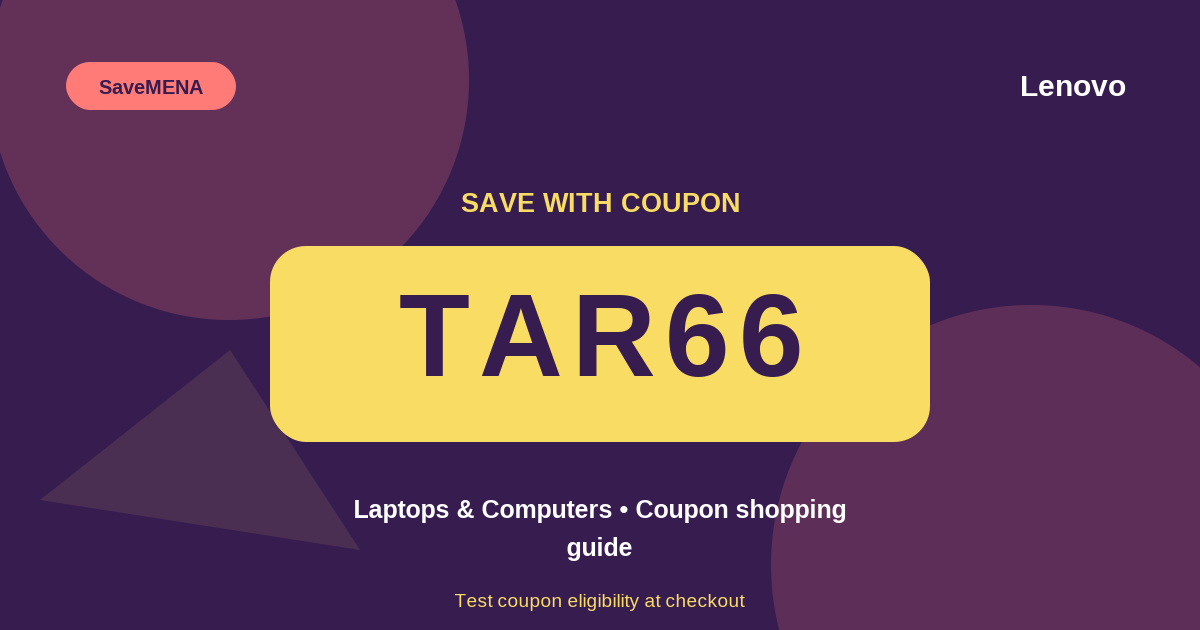
Codes available to try while comparing
These codes are not guaranteed for the article topic or listed brands; test them at checkout and use the live result.
Begin with a Clear Product List
Start by compiling a list of Lenovo laptop models that fit your needs. Search the Noon UAE catalogue using filters like processor type, RAM, and display size to narrow down choices. Pay attention to each variant’s description—available color, battery life, and storage options—to ensure you’re comparing apples with apples. This step sets the foundation for a meaningful price comparison.
Once your list is ready, note the base price of each model directly from the product page. Record the seller’s name and any ratings visible next to the listing. Store this information in a simple spreadsheet or a note app; having all variables documented will streamline the later comparison of feedback and service details. Accurate data at the outset eliminates later confusion when you apply a coupon or revisit a seller.
Evaluate Seller Credibility and Policies
Research each seller’s credibility beyond the headline title. Click through to each vendor’s profile page, where you may find details on return policies, warranty handling, and customer support contact methods. In the UAE, many sellers operate through Noon’s marketplace, but their policies can differ—especially regarding international shipping or customs. By verifying these points early, you’ll avoid potential post‑purchase issues.
Also, assess whether the seller is a verified provider or if there’s a community rating widget present. Such metrics help you filter out less reliable sellers, ensuring that your purchasing decision is based on trustworthy customer feedback and clear operational standards. This step is critical because an appealing price tag can sometimes hide hidden costs or poor service.
Understand Price Differentials Across Sellers
Now that you have a vetted seller list, look closely at the pricing variations between them for the same Lenovo laptop model. Minor differences might be due to added services like prepaid shipping or extended warranties. Make sure to note any additional fees or charges that appear, such as optional accessories or service packages.
Comparing prices at this point will provide context when you later apply the coupon; you’ll be able to see whether the discount makes the lowest‑priced listing more attractive or if a higher‑priced sold by a reliable vendor still offers value after the coupon is applied. Recording these details keeps the subsequent coupon test relevant to your budget and expectations.
Add a Single Item to the Cart for Coupon Trial
Choose one product to add to your cart—ideally the one that offers the best balance of features and price based on your prior comparison. Keep the cart simple; avoid adding multiple items at this stage to isolate the coupon’s effect. When you’re ready, proceed to the cart page, where you’ll see the subtotal, any delivery charges, and the option to enter a coupon code.
Enter “TAR66” in the field exactly as shown. Notice whether any confirmation pop‑up or message appears indicating that the code is recognized or denied. This immediate feedback lets you gauge the coupon’s basic functionality before you commit to checkout.
Observe the Coupon’s Impact on the Cart Total
After the coupon is applied, review the cart summary for any change in the total amount. The checkout page is the definitive reference for coupon eligibility; it will display the final payable total if the code is accepted.
If the total remains unchanged, it may mean the code is not accepted for that specific product or seller, or the product may have a minimum spend requirement not displayed. Keep a mental note of any messages such as “This coupon does not apply to your cart” or “The discount was applied.” Since we cannot guarantee the coupon’s success, treat these messages as cues to either try a different seller or reconsider the chosen product.
Replicate the Test with Alternative Sellers
Repeat the process of adding the same Lenovo laptop from a different seller to the cart and applying the same coupon. This step is essential to gauge whether the coupon’s acceptance is seller‑specific. A successful application with one vendor and a failure with another can highlight disparities in policy or in code validity across the marketplace.
Track each attempt’s outcome side by side. If you find that the coupon works with some sellers but not others, it informs your final decision: whether to stick with a lower‑priced but coupon‑incompatible offer or to accept a slightly higher price that benefits from the discount.
Compare Final Checkout Amounts Across Sellers
After testing the coupon with at least two sellers, compare the final checkout totals for each scenario. Even if the base prices differ, the coupon application might change the relative cost advantage. Write down the exact amounts shown on the checkout screen for each seller; this data will reveal which combination of price and seller offers the best value.
Remember that the total includes any delivery fees, which can vary widely. A cheaper base price may be offset by a higher delivery charge, altering the overall cost profile. Thus, accurate checkout data is your most reliable metric for decision making.
Make an Informed Purchase Decision
With all comparison data captured—seller credibility, price differences, coupon impact, and final payable totals—you’re ready to choose. If the coupon applies successfully to a reliable seller at a competitive price, that option typically offers the best blend of cost and service. However, if the coupon fails for more reliable sellers, balance the trade‑off between the discount and the repository’s trustworthiness.
Before finalizing, ensure you review any return or warranty policies again, as they can influence long‑term satisfaction even if the initial cost is lower. Once you confirm the checkout total is acceptable, proceed to payment, noting the confirmation of coupon application and total amount once again. Your purchase will now reflect a deliberate, data‑driven decision rather than an impulsive spin.
Related SaveMENA pages
Related articles
Official sources to check
Frequently asked questions
Will the TAR66 coupon automatically apply to all Lenovo laptops on Noon?
No coupon does not apply automatically; each attempt must be manually entered at checkout, and acceptance depends on seller settings or product eligibility which can vary. Check each cart individually to confirm.
Is there a limit on how many items I can apply a coupon to?
The coupon can only be entered for a single item at a time in the cart, ensuring each application is tested precisely. Adding multiple items may prevent the coupon from being recognized.
Can I use the TAR66 code with a different merchant on Noon?
Merchants can set their own coupon policies. A code may be accepted by some sellers and not by others; test on each one separately if possible.
Will applying the coupon change the delivery fee?
Delivery charges are applied based on the seller’s shipping policy and are not usually altered by coupon application. The total displayed at checkout reflects any changes, including delivery fee adjustments.