Logitech Computer Accessories on Noon UAE: seller context — testing coupons one · TAR78
Coupons on Noon are applied at the final payment screen. Each coupon code is processed against the entire cart, and the system will calculate any applicable
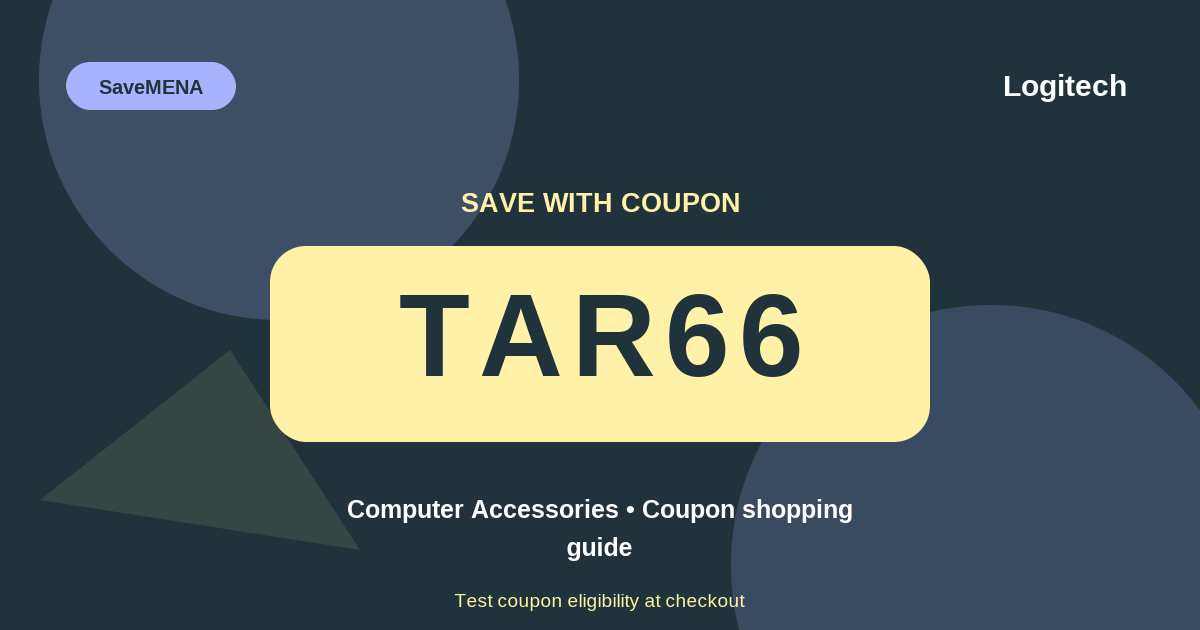
Codes available to try while comparing
These codes are not guaranteed for the article topic or listed brands; test them at checkout and use the live result.
1. How Noon UAE Handles Coupon Codes for Accessories
Coupons on Noon are applied at the final payment screen. Each coupon code is processed against the entire cart, and the system will calculate any applicable discount before the order total is locked in. That means you won’t see a price drop until you hit “Proceed to checkout.” For accessory categories like computer peripherals, some code restrictions might apply depending on the product’s place in Noon’s catalogue.A coupon is not guaranteed; verify its result at the retailer checkout.
Because the coupon you will be testing in this article is TAR78, the easiest way to confirm its validity is through a one‑by‑one experiment. Add a single Logitech accessory to your cart, and then try the code at checkout. If the coupon is valid and the seller is compatible, you should see the discount reflected in the final price before you confirm payment. Remember, this is only one test; repeating the process with different items will help verify consistency.
2. About the TAR78 Coupon and Its Availability to Try
The TAR78 coupon is currently listed on Noon’s promotional page. It is highlighted as a “try” coupon for users, meaning it may or may not apply to specific products at any given time. The code has not been advertised as exclusive for computer accessories or Logitech, so there is a chance it will either be effective or rejected based on inventory and promotion updates.
Because it’s an exploratory coupon, the only way to confirm applicability is by adding a product to the cart and trying the code. If the discount appears, the code is currently active for the item. If it does not, then either the coupon is not valid for that product, the product is sold by an unauthorized seller, or a system restriction is preventing the code from taking effect. Always keep the option to test multiple codes rather than relying on one.
3. Selecting a Logitech Computer Accessory for Testing
Logitech offers a wide range of accessories—keyboards, mice, headsets, and docks. Choosing a product that is in steady demand usually increases the likelihood of it being sold by an authorized retailer on Noon. For testing purposes, a standard Logitech MX Master 3 mouse or a mechanical keyboard model from the LOGIDORY line are safe bets, as they are less likely to be subject to regional licensing restrictions.
When you pick a product, note its exact SKU or model number. This detail will help you verify that the seller address matches the authorized Logitech provider and not a reseller using shoulder‑blading. Logging the product’s ID also assists when checking the cart for correct item quantity and price after the coupon is applied. If the cart shows an unexpected SKU, double‑check the product listing before proceeding.
4. Why Seller Context Matters for Logitech Products on Noon
Because Logitech is a global brand, Noon allows both official partners and licensed sellers to list its accessories. The difference between a reliable vendor and a potential counterfeit source can affect not only price but also warranty claims. Checking the seller name, ratings, and the “Authorized Seller” stamp near the product title provides an instant assessment of credibility.
If the seller’s details are blank or flagged as a non‑authorized distributor, Noon may block coupon application for that item or for the entire cart. In those cases, the vendor might still deliver the product, but it could void warranty coverage. For UAE shoppers, it’s often safer to choose the top‑rated seller who explicitly states support for Logitech directly on Noon’s platform.
5. Step‑by‑Step to Add Items and Apply the TAR78 Code
First, locate the chosen Logitech accessory within Noon’s search panel. Scroll to the “Add to Cart” button and confirm that the item appears in the mini‑cart icon in the upper right corner. Click that icon to review one or more items, and then press “Proceed to Checkout.” On the payment page, you’ll find a text box specifically labeled “Coupon Code.” Enter TAR78 and click apply.
At this point the system will recalculate the amount due. If TAR78 is applicable, you’ll see a reduction reflected instantly next to the total price. If it doesn’t apply, a message will appear indicating the rule or restriction that prevented it. If this happens, note the response and continue using the test method for other codes or other product selections.
6. Testing Coupon Codes One at a Time: Key Tips
To truly assess whether TAR78 works, avoid stacking multiple codes in the same session. Fire each code at a separate checkout round, resetting the cart each time. This eliminates overlapping rules that might hide the real status of each discount. You can also test if a coupon works on a different Logitech item to see if the code is category‑specific.
Do not make assumptions about the coupon’s expiration or minimum spend. These factors are only visible during the checkout when the final amount is calculated. If an unexpected fee appears, it is usually separate charges such as delivery, and you should confirm that the coupon only applies to the product subtotal. Keep a mental record of which item sizes (e.g., standard vs. deluxe) have been tested to identify patterns or restrictions.
7. Tackling Common Issues When Coupons Don’t Apply
Sometimes, Noon’s algorithm will reject a code without an explicit reason. In those cases, double‑check that the product is still in stock and that the seller’s status hasn’t changed. A sudden drop in inventory can trigger a system rule that temporarily disables coupon eligibility.
Another frequent problem is checkout errors tied to account status. Ensure you’re logged into your Noon account, as some coupons may be linked to user profiles or loyalty points. If a new user or a guest checkout is attempted, the coupon field might still become inactive. Verify that your account is active and that you’ve entered any required shipping information before resubmitting the code.
Related SaveMENA pages
Related articles
Official sources to check
Frequently asked questions
A coupon is not guaranteed; verify its result at the retailer checkout.
No, TAR78 is only available to try and may not apply to every Logitech accessory. Its effectiveness depends on Noon’s promotion rules and the seller’s status. Test each item individually to see if the discount is applied at checkout.
Will I see a discount if the coupon isn’t applied?
If the coupon does not apply, Noon’s checkout will show a message explaining why. You may still proceed without a discount, or try a different code. The final amount will be displayed regardless of coupon status.
Do I need a Noon account to use TAR78?
Using a Noon account may enhance the success of coupon applications, especially if the coupon is linked to a loyalty program. However, the code can be entered during a guest checkout, but the result will still be the same at the final payment step.
Can I combine TAR78 with other discount methods?
Coupon codes on Noon are usually applied independently and cannot be combined with other store promotions. It’s best to test each discount separately and verify the final payable amount before confirming payment.