JBL Headphones on Noon UAE: seller context — testing coupons one at a time · TAR62
The first task is to locate a JBL headphone listing that is sold by at least one reputable seller on Noon UAE.
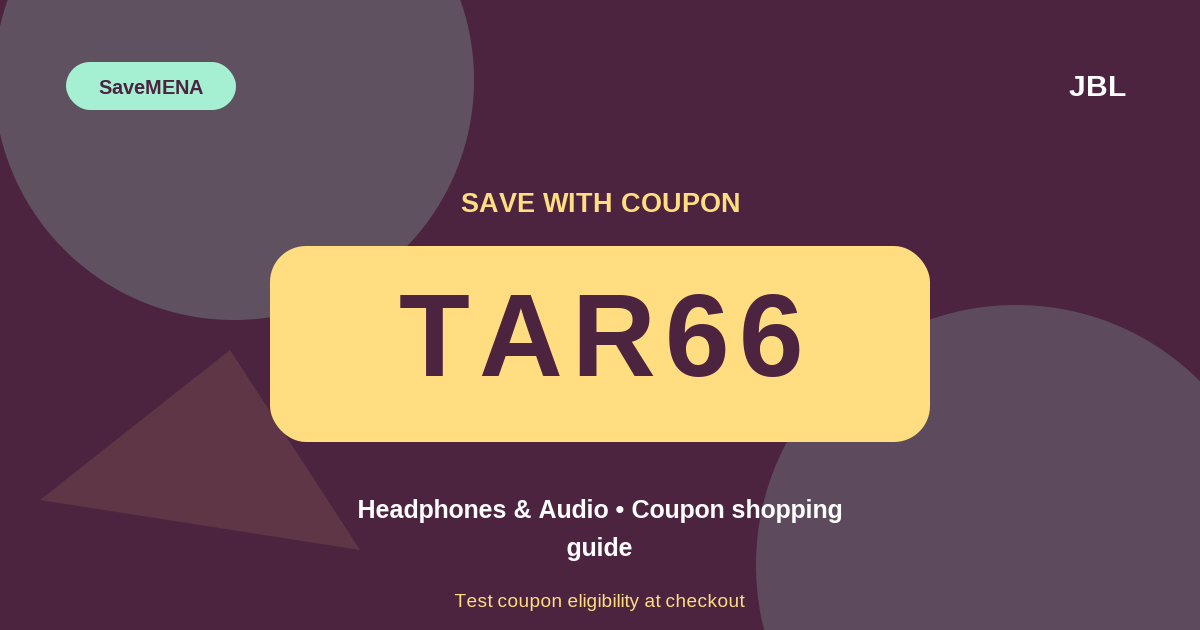
Codes available to try while comparing
These codes are not guaranteed for the article topic or listed brands; test them at checkout and use the live result.
1. Identify the Right JBL Headphone Seller on Noon UAE for Coupon Testing
The first task is to locate a JBL headphone listing that is sold by at least one reputable seller on Noon UAE. Search for “JBL headphones” and filter the results by seller rating, ensuring you pick a shop with a rating above four stars. Pay special attention to the seller’s name displayed in the product page – this will be the entity responsible for shipping, returns, and eligibility of promotional codes. Selecting a high‑rating seller increases the likelihood that any coupon you apply will be processed correctly and that support will be available if issues arise.
Once you have identified a suitable seller, note the product’s specific variant (e.g., “JBL Tune 115+ PureBass Headphones”) and the availability field. Sellers often list multiple variants next to each other; choose the one that matches your intended use (on‑ear, in‑ear, over‑ear).A coupon is not guaranteed; verify its result at the retailer checkout. Record the URL of the product page so you can reference it later during checkout and verify any terms that appear on the live page.
2. Understanding the Basics of Noon UAE Coupon Codes for Headphones
Before you hit “Apply coupon,” review the general guidelines that Noon UAE applies to all discount codes. Coupon codes on Noon typically do not carry a pre‑set discount percentage or expiry date visible to shoppers; instead, the final amount is shown only during checkout. The code “TAR62” is meant to be tested on the current inventory, and its validity depends on the seller’s offering at the time of purchase. This means you cannot find a coupon value on the product page and must rely on the checkout total to confirm whether the code worked.
Another important point is that coupons are not exclusive to a single category or brand. The code “TAR62” can be applied to any qualifying product, but its acceptance depends on the seller’s active promotions. Because you are studying coupon usage for JBL headphones, double‑check that the seller’s page displays no hidden promotional restrictions—such as a minimum spend that isn’t visibly stated. If such a condition exists, it will appear only during checkout, and that’s where you’ll discover whether the code can be accepted at all.
3. Step‑by‑Step Guide to Applying TAR62 on JBL Headphones
Begin by adding the chosen JBL headphone variant to your cart and proceed to the shopping cart page. In the cart, click the “Apply coupon” or “Enter promo code” button. Type or paste “TAR62” exactly as shown, respecting case and spacing. Press “Apply” and wait for the system to confirm if the code is accepted. Until this point, you are not yet committing to payment, so any failure message can be addressed or you can try the code again later with a different seller if necessary.
If the code is accepted, the cart will instantly update the price or a discount indicator will appear. Even though you cannot see the discount amount until checkout, you should still notice a green success message or the absence of an error. If the code is rejected, review the popup or page message for guidance. Since Noon’s interface may vary slightly, make sure you verify whether the seller has inserted a specific "no coupon" note. After confirming the outcome, proceed to checkout to see the final amount the system calculates.
4. What the Seller Context Reveals About Deal Credibility
Seller context is the cornerstone of reliable coupon testing. Look at the seller’s overall feedback score and the number of completed orders. A high score and a large order base usually signal dependable stock quality, accurate descriptions, and responsiveness to queries. If the seller has a feedback rating of 4.5 stars and above, chances are good that pause-and-check techniques, like hovering over technical specs, will reflect accurately during checkout.
Additionally, investigate the seller’s return policy and delivery commitment. Some sellers offer fast shipping options, while others have longer processing times. A seller’s commitment to a 48‑hour delivery window is a good indicator that they respect purchase timing, which matters when applying and testing coupon codes that may expire mid‑course. Past customer reviews mentioning coupon usage or delivery delays can also alert you to potential pitfalls. Always cross‑reference these observations with the product’s current output on the Noon site before moving forward.
5. Monitoring Cart Status and Checkout Phase for Coupon Confirmation
After the cart shows a success message for the code, navigate to the “Checkout” section. Begin filling in the necessary shipping details and payment options, but stop short of placing the order. On the final review page, the system will lock in the reference amount, the total payable, and any discount that has been applied. This is the definitive confirmation point: if “TAR62” was valid, the new price will reflect the discount even if the actual amount isn’t shown explicitly. This stage is crucial because seller list‑time promotions may have changed between the cart and checkout phases.
If you discover that the discount does not appear, read the error or note messages carefully. Noon often flags specific reasons such as “Coupon not applicable to this item” or “Selected quantity exceeds coupon usage limit.” These messages tie back directly to seller and product conditions. In that case, you’ll need to revisit the preceding seller profile to identify whether the seller has refreshed its promotion or altered eligibility.A coupon is not guaranteed; verify its result at the retailer checkout.
6. Potential Reasons a Coupon Might Not Apply
Coupons can be rejected for a variety of reasons, the most common being the seller’s own promotional settings. Sellers may install exclusive discounts or block the use of external coupons on certain products. Due to this dynamic environment, a code that worked on one seller’s JBL headphones might not function on another. Seller policies can also restrict coupon usage to solo orders, limiting the number of items or the specific category within a single transaction.
Another factor is inventory changes: if a product is back‑ordered or unavailable, Noon may disable coupon application for that item until stock is replenished. Temporary usage caps may also apply; for instance, a coupon might be limited to a single use per customer per month. In these instances, the code will still apply but only after the first purchase period expires. Checking for such limitations in real‑time on the product or checkout page is therefore essential. If an issue arises, repeating the test with a different seller or later in the month might resolve the problem.
7. Comparing Multiple Codes One by One with the Same Seller
Although the focus here is on testing a single code, a practical approach is to keep a separate tab for each coupon you wish to try. For each entry, repeat the previous steps: add to cart, apply code, and move to checkout. This isolated testing paradigm eliminates interference from other discount layers or active seller promotions. By maintaining the same seller across tests, you also control for variables such that the outcome reflects the combination of code validity and seller policy, rather than fluctuating product stock or cross‑seller differences.
When assessing each coupon, record the final amount displayed during checkout, noting explicitly whether any discount linked to the code appears. If two codes produce identical final amounts for the same jacket, but only one code was applied, that may signal that the seller uses the other coupon as a way to drive higher traffic rather than providing a deeper discount. By collating these observations, UAE shoppers gain a clear picture of which code offers the greatest benefit in real‑time, under the same seller context.
Related SaveMENA pages
Related articles
Official sources to check
Frequently asked questions
How do I know if the "TAR62" coupon code is still active for a specific JBL headphone seller?
Check the Noon product page for any “Coupon” tags and then add the item to the cart. Apply "TAR62" and watch for a success message before proceeding to checkout. The final amount at checkout confirms if the code is active.
What should I do if the coupon code shows a failure message?
If you receive an error indicating the code is not valid, review the seller’s vendor information and see if any special conditions apply. Try the code later or with a different seller, as coupon eligibility can change over time.
Can I apply another coupon on top of "TAR62" for the same JBL headphones?
No. Noon typically allows only one coupon per transaction. Attempting to add a second code will result in a duplicate code warning.