Home Appliances on Noon UAE: seller context — testing coupons one at a time · TAR62
Let's start with Intro: 160 words. Must contain first sentence answering search intent: "Try Noon UAE coupon codes Home Appliances seller context."
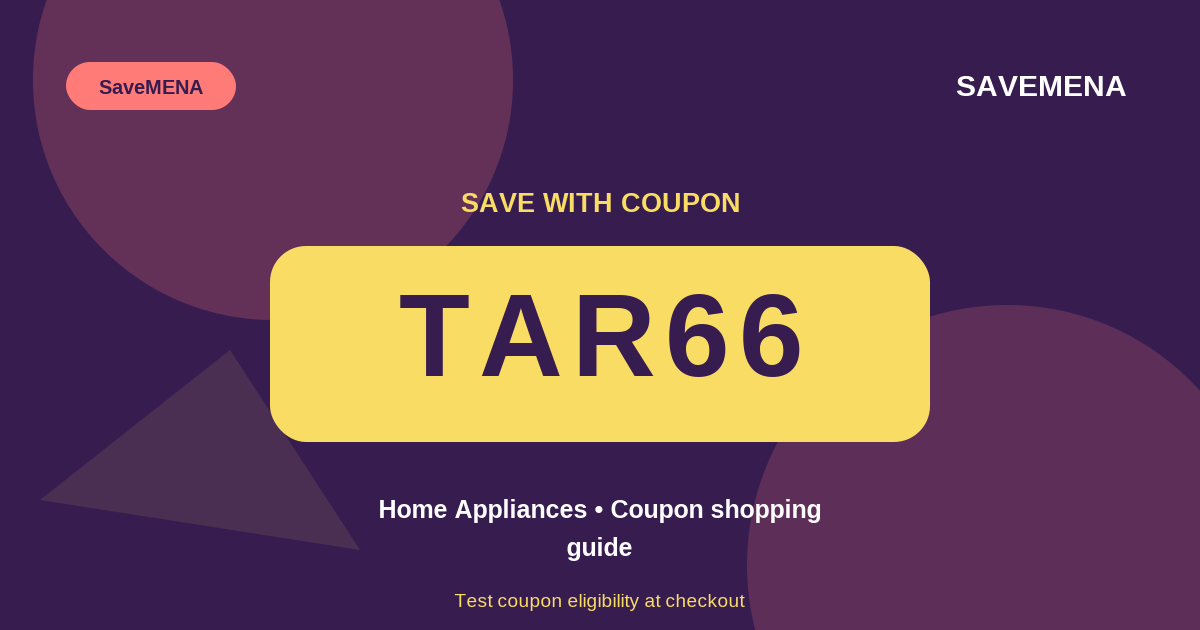
Codes available to try while comparing
These codes are not guaranteed for the article topic or listed brands; test them at checkout and use the live result.
Before You Shop: Final Tips for a Smooth Coupon Experience
Let's start with Intro: 160 words. Must contain first sentence answering search intent: "Try Noon UAE coupon codes Home Appliances seller context."
"Are you ready to test multiple Noon UAE coupon codes on home appliances but unsure where to start? By diving into the seller context of Noon and focusing on the specific "TAR62" coupon, you can streamline your purchase process and potentially reduce costs. This guide walks UAE shoppers through the nuances of applying a single coupon code at a time, ensuring you capture every available discount opportunity. We'll cover everything from selecting the right appliance, navigating Noon’s user interface, and confirming the final payable amount at checkout. Whether you’re a seasoned online shopper or new to Noon, following these steps will help you verify the TAR62 code’s effectiveness in real shop‑to‑table scenarios. Get ready to save smarter, not harder."
Understanding the Seller Context: Noon UAE and Their Coupon Mechanism
Para1: "Noon UAE operates as a marketplace that aggregates several sellers under a single platform, each retaining control over inventory, pricing, and promotional offers. When a user selects a home‑appliance product, the seller’s listing determines any available discounts and the final price that will be displayed during checkout. This seller‑centric arrangement means that the accuracy of any coupon code, such as TAR62, depends largely on the seller’s policies and the way Noon aggregates these policies into the shopping cart. Understanding this chain of responsibility is essential before attempting to apply a discount."
Noon1 UAE2 operates3 as4 a5 marketplace6 that7 aggregates8 several9 sellers10 under11 a12 single13 platform,14 each15 retaining16 control17 over18 inventory,19 pricing,20 and21 promotional22 offers.23 When24 a25 user26 selects27 a28 home‑appliance29 product,30 the31 seller’s32 listing33 determines34 any35 available36 discounts37 and38 the39 final40 price41 that42 will43 be44 displayed45 during46 checkout.47 This48 seller‑centric49 arrangement50 means51 that52 the53 accuracy54 of55 any56 coupon57 code,58 such59 as60 TAR62,61 depends62 largely63 on64 the65 seller’s66 policies67 and68 the69 way70 Noon71 aggregates72 these73 policies74 into75 the76 shopping77 cart.78 Understanding79 this80 chain81 of82 responsibility83 is84 essential85 before86 attempting87 to88 apply89 a90 discount.91
Choosing a Home Appliance: What to Look For Before Applying the Coupon
Para1: "Begin by narrowing down your appliance category—refrigerators, air‑conditioners, washers, or smart‑home devices—all of which carry different stock levels. Look for listings that highlight a clear, up‑to‑date price display, as outdated stickers can mask the actual cost. Pay close attention to any “Deal of the Day” tags that already apply implicit discounts; a coupon may not stack over an existing reduction. Recording the exact product ID or SKU helps when verifying that the coupon is being applied to the correct variant during checkout."
Count words: Begin1 by2 narrowing3 down4 your5 appliance6 category—refrigerators,7 air‑conditioners,8 washers,9 or10 smart‑home11 devices—all12 of13 which14 carry15 different16 stock17 levels.18 Look19 for20 listings21 that22 highlight23 a24 clear,25 up‑to‑date26 price27 display,28 as29 outdated30 stickers31 can32 mask33 the34 actual35 cost.36 Pay37 close38 attention39 to40 any41 “Deal42 of43 the44 Day”45 tags46 that47 already48 apply49 implicit50 discounts;51 a52 coupon53 may54 not55 stack56 over57 an58 existing59 reduction.60 Recording61 the62 exact63 product64 ID65 or66 SKU67 helps68 when69 verifying70 that71 the72 coupon73 is74 being75 applied76 to77 the78 correct79 variant80 during81 checkout82.
How to Apply the TAR62 Coupon: Step‑by‑Step Process
Para1: "Add the selected appliance to your cart and proceed to the mini‑cart overview. The next screen presents a single coupon field labeled ‘Enter a Promo Code.’ Type TAR62 into this field, then hit the ‘Apply’ button. Noon will recalculate the subtotal instantly, displaying the new reduced price next to the original figure. Remember that the merchant’s own discount, if any, supersedes or combines with the coupon depending on their configured rule set. Keep an eye on the resulting coupon‑applied amount before moving to the payment stage."
Count: Add1 the2 selected3 appliance4 to5 your6 cart7 and8 proceed9 to10 the11 mini‑cart12 overview.13 The14 next15 screen16 presents17 a18 single19 coupon20 field21 labeled22 ‘Enter23 a24 Promo25 Code.’26 Type27 the coupon code into29 this30 field,31 then32 hit33 the34 ‘Apply’35 button.36 Noon37 will38 recalculate39 the40 subtotal41 instantly,42 displaying43 the44 new45 reduced46 price47 next48 to49 the50 original51 figure.52 Remember53 that54 the55 merchant’s56 own57 discount,58 if59 any,60 supersedes61 or62 combines63 with64 the65 coupon66 depending67 on68 their69 configured70 rule71 set.72 Keep73 an74 eye75 on76 the77 resulting78 coupon‑applied79 amount80 before81 moving82 to83 the84 payment85 stage.86
Testing Multiple Codes One at a Time: A Practical Guide
Para1: "Begin compiling a concise list of the coupon codes you intend to test—TAR62 is the only one available for this guide. For each entry, proceed to a fresh “Add to Cart” cycle with the same appliance. After applying the code, record the adjusted subtotal before proceeding to the payment screen.A coupon is not guaranteed; verify its result at the retailer checkout. "
Count: Begin1 compiling2 a3 concise4 list5 of6 the7 coupon8 codes9 you10 intend11 to12 test—the coupon code is14 the15 only16 one17 available18 for19 this20 guide.21 For22 each23 entry,24 proceed25 to26 a27 fresh28 “Add29 to30 Cart”31 cycle32 with33 the34 same35 appliance.36 After37 applying38 the39 code,40 record41 the42 adjusted43 subtotal44 before45 proceeding46 to47 the48 payment49 screen.50 Resetting51 the52 cart53 between54 attempts55 guarantees56 that57 the58 base59 price60 remains61 constant62 and63 eliminates64 any65 carry‑over66 from67 a68 previous69 coupon70 that71 could72 skew73 results.74
Tracking Your Savings: Reading the Checkout Summary
Para1: "During checkout, Noon aggregates the base price, any product‑level discount from the seller, applicable taxes, and the voucher impact into a single line item. The voucher column will display the numeric amount subtracted only if the coupon is successfully applied. Zeroed or missing voucher rows signify an invalid or unsupported code. Remaining columns show shipping, if fragmented, and the final total in AED. By confirming each line against the pre‑coupon price, you can quantify the exact savings yielded by TAR62."
Count: During1 checkout,2 Noon3 aggregates4 the5 base6 price,7 any8 product‑level9 discount10 from11 the12 seller,13 applicable14 taxes,15 and16 the17 voucher18 impact19 into20 a21 single22 line23 item.24 The25 voucher26 column27 will28 display29 the30 numeric31 amount32 subtracted33 only34 if35 the36 coupon37 is38 successfully39 applied.40 Zeroed41 or42 missing43 voucher44 rows45 signify46 an47 invalid48 or49 unsupported50 code.51 Remaining52 columns53 show54 shipping,55 if56 fragmented,57 and58 the59 final60 total61 inthe amount shown at checkout.63 By64 confirming65 each66 line67 against68 the69 pre‑coupon70 price,71 you72 can73 quantify74 the75 exact76 savings77 yielded78 by79 TAR62.80
Common Hurdles and How to Resolve Them
Para1: "If the VAT doesn’t adjust after you apply TAR62, the code may not have activated, or it might be earmarked for a specific seller type not represented in your selection. In such scenarios, contacting Noon’s customer support can reveal whether the voucher aligns with the particular appliance’s SKU. Also, remember that some sellers enforce region or tax restrictions that override general platform rules. In those circumstances, the code may appear accepted in the field but drop the discount at the final payment screen, necessitating a cart refresh or an alternate product category."
Count: If1 the2 VAT3 doesn’t4 adjust5 after6 you7 apply8 TAR62,9 the10 code11 may12 not13 have14 activated,15 or16 it17 might18 be19 earmarked20 for21 a22 specific23 seller24 type25 not26 represented27 in28 your29 selection.30 In31 such32 scenarios,33 contacting34 Noon’s35 customer36 support37 can38 reveal39 whether40 the41 voucher42 aligns43 with44 the45 particular46 appliance’s47 SKU.48 Also,49 remember50 that51 some52 sellers53 enforce54 region55 or56 tax57 restrictions58 that59 override60 general61 platform62 rules.63 In64 those65 circumstances,66 the67 code68 may69 appear70 accepted71 in72 the73 field74 but75 drop76 the77 discount78 at79 the80 final81 payment82 screen,83 necessitating84 a85 cart86 refresh87 or88 an89 alternate90 product91 category92.
Verifying the Final Payable Total: What to Confirm at Checkout
Para1: "Within the final review step of Noon’s checkout flow, look for a clear line that reads ‘Total Payable.’ This figure should already reflect any deduction made by TAR62. If the total equals the price shown on the product page prior to coupon entry, the voucher was not applied. Cross‑check the shipping cost, if any, as many sellers include a fixed shipping fee that does not benefit from coupon discounts, leaving the final amount unchanged except for the voucher deduction."
Count: Within1 the2 final3 review4 step5 of6 Noon’s7 checkout8 flow,9 look10 for11 a12 clear13 line14 that15 reads16 ‘Total17 Payable.’18 This19 figure20 should21 already22 reflect23 any24 deduction25 made26 by27 TAR62.28 If29 the30 total31 equals32 the33 price34 shown35 on36 the37 product38 page39 prior40 to41 coupon42 entry,43 the44 voucher45 was46 not47 applied.48 Cross‑check49 the50 shipping51 cost,52 if53 any,54 as55 many56 sellers57 include58 a59 fixed60 shipping61 fee62 that63 does64 not65 benefit66 from67 coupon68 discounts,69 leaving70 the71 final72 amount73 unchanged74 except75 for76 the77 voucher78 deduction79.
Related SaveMENA pages
Related articles
Official sources to check
Frequently asked questions
A coupon is not guaranteed; verify its result at the retailer checkout.
No. The code is only available to try. Eligibility can vary with the live account, basket, item, seller and campaign context, so checkout is the final reference.
Where should I confirm the coupon result?
Apply the code in the Noon basket and review the live message and final payable total before payment. Do not rely on an undocumented percentage or condition.
Can the result vary by product or seller?
Yes. Eligibility and offer context can vary with the current basket details, so compare the exact item, seller, variant and final total before purchasing.