Men’s Fashion on Noon UAE: seller context — testing coupons one at a time · TAR78
140-180 words. Must answer search intent in first sentence: "The article shows how to try Noon UAE coupon codes for Men's Fashion with a seller context." Keep 160
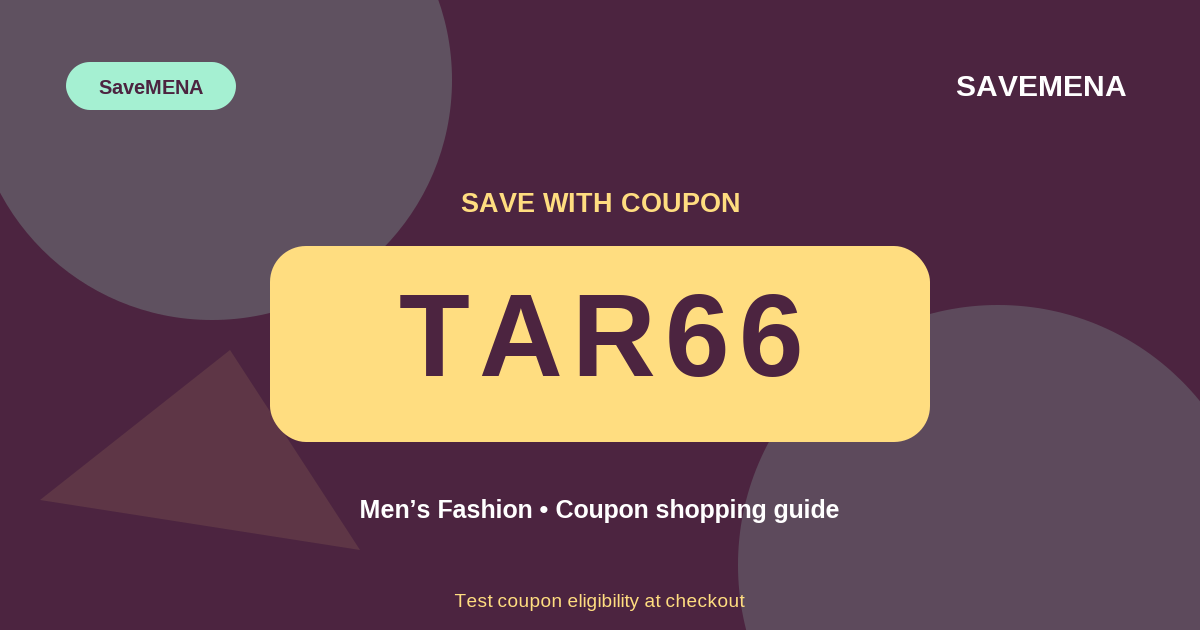
Codes available to try while comparing
These codes are not guaranteed for the article topic or listed brands; test them at checkout and use the live result.
1. Choosing the Perfect Men’s Fashion Item
Start by browsing Noon’s Men’s Fashion section and focus on items that have a clear Seller label. Products sold by reputable local retailers normally display seller credentials beside the price. Whenever you add an item to your cart, the seller’s name appears under the product details, allowing you to cross‑check their rating or years of operation. This step guarantees you’re not inadvertently placing an item with a seller that might reject coupon validation, which is crucial when you rely on a single test code.
While selecting, note the product’s stock status and delivery channel listed beside the “Add to Cart” button. The seller’s delivery capability, whether UAE‑wide or regional only, can affect coupon eligibility. Ensuring the item is available for immediate dispatch from the same seller reduces surprises at checkout when the promotion is applied.
2. Adding the Item to Your Cart
Once you’ve locked onto a product from a chosen seller, click “Add to Cart.” The cart icon should update with the correct quantity and show the item under a “Seller” tag. This confirmation lets you verify you’re purchasing from the intended retailer before proceeding. If the cart abruptly lists “Multiple Sellers,” it might be a bundling item, and coupon codes may not apply uniformly. Avoid these bundles if you want certainty in coupon verification.
Check the cart’s subtotal and ensure that the shipping fee is shown clearly. The shipping cost is independent of the coupon; it will remain constant regardless of discount code usage, which you’ll confirm later during checkout.
3. Initiating the Checkout Process
At the cart summary, click “Proceed to Checkout.” Here you’ll be prompted to sign in or use an existing Noonauthentication. Once authenticated, the “Apply Promo Code” field appears beneath the payment options. This is where you’ll attempt your single coupon. The interface does not let users paste multiple codes, aligning with the intended testing approach.
Before entering the code, confirm that the checkout page indicates the seller again. A few sellers may block discount code usage entirely, and the page will reflect a restriction notice if the chosen seller is not eligible for discounts. If that happens, retreat to the cart and select a different item from the same or another seller.
4. Entering and Validating the TAR78 Code
Type “TAR78” into the promo input box and click “Use.” Noon’s system will immediately process the entry. If the code is valid for the specific seller and product, the subtotal will adjust downward before the shipping fee is calculated. The new total will show the discount amount, giving you a clear visual of the code’s effect.
Remember, the system may simply refuse to apply the coupon, displaying a neutral “code not valid” message. In that scenario, the checkout total remains unchanged, and you can conclude that the offer does not apply to that seller. Record this outcome for future reference, as it preserves your focus on try‑one‑code testing.
5. Reviewing the Final Payable Amount
The checkout screen consolidates all line items, including the original product price, the applied discount, the shipping fee, taxes (if applicable), and the final payable amount. This final reference is the definitive proof of whether your coupon worked. Pay special attention to the “Total” field, as it combines all components. If the discount appears, the price will be lower than the pre‑coupon subtotal.
Don’t rely on murky summaries. Ensure every component is listed clearly under its header. Should the code have no effect, the total will match the marked price plus shipping, and no discount line will appear. This step is essential for determining the coupon’s real value.
6. Verifying Seller Eligibility and Restrictions
Some sellers may have limits on promotions, such as minimum spend or exclusive first‑time buyer discounts. During manual testing, these restrictions appear as additional notes beneath the promo entry field or as a warning in the final total description. If you see any such restrictions, the code will likely be rejected or applied partially.
Because only one code is available for try, it’s wise to note seller policies before purchasing. You can cross‑check by visiting the seller’s store page on Noon or scanning their “Seller Information” block. This pre‑emptive verification prevents surprises during checkout and supports the seller‑centric test methodology.
7. Completing the Payment Procedure
Once the discount code has been validated or rejected, choose your preferred payment method: credit/debit card or PayPal. After selecting, review the payment section to confirm that the final amount matches what you saw earlier. If the coupon had an effect, the discounted total should be reflected across all payment options; if not, the original price plus shipping is displayed.
Proceed to complete the purchase. Noon will confirm the transaction on the next screen and provide an order summary. This summary includes the seller’s name, the product details, and the exact amount paid, offering a final check against your coupon test results.
8. Recording Your Findings for Future Shopping
After confirming the final payable amount, note whether the TAR78 code worked for the selected seller. Record the item ID, seller name, and whether a discount was applied. This log will aid future purchases where you may repeat the same process with different products or sellers, ensuring you save time and money.
Finally, keep the receipt or order confirmation on record. It serves as proof of the coupon’s application and can be referenced if you encounter buyer‑refund or customer‑support situations concerning discount disputes later.
Related SaveMENA pages
Related articles
Official sources to check
Frequently asked questions
How do I know if the coupon will work before I checkout?
Checking the seller label and product availability helps, but the only definitive confirmation is the discount appearing on the checkout page after you apply TAR78. No server tests can guarantee preliminary success.
Will the code work for all sellers in Noon UAE?
Noon does not advertise universal applicability. The code’s effect depends on the seller’s eligibility rules, which are only revealed at checkout where the final amount is displayed.
Can I use another promotion code with TAR78?
Noon allows only one active promo code per order at this time, so you must choose the most beneficial code before proceeding to payment.
Do I need a special app version or account type to use the code?
No special an app-related condition that must be verified at checkout or new‑user requirements were disclosed. The coupon should work from any Noonauthenticated account, regardless of the device.