Apple Mobile Accessories on Noon UAE: seller context — testing coupons one at a · TAR62
We’ll guide you step‑by‑step on how to try Noon UAE coupon codes when shopping for Mobile Accessories from reputable Apple sellers in the United Arab Emirates.
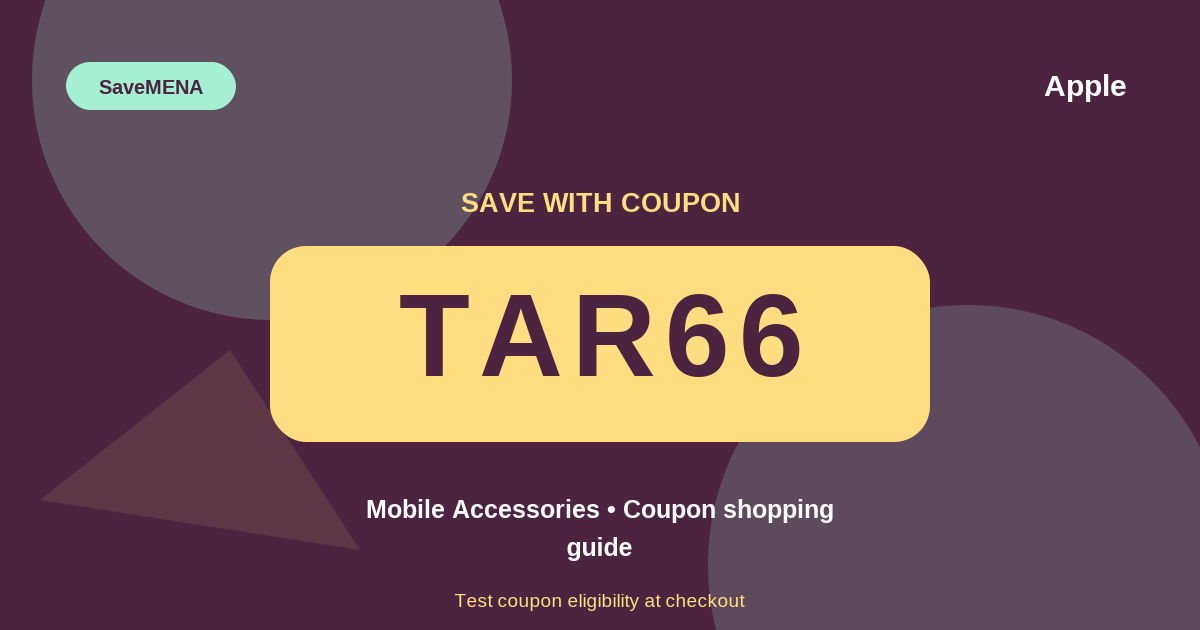
Codes available to try while comparing
These codes are not guaranteed for the article topic or listed brands; test them at checkout and use the live result.
1. Selecting a Verified Apple Mobile Accessories Seller
Begin your search by limiting the filter to sellers who specialize in Apple mobile accessories. A focused subset reduces the risk of counterfeit or low‑quality items. Check each shop’s product listings for detailed specifications, such as model compatibility, warranty information, and supplier links. A seller who includes a manufacturing source or a direct link to the OEM demonstrates a higher authenticity level. Make sure the listing title and description mention “Apple” clearly so you avoid generic “phone accessories” that may not match your device.
After narrowing the field, compare the listed prices against the current market rates on other UAE platforms. While discount offers are attractive, a price that is too low often signals non‑genuine goods. Focus also on the clarity of return and repair terms—these indicate a seller’s confidence in product quality. A well‑structured policy helps mitigate post‑purchase concerns. Finally, review the seller’s overall engagement: active customer communication and prompt responses to inquiries point to reliable customer service.
2. Evaluating Compatibility and Detail Accuracy
Customers purchasing Apple accessories must confirm that the item matches the exact iPhone model, iPad size, or AirPods version. Examine the product’s dimensions, iconography, and compatibility notes for precision. Sellers who publish exact measurements and mention the supported Apple ID integration demonstrate attention to detail. These descriptors enable you to anticipate storage space, charging capacity, and software support.
When details are sparse, consider reaching out through the platform’s chat or email functions. Ask for a confirmation of the accessory’s compliance with your device’s serial number. A responsive seller will provide a direct answer and may even share a technical support resource. Keep a record of these communications; it serves as evidence if a mismatch arises after delivery. By verifying technical specifications early, you avoid costly returns or exchanges.
3. Checking Seller Credibility Through Ratings and Reviews
Seller ratings on Noon reflect both product quality and service reliability. Aim for a positive rating above 4.5 stars, and look for inclusive comments about delivery speed and responsiveness. Positive feedback on phone compatibility or support demonstrates that previous buyers had beneficial experiences. Avoid shops with multiple negative reviews that criticize authenticity or delivery delays.
Additionally, evaluate the number of completed orders for the particular accessory. A higher transaction volume indicates a proven track record. While some new sellers may offer competitive prices, they may lack the established assurance buyers expect. Balance cost-saving opportunities with the shield of community trust, ensuring that your selected Apple accessory originates from a seller whose reputation aligns with your shopping assurance.
4. Applying the TAR62 Coupon Code While Shopping
Once you add your chosen Apple accessory to the cart, look for an input field labeled “Coupon code.” Enter TAR62 and observe whether the platform immediately reflects a change in the total price or indicates a successful application. This step confirms the code’s functionality at the current time. Remember that the code’s viability can fluctuate, so always check for any confirmation message upon entry.
If the platform shows an error or does not modify the price, it may still be an issue at checkout. Regardless, you can proceed with the order and verify the discount once you reach the payment stage. Keep a screenshot of the cart state for reference. This approach safeguards your transaction against any last‑minute coupon failures and gives you data to cross‑reference with the final receipt.
5. Verifying Shipping Terms and Delivery Estimates
Before finalizing the purchase, scrutinize the seller’s shipping policy. UAE sellers often offer several delivery options, such as standard, express, or in‑store pickup. Each option comes with a separate estimated arrival window. Make sure the selected method meets your time requirements, especially if you need the accessory before a scheduled event or travel.
Check for potential shipping fees or fuel surcharges that may appear after coupon discounts. Even with a coupon, certain seller policies impose a fixed delivery cost. Verify that the final tally on the order summary accounts for all such fees. This transparency prevents unexpected charges and ensures you can plan accordingly for the accessory’s arrival.
6. Assessing Warranty and Return Policies Ahead of Checkout
In the UAE, many accessories come with an OEM warranty or a seller‑supplied guarantee. Before paying, confirm whether the Apple accessory includes the manufacturer’s warranty and if it covers domestic usage. Identify the repair or return window; a 12‑month warranty offers considerable peace of mind.
Also, revisit the seller’s return policy details. Some shops allow exchanges or refunds within a set number of days, but may enforce conditions such as original packaging or proof of purchase. Knowing these nuances during checkout prevents later complications when you seek a refund or replacement. Use the platform’s return workflow to grasp every requirement tied to the product’s condition.
7. Finalizing Payment and Reviewing Checkout Totals
At checkout, re‑enter the coupon code TAR62 if a drop‑down or auto‑detect option didn’t apply it earlier. Observe the order total after applying the code, and cross‑check whether any additional fees, taxes, or duties are applied. UAE purchases often include VAT, which may be displayed after coupon adjustments. Verify that the final amount matches your expected budget after the coupon’s influence.
Confirm the chosen payment method—credit card, debit card, or local UAE payment solutions. The platform may offer instant payment confirmations or an additional verification step. Double‑check your email for a receipt header summarizing the item, price, applied discount, and shipping cost. This confirmation is your proof of purchase and reference point should any post‑order issue arise.
8. Post‑Purchase Support and Tracking the Delivery
After placing the order, monitor the tracking link provided. The link usually offers real‑time updates on the courier’s progress. The delivery phase can introduce unforeseen delays, such as customs checks or local transport constraints; early monitoring allows you to manage expectations.
If any discrepancy occurs—wrong product, missing parts, or delayed arrival—use the seller’s customer service portal to initiate a claim. Provide supporting documentation, including screenshots of the coupon application and the product listing. This documented trail eases dispute resolution and ensures a smooth claim process under the UAE’s consumer protection framework.
Related SaveMENA pages
Related articles
Official sources to check
Frequently asked questions
Will the TAR62 coupon code work for every Apple mobile accessory on Noon UAE?
Coupon codes are tested each time at checkout. While TAR62 is available to try, it may only apply to select items or require specific eligibility criteria. Verify its correctness during the cart‑to‑checkout process for the exact accessory you want.
Do I need to use a specific payment method for the coupon to apply?
No. The coupon code itself is independent of the payment method. You can use any accepted card or local payment solution. The final discount should apply before payment confirmation. Be sure to double‑check the order total after entry.
What should I do if the coupon code is rejected at checkout?
Check for any typographical errors and re‑enter TAR62. If the code remains rejected, contact Noon’s support for clarification. Keep the screenshot of the rejection notice; it assists in resolving the issue quickly.
Can I combine the TAR62 code with other promotions or free shipping offers?
Coupon overlap depends on the seller’s policy. Some promotions refuse stacking, while others may allow it. Review the seller’s discount terms or test the combination in your cart. Confirm the final order total before confirming payment.