Apple Mobiles on Noon UAE: seller context — testing coupons one at a time · TAR62
If you’re looking to test multiple codes one at a time when purchasing Apple mobiles on Noon in the UAE, this guide will walk you through the process using the
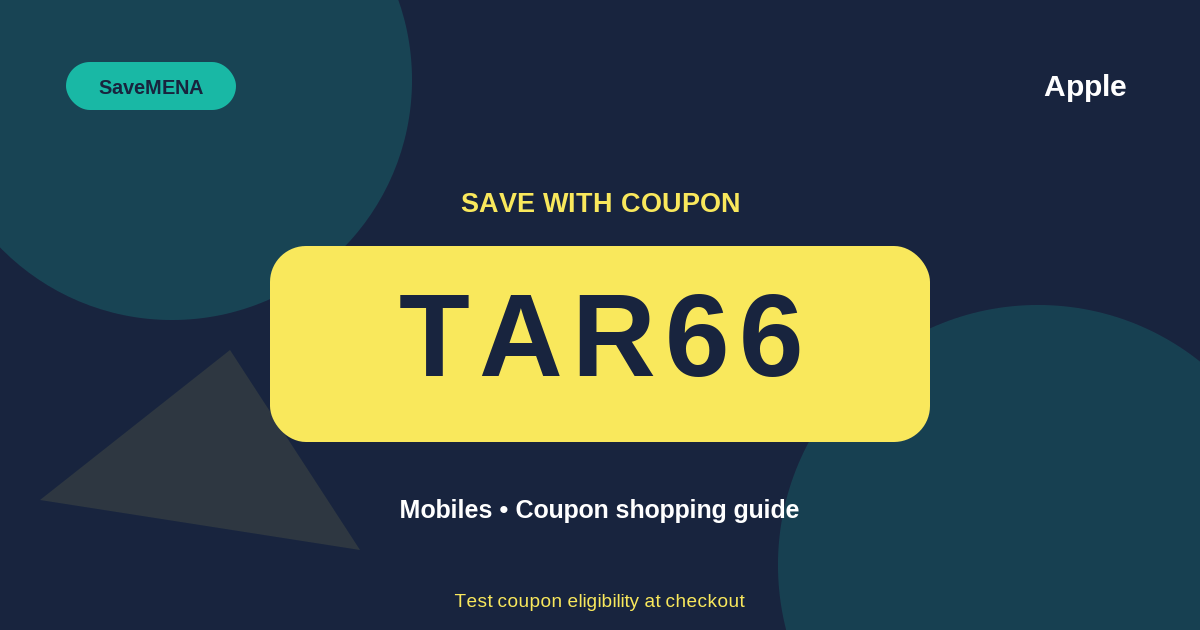
Codes available to try while comparing
These codes are not guaranteed for the article topic or listed brands; test them at checkout and use the live result.
Understanding Noon’s Mobile Product Listings
Every mobile product page on Noon lists the item’s technical specifications, price, and any promotional offers visible to the shopper. For Apple mobiles, the listing also shows battery capacity, processor details, and available color options. When reviewing a product you should look for the “Verified Seller” badge—a key indicator that the seller is trustworthy and the product is authentic. Make a note of the seller’s rating and any customer reviews that mention shipment speed or packaging quality.
Before proceeding to checkout, confirm that the product name matches the exact model you want—such as iPhone 15 Pro or iPhone 14 Plus—because Noon’s catalogue includes many variants. An accurate title ensures you’ll receive the specific model you selected, and it also clarifies which seller is offering the product, which is essential if you plan to test a coupon code with that particular seller.
Selecting the Right Apple Mobile with Seller Details
When you locate the desired Apple mobile, open the seller’s profile by clicking on their name. Read through the seller’s trading history, ensuring they have consistently high ratings and positive feedback. Sellers with a long experience on Noon are more likely to honor return policies and handle shipping efficiently. Look for any seller announcements about restocking or exclusive offers, which might affect availability during your coupon testing.
After confirming the seller’s credentials, add the desired mobile to your cart. The cart view will display the chosen quantity, the base price, and the seller’s name. This is the moment to double‑check that the seller’s information matches what you expected, as you will later need to verify that the coupon code applies to this seller during checkout.
Preparing for Checkout: TAR62 Application Steps
The pop‑up checkout on Noon allows you to enter coupon codes before final payment. Find the field labelled “Enter Coupon Code” and type in TAR62 exactly, respecting capitalization. Once entered, tap the “Apply” button; the interface will immediately reflect whether the coupon is accepted or rejected. A success message often appears, while a failure triggers a short notification. Do not proceed further until the code is processed.
After the code is applied, watch the cart summary. The summary should update to show an additional line item—“Discount Applied” or similar. However, specifics like the discount amount are not guaranteed and may remain blank if the coupon’s terms are not yet confirmed. At this step, only the status of the coupon (accepted or rejected) provides useful confirmation for testing.
Testing the Coupon One Code at a Time
When you test TAR62, do not add any other coupon codes or special offers. This isolates the effect of the single code. If the code fails, note the failure message: it may mention restrictions such as “code not applicable to this seller” or “code expired.” During such a test, record whether the status changes when you clear your cart and re‑add the mobile, as sometimes site glitches require a fresh session.
If the code passes, the next step is to check the checkout total. The final total displayed before payment should reflect any discount applied. This is the seat of your verdict: if the total is lower than the base price for a valid Apple mobile, you’ve successfully verified the coupon. If there’s no change, it might indicate the coupon’s eligibility isn’t satisfied with this seller.
Verifying Eligibility at Checkout
In the final checkout screen, Noon lists the payable total, currency, and any applicable fees. This final reference is essential because it supersedes earlier estimates. Check that the mobile’s delivery options—standard or express—match what you intended. Pay particular attention to any shipping cost that appears; even if TAR62 applies a discount, shipping fees may remain unchanged, affecting overall savings.
Also review the “Conditions” or “Terms” section that appears near the bottom of the checkout page. This area often reiterates the coupon’s applicability, such as whether it’s limited to specific sellers or product categories. If the conditions disclose a restriction that you previously overlooked, you may need to adjust your plan or look for an alternative seller.
Analyzing Seller Policies and Guarantees
A reputable Apple mobile seller on Noon typically provides a clear return policy, warranty details, and customer support contact. During your coupon test, ensure these policies are visible after you choose “Seller Details.” A robust return policy gives you confidence that, should the mobile not meet your expectations, you can return it without hassle.
Verify that the seller explicitly states support coverage for Apple mobiles, which protects you if the device has issues. If the seller does not mention warranty or support, consider whether you are willing to assume additional risk. This verification step aligns with the seller context decision lens—an essential part of assessing whether the purchase meets your quality and support needs.
Managing Delivery and Payment Options
Noon offers multiple payment methods, including credit/debit cards, PayPal, or Noon’s own credit line. For a high‑value Apple mobile, you might prefer a secure payment channel that offers buyer protection. During checkout, confirm that the selected payment method is available for the amount and that the payment gateway shows a secure lock icon.
Also consider the delivery options: express delivery may carry a higher fee but guarantees arrival within a set time frame, which is useful for time‑sensitive purchases. When you’ve verified the coupon is applied, check that the delivery fee remains consistent. Any change in shipping costs after coupon application should be reflected immediately in the total.
Finalizing the Purchase and Tracking Your Order
Once you are satisfied with the payable total, seller reputation, and delivery terms, finalize the purchase by confirming the payment. Noon will present an order confirmation page immediately after transaction settlement, with a reference number that you can use to track the shipment. The confirmation details will list the mobile model, quantity, and seller information—each important for future correspondence.
After order placement, keep an eye on the order status through Noon’s tracking feature. The tracking timeline should match the seller’s estimated delivery window, and any delays can be addressed by contacting the seller through Noon’s support portal. With the pieces in place—valid coupon code, verified seller, confirmed payment—your purchase process should be complete and trustworthy.
Related SaveMENA pages
Related articles
Official sources to check
Frequently asked questions
Is the TAR62 coupon specific to Apple mobiles on Noon?
No, the coupon is not tied to a particular brand or category. It applies broadly, but its acceptance may depend on the seller’s discretion and product eligibility as verified during checkout.
How do I know if a seller can honor the coupon code?
You confirm this during the checkout step when you enter TAR62. If the seller accepts the coupon, the cart will display a discount line. If it’s rejected, a notification will appear explaining the reason.
What happens if the coupon isn’t applied at checkout?
You can try the same code again, clear your cart, or contact Noon support for clarification. It’s possible that seller restrictions or product limitations prevent the coupon from being accepted.
Does the coupon reduce shipping fees?
The coupon typically affects only the product price. Shipping fees usually remain unchanged unless specified otherwise by Noon’s terms at checkout.