Apple Smart Watches on Noon UAE: seller context — testing coupons one at a time · TAR78
When you search how to try Noon UAE coupon codes for Smart Watches and want to see if Apple’s latest Apple Watch can be snagged at a better price, the first step is
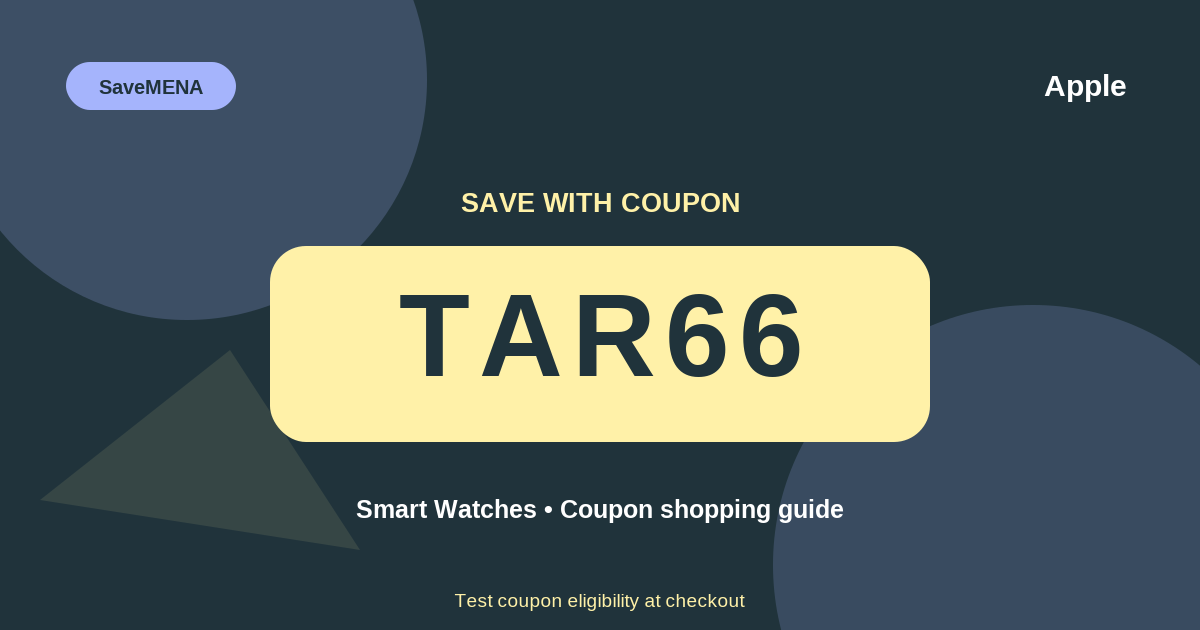
Codes available to try while comparing
These codes are not guaranteed for the article topic or listed brands; test them at checkout and use the live result.
1. Understanding Noon UAE Coupon Codes for Smart Watches
Coupon promo codes on Noon, such as TAR78, are set to apply only if the shopper adds a qualifying product to the cart before entering the code. While Noon itself does not guarantee any discount, the best practice is to add the Apple Watch to your cart and run the code in the payment step. By observing the immediate cart change, you confirm that the code is recognised and that it is sanctioned for that particular time. The shopper can also record the pre‑code price to compare it against the post‑code figure to assess the real value of the coupon.
Be sure to read the terms that appear during the checkout flow. Some coupons may adjust only the subtotal, while other fees like delivery, insurance, or final taxes remain unaffected. If TAR78 actually reduces the showing subtotal, it demonstrates function; if no change occurs you can use that evidence to investigate whether the voucher is inactive or invalid in your region. Checking each step in order is essential, especially if you are testing a single code at a time as your search intent dictates.
2. Identifying Trusted Sellers for Apple Smart Watches
In the UAE e‑commerce arena, product authenticity and seller reliability are paramount when buying high‑value tech such as the Apple Smart Watch. Look for sellers that have multi‑year history on Noon, display a high rating with credible reviews, and offer a full warranty aligned with Apple’s. The seller’s return policy should be brief and transparent, limiting confusion for buyers who may want to test the product’s fit before confirming their purchase.
Authenticate the product’s serial number and Apple ID pairing on arrival to confirm that the watch is new, not a refurbished model. A reputable seller will also provide a tracking link at the point of purchase, enabling you to monitor the package status without leaving Noon’s ecosystem. This seller context adds an extra layer of trust that is especially valuable when pairing a coupon with a premium smartwatch.
3. Step‑by‑Step: Entering the TAR78 Code
Begin by navigating to the Smart Watches section and selecting the exact Apple model of interest. Add the item to your cart and proceed to the checkout page. Here, paste “TAR78” into the promo code box and click apply. The interface will instantly recalculate the subtotal; a visible change signals that the coupon has been acknowledged by Noon’s system.
If the subtotal does not change, verify that the product qualifies for this coupon; some vouchers are limited to certain price ranges or seller categories. Additionally, ensure your account is not tied to a previous coupon that might block new inputs. Testing the code individually each time keeps your guesses simple and lets you verify the coupon’s active status in real time.
4. Checking Eligibility and Price Adjustments
After applying TAR78, scrutinise the cart summary. The coupon should reflect anywhere from a dollar‑value to a percentage off. Details such as “Discount” or “Promo” appear above or below the subtotal. While Noon may not disclose the exact percentage, the absence of a change indicates the code was rejected, which might be tied to expiry or stock restrictions.
For final assurance, compare the pretended discounted figure against the device’s MSRP. Even if the discount appears nominal, avoid assuming savings until you confirm that taxes and shipping remain consistent and no hidden fees get taxed afterward. The variation between pre‑ and post‑code figures should be transparent to ensure you are making a well‑informed purchase.
5. Verifying Delivery and Shipping Fees
Once the coded amount is settled, it is still worth confirming the delivery charges. Noon’s marketplace may apply a fixed fee that does not reduce with a promo. Some sellers bundle free shipping for certain categories, yet the policy can vary. A clear shipping overview allows you to factor the complete cost before final payment.
Verify that the delivery date aligns with your expectations; it can fluctuate during high‑traffic periods such as shopping festivals. Sellers that consistently offer “Same‑Day” or “Next‑Day” delivery have dependable logistics. This seller context becomes a decisive point if you plan to keep the watch and need rapid, reliable pickup or return.
6. Additional Seller Benefits and Warranty
Apple Smart Watches carry a standard one‑year warranty that is often honoured directly by Noon’s partner sellers. A reliable seller will list the warranty statement in the product description, and it is crucial to confirm it corresponds with the model you are buying. Should you encounter warranty disputes later, the documented seller profile provides a decisive reference point.
Some sellers offer loyalty points or bundled accessories, which can add value beyond the obvious discount. Keep an eye on any offers that appear when you apply the TAR78 code, as these secondary benefits can stretch the product’s utility. Still, a primary focus is whether the seller’s service quality aligns with the high expectations for premium tech purchases.
7. Comparing with Other Smart Watch Options
Testing a single coupon demands also a quick comparison: look at other Apple Smart Watches, or competing brands like Samsung or Garmin, that are listed in the same category. When you apply TAR78, observe how the price reduction measures against the baseline of other models. If the concession does not bring the Apple model to match rival prices, you might consider alternative devices or a different seller advantage.
Another comparison factor is the Apple ecosystem. Even if a competitor offers a cheaper unit, the synergy within iOS devices might still justify the premium. Conduct a simple arithmetic of paying normally versus paying post‑coupon, factoring in shipping. This evaluation stays firmly within the seller context and helps you decide whether the merchant offers equitable value for the discount.
8. Final Tips Before Checkout
After confirming the coupon’s effect, double‑check the seller’s return window, cancel policy, and warranty statement. Noon’s platform should provide a clear exit point for returns within a specific time frame. In the UAE, loyalty programs or a protected return policy further signal a seller’s professionalism, benefiting your peace of mind if the product does not perform as expected.
When all these factors align—the code has reduced the total, delivery fees are transparent, the seller’s credibility is strong, and the warranty matches Apple’s—you’re ready to proceed. Final payment should only happen after you verify the total on the checkout screen. If any parameter seems off, contact Noon’s support or the seller directly. Treat the coupon as an incentive, not a guarantee, and close with confidence in the purchase process.
Related SaveMENA pages
Related articles
Official sources to check
Frequently asked questions
Does the TAR78 code apply to more than one Apple Smart Watch?
According to Noon’s checkout rules, the TAR78 coupon can be entered for each Apple Smart Watch listed in the cart. However, the final discount reflects the product’s price at that time and any dashboard limits that might affect how many times the same code can be used.
Will the coupon affect delivery charges on the Apple Watch?
Typically, Noon’s discount codes apply only to the product subtotal. Delivery fees and other logistical charges remain unchanged. This is displayed in the order summary just before you confirm payment, so you can verify the total cost ahead of time.
Can I use TAR78 if I’ve already used another coupon earlier?
Each session allows only one active coupon code. To test TAR78, cancel any previously applied promo before entering the new code. If the platform rejects the entry, it may signify the coupon is expired or blocked by your account settings.
What steps should I follow if the coupon does not reduce my cart price?
First, double‑check that the product you’re buying qualifies for the TAR78 code. If that’s true and the price still stays the same, it is possible the code is inactive or has exceeded its usage limit. Check the confirmation message and consider reaching out to Noon support for clarification.