Apple Tablets on Noon UAE: seller context — testing coupons one at a time · TAR62
Once you’ve confirmed a seller that stocks Apple tablets, begin by choosing the exact model you wish to purchase—be it a standard iPad, iPad Air, or any current
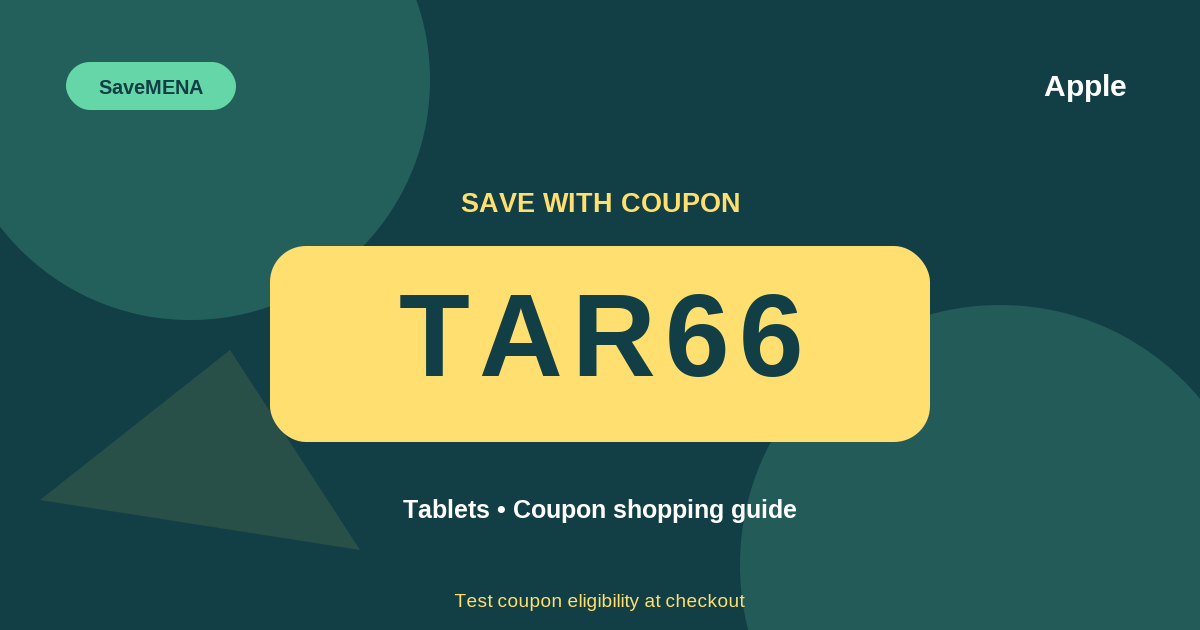
Codes available to try while comparing
These codes are not guaranteed for the article topic or listed brands; test them at checkout and use the live result.
Adding Tablets to Your Cart and Preparing for the Coupon Code
Once you’ve confirmed a seller that stocks Apple tablets, begin by choosing the exact model you wish to purchase—be it a standard iPad, iPad Air, or any current generation. Add the desired quantity to your cart, and ensure you’re logged into your Noon UAE account so the checkout process can properly apply any active codes. After the tablet sits in your cart, take a moment to review the seller’s shipping information. Confirm that the delivery address is accurate and that the seller offers the delivery slot you need. These steps avoid surprises later in the checkout flow, which can affect whether your coupon code remains valid when the final total is calculated.
A key point in this preparation is looking at the seller’s “Return Policy” section. Many Apple‑related tablets come with a warranty that may differ from the usual Noon UAE guarantee. Verifying that the seller participates in Noon’s return process (when applicable) can prevent complications if the coupon code is later disallowed due to missing warranty coverage.
Step‑by‑Step: Trying the TAR62 Code One Time
At the cart review stage, scroll to the “Apply Coupon” field and enter TAR62. The system will immediately update the discount status at the bottom of the page, showing whether the code is accepted, pending, or rejected. If accepted, you’ll see a placeholder for the discount amount, but no specific number is provided—this is intentional to avoid misleading information. If the code is not accepted, Noon will note that the coupon expires or that it is incompatible with the selected item or seller. In that case, you now have concrete data on whether TAR62 works with the particular Apple tablet and seller you picked.
Do not assume the discount is final until you reach the checkout page. The CART may give an optimistic view, but the FINAL PAID TOTAL is only confirmed at checkout. If the coupon is still active when you proceed, it sticks into the final calculation; if it is dropped, you’ll see a note explaining the discrepancy. This step is essential for testing one code at a time without mixing results.
Testing Multiple Codes One by One in the Apple Context
If you possess additional coupon codes from Noon UAE, repeat the process from the previous section for each one separately. After you test TAR62 and see whether it applies, clear the cart; add the tablet again, then input the next code. This isolated testing ensures that each code’s validity is judged against the exact seller and product combination you’re interested in. Remember that certain codes may only activate on specific sellers or for particular Apple‑related items. By systematically testing each code in this focused manner, you can create a small matrix of outcomes—some combinations may succeed, others may not.
When conducting these trials, pay special attention to any “Seller‑specific Promos” highlighted in the product or seller description. Offering codes that mention Apple or Noon may behave differently based on seller endorsement or brand affiliation. Since you’re working within an Apple seller context, cross‑checking these promos helps you understand whether they override a more general code like TAR62.
Verifying Eligibility and Final Payable Total at Checkout
Proceed to checkout only after a single code has been applied and the cart displays it as active. On the payment page, you should see a line item called “Coupon Discount” or similar, displaying the applied code. The total payable amount that follows this line is what Noon will charge you, so this is the definitive check for any savings. If the code appears but is listed as “Not Applied,” Noon will provide a reason, such as minimum purchase requirement or seller incompatibility. Be sure to read this explanation carefully; sometimes the issue lies in the selected seller rather than the code itself, especially within the Apple context.
At this juncture, verify that you have the correct shipping method selected—some sellers may require a specific delivery option for Apple tablets. Carrier fees may apply, and the final amount remainder may include these charges. A final review of this calculation before you finalize the purchase will confirm whether the coupon code truly improved your deal.
Managing Shipping, Handling, and Delivery Fees for Tablets
When dealing with Apple‑branded tablets on Noon, be aware that shipping fees can vary by seller. Some sellers provide free shipping for local delivery, while others impose a handling charge. The code TAR62 might not affect these fees; instead, it typically covers the base price of the tablet. If your chosen seller offers a delivery promotion, make a note of its terms. These promotions are separate from coupons and may stack or not stack, depending on the seller’s policy. Check the cart before you hit checkout to confirm whether the delivery discount is reflected in the total.
In the absence of explicit shipping discounts, the final price includes the product cost minus any coupon deduction, plus shipping and, if applicable, a handling fee. This breakdown appears on the checkout screen, enabling you to verify that each cost component is present and correct.
Payment Options, Taxes, and Confirming the Final Amount
Noon supports multiple payment methods, from credit/debit cards to Noon wallet or cash on delivery. If you’re employing a coupon code, choose a payment method that accommodates the final amount displayed. For example, if the payable total is below a certain threshold, some payment methods may not accept the transaction. An additional layer of variation comes from taxes. For electronics like tablets, a tax may apply to the product price after any discounts. The checkout screen should show the tax amount, and the final total—including tax, shipping, handling, and coupon discount—will be the amount that your payment method processes.
After confirming all these details, click “Place Order” to complete your purchase. The order confirmation email from Noon will list the applied coupon code, the product details, the seller, and the final amount paid. This record is your proof that the coupon was successfully applied and serves as a reference if you need to dispute a charge later.
Best Practices for Retaining Savings Across Future Purchases
Once you’ve verified that TAR62 works for a particular Apple tablet and seller, keep a note of the exact product model and seller name. This context may influence how future coupons behave—especially if you’re dealing with newer or older generations of tablets that Noon re‑stocks. Be mindful that coupons generally have a set lifespan. Even if the code works now, it may become inactive later. Retaining the date when you tested the code gives you a reference point to compare against any future coupon prompts at checkout.
For ongoing savings, consider joining any loyalty programs or newsletters that Noon offers. These often deliver exclusive codes that apply to categories like tablets, and they’re more likely to be aligned with specific sellers, thus maintaining relevance to your Apple tablet shopping.
Related SaveMENA pages
Related articles
Official sources to check
Frequently asked questions
What happens if TAR62 does not apply to my tablet at checkout?
If the coupon code shows as not applied, Noon will usually provide a reason, such as compatibility with the seller or product category. Verify that the selected tablet is offered by a seller that accepts general coupons and that you’re not exceeding any hidden quantity limits.
Can I combine TAR62 with other promotions or free shipping offers?
Coupons and free shipping promotions may or may not stack depending on the seller’s rules. Check the product and cart pages for any stacked promotion labels, and verify at checkout whether both discounts appear in the final total.
Will the discount stay on my next order if I use the same tablet?
No, a coupon applies only to the order in which it’s entered. For future orders, you must re-enter the code during the checkout process to recapture the discount, assuming the code still remains active.
Is the final payable total displayed before I confirm my payment?
Yes, Noon shows the final payable total—including any applied coupon, taxes, shipping, and handling—right before you confirm the payment. This is the definitive amount that will be charged from your chosen payment method.