Nike Women’s Fashion on Noon UAE: seller context — testing coupons one at a time · TAR78
This article guides you through the exact process of testing the code one at a time, ensuring you understand what to look for during checkout, how to confirm the
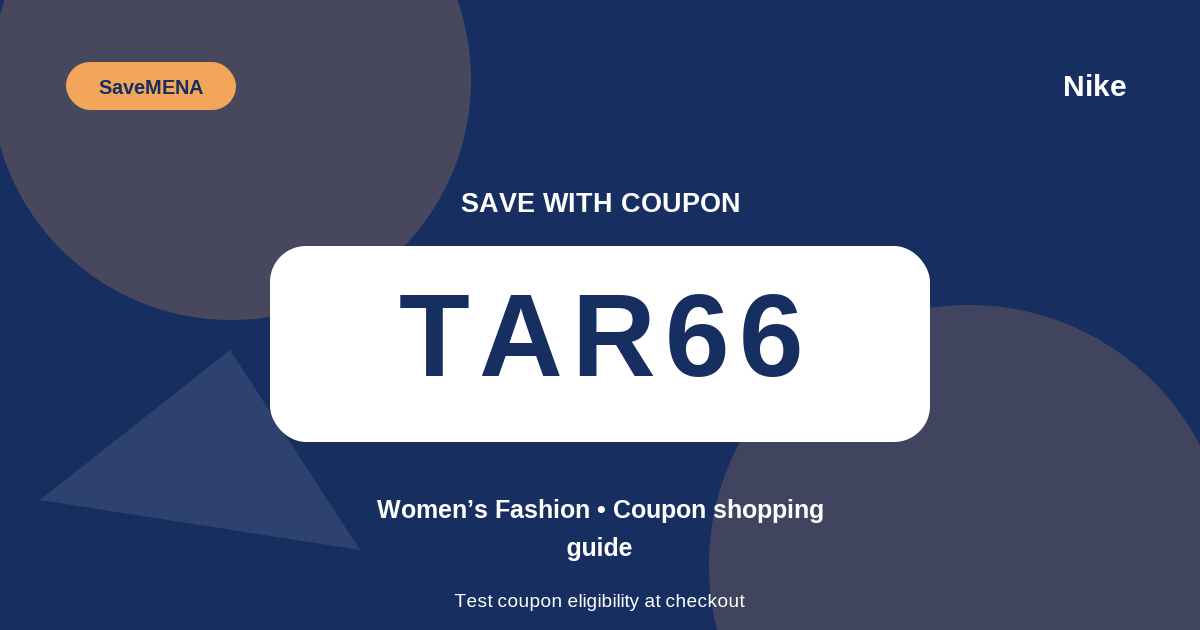
Codes available to try while comparing
These codes are not guaranteed for the article topic or listed brands; test them at checkout and use the live result.
1. Understanding the TAR78 Coupon Code for Women’s Fashion
When you encounter the TAR78 code in your search, the first thing to clarify is that it is a generic coupon that can be applied to women’s fashion items. It is not specific to any Nike product, nor is it tied exclusively to a particular seller; its primary purpose is to allow you to test whether the code is accepted during checkout. Because the coupon is described merely as "available to try," shoppers should keep realistic expectations: the code may or may not activate a discount based on current Noon policies and seller settings. Only the final totals shown after checkout will confirm its validity.
In practice, the advertiser of the coupon—here, the independent SaveMENA website—can not guarantee its effectiveness. Nonetheless, you can apply it and observe whether the checkout process reflects any change in the payable amount. If there is no visible adjustment, it indicates the coupon was either invalid or not applicable to your chosen item or seller. In that case, the next steps will guide you through troubleshooting and alternative options. The crucial takeaway is to treat the code as an experimental input rather than a reserved discount promise.
2. Identifying Trusted Nike Sellers on Noon UAE
Before adding a product to the cart, confirm the seller is a reputable Nike retailer on Noon UAE. Look for the ‘Seller Rating’ and review any verified claims of authenticity, such as the “Sold by an Official Nike Partner” badge. This ensures the item truly comes from a Nike source and not a third‑party copy. Since SaverMENA encourages coupon testing with a specific seller context, verifying the seller beforehand helps you avoid accidental purchases from unrelated merchants that might not honor the coupon. Also, check the product listing for any mention of free delivery or return policy, which can influence your final cost.
Once a seller is confirmed, examine their store hall to see if multiple items are available for search. Often sellers will display a collection of Nike women’s shoes, apparel, or accessories. This is important because different items may have varying eligibility for coupons; the seller’s listing page sometimes denotes “Coupon applicable” or “No coupon.” If the listing states no coupon, attempt to apply TAR78 anyway, as succeeding would depend on Noon’s overall coupon rules. After confirming the seller, proceed to item selection for your next step.
3. Choosing the Right Women’s Fashion Item
When selecting a product, focus on items that are typically eligible for coupon discounts according to Noon’s policies. A general practice is to choose a lower‑medium price range, such as a pair of casual sneakers or a lightweight crop top, as these items are more likely to have a broader coupon acceptance rate. Take note of product identifiers—like size, color, and material—to ensure you are adding exactly the item you wish to purchase. A common mistake is unintentionally selecting an expensive limited‑edition release that may have restrictions on coupon use.
Verify the product’s “Price” field remains consistent across various sellers. It is possible to find identical Nike items at unequal prices; choose the one that aligns best with your budget and the potential benefit of applying the TAR78 coupon. Additionally, check the “Stock” status: an out‑of‑stock listing will prevent any coupon from being applied. After confirming the item details and availability, add it to your cart while keeping the quantity at one or more, depending on your purchase plan. Moving forward, you will be ready to input the TAR78 code.
4. Adding Items to Cart and Checking Out
With your selected Nike item added to the cart, proceed to the “View Cart” section. At this point, the cart summary shows the item price, quantity, and any visible delivery charges. If you see a delivery fee separate from the item price, that is standard for Noon UAE and does not influence coupon application. You should confirm that the seller’s name appears unchanged, which indicates no automatic order–shifting based on coupon complexity occurs.
Before going to the final step of payment, you can test the code by clicking the “Apply Promo Code” button in the cart page. This opens a small dialog where you can input the coupon code during the checkout process. Only after clicking “Apply” will the system validate the code against the current order distribution. The next section walks through the exact field entry and confirmation steps to ensure you track any change in the line item cost.
5. Entering the TAR78 Code – Step By Step
To apply TAR78, type the characters directly into the promo code field. Keep a clear distinction between uppercase and lowercase; although Noon typically processes codes case‑sensitive, entering it exactly as presented reduces processing errors. After typing the code, tap the “Apply” button. No additional confirmation messages are guaranteed; the system will simply attempt validation. If the code is accepted, an updated total will appear in real‑time as shown on the payment summary panel.
Should the system display a message stating “Invalid code” or “Not applicable,” the code is either expired, restricted to other categories, or not coupled with this seller’s listing. In such scenarios, you need to log your observation in case you want to try it again later or share it with customer support. Make a note that the cart still reflects the original payable amount. It is essential to avoid proceeding to payment until you are certain whether the code produced a discount. Continue to the next paragraph to understand how to assess the results.
6. Assessing the Final Payable Total
After entering TAR78, review the “Total Payable” field located at the bottom of the checkout page. This figure will consolidate the item price, any attempted discount, delivery charges, and applicable taxes. The transition between the original price and the new one (if any) directly indicates whether the code succeeded. Remember that the coupon’s effect only applies to what Noon processes at the checkout; any seller‑specific fee or retail markup remains unchanged.
If no difference appears between the original and new totals, consider that the code was ineffective. You should not proceed to the “Continue to Pay” button in this scenario, as it would not yield savings. You can cancel the transaction and return to item selection or apply the code on a different product. By contrasting the totals, you gain a precise understanding of the coupon’s performance and can make informed decisions about further attempts or alternative deals.
7. Alternative Options if the Code Fails
In the event TAR78 does not apply, explore other Shahaf or promotional checkout methods. Check the seller’s profile for possible built‑in discounts or loyalty benefits. Some sellers on Noon offer “Free Delivery” or “Limited‑time savings” that can be confirmed by toggling the “Apply Deals” or “Add to wishlist” sections before checkout. A simple search of “Nike Women’s Fashion deals UAE” might reveal a different promo code that aligns with the same category and seller context.
Another route is to reduce the cart quantity to a single unit; certain codes activate only on single‑item purchases. Also, switch to a different product variant or color that may be sale‑eligible. Always review the “Payment Method” section before confirming the transaction, as payment type (Credit Card vs. Noon Pay) can sometimes influence coupon acceptance. Document each attempt and keep the coupon code handy for future use when the conditions change or new offers are released.
8. Practical Tips for Future Coupon Experiments
Maintain a personal log of coupon codes and their outcomes for each seller. This helps you track patterns—such as which month or product category yields higher success rates. When wanting to test multiple codes sequentially, clear your cart before entering a new code to avoid overlap errors. Also, keep your browser session active; logging out too early may reset pending coupon entries.
Make use of the Noon mobile app or web interface’s “Save for Later” option to temporarily hold items while testing other codes. This reduces the risk of inadvertently placing an order before confirming coupon applicability. Remember that Noon’s policies subject coupons to changes, so a code that failed today might work tomorrow or vice versa. Stay updated by reading the store’s news or subscribing to the seller’s newsletter if available. By approaching each attempt methodically, you ensure your savings hunts remain efficient and evidence‑based.
Related SaveMENA pages
Related articles
Official sources to check
Frequently asked questions
What if the TAR78 code works on one product but not on another?
The effectiveness of TAR78 can vary by product listing, seller, or promotional eligibility. If it works for one Nike item but not another, it suggests the seller’s specific listing may be excluded from coupon usage. Verify the product’s description for any mention of coupon restrictions and consider testing the code on similar items within the same store.
Can I apply TAR78 and still receive free shipping from the seller?
Free shipping and coupon discounts often combine if both are valid for the same order. At checkout, after applying TAR78, the system will reflect any merging of benefits. If the seller explicitly mentions “Free Delivery,” this usually applies all the way to the final payable total, regardless of other discounts. Verify by reviewing the final cost summary before payment.
Will the coupon code be displayed on the receipt?
Typically, Noon shows the applied discount next to the item total on the final receipt screen. If the coupon was accepted, you’ll see a line item deduction. However, if it was not accepted, the receipt will not indicate the code.A coupon is not guaranteed; verify its result at the retailer checkout.
What steps should I take if I suspect a try-application bug?
If you believe the code didn’t work due to a bug, first refresh the cart and re-enter the code. If the issue persists, contact Noon customer support with the order ID and coupon details. They can clarify whether the code should apply or if internal errors occurred. Keep your screen capture ready for reference.