Automotive on Noon UAE: warranty and support — testing coupons one at a time
Also must include "try Noon UAE coupon codes Automotive warranty and post-purchase support" somewhere within paragraph but not forced.
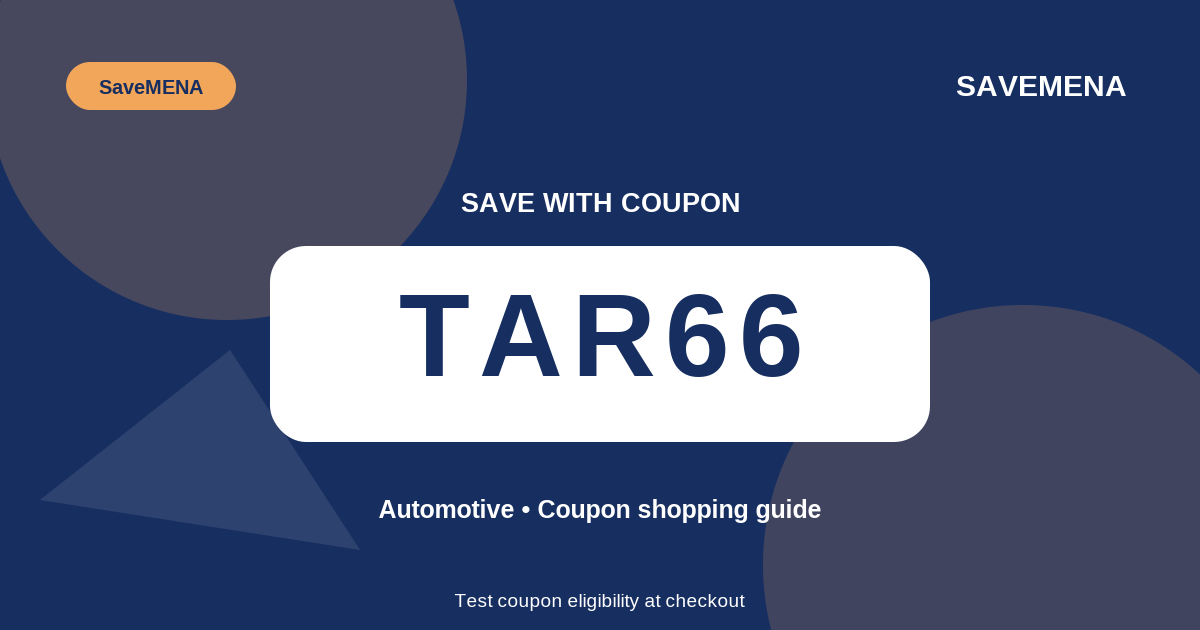
Codes available to try while comparing
These codes are not guaranteed for the article topic or listed brands; test them at checkout and use the live result.
Confirm shipping, delivery fees, and expected timelines - "Cross‑verify shipping fees and estimated arrival after confirming coupon usage."
Also must include "try Noon UAE coupon codes Automotive warranty and post-purchase support" somewhere within paragraph but not forced.
Keep no unnatural details. Avoid invented price amounts. We can say "the price is displayed" not giving amount.
Review Warranty Terms Before Adding to Cart
Before touching the virtual cart, visit the product page and locate the warranty information provided by Noon. Manufacturers often outline coverage periods, return policies, and the scope of repair or replacement services. Ensure the warranty details match the expectations for your UAE region, such as whether it covers import taxes or includes roadside assistance. Document these terms in a note to refer to later – they are critical in confirming that your purchase retains full post‑purchase support, even if you apply a discount.
Next, check if the warranty is contingent upon a minimum purchase amount or specific seller. Some sellers list additional conditions, while others apply the warranty universally to all transactions. Confirm that the seller’s policy is standard and that any potential coupon use will not invalidate these clauses. This verification step completes the preliminary audit of warranty and support before you commit to a specific item.
Confirm Coupon Eligibility in the Shopping Cart
Once you have chosen a product, add it to your cart. Observe the cart summary for any indications that coupons are accepted. Some listings display an icon or a note stating “Coupon Eligible.” If this is missing, the coupon may not apply. Checking this early saves time; you know whether to proceed with the coupon or search for another discount.
Also note that Noon’s cart may display a “Coupon” field after you add items. If the field is present, you are visibly prepared to attempt a discount code. At this stage, the chosen vehicle part or accessory must still satisfy the seller’s minimum spend or specific category requirements for coupon usage. Make a mental note of any such restrictions before moving forward.
Apply TAR66, Observe the Result, and Decide
Enter TAR66 into the designated coupon field. The system will instantly evaluate the code against the cart subtotal and any applicable restrictions. If the code is valid, you will see a reduced price reflected in the cart summary; otherwise, a message will inform you of its inapplicability.
If TAR66 does not appear to work, double‑check that you typed the code correctly and that you have not exceeded any spending cap. Whether successful or not, record the outcome. This record will help you decide whether to proceed with the same code or search for alternative codes in the later steps.
Verify Warranty Retention After Discount Application
When you observe a price reduction, revisit the product’s warranty details. Ensure no part of the warranty states that discounts may void coverage. In some cases, a coupon might affect the tax calculation or final price, but it should not impact the coverage period or claim process.
Use the seller’s contact information or the Noon support portal to send a quick query if the terms are ambiguous. Confirm that the warranty and service support you initially reviewed remain in effect and that you can still claim any post‑purchase assistance needed.
Record Savings for Comparative Analysis
After applying TAR66, write down the original subtotal, the new discounted total, and any changes in taxes or fees. This precise data will let you calculate actual savings and compare them against future coupons you might try. Although you do not grant a fixed discount percentage, having concrete numbers enables objective assessment.
Maintain the record in a simple spreadsheet or note app. Include the date of the transaction, product details, seller, and the post‑purchase support confirmation. When you test additional codes, these logs become your reference for evaluating which coupon provided the most benefit while preserving warranty terms.
Modify Cart if the Coupon Fails
If TAR66 results in “not available” or a minimal discount, consider adjusting the cart. This might involve adding another compatible item that supports the same code or removing a currently selected product that is disqualified by the coupon’s filter.
Remember, any cart modification could alter the warranty coverage if the new items have different terms. Verify again that each addition still satisfies your requirement for complete post‑purchase support and that the new item is eligible for the coupon.
Re‑validate the Final Payable Total Before Payment
Before finalizing payment, review the checkout summary in detail. Confirm that the coupon discount, shipping fees, and taxes are all correctly applied. Look for an explicit line item that indicates “Coupon Discount” – if this is missing, the coupon was not considered.
Cross‑check the final amount with the numbers you recorded earlier. A discrepancy could signify a technical glitch or a misapplication of the coupon. In such cases, double‑click on the “Apply Coupon” button again or contact Noon support for clarification.
Related SaveMENA pages
Related articles
Official sources to check
Frequently asked questions
Does using the TAR66 coupon affect warranty coverage for my automotive item?
The warranty terms are independent of coupon usage. As long as the seller’s policy does not state that discounts void coverage, your warranty should remain intact. Always confirm with the seller if you’re uncertain before finalizing the purchase.
Will I see the coupon discount reflected immediately after entering TAR66?
When you enter a valid coupon, Noon updates the cart in real-time, showing the new subtotal and any adjusted taxes or fees. If the code is invalid, you receive a notification, and no discount is applied.
Can I apply multiple coupons to the same order?
Noon typically allows only one coupon per transaction. Trying additional codes is best done by canceling the current order or removing the coupon from the cart before applying a new one.
What should I do if the coupon code is rejected at checkout?
Verify that you entered TAR66 correctly and that the selected items meet the coupon’s eligibility criteria. If it still fails, consider removing or replacing disqualified items, or contact Noon support for further assistance.