Apple Headphones on Noon UAE: warranty and support — testing coupons one at a time
Before you even look at a coupon code, clarify what you expect from your headphones. Are you a music lover who requires studio‑grade clarity, a gamer chasing low
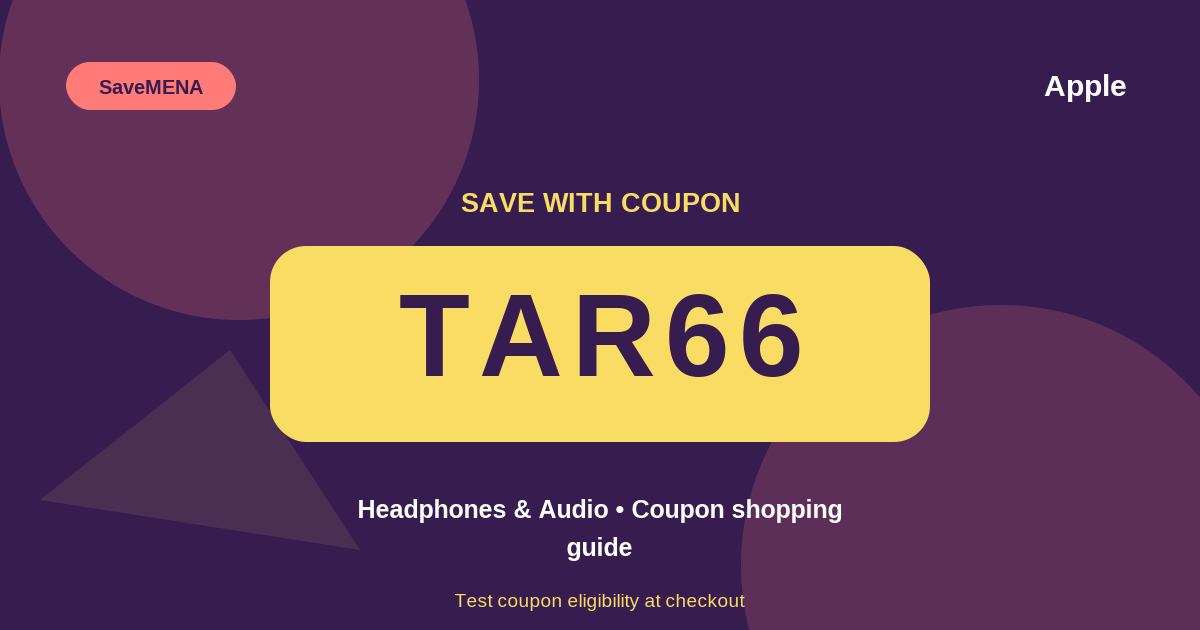
Codes available to try while comparing
These codes are not guaranteed for the article topic or listed brands; test them at checkout and use the live result.
1. Identify Your Headphone Needs and Warranty Priorities
Before you even look at a coupon code, clarify what you expect from your headphones. Are you a music lover who requires studio‑grade clarity, a gamer chasing low latency, or a commuter who needs superb battery life? Knowing the specific use case will let you narrow the field to models that match those demands. Hearing problems that arise in high‑end gear often reflect inadequate driver build quality, so a solid warranty becomes a safety net for those extra cents you might otherwise lose.
Simultaneously, evaluate what a warranty should cover for your chosen scenario. Does it include accidental drops, battery replacement, or software updates? Apple’s standard warranty usually protects against manufacturing defects for up to one year, but additional coverage can be purchased if you desire protection that lasts longer. By listing your warranty expectations beforehand, you will avoid disappointment when the post‑purchase support falls short.
2. Verify Brand Reliability and Apple Warranty Options
Apple’s ecosystem is renowned for its cohesive hardware and software experience, which extends to its audio products. Before selecting an Apple‑branded headphone model, check independent user reviews and technical forums to gauge how often devices require repairs. A high repair rate suggests a potential gap in the standard warranty, prompting you to consider extended coverage or aftermarket support plans.
Apple’s official warranty covers defects in materials and workmanship for one year from the purchase date. It does not typically cover accidental damage, which can leave you responsible for repair costs. Businesses that supply post‑purchase support may offer additional warranty extension packages; you should inquire about terms such as claim limits, duration, and the points of contact for support before finalizing your purchase.
3. Comparing Headphone Models with Post‑Purchase Support
Once brand and warranty factors are settled, compare competing headphone designs that share similar price points. Pay particular attention to the manufacturer’s after‑sale service network—do they have local service centers in Dubai, Abu Dhabi, or Sharjah? A robust local network simplifies claim processes and reduces delivery times for parts or replacements. Use the platform’s seller information to confirm whether the vendor offers dedicated customer support or relies on third‑party repair services.
Other variables, like connectivity range and ANC (Active Noise Cancelling) performance, often correlate with overall build quality. Products that receive strong accolades for durability tend to entrust warranty coverage for a longer period, making them more resilient to wear and tear. A quick side‑by‑side comparison of warranty details and local support can help you decide which pair delivers the most value for your investment.
4. Using the TAR66 Code: Step‑by‑Step
The TAR66 coupon code is available for testing on Noon UAE; simply find it in the coupon listing and copy it to your clipboard. During your checkout flow, the platform will present a “Coupon” field where you paste the code among other applicable discounts. The system validates the code against current promotions and may return a confirmation or a nudge if conditions aren’t met.
Since we cannot guarantee the code’s functionality, observe the preliminary discount amount displayed next to your order total. If the discount does not appear, it may indicate that the code is expired, the item is out of the coupon’s scope, or the code requires additional qualification—such as a minimum spend. In such cases, proceed without the code to avoid billing complications at final checkout.
5. Checking Coupon Applicability during Checkout
After you paste TAR66 and hit “Apply,” note whether the system accepts the code without error. The interface usually updates the total price immediately. However, confirm from the order summary that the discount amount matches the expected value set by the coupon’s original terms, or else it might be a placeholder awaiting confirmation.
Do not assume the code applies if the discount field is blank or displays “Invalid code.” If the coupon can only apply to specific products or categories, double‑check that your chosen headphone model is within that scope. The final payable amount displayed in the confirmation step is the definitive measure of whether the code will factor into your bill.
6. Confirming Warranty Coverage Post‑Purchase
Once your order goes live, retain the order confirmation email and purchase receipt. Both documents typically list the warranty length and any stipulations tied to the unit or seller. Confirm that the Apple warranty is included and check if any extended plan was purchased with the headphones.
To keep your warranty record handy, store the receipt and warranty terms in a digital notebook or cloud folder. Some users also register the device on the Apple website to activate the warranty personally; you can do this by inputting the serial number on the company’s warranty checker page. A completed registration often acts as proof should you need to file a post‑purchase claim later.
7. Monitoring Return and Replacement Processes
In the event your headphones require repair or replacement, direct communication with the seller is vital. Most platforms provide a ticket system where you can describe the issue and attach images. When you claim under the Apple Warranty, the company may request a return authorization (RMA) number before sending a replacement.
Track the RMA status via the online portal or through email updates. For expedited service, note if the seller offers same‑day pick‑up or local drop‑off points. Keeping a log of every interaction ensures that your warranty claim is processed efficiently and that you’re updated on timelines for repair or dispatch of a new unit.
8. Planning for Future Upgrades and Support Continuity
Warranties expire, and technology evolves. Employ the experience from your current purchase to forecast future upgrades. If you’ve built a reliable support network for your current headphones, check whether the same partners offer similar service for upcoming models, especially if you plan to stay within the Apple ecosystem.
Stay informed about Apple’s warranty extension offers or third‑party plans that cover accidental damage. Occasionally, retailers release subscription services that bundle support, device insurance, and firmware updates—all of which keep your audio gear protected far beyond the standard period.
Related SaveMENA pages
Related articles
Official sources to check
Frequently asked questions
What should I do if the TAR66 code doesn’t work during checkout?
If the code does not apply, verify that it’s still valid and that your headphones are eligible. Check the coupon details for conditions like a minimum spend or product exclusions. In some cases, contacting Noon’s support can clarify why the code failed.
Is Apple warranty sufficient if I accidentally drop my headphones?
Apple’s standard warranty does not cover accidental damage. For drops, rely on the seller’s return policy or consider purchasing an extended warranty that specifically protects against accidental damage.
How can I ensure I’ll receive post‑purchase support after buying from Noon?
Maintain the order confirmation and warranty documentation. Register your device on Apple’s website, and keep RMA or support tickets documented in case you need to file a claim later.
Can I combine TAR66 with any other discount?
Coupon stacking varies by platform. Before applying multiple codes, review Noon’s coupon policy; usually, only one discount applies per transaction unless explicitly stated.