Anker Mobile Accessories on Noon UAE: warranty and support — testing coupons one at a
try Noon UAE coupon codes Mobile Accessories Anker warranty and post-purchase support: Test multiple Noon UAE coupon codes one at a time, and ask yourself: “Will
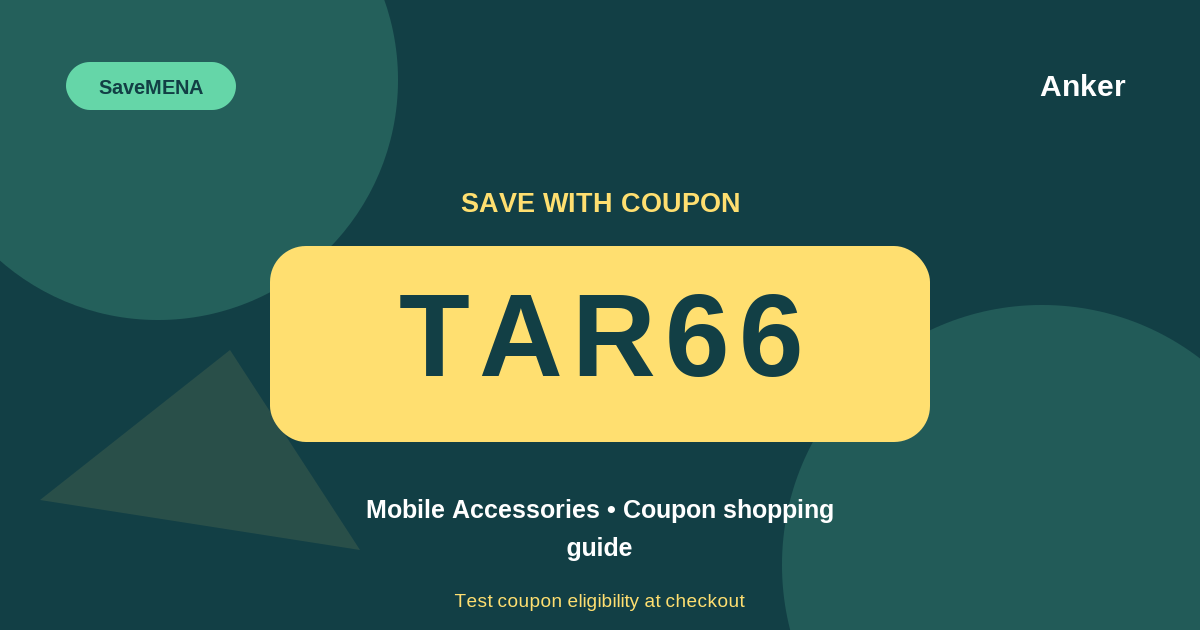
Codes available to try while comparing
These codes are not guaranteed for the article topic or listed brands; test them at checkout and use the live result.
Verify If the Product Supports Noon UAE Coupon Codes
Before you even add an Anker mobile accessory to your cart, locate the “Coupon” field on the product page. In the Beale zone of Noon UAE, you will find a text box labeled Coupon or a prompt asking “Do you have a coupon code?” If the option appears, the page confirms the item accepts coupon codes. Do not rely on the assumption that all Noon listings do; some sellers specifically restrict discounts on certain categories or bundles. The presence of this section means the site engine will accept a code during checkout, but it still requires a successful verification step later.
The next step is to attempt to enter TAR66 in the coupon visual field while the item remains in your basket. The system should respond with a brief message indicating whether the code is valid, pending, or invalid. Do not trust a quick “Code applied” confirmation if you have not yet visited the payment screen; the message can change once you confirm payment method or enter your personal address. This double‑check eliminates the risk of proceeding with a code that only appears to work in the listing view, ensuring the discount is indeed eligible at checkout for the specific Anker mobile accessory you intend to buy.
Inspect the Anker Warranty Features on Mobile Accessories
Anker’s mobile accessories typically promise a standard product warranty, but the exact duration and terms can differ by item—USB cables, power banks, or wall chargers. Read the “Warranty” or “Return Policy” section under the product details and note the number of months, coverage scope, and any limitations like “parts only” or “against manufacturing defects.” A clear, unconditional warranty is a good indicator of the seller’s confidence and readiness for post‑purchase support. For a UAE buyer, verify if the warranty is valid across the entire region and whether it requires registration or a claim portal.
Alongside the warranty, assess the mechanisms available for claim submission. Is there a dedicated online portal, a Hotline number, or a local service center? Billing support for Anker products often includes proactive troubleshooting from the seller or the brand. Cross‑refer the seller’s claims process with the warranty details; if the seller offers a dedicated return center for Anker accessories, this demonstrates stronger post‑purchase support. Document the steps needed—photos of the defect, purchase proof, and the warranty card—to evaluate how smooth the process might be should you need to file a claim after the TAR66 discount is applied.
Compare Anker Brands With Similar Accessories for Value
When shopping for Anker mobile accessories, it’s wise to benchmark similar items from competitors or other Anker ranges. While the search intent revolves around To apply a coupon to an Anker product, the comparative study informs whether the discounted price is truly competitive. Look for identical specs such as power output, cable length, or capacity. Contrast the price point of the Anker item with the same features listed by other reputable sellers, then factor in the coupon’s potential benefit to ensure total value.
In addition to the price comparison, consider the warranty rail differences. Competing brands may provide longer or more inclusive guarantees, yet the Anker warranty may exude confidence. Therefore, tally the warranty duration, claim support avenues, and any Tier‑upgrades for free replacements. When the TAR66 code is applied, the final amount will reflect the item’s base cost minus the discount, aligning the purchasing decision with your support expectations. Assessing this holistically ensures that the coupon usage does not compromise the level of warranty and post‑purchase support you eventually receive.
Evaluate Store Rating and Customer Feedback for Post‑Purchase Confidence
Anker mobile accessories sold on Noon UAE can be backed by various sellers; the store’s overall rating is a first cue to gauge reliability. A seller with a high rating, numerous positive reviews, and a history of resolving buyer concerns usually offers stronger post‑purchase support. Pay attention to comments that mention “return process” or “warranty claim experience.” In the UAE context, look for feedback citing fast resolution or local support centers, indicating that the seller’s logistics network is robust.
Dive deeper into product‑specific reviews, filtering for experiences that match your potential claim scenarios—broken cables during shipping, defective chargers, or mismatched ports. If many users experience issues but the seller or brand responds promptly, that signals a solid support chain. Signs of unresponsiveness or vague replies, however, may indicate a downgrade in post‑purchase service. Use this insight to verify that a TAR66‑discounted Anker accessory comes from a seller whose support aligns with your warranty expectations, rather than skimping on service after the sale.
Confirm the Application of the TAR66 Coupon During Checkout
Once the item is in the cart with a visible confirmation of the coupon’s acceptance, proceed to the checkout page. Here, the total cost before tax and shipping appears, followed by any coupon deduction in a separate line item. The final payable amount incorporates the discount, cumulative taxes, and shipping fees. Verify that the discount line states “TAR66 Discount” or an equivalent description to confirm that the coupon has been honored in the transaction computation.
Before finalizing the order, double‑check that the displayed price matches the amount that will be deducted from your chosen payment method. Look out for unexpected adjustments such as taxes or additional seller fees that could offset the coupon benefit. Remember that coupon applicability is only confirmed at this stage. If the field still shows “coupon code not valid” or a different code, it is prudent to revert or try re‑entering TAR66. If all details align, you can safely complete the purchase and move on to the support confirmation.
Plan Your Return or Exchange Route for Mobile Accessories
Even with a robust warranty, mistakes happen—perhaps a cable’s polarity is reversed or a power bank’s capacity is mislabeled. Inscribe the return or exchange steps before the order is finalized. Check the seller’s return policy for Anker accessories: required return packaging, pre‑paid labels, or a local drop‑off address. Different sellers might support returns via Noon’s platform or directly to the brand’s service hub. Align this plan with your warranty claim structure to avoid overlapping procedures.
Record the expected timeline for a return or an exchange—days to process, expected refund method, and whether the item is restocked. If the seller offers “express return” for warranty claims, this should be factored during the decision making. Keep all purchase receipts and COMEX transcripts for trouble‑free claims. By having this route drafted ahead of time, you enhance confidence that any post‑purchase issue with your Anker item can be resolved promptly following the TAR66 coupon transaction.
Prepare Your Registration for Extended Warranty or Post‑Purchase Support
Several Anker accessories provide an option to register online for a complimentary extended guarantee or add a paid warranty plan. Examine the product page for a “Register” section or a QR code linking to Anker’s warranty portal. Registration often enables you to track claim status and receive priority service. Check that the portal is accessible from the UAE and that it accepts your billing details without billing mismatches.
If you opt for an extended plan, confirm the cost and coverage before the final payment. The registered details will populate into your order confirmation, and the seller may record your warranty jurisdiction during checkout. Align this registration step with the TAR66 discount so that the final price still includes the coupon while ensuring you receive the extended warranty benefits. A seamless registration indicates efficient post‑purchase support, especially if the claim portal offers live chat or email contact options to expedite issue resolution.
Review Final Order Summary to Ensure All Elements Align
After payment confirmation, print or screenshot the final order summary. Verify that: the item quantity is correct, the Anker model matches your research, the TAR66 discount is reflected in the “Discount Applied” line, and the total reflects taxes and shipping accurately. The summary should also list an order reference number, which is essential for future warranty or return communications.
To cement post‑purchase confidence, confirm the seller’s contact details and the return address in the summary. These fields should be consistent with the earlier steps you examined. If any discrepancy appears—such as a different seller or a mismatch in product name—reach out to Noon's customer service immediately before canceling the order. A clear, error‑free order summary ensures that you and your Anker accessory are protected by the correct warranty scheme, and that the TAR66 coupon’s effect is preserved in the final charge.
Related SaveMENA pages
Related articles
Official sources to check
Frequently asked questions
What does the TAR66 coupon code do on Noon UAE?
The TAR66 code is a coupon that can be entered during checkout to apply a discount to eligible items, such as Anker mobile accessories. The final discount amount is only confirmed when the code is valid at payment time, and the coupon must be entered in the designated field.
Will the Anker warranty still apply after using a coupon?
Yes, applying a coupon does not affect the manufacturer’s warranty. The warranty coverage remains unchanged, and you can still file a claim for defects within the stated period, following the same procedures outlined on the product page.
Can I return an Anker accessory if I am not satisfied?
Each seller on Noon UAE specifies a return policy for Anker accessories. Verify the policy during checkout, noting time limits and whether a prepaid return label is provided. Retain the receipt and packaging for a smooth return.
Do I need to register my Anker accessory for warranty claim after buying?
Registration is optional but recommended. Some Anker accessories allow online registration to activate extended support or track claims. Follow the product’s registration instructions if you desire enhanced post‑purchase service.