Nike Women’s Fashion on Noon UAE: warranty and support — testing coupons one at a time
Before adding items to your cart, locate the coupon field on Noon’s home page. Input TAR66 and observe if the system accepts it without error.
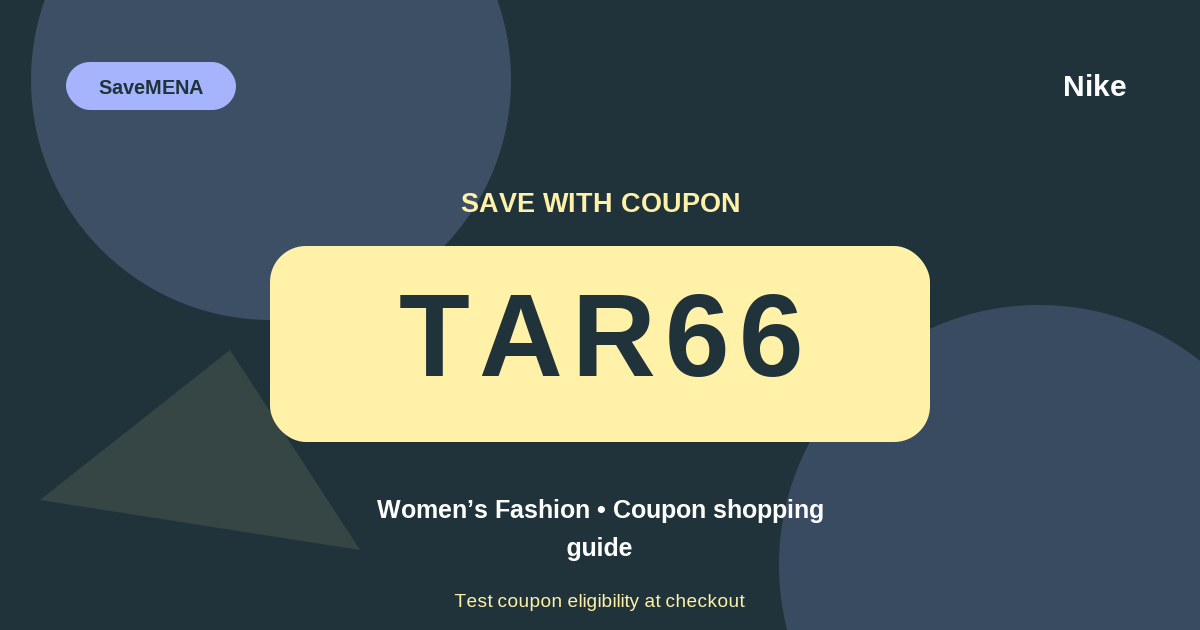
Codes available to try while comparing
These codes are not guaranteed for the article topic or listed brands; test them at checkout and use the live result.
1. Verify Coupon Compatibility with Your Cart
Before adding items to your cart, locate the coupon field on Noon’s home page. Input TAR66 and observe if the system accepts it without error. A successful entry will indicate the coupon is still active and eligible for the selected category. If you see a message that the coupon is invalid or unavailable, you have not yet confirmed its applicability; try adding a small, generic item from Women’s Fashion to the cart and retry. This double‑check avoids the frustration of waiting for a failed checkout.
Once the coupon is acknowledged, re‑examine the list of eligible categories on the confirmation page. Even if the code appears valid, it may be restricted to specific product categories or sellers. Pay special attention to any banner stating “Only valid for specific brands” or “Not across all categories.” Ensuring that the Nike items you intend to purchase fall within that scope will help prevent the coupon’s removal at the last moment. The goal is to confirm endorsement before you proceed to payment.
2. Check Warranty Coverage Terms on Nike Apparel
On the product detail page, scroll to the warranty description provided by the seller. Nike items often come with manufacturer guarantees that cover defects for a limited period. Confirm the duration and what components of the apparel are covered – for instance, stitching, zippers, or fabric integrity. Documenting these details before purchase means you know exactly what to expect if the item needs repair or replacement.
Next, review Noon’s own warranty disclaimer, which may offer an extended warranty or a warranty repair network in the UAE. If Noon provides a service center or a token for warranty claims, check the validity period and whether you must register the product online. This information is crucial because the warranty’s usability directly impacts your post‑purchase support options and your confidence in the product’s longevity.
3. Inspect Post‑Purchase Support Channels
Find the “Customer Support” section on Noon’s site or app, and look for a dedicated help center link. Within that hub, search for posts about Nike apparel warranty claims. Identify whether the process involves email proofs or requires a physical approach to the seller’s service unit. Having a clear understanding of the required steps and the expected response time helps you gauge the practicality of support after buying.
Also, verify if the support timeline is mentioned – average resolution times, status tracking, or escalation procedures. A system that allows you to see your claim progress in real time is preferable. Note the contact numbers or chat options for urgent inquiries. Knowing how to reach support quickly can resolve warranty issues before they impact your broader shopping experience.
4. Compare Return & Exchange Policies for Nike Items
Open the “Returns” policy page specific to the seller handling the Nike product. Confirm whether the return window starts immediately after delivery or after the item is inspected. Pay attention to conditions such as maintaining tags, original packaging, and whether a restocking fee applies. Having this clarity ensures that, if you discover a defect, you will know the exact steps to request an exchange or refund.
Measure the seller’s exchange policy – some sellers allow a single exchange while others limit to two. Identify any restrictions on the size or style of exchange options. Knowing the breadth of the exchange range, especially for items with specific Nike trademarks, provides a realistic expectation of after‑purchase flexibility in case the garment does not meet your needs.
5. Track Delivery Status & Document Shipment Details
After confirming payment, access Noon’s order tracking page. Record the logistics partner and the expected delivery window. Note any update timestamps and the location marker for shipment movements. Keeping accurate track supports warranty claims that might rely on proof of delivery dates to confirm shipping conditions.
If a delay or mishap occurs, use the tracking information as evidence when contacting customer support or the seller. Screenshot the status before reaching out. This procedure ensures that any post‑purchase support request is backed by concrete delivery data, which can accelerate resolutions for lost or damaged packages.
6. Gently Test Product Quality Before Finalizing
Upon arrival, perform a quick visual inspection of stitching, seams, and zippers. If the item has been stored incorrectly, check for potential creases or discoloration in the fabric. Document these observations with a photo if you suspect a defect. A photo provides solid evidence for any quality concerns that may be raised during warranty service.
Wear the garment for a short period to confirm that the fit, comfort, and flexibility meet your expectations. Do not delay noticing a significant issue like a broken zipper or uneven seams. Early detection not only saves time but also strengthens your claim when you call for warranty support, as you can reference the exact defect you encountered.
7. Contact Customer Service for Warranty Claims
If a warranty issue arises, initiate the claim using Noon’s support portal, ensuring you provide your order ID and a brief description of the defect. Attach images if available. Follow the support flow until you receive an approval ticket or a return label. Keep all correspondence digitised for future reference.
When you ship back or forward the item, note the package tracking number. Elevated warranty legitimacy often hinges on timely submission, so adhere strictly to the timeline specified in the seller’s warranty guidelines. This proactive approach helps avoid delays in processing and underscores that you are following the recommended protocol.
8. Document Everything for Future Reference
Create a dedicated folder on your device or a cloud drive, naming it after the order number and product description. Save the coupon usage confirmation, receipt, warranty terms, return policy screenshots, and any customer support interactions. Having a consolidated record simplifies warranty or return processes if issues arise after the warranty period ends.
Use this documented trail to verify whether the TAR66 coupon influenced the final payable amount during checkout. Compare the pre‑coupon subtotal with the final total after all fees and taxes. If uncertainty remains, contact Noon’s support for a detailed invoice. Proper record‑keeping will empower you to contest any discrepancies and uphold your rights throughout the purchase lifecycle.
Related SaveMENA pages
Related articles
Official sources to check
Frequently asked questions
How can I verify if TAR66 is accepted for my Nike purchase?
Enter the code on the coupon field before adding items to your cart. If it is accepted, the page will show a discount confirmation and update the total. If it is rejected, the field will clear or display an error. Only once accepted can you be certain the coupon is active for that order.
What documentation is needed to claim a warranty from Nike on Noon?
Maintain the original product photo, keep the order confirmation, and note the date of purchase. For a warranty claim, log into Noon’s support portal, provide the order ID, and attach photographic proof of the defect. This evidence supports a smooth claim process.
Can I combine TAR66 with other coupon codes?
Noon typically allows only one coupon code per transaction. Applying multiple codes simultaneously will usually result in the last one entered overriding the previous. To test each code, enter them individually in separate checkout attempts.
What if the Nike item fails to meet warranty terms after delivery?
Contact Noon’s customer support as soon as possible, provide your ticket number, and request a return or replacement according to the warranty terms documented on the seller’s page. Follow the instructions given to return the product for a resolution.