Logitech Computer Accessories on Noon UAE: account eligibility — seller checks · TAR98
Noon’s marketplace hosts thousands of official and third‑party sellers, each with distinct shipping, return, and support policies.
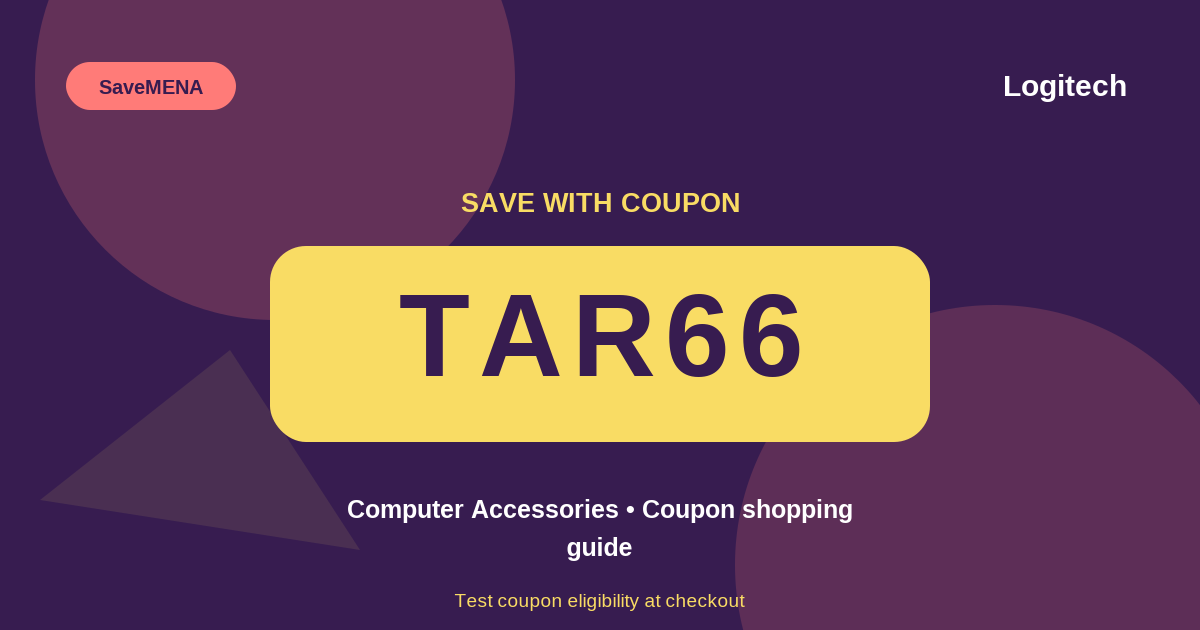
Codes available to try while comparing
These codes are not guaranteed for the article topic or listed brands; test them at checkout and use the live result.
Understanding Noon UAE Seller Dynamics
Noon’s marketplace hosts thousands of official and third‑party sellers, each with distinct shipping, return, and support policies. For a Logitech accessory, the seller may be the official Logitech distributor or a reputable tech retailer. The seller’s layer sits between your account and the coupon code; you can only invoke “TAR98” if the seller’s account is set to accept it. A seller with too many pending disputes or a history of late deliveries may automatically flag the coupon usage. Meanwhile, sellers with verified stock and rapid dispatch usually display their eligibility status in the product description, enabling you to decide early if the coupon will engage. This first layer clarifies whether your attempt to apply the code will be blocked by the seller’s internal policy, before you even reach the checkout stage.
In practice, a Sudan‑based logistic hub or a Dubai‑based fulfillment center could affect the seller’s readiness to handle the coupon. Checking the “Seller Profile” tab for any “Pending Alerts” or “Seller Rating” disqualifications is essential. Keep in mind that a seller’s standing can change daily, so always refresh the page before selecting the product for your cart.A coupon is not guaranteed; verify its result at the retailer checkout.
Why Account Context Matters When Applying Coupons
Your Noon UAE account is the bridge that connects you to merchants and discounts. Certain coupons, including “TAR98,” may be contingent on your account’s subscription tier, regional residency status, or order history. If your account is flagged for high‑risk behavior or has a history of returns, the system might reject the coupon altogether. Checking your account dashboard for a clear “Active” status and confirming that your profile is verified (email, phone, ID) are the first checks. The coupon will not apply if your account fails a verification hurdle, no matter how enticing the offer appears.
To further embed the account perspective, you should confirm that your payment method matches the merchant’s accepted currency. For zero‑fuss coupon processing, ensure your wallet holds the default UAE dirham (AED) balance and is pre‑authorized for transactions under the store’s existing vendors. These steps test whether the account is structurally poised to receive the “TAR98” code. Because the duty to verify is optimally completed before adding an item to the cart, you gain certainty that the coupon runway will stay open throughout the checkout.
Confirming Seller Eligibility for TAR98 on Logitech Accessories
Not every Logitech accessory sold on Noon will allow the “TAR98” coupon, as the suffix may be mutually exclusive with certain vendor configurations. While the product listing might show “Coupon Available,” the merchant’s backend assigns the coupon permission per brand line. Verify that the Logitech item’s seller tag specifically states “Accepts Coupon.” If the seller’s message indicates the coupon is optional, you can still proceed safely.
Sometimes sellers merge multiple brands; therefore, a Logitech product may sit under a broader “Computer Peripherals” bundle. Double‑check that the bundle’s sub‑category includes the licensing clause for coupons. A quick scroll to the product’s “Seller Info” or “Terms” section will reveal whether “TAR98” is a permissible addition. Once the seller’s compatibility is confirmed, you can confidently apply the coupon without hitting an errant prompt that forces you to abandon the transaction.
Verifying Your Account Status Before Coupon Entry
Before you even click ‘Apply Coupon,’ your account must be in a clean state. This includes ensuring that there are no outstanding balances from prior orders, and that any subscription toggles are activated. Browse your account’s “Orders” tab; any flagged or pending orders need resolution beforehand. The same rule applies to coupons: if a previous coupon remained unredeemed, it may trigger a system block on subsequent attempts.
For reliability, open a new incognito browser window and log into Noon with fresh credentials. This test eliminates potential cookie or session caching that might falsely display account restrictions. Once logged, run a quick search for a Logitech item, and before you add it to cart, try inputting “TAR98” in the coupon field. If the screen renders a “Sorry, this coupon is not applicable” message, examine your account dashboard for a red flag or an unstated rule. You’ve now turned account verification into a live test.
Step‑by‑Step Checkout Process with TAR98
After confirming seller and account alignment, place the Logitech accessory into your cart. During the checkout wizard, you will see the “Coupon Code” field on the payment summary page. Input “TAR98” and press Apply. If the code is valid for this seller and your account, the page will immediately refresh and recalculate the final total—without revealing an explicit discount. No number will be displayed; the updated total will simply be the new payable amount.
If the coupon fails, the system lists a clear rejection reason, such as “Coupon not valid for this purchase” or “Account restriction applies.” At this juncture, you should cross‑check the seller’s eligibility again and ensure that your account status is still active. Keep in mind that the final price you pay is locked at this stage; if the apply button turns inactive or the code is stripped, you proceed without a discount. This step confirms that the coupon code worked or clarifies why it didn’t, offering actionable options thereafter.
Common Pitfalls: Account Restrictions and Coupon Misses
The most frequent stumbles revolve around outdated payment methods or dormant account states. For instance, if the credit card on file has expired or surpassed the store’s risk threshold, Noon may deny coupon activation, even if all other criteria match. It is expected that you review the “Payment Methods” section and replace any stale entries before finalizing the purchase. If you notice a “Payment Pending” flag, change the method or activate a new one. This remedy usually unlocks coupon processing as the system no longer sees a risk factor.
Another pitfall emerges when the seller’s marketing pushes “TAR98” as a promotional code for a bundle that you haven’t recognized as such. A Logitech “Keyboard + Mouse” combo might require that both items be in your cart at the same time for the coupon to work. If you inadvertently added only one product, the coupon exclusion message will appear. Ensure that your cart composition precisely matches the terms displayed on the seller’s page. These seemingly small mismatches can turn a promising discount into a dead‑end.
Best Buy: Logitech Computer Accessories on Noon UAE Sellers
Logitech’s catalog on Noon can vary: from gaming headsets to professional trackballs. The vendor list typically shows official Logitech distribution partners based in Dubai.A coupon is not guaranteed; verify its result at the retailer checkout. Some sellers allow “TAR98,” while others do not. Thus, browsing the individual item’s “Seller” label and verifying the “Coupon Accepted” tick is vital before adding to cart.
In addition, be attentive to the product’s “Delivery” section. Some UAE retailers reserve “TAR98” only for same‑day delivery if the item is stocked locally. If your shipment origin differs, the coupon may be restricted. Re‑open the seller profile, locate the “Fulfillment” detail, and confirm that the shipping origin aligns with your cart.A coupon is not guaranteed; verify its result at the retailer checkout.
Bottom Line: Making the Most of Your Account & Coupon
By anchoring your shopping strategy around the account context, you turn what could be a cookie‑blowout into a smooth transaction.A coupon is not guaranteed; verify its result at the retailer checkout. The coupon “TAR98” is a tool, not a guarantee; it must pass the hurdle of seller compliance and account readiness. When you are confident that both passenger worth the gateway, the final payoff is an effortless, potentially better‑priced Logitech accessory.
Remember, your evening purchase checklist includes: (1) seller verification, (2) account confirmation, (3) coupon application, and (4) final checkout review. With these steps, you preserve the chances that the “TAR98” code applies and your solo shopper journey on Noon UAE remains efficient. So next time you’re eyeing that Logitech mouse, keep these checkpoints in mind, and let the account context guide your way to a successful coupon redemption.
Related SaveMENA pages
Related articles
Official sources to check
Frequently asked questions
Does the coupon “TAR98” provide a fixed percentage off?
No explicit discount percentage is stated; the coupon only confirms that a new total is possible when applied correctly.
Can I use “TAR98” on any Logitech product?
Coupon usage may be limited by seller policy and item type; always review the seller’s eligibility before adding to cart.
Can I try “TAR98” on a different catalog entry after it fails?
Yes, but first resolve any account or seller restrictions that caused the failure and then retry with the same code.
Will “TAR98” affect my payment or delivery fees?
Coupon application may influence the final payable amount after all fees are calculated, but the specifics depend on the seller’s pricing structure.