ASUS Gaming on Noon UAE: account eligibility — seller checks · TAR98
If you’re a gamer with an ASUS account looking to snag a deal on Noon UAE, the first step is to confirm the seller’s credibility before you even think about
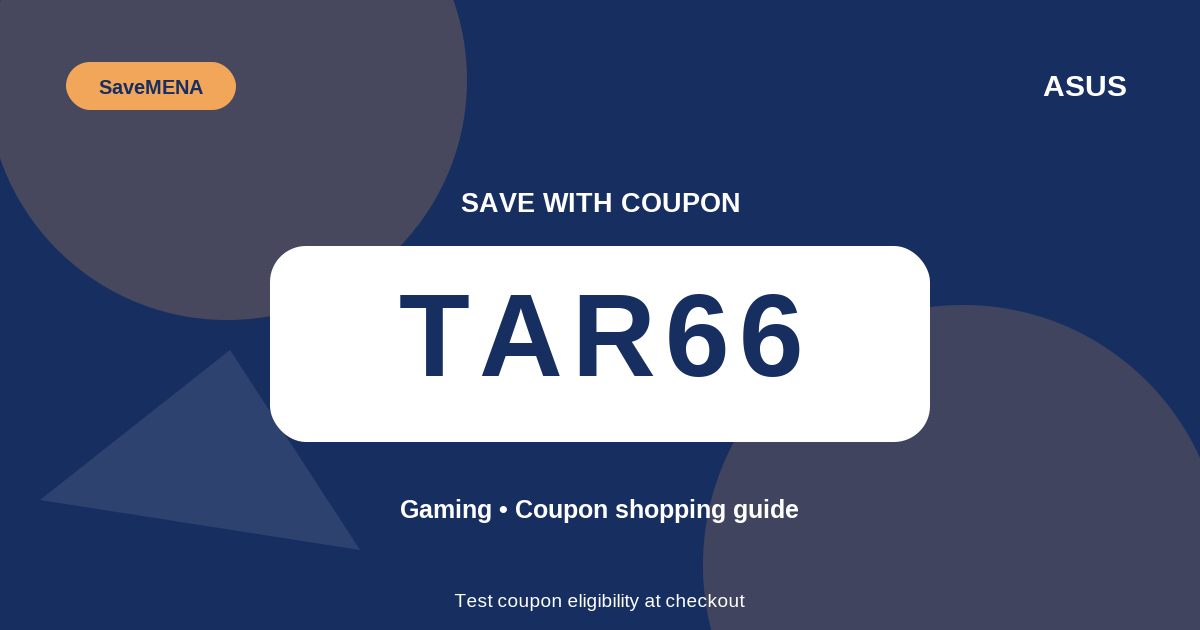
Codes available to try while comparing
These codes are not guaranteed for the article topic or listed brands; test them at checkout and use the live result.
1. Evaluating Noon UAE Seller Reliability
The first place to start is the seller’s profile on Noon. A solid reputation is typically indicated by a high overall rating and a substantial number of customer reviews. These ratings are cumulative and are updated as new orders are completed, so an average rating near the top of the spectrum carries weight. Look for sellers that have an active presence, meaning they receive orders regularly and respond quickly to customer messages. A firm seller profile often includes a verified status badge, which can serve as an initial sign that the business has met certain Noon compliance standards.
It’s also worth noting that sellers who have a long history on Noon tend to handle issues more efficiently. They will reference past disputes in their FAQ or in the communication thread, providing you with clear evidence of past problem resolution. Keep an eye on how they respond to negative feedback—sellers that offer prompt apologies, refunds, or replacements are usually potential buyers. You can also cross‑check their contact information; authentic sellers provide a valid phone number or email, which you can use to confirm authenticity if you feel uncertain.
2. The TAR98 Coupon: Scope and Limitations
The coupon code TAR98 is an offer that you can try during your checkout on Noon. Note that the code is shared publicly, but its actual validity is determined by the marketplace and the seller’s own pricing rules. Not every seller accepts coupons, even if they carry a UPC that matches an ASUS product. Therefore, before you add the coupon in the cart, double‑check that the code appears in the "Available Coupons" field and is not flagged as expired, out of stock, or limited to other products.
Even when the code is technically accepted, you must still review the terms printed near the coupon field on the order summary. These terms may reference a minimum order value or a particular shipping method. If the coupon is not showing up in the final calculation, it could be because the seller’s settings override marketplace offers. In that case, the only reliable way to know is to proceed to the checkout and see whether Noon applies any discount at that stage.
3. Choosing the Right ASUS Gaming Product on Noon
ASUS offers a wide array of gaming builds and accessories—everything from pre‑built laptops to high‑performance GPUs and peripherals. With Noon’s search filters, you can narrow down by product type, specs, and price range. Click on the product title to open the detail page, where you’ll find specifications, customer reviews, and a seller rating. Ensure the model matches the description in your ASUS account; for example, a “ROG Zephyrus G14” must list the same features you see in your game library.
If you’re shopping for a peripheral, such as a gaming mouse or headset, verify the compatibility by reading the product description and any additional hardware requirements. Items that list “USB‑C” connectivity or “full RGB lighting” might need additional drivers that your ASUS laptop supports. Checking the compatibility section will reduce the risk of post‑purchase confusion about firmware updates or driver installs.
4. Seller Verification Before Applying the Coupon
Once you’ve identified a potential ASUS product, it’s time to lock down the seller’s legitimacy before you attempt to use TAR98. On the product detail page, scroll to the “Seller” section and click the seller’s name. Browse their entire catalogue; if they’re an ASUS specialist or carry many gaming titles, that signals specialization. Additionally, look for a “Verified Seller” badge or a high average rating across multiple categories.
If the seller’s profile lists a physical address or a local business registration, you can cross‑check these with official UAE business registries. Call the provided contact number and ask a few questions that only a genuine seller would know, such as the packaging style, warranty details, or firmware version of the device. A seller willing to answer transparently tends to be more trustworthy, and any hesitation may indicate a grey‑area vendor.
5. How Your ASUS Account Status Affects Coupon Eligibility
Your ASUS account, linked to your gaming library and preferences, can influence coupon availability if the seller or Noon applies account‑based restrictions. Occasionally, sellers offer exclusive promotions to users who have purchased certain ASUS products or who have used the ASUS mobile app to pre‑select items. Check the coupon’s entry box for any text that references “ASUS account holders” or “previous ASUS purchase.”
If you have an active support plan through ASUS, some sellers might honor discount codes specifically for members. Verify your plan status in your ASUS account dashboard; if you see active warranty coverage or a support subscription, note that some sellers will accept the code only if the account flag is present. In the absence of this flag, the coupon might be discarded at checkout.
6. Applying TAR98 Coupon at Noon Checkout
When you add TAR98 to your cart, look for a grey “Enter your code” field in the cart summary. Type the code exactly as released—caps only, no spaces. The system will validate the code instantly, showing a “Coupon applied” confirmation if the code is accepted.A coupon is not guaranteed; verify its result at the retailer checkout.
After clicking “Continue to Checkout,” the final order page will display all fees, including the final payable total. Even if the coupon is accepted in the cart, Noon will honor it only if the seller’s own pricing policies permit it. If the code appears to be ignored, double‑check that the selected SKU is the exact model you want—sometimes sub‑variants or sold‑out models are flagged to skip coupon usage.
7. Final Price Breakdown: What Happens at Checkout
At checkout, you’ll see a concise breakdown: the base price of your chosen ASUS product, any shipping cost, and the subtotal. If TAR98 was successfully applied, a discount line will then appear, reducing the subtotal. Pay special attention to any “Taxes” or “Handling Fees” that may not be obvious on the product page but will be added at this stage.
If the dollar amount shown for the coupon appears unchanged, that is an indicator that the code was not applied—likely due to the seller’s settings or an incompatible SKU. In that scenario, you can either try a different ASUS item that the seller accepts coupons for, or contact Noon customer support for clarification. Shipping methods also vary; for urgent deliveries, select a “Same Day Delivery” option if the seller offers it, keeping in mind that additional fees can negate small coupon savings.
8. Practical Tips for Gamers: Avoiding Common Pitfalls
Gamers often rush into deals without fully reading the fine print; a common mistake is assuming that every NOON seller will honor marketplace coupons. Double‑check that the seller’s page explicitly lists “Coupon Accepted.” Another frequent oversight is neglecting to compare the price of the same ASUS model across sellers, potentially missing a better‑priced variant.
Keep an eye on stock notifications; if a seller is low on a model, that can result in delayed shipping, which might cancel the coupon discount. Finally, after completing a purchase, review the confirmation email for any signed terms, return policies, or warranty details. A clear receipt empowers you to address any post‑purchase issue promptly, ensuring your gaming setup remains uninterrupted.
Related SaveMENA pages
Related articles
Official sources to check
Frequently asked questions
Does the TAR98 coupon apply to all ASUS gaming products on Noon?
TAR98 is a try‑out coupon; its applicability depends on the seller and the specific SKU.A coupon is not guaranteed; verify its result at the retailer checkout.
Can I apply the TAR98 coupon if I already have an ASUS support plan?
Check the coupon text for any “ASUS account holders” mention. If your account status meets any listed criteria, the coupon might still be valid. Confirm this during checkout.
What should I do if my Noon seller does not accept coupons?
Contact the seller via Noon’s messaging system to confirm. If they refuse, consider purchasing from another verified seller or reaching out to Noon support for clarification regarding coupon policies.
Will Noon charge a separate handling fee if I use the TAR98 coupon?
Handling fees are added at checkout and are independent of coupon usage. Review the final order breakdown; if fees appear, they will be visible before confirming payment.