Smart Watches on Noon UAE: account eligibility — seller checks · TAR84
Open the seller’s Noon profile by clicking the name or store icon next to the Smart Watch listing. Sellers on Noon display key information such as their total
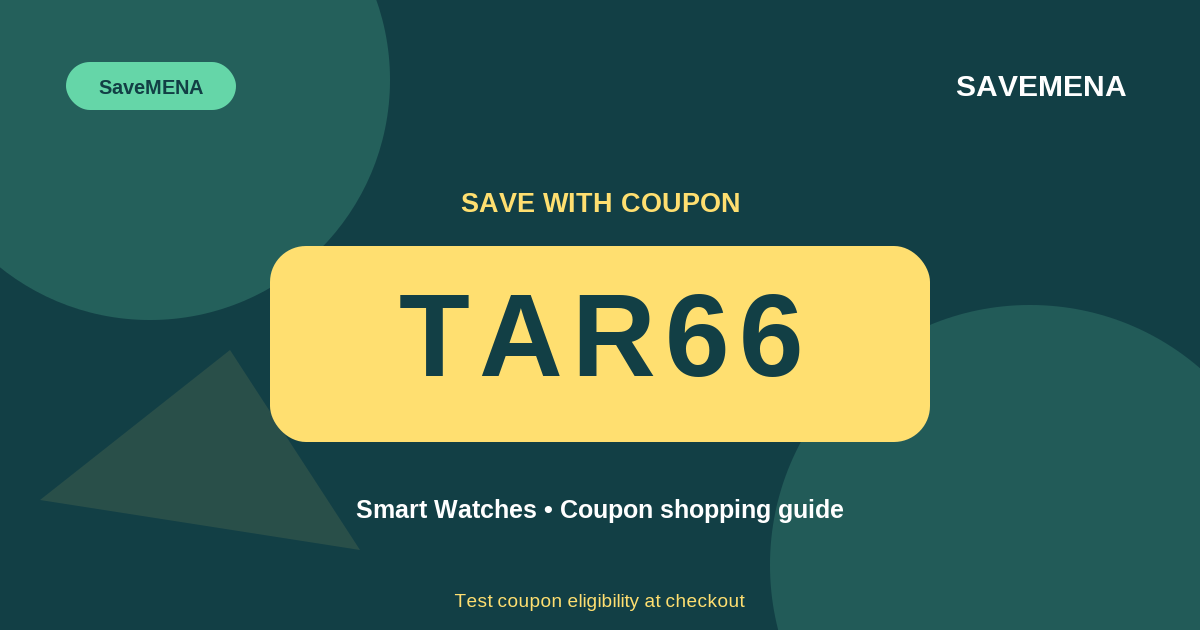
Codes available to try while comparing
These codes are not guaranteed for the article topic or listed brands; test them at checkout and use the live result.
Reviewing Noon UAE Seller Details Before Adding to Cart
Open the seller’s Noon profile by clicking the name or store icon next to the Smart Watch listing. Sellers on Noon display key information such as their total listing count, average rating, and any accusations or complaints sourced from the platform’s help center. Look for a rating above 4.0 as a baseline for more dependable sellers, but also read a few recent buyer reviews to spot recurring themes—whether it’s product quality, packaging, or communication delays.
If the seller is a trusted Deal of the Day partner or an official brand distributor, that can further reduce risk, though it does not guarantee coupon compatibility. Some sellers keep their product stock fluctuating, and a temporary lack of inventory may render a coupon unusable until stock is replenished. Make a note of any “Limited Stock” warnings, as they can affect the timing of an applicable discount.
Understanding How Your Account Context Affects Coupon Use
Your Noon account itself shapes whether a coupon will tick through at the end of your purchase. Make sure you’re logged in with the same phone number or email that is linked to your UAE shopping profile; occasional mis‑matches between the account being used and the address profile can block coupon application. Seasonally, Noon introduces new‑user protection rules that might limit the use of certain coupons for fresh registrations, but those restrictions are driven by your account history rather than your personal data.
Another layer to consider is the saved payment method. Some sellers or Noon itself may set a ‘no‑coupon‑allowed’ policy for particular payment options like e‑wallets or third‑party cards. Checking the “Payment Methods” section in your cart will reveal if your chosen method is compatible with the TAR84 code. If not, you’ll need to switch to an eligible custodian or contact Noon support for clarification.
Applying the TAR84 Coupon: Practical Tips for Smart Watch Buyers
When you’ve confirmed the seller signals a low risk and your account seems in good standing, go to the cart. In the summary pane, locate the field labelled “Enter coupon code.” Type TAR84 precisely, respecting case sensitivity if the platform indicates so. Once entered, tap Apply and wait for the system to refresh the total. A successful application will show a reduced sum immediately; if the code does not register, you’ll see a neutral error prompting for a correct entry.
Many users misinterpret an unregistered coupon as a sign of a system malfunction with their account. In such cases, reload the page, clear your browser cache, or try a different device. If the issue persists, most sellers or Noon’s help center suggest verifying that the SKU you’re purchasing aligns with the coupon’s eligibility criteria. Should the code still fail, stop at this step—an invalid coupon might still apply later if a new discount becomes available.
Why Your Smart Watch Coupon Might Not Work: Common Issues
Even though TAR84 is offered as a coupon, it’s not a guarantee included in the listing details. Coupons can fail if the selected Smart Watch SKU is listed under a restricted product category, or if the seller has opted into a “coupon exclusive” promotion that excludes third‑party discounts. Technically, the platform might also block a code if the cart sum is below a hidden threshold not shown publicly.
Another stumbling block emerges when a seller adopts a seasonal price drop—placing the watch at a sale price that already incorporates the coupon value. In such contexts, applying the code will likely prompt an “already discounted” message. Finally, regional restrictions can arise: some coupons are only valid for residents of the UAE, and any account or address mis‑sync can trigger this failure even if you’re physically there.
Beyond Coupons: Alternative Savings on Noon Smart Watches
If the coupon doesn’t apply, there are still avenues for cost reduction. Many Noon sellers run flash sales, end‑of‑season deals, or exclusive bundle offers that can effectively beat a coupon. Checking the “Deals” tab or subscribing to the seller’s newsletter can keep you abreast of these opportunities. Alternatively, gifting or participation in Noon’s community hub might earn you a loyalty credit redeemable against future Smart Watch purchases.
It’s also worthwhile to monitor price‑matching policies. Some sellers agree to match the lowest competitor price within a set window, which could be triggered by a sudden dip in market pricing. While Noon doesn’t advertise a universal price‑match guarantee, individual sellers sometimes provide a personal note in the product description offering to align their price with lower competition levels, often contingent on refund eligibility.
The Checkout Process: Final Verification Steps
Once you have the Smart Watch in your cart and the coupon code entered, proceed to the “Checkout” page. Here, the platform will present a final breakdown: product cost, shipping fee (if any), tax, applicable coupons, and any additional duties. Carefully check that the displayed amount reflects the coupon deduction before confirming the order. The coupon field will be greyed if it was successfully applied; otherwise, a prompt indicating “coupon not applied” appears.
At this stage, your account context reasserts its importance. Ensure the shipping address matches the account billing information and that any saved wallet balances are available for the transaction. If all points line up, tap “Place Order.” Record the transaction ID and confirmation screen. Even if the coupon does not stick, the platform’s error message usually specifies the exact cause—permitting the coupon code troubleshooting for future attempts.
Gaining Assurance in Smart Watch Shopping on Noon
Confidence in Smart Watch purchases on Noon starts with active verification. Treat the seller profile, your own account settings, and the coupon code as separate gates that must all close correctly before you finalize the order.A coupon is not guaranteed; verify its result at the retailer checkout.
Remember that any coupon’s application hinges on a combination of platform policy, seller choice, and user account state. If a coupon fails, it seldom reflects a platform glitch; more often it signals a mismatch in one of those three dimensions. By embedding these sanity checks into your buying routine, you will reduce frustration and increase the likelihood of a smooth checkout, regardless of whether TAR84 ultimately discounts your Smart Watch purchase.
Related SaveMENA pages
Related articles
Official sources to check
Frequently asked questions
Does TAR84 only work on certain Smart Watch models?
Every Smart Watch SKU has its own eligibility rules tied to how the seller sets its discount constraints. If the TAR84 code doesn't apply at checkout for your chosen model, it likely means that specific SKU isn’t covered by the coupon’s conditions. Verify with the seller or check the coupon description on the product page for any stated exclusions.
Can I use TAR84 if I also have a Noon reward points balance?
The coupon and reward points may interact differently depending on the seller’s promotion setup. Generally, applying a coupon reduces the product price before points are calculated, but some sellers disable reward point redemption when a coupon is active. Confirm on the checkout page whether both options apply or if one overrides the other.
What should I do if the coupon is not accepted but I am sure the seller allows it?
If the system rejects TAR84, double‑check that you’re logged into the correct account, that the shopping cart contains only eligible items, and that the shipping address is in the UAE. If all conditions appear correct and the coupon still fails, reach out to Noon support or the seller’s help chat for clarification on any hidden constraints.
Are there ways to bypass coupon restrictions for Smart Watches on Noon?
Coupon restrictions stem from seller‑imposed limits or platform‑wide policies. No legitimate bypass exists beyond addressing the root cause—such as changing the seller, adjusting the shipping country, or ensuring profile completeness. Attempting to hack the system will likely de‑activate the coupon or lead to order cancellation.