ASUS Laptops on Noon UAE: item availability — seller checks
The first decision you face is whether the listing truly matches the ASUS model you want. Noon UAE often shows a generic “ASUS Laptop” title but hides detailed
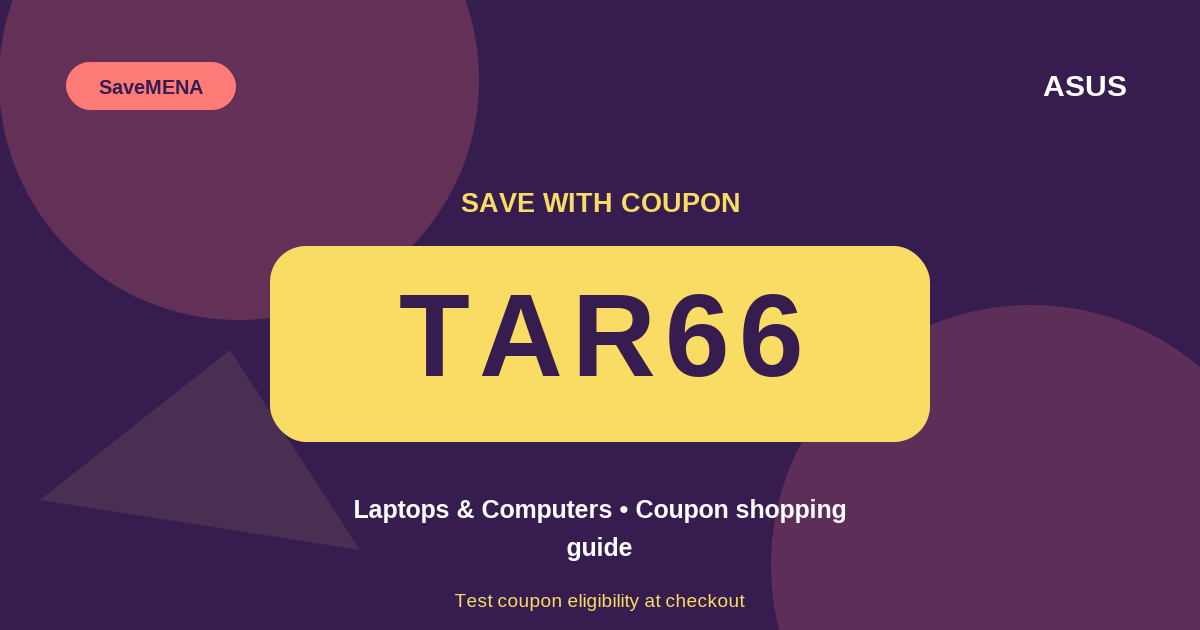
Codes available to try while comparing
These codes are not guaranteed for the article topic or listed brands; test them at checkout and use the live result.
1. Identify the Exact ASUS Laptop Variant in the Noon List
The first decision you face is whether the listing truly matches the ASUS model you want. Noon UAE often shows a generic “ASUS Laptop” title but hides detailed specs under the product description. Carefully scroll to see the exact processor, RAM size, storage type, and screen resolution. Look for the series name (e.g., ZenBook, VivoBook) and the model number in the product details. This ensures you’re not ordering a different iteration that could lack the features you need.
Before adding to cart, copy the full model information and optionally record it on paper. This record serves as a reference for the next steps, especially when you hit the checkout screen and want to confirm you haven’t accidentally selected a wrong variant. A mismatch at this early stage can lead to a return and delay, so double‑check the technical specs now rather than later.
2. Confirm Current Stock Status of the Selected Variant
Once you’ve identified the exact variant, navigate to the stock status line on Noon’s product page. This line will display “In Stock,” “Limited Stock,” or a message like “Only X left.” Because Noon updates inventory in real time, site information is usually trustworthy for a short window. Note any restock note; a “Restocking” message means the item isn’t available instantly.
If the variant shows a small quantity remaining, consider purchasing immediately. If the item is out of stock, look for a similar variant offered by another seller on Noon or check whether the same seller has a waiting list option. This step guarantees that the laptop you want is physically available when you confirm the purchase.
3. Vet the Noon UAE Seller’s Credibility and Delivery Reliability
Assuming the item is in stock, check the seller name displayed below the price. Noon UAE offers several sellers, some certified and others third‑party. A seller’s rating and buyer reviews provide insight into delivery reliability. However, remember that rating alone does not guarantee that the exact configuration will ship promptly. Look for any buyer comments mentioning delays or misdirected variants.
Scroll to the bottom of the seller’s profile to view their standard shipping lead time and return policy stated. This information will come up again in the return policy section, but you want to know from the start if the seller typically dispatches within a couple of days or if long wait times are common. This detail influences whether the coupon’s potential savings outweigh a slow delivery.
4. Timing the Application of the TAR66 Coupon at Checkout
Now that you have the exact variant and know it’s in stock, add the item to your cart. In the cart overview, you’ll see the subtotal before any discounts. Only at this point should you input the coupon code TAR66 in the “Apply Coupon” field. The code is not guaranteed to work; it simply gives you the opportunity to try.
When you hit “Apply,” wait for the screen to refresh. If the coupon is valid, the new subtotal will re‑calculate. If no change occurs, it either indicates incompatibility or that the coupon has expired. This step is crucial because only the final checkout total is a definitive reference for coupon eligibility.
5. Scrutinise the Final Price Breakdown for Accuracy
After applying the coupon, Noon will present a detailed price breakdown: base price, tax, shipping, coupon deduction, and final payable amount. Each line must reflect the exact variant you selected. Cross‑check that the base price matches the figure displayed on the product page to catch any mismatch.
Pay special attention to the coupon field—if TAR66 applied, there should be a deduction line. If the discount line is missing, the coupon didn’t activate. No additional hidden charge should appear beyond the shipping fee unless explicitly noted in the seller’s shipping details. This final check confirms that the coupon value (if any) and all fees are correctly captured.
6. Understand the Return Policy Specific to the Chosen Variant
You’ve confirmed the variant, stock, seller, coupon, and price. Next, review the return policy section on Noon. Return policies can differ between sellers, and some may exclude certain ASUS models or variants from standard return handling. Look for terms like “Return within 14 days” and note whether the seller offers prepaid return shipping.
Document the return window and any restocking fee clauses. If the policy states that returns are limited to damage or misconfiguration, you’ll need to be extra vigilant at delivery. Knowing the return policy earlier helps avoid a scenario where a coupon invalidates a return due to a change in order status.
7. Assess Warranty Coverage for the ASUS Laptop
ASUS laptops typically come with a manufacturer warranty, but Noon may also offer an extended warranty plan for certain variants. On the product page, locate the “Warranty” section to check the duration and coverage scope specific to the item you selected.
Verify whether the warranty is automatically applied or if you must choose an optional extended plan. If extended coverage is available, confirm its price in the checkout summary. A mismatch between the expected warranty and what appears in the checkout can delay claim procedures if you encounter an issue later.
8. Finalise Payment and Order Confirmation for the Exact Variant
With all variables confirmed, choose a payment method. Noon UAE accepts multiple options: credit/debit cards, PayPal, Apple Pay, or a de‑bit card. When you hit “Place Order,” a final confirmation screen will confirm the exact SKU, variant, and seller. Review that screen one last time: the item’s model number, serial code, and listed price should match what you have noted.
Once the order is submitted, you will receive an order confirmation email and a countdown to delivery. If the email displays any discrepancy—such as a different configuration—contact Noon’s customer service immediately, citing the confirmation UI and the coupon code used. This record protects you if the delivered laptop diverges from your original selection.
Related SaveMENA pages
Related articles
Official sources to check
Frequently asked questions
Does the TAR66 coupon automatically apply to all ASUS laptops on Noon UAE?
No, the coupon applies only if the system recognises the code during the checkout process for the specific order you’re placing. Its activation is not guaranteed for every ASUS laptop variant.
Can I change the chosen ASUS laptop variant after applying the coupon?
Changing the variant after coupon application might reset or nullify the discount, depending on Noon’s rules. It’s best to confirm the exact model before applying the coupon to avoid confusion.
What happens if the ASUS laptop I want is out of stock?
You’ll see “Out of Stock” on the product page. You can either wait for restock notifications or choose a similar variant that is available, ensuring the new variant’s specs meet your needs.
Can I return the laptop if I change my mind after purchase?
Yes, but the return policy depends on the seller. Check the specified return window and any restocking fees before finalising the purchase. An accurate record of the policy will aid the return process.