Dell Computer Accessories on Noon UAE: basket contents — seller checks · TAR62
Start by adding your desired Dell accessories—whether it’s a keyboard, mouse, or power supply—to the cart from a Noon UAE seller.
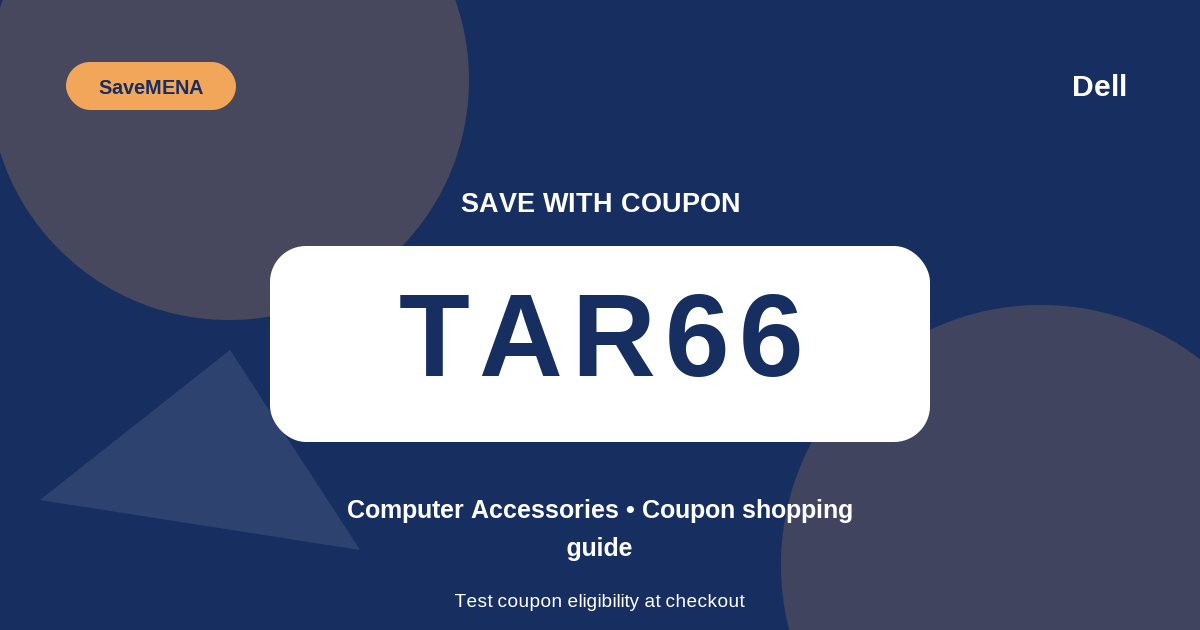
Codes available to try while comparing
These codes are not guaranteed for the article topic or listed brands; test them at checkout and use the live result.
Setting Up Your Basket With Dell Computer Accessories
Start by adding your desired Dell accessories—whether it’s a keyboard, mouse, or power supply—to the cart from a Noon UAE seller. Each item appears with a seller rating and a “Seller Name” tag, ensuring you’re not surprised by a different vendor once you progress. The basket composition, which lists each product’s SKU and variant, is crucial because the coupon may specifically the coupon code certain categories or brands. By reviewing these details early, you stop having to re‑select items after coupon failure. The position of the Dell accessory in your basket also determines any potential shipping bundle, which can affect the final cost after the coupon is applied.
Another important factor is the quantity of each accessory you add. If you need multiple units, double‑check that the seller’s minimum quantity restrictions (if any) are met. This precision will play a part when the coupon system evaluates eligibility—some coupons only apply to single‑unit purchases or specific quantity ranges. By confirming quantity and SKU before moving to checkout, you align your basket’s composition with any hidden coupon constraints. Keep this alignment in mind; it reduces the chance of an unexpected decline at coupon validation.
Verifying the Seller’s Reputation on Noon UAE
Every Noon UAE seller has a profile that includes the seller’s rating, verified by user reviews, and an answer to “How long have you been selling on Noon?” These metrics signal reliability. A high rating and lengthy seller history give the cashier confidence that the product will be shipped on time, a common requirement for coupon eligibility. When you search for Dell accessories, look for sellers with a balanced mix of rating and response time, especially if the coupon code TAR62 promises faster shipping or a special delivery window.
Check whether the seller is marked as a ‘Preferred Seller’ or ‘Official Store’ on Noon. These designations can influence coupon application because Noon’s internal systems may prioritize discounts for trusted vendors. Even if the seller appears trustworthy, the product page should list complete details—manufacturer, model, and specifications—to avoid mismatch errors. Remember, the coupon only processes after all product details have been confirmed, so any missing specification can trigger a rollback during checkout.
Matching the CART Contents to the Coupon’s Conditions
Coupon TAR62 has no advertised restrictions, but many codes on Noon require the purchase to be within a specific category or brand. To confirm eligibility, open the seller’s page for each Dell accessory and note the category tag—likely Computers & Accessories. This tag must match the coupon’s applicable group. If there is no explicit category listing, the insurer is to verify the product type at checkout. Users are advised to keep the basket composition clear: a single Dell peripheral, a combo of Dell, and an unrelated accessory can cause a coupon mismatch.
Also examine each accessory’s shipping weight. Some customers report that heavier items trigger a separate shipping threshold that may override the coupon. Because Noon calculates shipping fees post‑coupon in some cases, check whether your total weight exceeds the seller’s free‑shipping limit. If it does, the coupon could be revoked or partially applied.A coupon is not guaranteed; verify its result at the retailer checkout.
Applying and Assessing Tax Charges Before Using the Coupon</HEHEADING>
In the UAE, VAT is now the discount shown at checkout on most digital and physical products. When you add a Dell accessory to your Noon UAE seller’s basket, the subtotal will reflect the base price, but the tax total appears only at checkout. The coupon’s validity can hinge on the tax calculation, especially if the discount logic includes post‑tax amounts. If the coupons are injected after tax, the discount will be smaller. In contrast, if it’s applied before tax, you’ll see the full benefit.
To confirm how Noon applies VAT relative to coupons, review the “View Cart” page where separate lines for subtotal, tax, and shipping are shown. Some shoppers report that after applying a coupon, their tax total updates automatically, while others experience no change. Keeping a snapshot of the original tax amount before coupon application allows you to identify unexpected changes. This step is part of the ‘basket composition’ checkpoint—a visual list of all fees that will stand in the final tally.
Timing the Coupon Code Entry in the Checkout Flow
Most Noon UAE users enter the coupon at the final “Apply Coupon” button before the payment step. When you hit this button, the system checks the basket composition instantly. The timing matters because some sellers delay coupon verification until the shipping method is chosen. If you apply the coupon before selecting shipping, it might reset if the shipping recalc occurs. Therefore, first confirm that the cashback or discount has applied by looking for a “Discount Applied: TAR62” note on the cart.
Once you see the discount confirmation, proceed to the “Shipping” field. The seller may adjust shipping fees based on the coupon, an effect that could lead to a new total. If the total changes, reevaluate if the discount still applies. If the coupon disappears or shows a message of incompatibility, you need to list the seller, product, quantity, and shipping clearly to see where the mismatch lies.A coupon is not guaranteed; verify its result at the retailer checkout.
Understanding Payment Gateways and Their Interaction With Coupons
When noon UAE presents payment options, it typically offers credit/debit card, Cash on Delivery (COD), and e‑wallets. The availability of a coupon can depend on the payment method: some users note that COD disallows certain codes, whereas card payments process them normally. Once the final amount is shown after the coupon application, the payment gateway lane will confirm whether the discount factor aligns with the transaction amount implied by the gateway.
If you select COD, you should re‑check that the “Discount Applied” note remains before the payment. Many gateways do not re‑validate between the discount application and the final authorization. Therefore, confirming the basket composition post‑coupon, pre‑payment, keeps the discount intact. Should the gateway decline, you’ll learn if the issue originated from the payment method or from the coupon’s eligibility rules. This step is a key checkpoint for a smooth checkout experience.
Checking Variant Availability Before Final Confirmation
Dell accessories come with multiple variants—different colors, models, or feature sets. The Noon UAE seller may list several options under a single title. In the basket, the variant that selected determines the SKU. The coupon validation script checks the SKU against its internal database. A mismatch between the selected variant and the expected SKU could cause the coupon to fail. Verify that the variant you intend to purchase appears precisely in the basket details list.
In addition, confirm that the variant’s shipping weight and dimensions match the seller’s stated figures. A heavier variant may push the total weight over the seller's shipping threshold, altering the shipping charges and potentially invalidating the coupon. If this happens, the checkout page will recalculate the shipping fee and revise the total amount.A coupon is not guaranteed; verify its result at the retailer checkout.
Final Basket Review: Step‑by‑Step Checklist
Before entering your payment information, run through a concise checklist that mirrors the basket composition. First, confirm that the seller’s name matches the one listed for coupon eligibility. Second, verify each Dell accessory’s SKU, quantity, and variant match the product settings.A coupon is not guaranteed; verify its result at the retailer checkout. Fourth, double‑check VAT and final total remain unchanged. Applying these steps guarantees that the coupon code TAR62 will not be revoked abruptly.
After this final review, proceed to the “Place Order” button. At that point, the system will lock the discounted totals, leaving no room for surprise changes. If, however, the coupon bar its application again, double‑check every line item in the order summary and consult Noon customer support if necessary. A meticulous basket composition review before final payment leads to a seamless checkout and avoids the common pitfalls of missing coupon eligibility.
Related SaveMENA pages
Related articles
Official sources to check
Frequently asked questions
What should I do if the coupon isn’t recognized at checkout?
If the coupon TAR62 shows as rejected, double‑check that the selected Dell accessory’s category and variant align with the seller’s listing. Also verify you haven’t exceeded any quantity limits that the code might implicitly restrict. Once corrected, re‑enter the code to see if the discount is applied.
Will VAC or tax adjustments affect coupon eligibility?
VAT is calculated after the coupon in many cases, so a coupon that applies to the pre‑tax total remains valid. However, if your seller adds new shipping fees after discounts, review the final total to confirm the coupon still applies. If not, you may need to adjust the basket.
Is the coupon TOM affected by choosing COD?
COD payment may sometimes bypass certain discount checks. When opting for COD, confirm the discount remains active after selecting that payment method. If the discount drops, consider using card or e‑wallet to preserve the coupon benefit.
Does the coupon only work on one Dell accessory?
While the coupon isn’t brand‑specific, some sellers reserve discounts for single items. Check the seller’s product page for any mention of coupon eligibility criteria. Adjust the quantity or add only one unit if necessary before applying the coupon.