Xiaomi Mobiles on Noon UAE: checkout message — seller checks
Noon UAE seller and coupon Mobiles Xiaomi the live coupon message at checkout: Seller checks before using a coupon is the key to maximizing savings when shopping
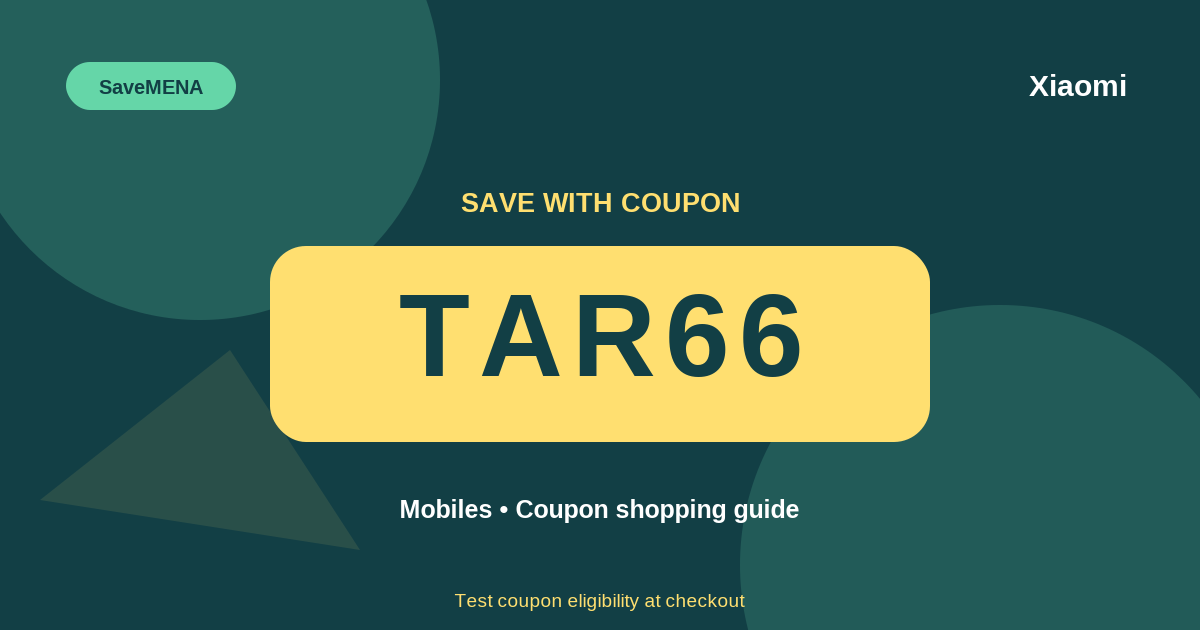
Codes available to try while comparing
These codes are not guaranteed for the article topic or listed brands; test them at checkout and use the live result.
1️⃣ Verify the Seller’s Coupon Eligibility at Checkout
When shopping for a Xiaomi mobile on Noon UAE, the first place to look is the seller’s profile. A clear listing that displays the seller’s name, contact details, and customer ratings builds a baseline of trust. Before you add the phone to your cart, check that the seller offers a compatible “live coupon” interface. This tells you whether or not the platform will communicate coupon eligibility right at the checkout step. A transparent seller profile discourages hidden terms and reduces the risk of unexpected surprises.
Once you have selected the Xiaomi device, proceed to the checkout screen and locate the section that displays available coupon offers. Ideally, a live message will appear, stating whether the TAR66 code can be applied to the current cart. If the message shows “Not eligible” or “Coupon not valid,” the seller is likely not participating in this promotion for that item. In such cases, double‑check the cart contents or contact the seller directly; they may be able to clarify whether a coupon could be used once the order is confirmed.
2️⃣ Monitor the Live Coupon Message in Real Time
During checkout, keep the live coupon field visible. Unlike static coupon lists, the live coupon message updates instantly when the cart changes. If you add accessories or alter the quantity, the message may switch from “Eligible” to “Not eligible.” Watching this shift in real time lets you react quickly before the snapshot of final price is locked in.
Some sellers display the live message only after the shipping address is entered. Don’t skip this step; it often triggers a dynamic check that determines if the voucher fits the current promotion. If the message disappears or reads “Unable to apply,” double‑check the product’s listing page for any restrictions that might invalidate the TAR66 code.
3️⃣ Confirm Application of Coupon Before Finalizing Payment
Once the live coupon confirms eligibility, re‑visit the summary panel. This panel lists the original product price, any applied discount, and the new payable total. The discount line should reflect the monetary value deducted by the TAR66 code. If the line is omitted or shows $0.00 reduction, the coupon was not applied and you’ll need to investigate further.
Before you press the “Place Order” button, scroll through the entire order preview. Pay particular attention to the tax and shipping line items, as these are usually added after the coupon calculation. An unexpected increase can mean the coupon was removed at a later step. If anything looks amiss, stop the process before completion.
4️⃣ Double‑Check Any Additional Promo Codes or Discounts
Some Noon UAE sellers allow the stacking of multiple promos. After confirming that TAR66 has applied, look for any “Additional Promo” fields. These usually appear as a separate input box or an auto‑applied field that reacts when eligible.
Remember, not all platforms allow combo coupons. If the live message indicates “Not eligible with other coupons,” the TAR66 code must stand alone. Avoid missteps by confirming each promotion independently—and ensure the final total reflects only the coupons you choose to use.
5️⃣ Ensure Shipping and Handling Fees Are Included in Total
Shipping charges are often calculated after coupon application, especially on sellers that have dynamic delivery rates. Verify that the live coupon message has had its effect before the shipping field updates. If it changes after, double‑check that the total still reflects the discount.
In the final review pane, keep an eye on the “Delivery” line. Any variation in this charge without a corresponding price update in the product line suggests the discount may have been partially negated. Confirm that the total payable amount remains stable across all final fields.
6️⃣ Inspect Order Summary for Accurate Item, Quantity, and Price
Scroll through the item list at the bottom of the checkout screen. Each entry should detail the model, color, storage, and seller. A mismatch here—like a different color variant—could invalidate a coupon if the promotion applies to a specific SKU.
Cross‑verify the quantity symbol next to the phone name. It is easy to accidentally add multiple units. The live coupon message often only applies to the first unit or a specific quantity threshold. Ensure your final bag matches your intended purchase before completion.
7️⃣ Cross‑Reference Coupon Code in Confirmation Email
After you hit “Place Order,” Noon UAE sends a confirmation email summarizing the transaction. Search for the “Coupon: TAR66” line. If the line is missing or indicates “Not applied,” the voucher was not accepted at the server level, even if the live message suggested otherwise.
When you notice a discrepancy, contact the seller’s support directly before the payment is processed. Most platforms allow you to dispute a missing discount at the confirmation stage, but you must do so within a short window of the order
8️⃣ Save the Transaction Proof for Future Disputes
Keep a screenshot of the checkout screen showing the applied TAR66 code, the live coupon menu, and the final payable total. Store this image in a secure folder or use the download feature available on most smartphones. This evidence can be crucial if a chargeback or customer support inquiry arises later.
In case the coupon should never have been applied—perhaps due to a seller policy—your saved snapshot will serve as proof of the platform’s claim. Conversely, if the seller claims an error, the screenshot confirms your claim that the discount was indicated at the point of checkout.
Related SaveMENA pages
Related articles
Official sources to check
Frequently asked questions
What should I do if the live coupon message indicates the TAR66 code is not eligible?
If the live message reads “Not eligible” before you submit payment, remove the code and double‑check the seller’s listing for any promotion restrictions. Contact the seller to clarify whether the mobile model is excluded or if a different code might apply.
Will adding accessories affect the coupon eligibility?
The live coupon message reacts to changes in cart content. When you add accessories, the message may cancel the discount. Review the updated message carefully, and if it indicates the coupon ceased to apply, decide whether you still want the accessories or need a different promotion.
Can I combine the TAR66 code with other discounts from Noon?
Some sellers allow multiple coupons; however, many restrict stacking. Check the live coupon message and any “Additional Promo” field. If the platform says “Not eligible with other coupons,” the TAR66 code will stand alone as the sole discount.
How can I verify the discount after placing the order?
Check the confirmation email and look for a line that confirms “Coupon: TAR66.” If missing, contact the seller within the payment window. Preserve screenshots from checkout for reference and submit a dispute if the discount was promised but not reflected.