Adidas Shoes on Noon UAE: checkout message — seller checks
Noon UAE seller and coupon Shoes Adidas the live coupon message at checkout: When you’re hunting for the best deal on Adidas shoes on Noon, the first thing you do
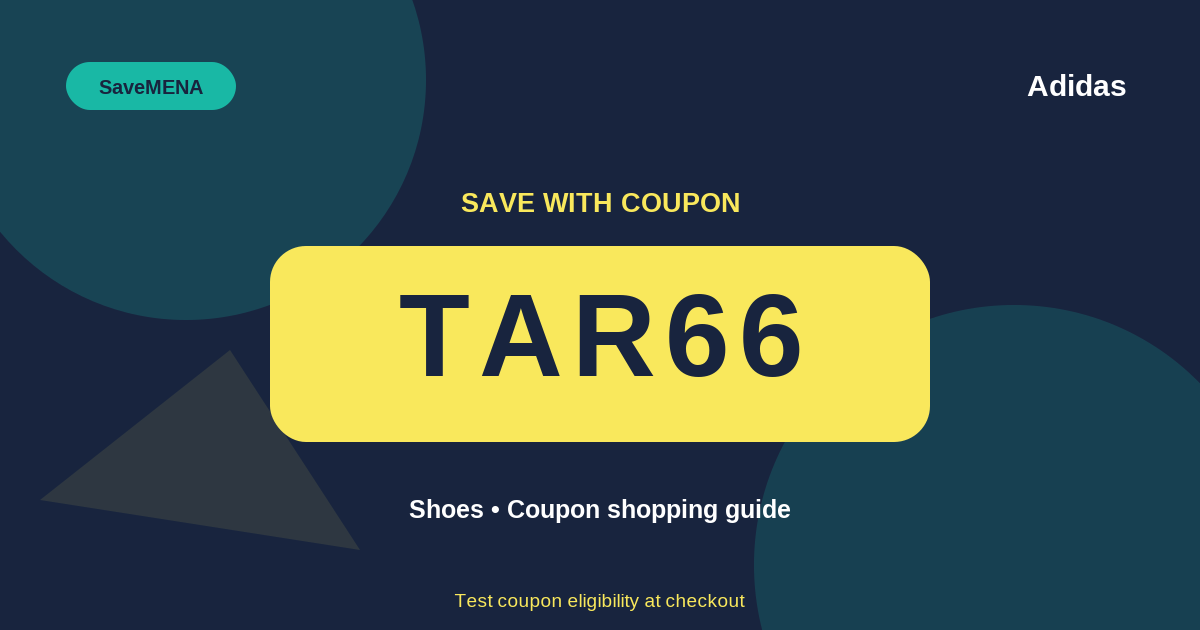
Codes available to try while comparing
These codes are not guaranteed for the article topic or listed brands; test them at checkout and use the live result.
1. Verify Seller Credentials After Adding to Cart
Once you find an Adidas shoes listing that fits your style, click “Add to Cart” and examine the seller’s profile. Look for an established rating, the presence of verified badges, and a history of completed orders. Sellers with higher feedback scores tend to honor purchase details consistently, and a long active history may signal legitimate representation of the brand. Importantly, check whether the seller lists a clear phone number or return URL, as this makes it easier to contact them if a problem arises.
Even a close-to-perfect rating can hide nuances. Pay attention to the average review score’s denominator—if it’s based on only a few ratings, additional caution is warranted. Also, note whether the seller has been active on Noon for several months; newer sellers might have evolving shipping policies, and a sudden new seller stamp can alert you that their logistics are still stabilizing. The check should be quick, but a thorough scan reduces the risk of oversight when you later apply your coupon.
2. Inspect Product Details and Return Policy
Before attaching the TAR66 code to your cart, dive into the product description and read the return policy section comprehensively. Ensure the item’s dimensions, material, and size guide align with your expectations. The return policy should state the time frame and conditions for returns; a short or ambiguous window may impede a smooth refund process if the shoes don’t fit.
For brand‑specific concerns, confirm that the listing claims to carry genuine Adidas stock and not a private label echo. Though the seller might not appear in your discount calculation, a legitimate license often guarantees the post‑purchase guarantee that No shows in the product’s official return window. If the policy mentions “no exchange” or “no refund,” flag this, because a coupon’s application will not alter the return terms and you may prefer a return‑friendly seller.
3. Confirm Delivery Options and Timing
Check the logistics details linked to the sold product. A reliable seller will list a specific delivery window—e.g., “Express Delivery within 2 business days” or “Standard Delivery 5–7 days”—along with any associated shipping fees. When you’re in the UAE, you can cross‑check whether these times align with the typical Noon distribution in your emirate; if the seller states “Delivery on Tuesday” that’s a good sign of a scheduled dispatch.
Be mindful of the seller’s location tag. If it says “Located in Saudi Arabia” but you’re purchasing from UAE, expect a slightly longer arrival window. However, the live coupon message at checkout will not change the shipping timeline. If the delivery time is critical—say you need the shoes for an upcoming event—confirm the date before applying the coupon. Adjustments to the coupon code won’t postpone or expedite shipment.
4. Review Payment Methods Compatibility
Noon supports a range of payment options: credit/debit cards, UPI, wallet transfers, and cash on delivery in some regions. Verify which methods the seller accepts by scrolling to the payment section. If an exclusive payment type is linked to the seller (for instance, their store might restrict to wallet transactions only), the live coupon message may not process, depending on the platform’s internal rules.
When the seller lists “Wallet only,” uploading your credit card info may lead to a rejection of the cart, regardless of whether the code TAR66 is applied. Consequently, you should pre‑populate a payment method that the seller accommodates. The live coupon message will test for coupon eligibility for any chosen method; if it fails, you’ll notice a warning before you finalize the purchase. Thus, cleanly pairing payment method and coupon is essential.
5. Check Cart for Eligibility Indicators
Examine the cart subtotal and any visible coupon eligibility requirements before entering the code. Some sellers may display a prompt like “a minimum-spend condition, if the retailer shows one for discount.” While you can’t guarantee TAR66 will meet the threshold, seeing these indicators early helps you decide whether continuing is worthwhile.
When you input the code, the cart’s live coupon message appears automatically. It will update the subtotal if eligible. Observing the instant change—or lack thereof—provides direct feedback without needing to hit the final checkout button. If the coupon isn’t accepted, Double-check that the code was typed correctly; missing hyphens or characters can block acceptance. The live coupon message is your instant test for the coupon’s compatibility with the seller’s criteria.
6. Observe the Live Coupon Message in Real-Time
At this pivotal step, place the code TAR66 in the designated coupon field. The live coupon message should respond within seconds, indicating whether the code was accepted or rejected. If accepted, the message will display a new subtotal, discount percentage, or the updated total; if not, a clear explanation (e.g., “Coupon not valid for this item”) will appear.
Take a moment to read the message. If it reads “Coupon valid – discount applied,” the sale is confirmed; if it says “Coupon expired or not applicable,” proceed to the next section without reaching final payment. Importantly, the message at checkout is the final reference for eligibility; nothing else in the cart can alter it once you click within the platform’s summary panel.
7. Verify Total Payable Amount After Application
After the coupon has been marked as applicable, the cart will reflect the new payable total, which now includes any declared discount and the original shipping fee. Confirm that the combination of poster, shipping, and tax (if any) aligns with the posted final figure. If the figure feels unexpectedly high, check that you didn’t have multiple quantities or accessories added inadvertently.
Before proceeding, adjust the quantity or remove any optional add-ons if you suspect they were added earlier by mistake; changing these figures can alter the final total. However, be aware that the live coupon message may not update for every change, so verify each adjustment promptly to avoid surprises at payment stage.
8. Post-Checkout Confirmation and Communication
Once you hit “Place Order,” the confirmation page will confirm the total amount and the coupon’s use. A quick comparison of the order summary with the last seen cart ensures consistency. At this point, the live coupon message at checkout has already finalized discount applicability; the seller can no longer modify it.
Keep the order confirmation handy. If the seller’s contact information is provided, do not hesitate to confirm shipment details. Since SaveMENA remains an independent shopper’s guide, any post‑purchase queries should direct back to the seller or Noon’s support, providing you the assurance that you have documented proof of the coupon’s effect from the live checkout screen.
Related SaveMENA pages
Related articles
Official sources to check
Frequently asked questions
What does the live coupon message at checkout tell me?
The live coupon message instantly confirms if a coupon code is accepted, showing the adjusted subtotal or highlighting why a coupon isn’t applicable.
Will the TAR66 code always work with all Adidas shoes?
No. The coupon’s success depends on seller eligibility, cart value, and seller’s own discount policy; the live message at checkout reflects this reality.
Can I apply a coupon after I’ve confirmed the order?
No. Once you click “Place Order,” the final total is locked; any earlier coupon acceptance via the live message cannot be altered.
Do I need to use a particular payment method for the coupon to apply?
The coupon’s applicability is independent of the payment method, but some sellers restrict certain methods; verify seller settings before placing the code.