Huawei Tablets on Noon UAE: checkout message — seller checks
Start by filtering tablets under the “Tablets” category on Noon’s app or website. Look for models that list Huawei as the manufacturer if that’s your brand
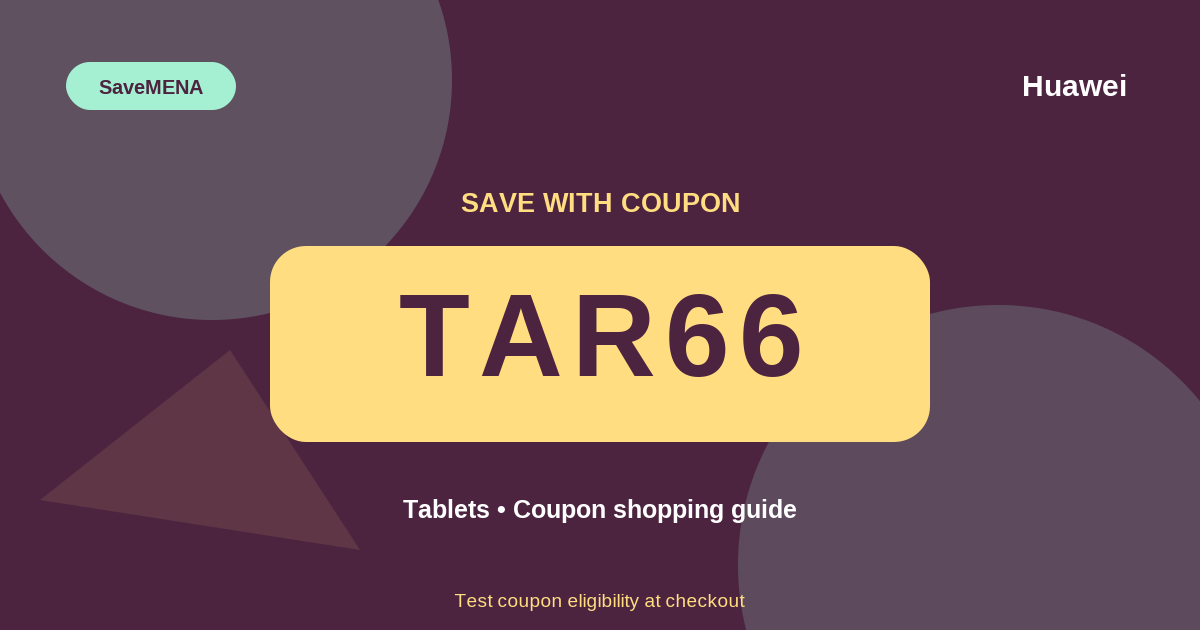
Codes available to try while comparing
These codes are not guaranteed for the article topic or listed brands; test them at checkout and use the live result.
Identify Your Ideal Tablet on Noon UAE
Start by filtering tablets under the “Tablets” category on Noon’s app or website. Look for models that list Huawei as the manufacturer if that’s your brand preference. Pay attention to product headings and brief specs in the listing description; they give quick insight into processor, memory, and display. Even though SaveMENA is independent, we rely on Noon’s catalogue for accurate titles. Narrow your options to a handful that fit the device size and functionality you seek, such as media consumption or note‑taking, before adding them to your cart.
Once you’ve selected a tablet, check if the item sort includes “Enjoy exclusive deals” or “Best seller” tags. These are often supplied by Noon and can guide you toward popular options. However, do not assume that tags guarantee a coupon. The next step requires you to confirm that the tablet’s price point meets the minimum conditions for your coupon code, which you will test at checkout. This pre‑selection ensures you walk into the checkout page already holding a suitable candidate.
Verify the Noon UAE Seller’s Reliability
Every tablet on the Noon platform comes with a “Seller” label. Look for sellers who list “Seller: Noon UAE” to indicate they ship from within the UAE. This helps ensure that shipping times and handling fees are consistent with local expectations. As SaveMENA is not affiliated with Noon, rely on the seller’s rating displayed alongside their name. A high rating or a substantial number of completed orders adds confidence before you commit to a purchase.
Do not assume that a seller’s badge alone guarantees a coupon will apply. Instead, use the seller details to check for any “Return Policy” or “Warranty” links. These can affect overall satisfaction and may influence your final decision. When you later encounter the live coupon message, you’ll have already confirmed vendor legitimacy and can proceed with peace of mind.
Enter the TAR66 Coupon Before Checkout
Add the chosen Huawei tablet to your shopping cart. From the cart page, locate the field labeled “Coupon” or “Promo Code.” Type “TAR66” exactly as shown. Noon’s system will process the code instantly, but recognition of the discount depends on the underlying coupon rules that you cannot see until checkout. If the field accepts the code, a small green tick will appear, indicating preliminary acceptance. If not, the field may flash red or remain unchanged.
This early step is critical. Honoring the coupon code upfront prevents later disappointment during the final payment stage. If the code is accepted, Noon may display a temporary discount message next to the product total on the cart screen. However, remember that this visible affirmation does not finalize the discount; it merely signals the system’s acknowledgment. Your confirmation still ends at the checkout page where the live coupon message confirms true applicability.
Confirm Coupon Validity in the Final Payable Total
After the live coupon message confirms a deduction, re‑examine the order summary. The payable figure should reflect the subtraction from the original product price. Compare this figure with the same product’s price on the main listing to ensure consistency. A mismatch would suggest either an unexpected additional fee or that the coupon didn’t apply as expected.
If the figures align, you can comfortably advance to the payment step. However, if the payable total equals the original price, the coupon was not accepted, and continuing will mean paying full price. At this juncture, you might consider revisiting seller choices or selecting a different tablet variant that meets the coupon’s criteria, though no guarantee can be offered for alternate outcomes.
Choose Payment Method and Delivery Option
Selecting a payment method on Noon shouldn't affect coupon validity, but different payment options may impose distinct shipping logistics. For instance, using Noon Pay may provide a smoother transaction flow, while credit card payments may trigger processing delays. Ensure your chosen method does not require additional verification that could stall the final step.
Delivery choices also play a role in how quickly you’ll receive the tablet after purchase. Standard shipping from the UAE seller typically takes a couple of business days, while expedited options can reduce that window. Verify that your preferred delivery schedule aligns with any time-sensitive needs, especially if you intend to start using the tablet immediately for work or study.
Double‑Check the Final Order Summary Before Confirmation
Before you hit “Place Order,” scan the final summary. It should list the tablet model, seller name, applied coupon code, the discount amount (as shown by the live coupon message), shipping fee, and the total payable amount. Each detail must match earlier steps; discrepancies can cause order cancellation or refunds.
If you notice any inconsistency or the coupon amount no longer appears, revisit the checkout steps. Removing the cart item and re‑adding it can sometimes reset the live coupon calculation. Double‑checking with these questions: “Was the coupon properly deducted?” and “Is the shipping fee accurate?” helps avoid surprises after payment is processed.
Post‑Purchase Best Practices for Tablet Use
Once the tablet is shipped, keep a record of the order confirmation number and any tracking details. This aids in warranty claims and return processes if issues arise. SaveMENA does not issue additional verification, so rely on Noon’s support for post‑purchase inquiries.
Activate security features such as passcodes or fingerprints immediately. Since Huawei tablets often support multi‑factor authentication, use it to protect personal data. Review the settings for automatic updates and backup options, ensuring the device remains secure and functional throughout its usage period.
Compare alternatives without guessing
When you compare another option in huawei, keep the specifications, quantity and seller as consistent as possible and compare the total shown at checkout. A different coupon does not automatically make a deal better because delivery, fees and the live basket context can change the outcome. Use the final payable total as the practical comparison point.
If the retailer shows a specific condition, rely on that visible message; if it does not, do not turn an assumption into a general rule. Test available options one at a time and note any real change in the total or eligibility message. That creates a verifiable shopping comparison instead of a recommendation built on an unsupported marketing claim.
Related SaveMENA pages
Related articles
Official sources to check
Frequently asked questions
Will the TAR66 coupon always apply to Hindi Huawei tablets on Noon?
Check the live coupon message on the checkout page to confirm. If the message shows a discount, the coupon applied. If not, it did not accept the code for that specific tablet. The outcome depends on the coupon’s eligibility conditions, which are verified only at checkout.
Do I need to make a purchase within a certain time after adding the tablet to my cart for the coupon to work?
SaveMENA does not track cart validity period. However, Noon usually processes coupon codes in real time. If you encounter errors after a long wait, you may need to add the tablet again and re-enter the code before proceeding.
Can I use the coupon with multiple tablets in the same order?
Coupons typically apply once per transaction. If you add more tablets after the coupon is applied, the discount may no longer appear for the new items. Verify the live coupon message after adding each additional tablet.
Will shipping from a Noon UAE seller guarantee faster delivery for my tablet?
Noon UAE sellers usually dispatch from within the UAE, leading to shorter shipping times. Still, confirm shipping fees and expected delivery dates in the checkout summary before finalizing your purchase.