Tablets on Noon UAE: final total — seller checks
Noon UAE seller and coupon Tablets final payable total: When shopping for tablets on Noon in the UAE, the final payable total is the ultimate measure of value.
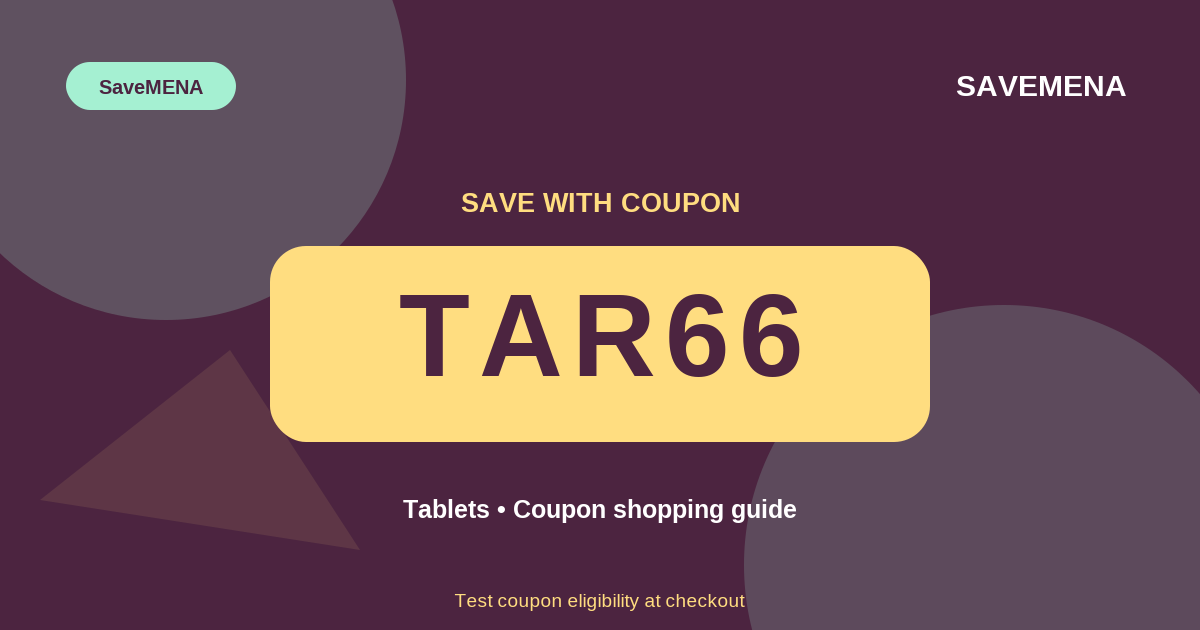
Codes available to try while comparing
These codes are not guaranteed for the article topic or listed brands; test them at checkout and use the live result.
Confirm the Tablet Category and Seller Reputation
Start by selecting a seller that offers tablets on Noon UAE. Remember, a reputable seller is crucial for reliable pricing. Look for sellers with a high quantity of orders and consistent rating, which often signals dependable service. Confirm that the seller’s product page explicitly states “Tablet” and reflects accurate product descriptors such as storage size, screen resolution, and operating system. By verifying these basic elements first, you cut down later correction loops, ensuring the base price displayed in the cart will be the one applied during checkout.
Next review the seller’s profile for signs of specialization. Some sellers list certifications or mention a dedicated electronics section, which can indicate depth of product knowledge. A well-defined profile also often lists returns or refurbishing policies that could alter cost if you need to return or upgrade. Take time to compare multiple sellers within the same tablet category; several listings may exist today, each with unique sellers, and that variance can impact the final subtotal your cart will calculate.
Check Availability and Delivery Options for Your Tablet
Presence of stock is a hidden variable that can shift the cost of your purchase. Sellers claim “In Stock” status in the product listing, but a rapid scan at checkout may reveal out‑of‑stock alerts or back‑order timelines. Check the delivery city and dates earlier on the product page. Noon UAE shipping fees vary by region and method, so picking a shipment that meets your timeline may trigger a different fee. Make a note of the expected delivery window and add it to the short‑term checklist you’ll consult during final checkout.
When a seller offers multiple delivery options, each may carry a different fee. These options can be grosso modo “Standard Delivery,” “Express Shipping,” or “Cool Storage.” The final payable total will adapt accordingly, so confirm which mode you are comfortable with. Also verify whether the seller or Noon covers the delivery fee or requires additional payment. This gives you a clear picture of the final subtotal you will see later, thereby preventing surprises after you hit “Confirm Order.”
Review the Seller’s Return and Warranty Policies
Tablets can need repair or replacement in a short period. A seller’s warranty terms directly influence potential future spending; a short warranty may prompt you to pay for extra coverage later. If the seller offers a warranty, confirm the coverage period and what it includes—screen repair, battery replacement, or free diagnostics. The return policy is equally critical; some sellers require a pre‑authorized return center while others accept in‑house returns. Both will affect the total cost of ownership, so check each policy links listed on the product page before adding the item to the cart.
Look for the return window—often given in days—and any conditions such as original packaging or unused accessories. If a seller’s policy allows free returns, the cost of that potential future return is minimal. However, a seller that imposes a restocking fee could effectively increase the final payable total in case you need to return the tablet. Browse both seller and Noon’s overall return statutes as they can differ; a discrepancy can subtly alter your ultimate payment.
Verify the Coupon Eligibility with the Selected Seller
The TAR66 coupon is available for trial but may not apply automatically to every seller or tablet variant. On the product page, check for any “Coupon Qualified” tags that reference the code specifically. Sometimes sellers display that the coupon only works on certain brands or sizes; when such details are absent, the coupon might be a generic discount that requires activation during checkout. Confirm the eligibility step by searching the code within Noon’s optional coupons integration on the cart page before proceeding to payment.
To avoid surprises, note whether the coupon triggers automatically or requires manual input. Also observe if the seller’s stock again is confirmed. Should you encounter a mismatch, be prepared to enter the code on the checkout “Apply Coupon” field and wait for the price update. By double‑checking eligibility, you guard against tastefully accidental price changes that would otherwise alter the final payable total post‑checkout.
Calculate the Final Price Before Adding to Cart
Before finalising the purchase, recalculate the subtotal shown on the product listing. Some sellers bundle taxes or offer inclusive pricing that might not be reflected until checkout. Use the Noon UAE “View Price Details” tool to see the base price, taxes, and any applicable fees. Understanding each component will help you anticipate how the coupon code, if applied, might shift the numbers in your favour. Keep a mental or written stack of each amount so your post‑checkout estimate stays aligned with what you’re about to pay.
Review any additional options or add‑ons presented on the page, such as protective covers, extra battery packs, or extended warranties. While optional, these often add to the cart at a percentage rate. Every extra accessory will strike a slight increase in your final payable total; therefore, note if they enhance price during the product choice stage. If you’re content with the basic tablet without add‑ons, customising the cart will reduce the chance of hidden surcharges after checkout.
Review Shipping Fees and Additional Charges
Once a tablet is in your cart, the next step is to revisit the shipping fee. Noon UAE encourages transparent pricing by listing the delivery cost next to the item subtotal. A quick glance at the cart screen will show whether the shipping fee is flat‑rate or tied to weight and destination. Pay attention to any possible premium shipping charges that come into play for high‑volume or high‑value items like tablets. A mis‑understood fee can inflate your final payable total.
If the seller or Noon offers free shipping on orders above a threshold, verify that your cart total meets that prerequisite. If it does not, the shipping value will be added to the final amount before tax. Neglecting to explore this step can surprise you at the final screen. Validate the exact shipping cost you will be charged and factor it into the total you anticipate before proceeding to checkout.
Inspect Payment Methods and Secure Checkout
The platforms’ payment options—credit/debit cards, EMI, PayLater, or bank transfers—can influence the final amount. Payment fees or interest rates appear after the order confirmation. For example, some PayLater methods add a success fee that can adjust the final payable total. Review each method’s conditions and identify the one that keeps your total in line with your budget.
Secure checkout procedures also dictate whether you are prompted to confirm the final payment or if a secondary authorization might capture an additional fee. Interactive verification steps, like SMS or app notification, should be executed before the final click. By filling out every payment field and reviewing the “Review Order” screen, you lock in the last components of your payable total just before the order is processed.
Confirm Final Payable Total in the Order Summary
At the final checkout page, you’ll see the order summary—this is your ultimate checkpoint. It should list the base price, applicable taxes, delivery fee, coupon discount (if applied), and any refund or return policy. The sum displayed here is the number you will actually pay. Since the goal is to validate a clean, predictable final payable total, compare the printed total against all numbers you estimated earlier in the process. If any item diverges, flag the discrepancy and adjust accordingly.
Once you confirm the displayed total, lock in the purchase. If you are still uncertain about any component—tax, shipping, or coupon application—contact Noon UAE’s customer service before submitting. Recording the final payable total on the receipt screen will offer a tidy reference for any future inquiries or returns. By following these scrutinised steps, the final payable total becomes a concise reality rather than a surprise after hasty purchase.
Related SaveMENA pages
Related articles
Official sources to check
Frequently asked questions
Can I be sure the TAR66 coupon will be applied after I finish checkout?
No guarantee exists that the coupon will be automatically applied; it must be entered and activated manually on Noon’s coupon field during checkout. The final payable amount will only reflect it if the code clears the eligibility criteria.
What should I do if the seller changes the price after I place the order?
Check the order confirmation email for the original price. If the price differs from what was displayed at checkout, contact Noon UAE support to resolve the discrepancy before the shipment.
Do free shipping offers apply to all tablets on Noon?
Free shipping is typically available only when the subtotal reaches a seller‑specific threshold. Verify the threshold per product by examining the cart details before applying a coupon.
Does the final payable total include the return shipping cost?
Return shipping costs are usually separate and only incurred when a return is initiated. The final payable total shown before checkout does not account for potential future return fees.