HP Office on Noon UAE: model specifications — seller checks · TAR71
Before you hit the “Apply” button on Noon UAE, you should first verify the seller’s credibility and the exact HP office model specifications listed in the product
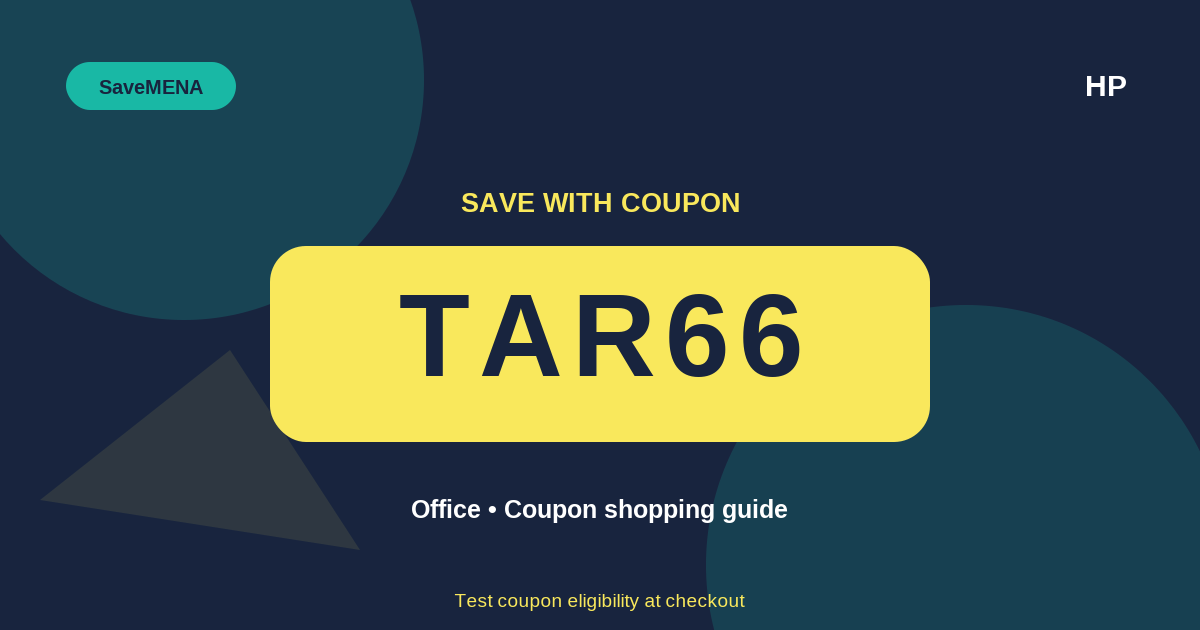
Codes available to try while comparing
These codes are not guaranteed for the article topic or listed brands; test them at checkout and use the live result.
1. Understanding the Model Hierarchy: From Entry to Pro
HP office devices span a broad spectrum—from budget‑friendly laptops that supply essential productivity tools to high‑end workstation desktops engineered for resource‑intensive applications. When evaluating a Noon UAE seller, look for the model grade as it directly influences processor capability, graphics, and build quality. Check that the product description lists the correct series—such as HP Pavilion, HP ENVY, or HP ZBook—and that it specifies the model number, for example, ZBook Studio G8. These identifiers inform you whether the device suits a simple Word‑based workflow or a graphics‑heavy CAD environment. Ensuring you know the exact model grade should be the first priority before you do anything else.
Additionally, confirm that the seller claims to be an authorized Noon UAE partner or a reputable third‑party seller. Authorized partners often provide genuine warranty terms aligned with HP’s global policies, while trusted third‑party sellers typically offer competitive pricing without compromising on authenticity. Verify the seller’s rating points and read brief user feedback to gauge prior buyer satisfaction. A list of details such as return policy and pre‑purchase support can indicate how reliable the seller is. These checks lay the groundwork for a confident transaction that aligns with your office requirements.
2. HP Model Taxonomy: Desktops, Laptops, Chromebooks
HP’s office product lineup includes desktops, laptops, and Chromebooks, each catering to distinct user scenarios. Desktops offer robust configurations for multi‑core processing, large displays, and permanent connectivity. Laptops combine portability with powerful specs, while Chromebooks provide a lightweight browser‑centric workflow ideal for cloud‑based document collaboration. The Noon product page should display the device type clearly, and only once you’re certain you require that category should you consider a coupon. In many cases, tech‑savvy users prefer laptops or Chromebooks for mobility, whereas large teams might gravitate toward desktops for stability.
For each category, the seller’s description will typically include the operating system and hardware platform. Desktop and laptop entries may show Windows 11 Pro, while Chromebooks run Chrome OS. Look for keywords such as “all‑in‑one” or “tower” for desktops, and “ultrabook” or “2‑in‑1” for laptops. These descriptors help you confirm that you’re buying the right form factor. Moreover, the seller’s listings often include key compatibility features—USB‑C, HDMI, RJ‑45 Ethernet—which are essential for office connectivity. Matching the taxonomical label to your needs is a mechanical yet vital step before moving onto features and coupons.
3. Key Technical Specifications to Inspect
Once you’ve identified the product type and model, the next step is a deep dive into core specs—processor, memory, storage, and graphics. A typical HP office device will list the CPU generation (e.g., Intel Core i5‑1255U), available RAM (e.g., 8 GB DDR4), and storage options (e.g., 256 GB SSD). These figures dictate performance for multitasking, document editing, and occasional light video editing. Check that the seller’s listing clearly displays these programming details, and remember: if a listing is vague or omits key specs, it’s a red flag.
Beyond raw numbers, look for heat management and battery life indicators. For laptops, battery endurance under typical office workloads is a critical parameter. Some HP models advertise up to 12 hours of wake‑on‑LAN capability; others claim “long‑lasting” battery packs. Verify user‑reported longevity via quick searches or community forums, but rely on the seller’s description for the listed battery type (e.g., 3‑cell AGM). The summed details of CPU, memory, storage, and battery build a comprehensive layout of how the device will function daily, setting the stage before you apply any coupons.
4. Performance Benchmarks and Real‑World Use
Performance for an office device often boils down to how well the machine handles continuous document creation, spreadsheet calculations, and email management. Benchmarks like PassMark scores or Cinebench R23 can offer a numerical snapshot, yet they rarely make it into the basic Noon listing. Therefore, as a shopper, you’ll want to read customer reviews for patterns around sluggish response times or overheating during multi‑pane Word sessions. A seller with consistent praise for smooth multitasking is a reliable sign that the product’s performance aligns with your expectations.
In addition, check the device’s suitability for virtualization or remote desktop usage if you often run multiple virtual machines. Some HP models feature hyper‑threaded processors and sizable SDRAM, enabling seamless remote session handling. If you rely on cloud services (Microsoft 365, Google Workspace), a faster SSD and regular network connectivity will reduce latency. Verify that the seller highlights any dedicated networking features, such as Killer Wi‑Fi modules, which can elevate your office experience. Having a solid understanding of real‑world performance ensures the coupon’s value will not be compromised by under‑performance.
5. Connectivity, Peripheral Compatibility, and Software
A robust office device must accommodate a range of peripherals—monitors, printers, docking stations, and external storage. Inspect the seller’s listing for the number and type of ports: USB‑A, USB‑C, HDMI, DisplayPort, and Ethernet are typical. Note that some HP laptops offer a Thunderbolt 4 port that supports dual 4K displays, a feature you may need if your office setup involves multi‑monitor workflows. Confirm that the listed ports match the connectivity solutions you plan to use.
Don’t overlook licensing details. HP often bundles Windows OEM licenses, but the exact license type can vary. If you require a commercial Windows license, verify that the laptop’s Windows 11 Pro version supports multiple user accounts and administrative rights. Peripherals like docking stations may also require special drivers; HP’s support site typically hosts these files. Check the seller’s description for any mention of required software bundles, as missing licenses can nullify the coupon’s effect by making the purchase invalid.
6. Warranty, Support, and After‑Sales Service
HP’s recall‑free policy for office devices extends up to two years for manufacturing defects, but the exact coverage can depend on the seller’s terms. Look for a mention of “HP Warranty” on the product page, which often enlists a 24‑month coverage inclusive of parts and labor. If the seller offers extended warranty plans for additional years, note the extra cost, as it will be reflected at checkout.A coupon is not guaranteed; verify its result at the retailer checkout.
Support channels—whether phone, chat, or community forums—are vital if you encounter hardware or firmware issues. HP’s technical support typically offers a dedicated hotline and live chat for authorized products. The Noon seller’s description may list a specific support email or phone number. Verify that the maker’s support portals are active and that the seller is aligned with HP’s service agreement. A reliable warranty and support framework can sometimes offset a coupon’s savings if the product needs repair or replacement, so factor that into your decision lens.
7. Shipping, Delivery, and Return Guarantees
The delivery window on Noon UAE can vary based on the seller’s fulfillment center. Sellers may indicate standard shipping times, expedited options, or free delivery on certain thresholds. Check whether the seller’s “delivery” field shows a precise timeline or a broad range (e.g., 1‑3 business days). Accurate delivery estimates help you plan office workflows if a device is on hand by a particular date.
Return policies are equally essential. Noon’s platform generally offers a limited return window—often 14 or 30 days—subject to the seller’s stipulations. Confirm that the seller’s return policy includes restocking fees, and whether returns must be in original packaging. A transparent return process protects you in the unlikely case the device fails to meet specifications. The coupon TAR71 should still apply regardless of shipping or return terms, but the final checkout price reflects any return fee considerations you may need to account for.
8. Coupon Application and Final Price Verification
When you are satisfied with model selection, specs, and seller credibility, proceed to the coupon entry. At checkout on Noon UAE, locate the “Coupon” field—usually found beside the total amount. Enter the code TAR71 and hit “Apply.” The platform will validate whether the coupon is still active for the selected product and adjust the final payable amount accordingly. Keep in mind that the coupon’s applicability is subject to the seller’s current inventory status and any product‑specific exclusions.
After application, review the updated total. The system will display the new subtotal, taxes, and any shipping charges. Verify that the final amount matches your expectations before you confirm payment. If the coupon is rejected or an error occurs, the platform typically displays a message explaining the issue—often related to eligibility. In such cases, re‑check the seller’s status, product variation, or confirm that you are applying it to a permissible HP office model. The checkout screen is the definitive source; it reflects any adjustments, fees, or restrictions that could affect your savings and confirms the purchase’s validity.
Related SaveMENA pages
Related articles
Official sources to check
Frequently asked questions
Will the TAR71 coupon work on all HP office models sold by Noon UAE?
The coupon may apply to a subset of HP office devices listed by Noon UAE; its validity depends on the seller’s current promotions. Verify the buyer’s eligibility at checkout, as the platform will confirm whether the selected model qualifies for the code.
Can I use the coupon after adding a warranty extension?
Typically, coupon codes apply to the base product price before optional services. However, the final discount calculation depends on Noon UAE’s policy, which is displayed after you input the code at checkout.
What should I do if the coupon is rejected?
If the coupon code TAR71 is not accepted, double‑check that you entered it correctly and that the seller is still active. You can also confirm that the HP model fits the coupon’s eligibility criteria on the product page.
Is there a minimum spend required to use the coupon?
Minimum spend requirements, if any, are shown during the checkout process before you confirm the transaction. The final payable total reflects these conditions and is the conclusive reference for the coupon’s application.