Sony TVs on Noon UAE: model specifications — seller checks · TAR71
If you’re looking to buy a Sony TV on Noon UAE but want to double‑check the seller before applying a coupon, you’re in the right place.
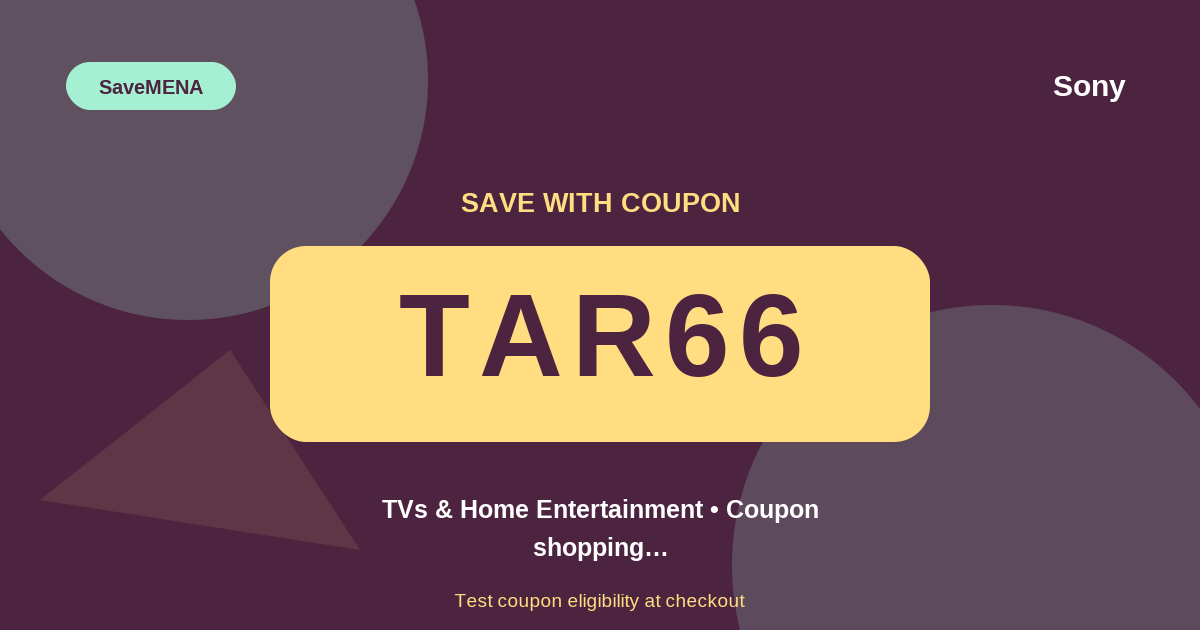
Codes available to try while comparing
These codes are not guaranteed for the article topic or listed brands; test them at checkout and use the live result.
Seller Verification: What to Look For On Noon UAE
Before you even think about rolling up the coupon code, start by checking the seller’s profile on Noon UAE. Look for the seller name, years in business, and any “Verified Seller” badge that confirms authenticity. Confirm that the seller’s rating is high and represented by a substantial number of reviews, indicating consistent delivery and quality performance. If available, a seller photo and contact details add extra reassurance that you’re dealing with a reputable local partner.
Next, scroll to the “Seller Information” section and verify the shipping options listed. Confirm that the seller promises delivery within the UAE, and check whether they support same‑day or next‑day delivery in major emirates. Pay attention to the seller’s privacy policy and return terms; a clear, customer‑friendly policy suggests they are transparent and trustworthy. These steps give you a solid baseline before you even enter the coupon code.
Model Matching: Aligning Sony TV Specs With Your Needs
Once you’ve validated the seller, dive into the Sony TV’s product details. Identify the exact model number and confirm it matches the model you want, such as the XBR‑55X950F or a comparable 4K OLED. Cross‑check the screen size, resolution, and refresh rate—Sony’s flagship TVs often boast 4K HDR10 with a 120‑Hz panel. Make sure the specs you view line up with the item’s description on the seller’s page.
Further, glance over feature notes like “Wide Color Gamut,” “Pixel‑Shift,” or “Acoustic Surface Audio.” Some models may include bracketed audio‑visual plugins for a premium immersive experience. Verify that the picture quality and sound features align with what you’re looking for—whether you want a cinema‑grade experience or a sleek, minimalist design. This ensures you’re not only buying a Sony TV, but the precise model you desired from the seller’s inventory.
Coupon Eligibility Checks: Where and How the Code Applies
Now that you know which Sony TV you want from a verified seller, it’s time to inspect the coupon applicability. Enter the coupon code TAR71 in the “Apply Coupon” field during checkout. Pay close attention to the response message; it will indicate whether the coupon is accepted or rejected. If it’s accepted, the discount will be reflected in the subtotal before tax calculation.
If the coupon is rejected, check the reasoning—sometimes it’s due to a minimum purchase threshold or a restriction on certain collections. In such cases, the seller’s “Terms and Conditions” link may provide details. Keep the discount code handy and retry after reading any alert or note. Only when the coupon is applied successfully should you consider the transaction complete.
Comparative Shopping: Weighing Alternative Filials and Placements
Even if the coupon doesn’t apply to the chosen seller, it can still be worthwhile to compare the same Sony model sold by a different Noon UAE seller. Some sellers may use the same SKU but have differing warranty terms or return policies. A side‑by‑side comparison of reputation, shipping speed, and after‑sales support can make the difference between a great purchase and a mediocre one.
When comparing, make note of seller profiles, customer feedback, and whether the seller offers a “Meet & Greet” support for installation. Checking the product’s FAQ or pinned reviews can reveal hidden quirks. Ultimately, you want the best combination of a reliable seller, detailed specs, and a coupon that truly gives you value.
Warranty and Return Policies: Ensuring Coverage After Purchase
Sony TVs typically come with a standard two‑year manufacturer warranty, but some sellers add an extended warranty or a return window of 14 days for delivery issues. Review the seller’s warranty terms carefully at the product detail level; the page should outline the coverage scope, claim process, and any exclusions.
Additionally, verify whether the seller accepts returns on defective units or if a restocking fee applies. Some sellers require you to contact their support team before initiating a return. Knowing these details prior to purchase ensures you won’t be surprised by unexpected costs or delays when an issue arises post‑delivery.
Delivery and Installation Details: What Noon Says About UAE Shipping
On Noon UAE, delivery logistics are noted in the product listing. Confirm the shipping method—whether it’s standard, expedited, or free—by reviewing the “Estimated Delivery” dates. Make sure the seller highlights any local delivery support, like a professional installer, and whether that service is included in the price.
In the event that installation is out of the seller’s scope, read the instructions on how to schedule a third‑party technician. Some sellers offer a “Home Delivery & Installation” package at an extra fee. Verify that the policy includes a date slot that works for your schedule and that the seller provides a delivery confirmation email. These details are crucial for a seamless set‑up of your new Sony TV.
Payment Options: Managing Cashback, Insurance, and Credits
Prior to finalizing the purchase, examine the payment methods offered by Noon UAE for the selected seller. Cash on delivery, credit card, and wallet top‑up are common options. If you prefer to use cash on delivery, double‑check the exact procedure and whether a non‑refundable deposit applies for large electronics.
Should you opt to use digital payments, look for any additional perks such as cashback or insurance coverage for accidental damage. The seller page or the checkout side panel will typically list these bonuses. Make sure you are aware of their terms before confirming the payment, especially regarding any coverage limits or waiting periods for claims.
Final Checkout Confirmation: Verifying Coupon Application and Order Summary
After choosing the payment method, the checkout screen presents the final order summary. Scrutinize the subtotal, shipping cost, tax, and discount details. Confirm that the coupon code TAR71, if accepted, has updated the subtotal. If it was not applied, note the rejection message to decide whether to proceed or revisit the seller or coupon.
Before clicking the final “Place Order” button, ensure the delivery details, payment method, and product listing remain unchanged. Confirm once more that all required fields are populated correctly. Once affirmed, submit the order and keep the confirmation email handy for tracking and post‑delivery support.
Related SaveMENA pages
Related articles
Official sources to check
Frequently asked questions
What does the coupon code TAR71 do?
The code TAR71 is a trial coupon that may apply a discount to the final purchase price for qualifying Sony TVs on Noon UAE. Its acceptance depends on seller policies and current promotional terms. Confirmation of discount must be verified at checkout.
Will the coupon apply to all Sony TV models on Noon UAE?
No. Coupon eligibility is determined by the seller and the specific product listing. Some Sony models or seller offers may exclude coupon use, while others may apply it.A coupon is not guaranteed; verify its result at the retailer checkout.
How can I confirm the Sony TV’s specifications match my expectations?
Compare the model number, screen size, resolution, refresh rate, and listed features on the seller’s product page to the specifications you desire. Read the full description and customer reviews for additional clarity.
What should I do if the coupon doesn’t apply at checkout?
Re‑verify the minimum spend or other restrictions. If still not accepted, consider contacting seller support, checking for alternative sellers, or simply proceeding without the discount. Ensure all shipping and payment details are correct before final confirmation.