Baby & Kids on Noon UAE: payment method — seller checks · TAR53
If you’re a UAE buyer looking to get the most out of your Baby & Kids purchase on Noon, the first thing you need to do before applying the TAR53 coupon is confirm
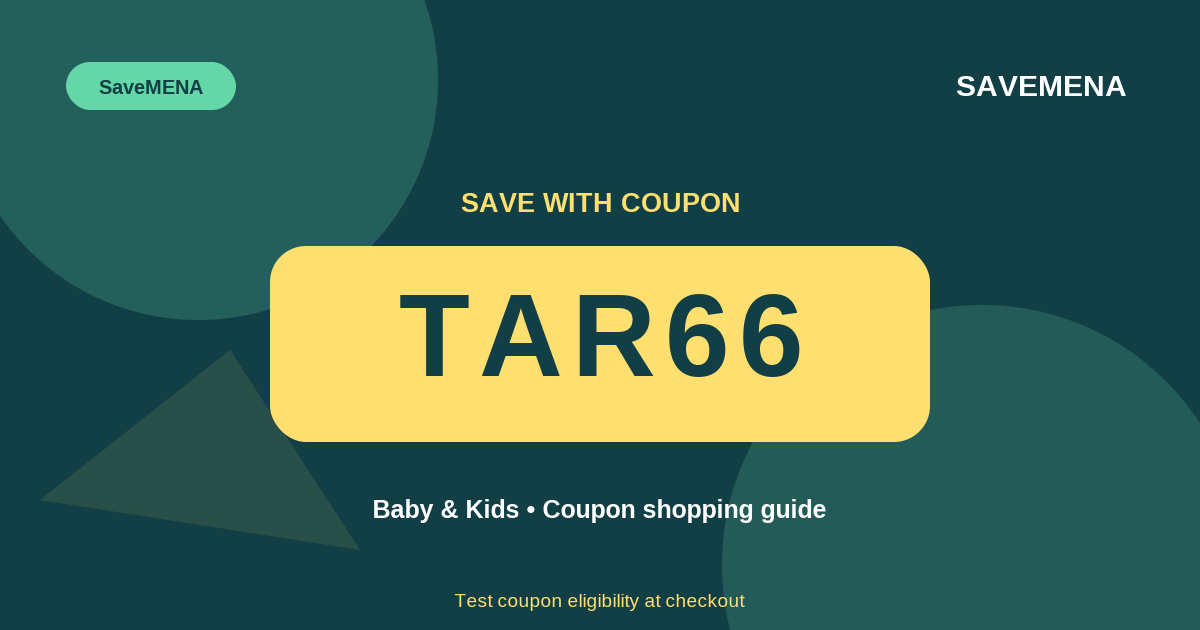
Codes available to try while comparing
These codes are not guaranteed for the article topic or listed brands; test them at checkout and use the live result.
Choosing the Right Noon UAE Seller for Baby & Kids Gear
When shopping for Baby & Kids items on Noon, your first checkpoint is the seller’s profile. Look for sellers that list themselves as Noon UAE authorized sellers, as these typically comply with Noon’s local payment policies. Sellers who clearly display their UAE address and local contact details are more likely to accept the range of payment methods available to UAE residents. Compare a handful of sellers to gauge which one offers the payment options you prefer, such as cash on delivery, credit cards, or e‑wallets, keeping in mind that the coupon’s functionality hinges on this decision.
Additionally, cross‑reference the seller’s buyer ratings and review comments. High ratings often correlate with smoother payment experiences, where accepted methods are reliably listed in the product’s purchase details. Pay attention to any listed restrictions – some sellers may specify that coupon usage is limited to certain payment methods or billing addresses.A coupon is not guaranteed; verify its result at the retailer checkout.
Inspecting Seller Credentials Before Applying the TAR53 Coupon
Before you even reach the checkout page, check the seller’s credentials for payment method compatibility. Noon’s seller verification badge typically signals that the seller has complied with local payment processing regulations. However, the badge does not guarantee that all accepted methods are the same across the platform. Look for explicit statements in the product page or seller profile that list the payment methods accepted for that specific item – you might find references to credit cards, Apple Pay, or local bank transfers.
Another useful check is the seller’s return and refund policy, which often reveals how they handle disputes that arise from payment issues. Buyers who enjoy clear, seller‑driven refund processes are more likely to have well‑integrated payment systems. If the seller’s policy mentions whether coupon usage is tied to a particular payment method, that information should be apparent before the cart stage. By verifying these details early, you keep the coupon’s potential active and avoid last‑minute cancellations.
Understanding the Coupon’s Eligibility with Different Payment Options
The TAR53 coupon can only be applied if both the seller and the chosen payment method allow it. Many Noon coupons in the Baby & Kids category are designed to work with standard bank card payments, but some may function only when a specific e‑wallet is used. Before you add items to your cart, read any “coupon restrictions” bullet points present on the product listing. If such lines read “valid only with credit card” or “excludes all‑in‑one wallets,” you’ll know which payment method can trigger the discount.
In absence of explicit restrictions, you may still need to confirm compatibility by attempting to add the coupon to a small test order. For instance, add a single baby stroller to the cart, select a recommended payment option, and toggle the coupon box. If the discount appears, the method is valid; if not, you’ll need to try another.A coupon is not guaranteed; verify its result at the retailer checkout.
Practical Steps to Verify Payment Method Compatibility at Checkout
When you reach the “Review Order” screen, you should see a clear list of all payment methods that will honor the coupon. Noon segregates payment options into categories: online banking, debit/credit cards, and local wallets. Once you pick a method here, the platform will dynamically adjust the discount availability. If the coupon is no longer visible after selecting a certain payment option, you’ll need to revert to another method.
Also, pay attention to any asterisks or footnotes next to the payment methods. These often indicate that a coupon is “applicable only to non‑cash on delivery” types. The final payable total shown after you apply your coupon and payment selection represents the only confirmation you can trust.A coupon is not guaranteed; verify its result at the retailer checkout.
Managing Delivery Charges and Payment Terms for Baby & Kids Orders
Many UAE sellers on Noon provide free delivery for Baby & Kids items over a certain threshold, which can differ by payment method. For example, orders paid by credit card may qualify for free shipping, whereas cash on delivery might carry an additional fee. The toll is usually added at the checkout stage and may affect the coupon’s appearance; if the coupon reduces the product price but not the shipping, the total savings can appear lower.
Always compare the final breakdown before confirming the order. The order confirmation screen shows the shipping fee, the coupon deduction (if applicable), and the payment method’s processing fee, if any. Any extra charges will be streamlined in that total. This final review is where you secure a coupon‑eligible purchase that still benefits from the best possible shipping terms included with your selected payment method.
Safeguarding Your Transaction: Secure Payment Practices on Noon
When you choose a payment method, ensure it’s a secure channel endorsed by Noon and your bank or provider. For credit card payments, two‑factor authentication or tokenization may be required at the point of checkout; always comply to prevent a failed transaction. If you opt for wallets or online banking, confirm that the portal features SSL encryption and a verified secure connection.
Protect yourself from the risk of a coupon being nullified by a payment dispute: keep your transaction records and the coupon code clearly displayed. If you encounter a payment error, contact Noon’s support immediately, while having the coupon code handy; many support agents can re‑apply it if it was removed accidentally due to a payment method mismatch.
How to Track Your Baby & Kids Order After Applying the Coupon
Once your payment is successful, Noon will send you a confirmation email and a tracking number. In the buyer’s account, navigate to “Order History” and locate your Baby & Kids order. The dashboard will display the exact amount charged, the coupon code used, and the applied discount, if any. This detailed view lets you confirm the coupon was applied correctly before the item leaves the warehouse.
During the shipping phase, the tracking link should reflect the courier chosen. If you notice discrepancies—such as a higher charge than anticipated—contact Noon support and provide your order ID. They can verify payment method issues or coupon misapplications and guide you to rectify it promptly.
Common Misconceptions About Noon Coupons and Payment Methods
A coupon is not guaranteed; verify its result at the retailer checkout. In reality, Noon’s coupon engine evaluates each transaction’s payment type; a coupon does not “jump over” incompatible methods. Additionally, the assumption that all Noon UAE sellers accept the same payment methods can lead to rejected applications of a coupon that only works with a specific medium.
Another error is overlooking that some payment methods impose their own fees, which can offset the coupon’s savings. Always read the fine print on payment charges before finalizing the order. By recognizing these nuances upfront, you can avoid the frustration of a coupon that disappears at the last minute or a payment that incurs hidden costs that reduce your overall discount.
Related SaveMENA pages
Related articles
Official sources to check
Frequently asked questions
What occurs if the coupon doesn't appear after selecting my preferred payment method?
If the TAR53 coupon disappears after you choose a payment method, it likely means the selected method is incompatible with the coupon. Try switching to an alternative payment option like a debit card or a different wallet that the coupon supports, and then reapply the coupon to see if it activates. The final checkout screen will confirm whether it can be used with your chosen method.
Will I be able to see the exact discount applied on my final order receipt?
Yes. The receipt and order summary displayed after payment show the original price, the reduced amount if the coupon is accepted, and any additional fees. Verify that the sum matches your expectations before confirming the transaction. If the discount is missing, revisit the payment method and reapply the coupon.
Can I use different payment methods for different items in the same cart?
No. Noon requires a single payment method per transaction. Thus, if one product in a Baby & Kids cart is incompatible with a coupon due to the chosen payment method, the entire order could be affected. Choose a single, compatible payment method before adding all items to the cart.
What if my card is declined after applying the coupon?
If your card is declined after the coupon is applied, contact your bank to verify the card is active and that there are no fraud alerts. If the decline persists, switch to an alternate payment method (e.g., wallet or credit card) and reapply the coupon, ensuring that the method supports it. Email Noon support with your order ID if you need further assistance.